
AETHERSPEND™ / GUIDED SCREEN WALKTHROUGH
Follow the finding.
Keep the response connected.
Five steps through actual product screens with demonstration data. Explore the workflow at your own pace; each screen can be expanded.
01 / 05
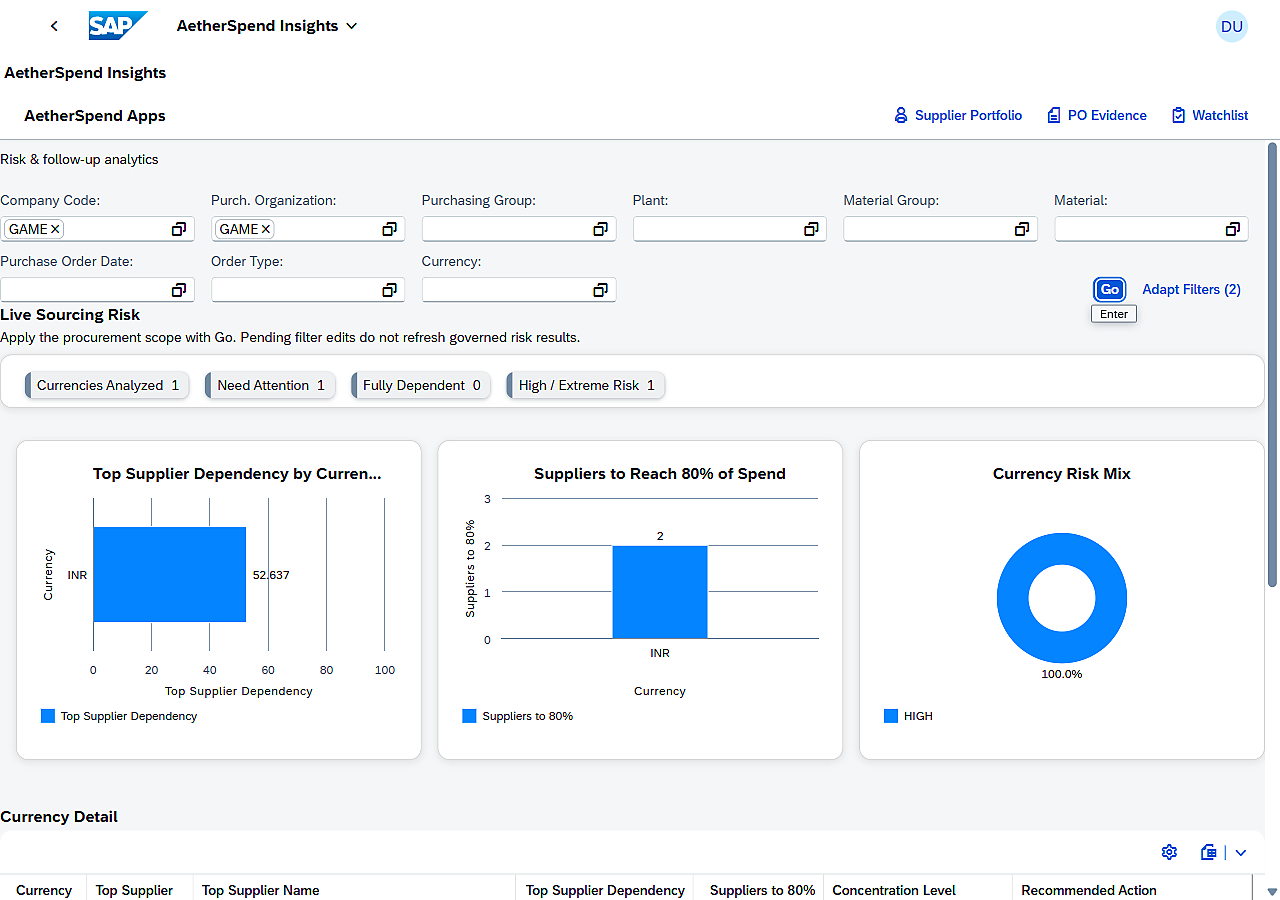
Choose a purchasing scope.
Start with the organizational and purchasing filters that define the review. Keep the date and currency context visible before comparing results.
Which plant, purchasing area and period are we reviewing?
02 / 05
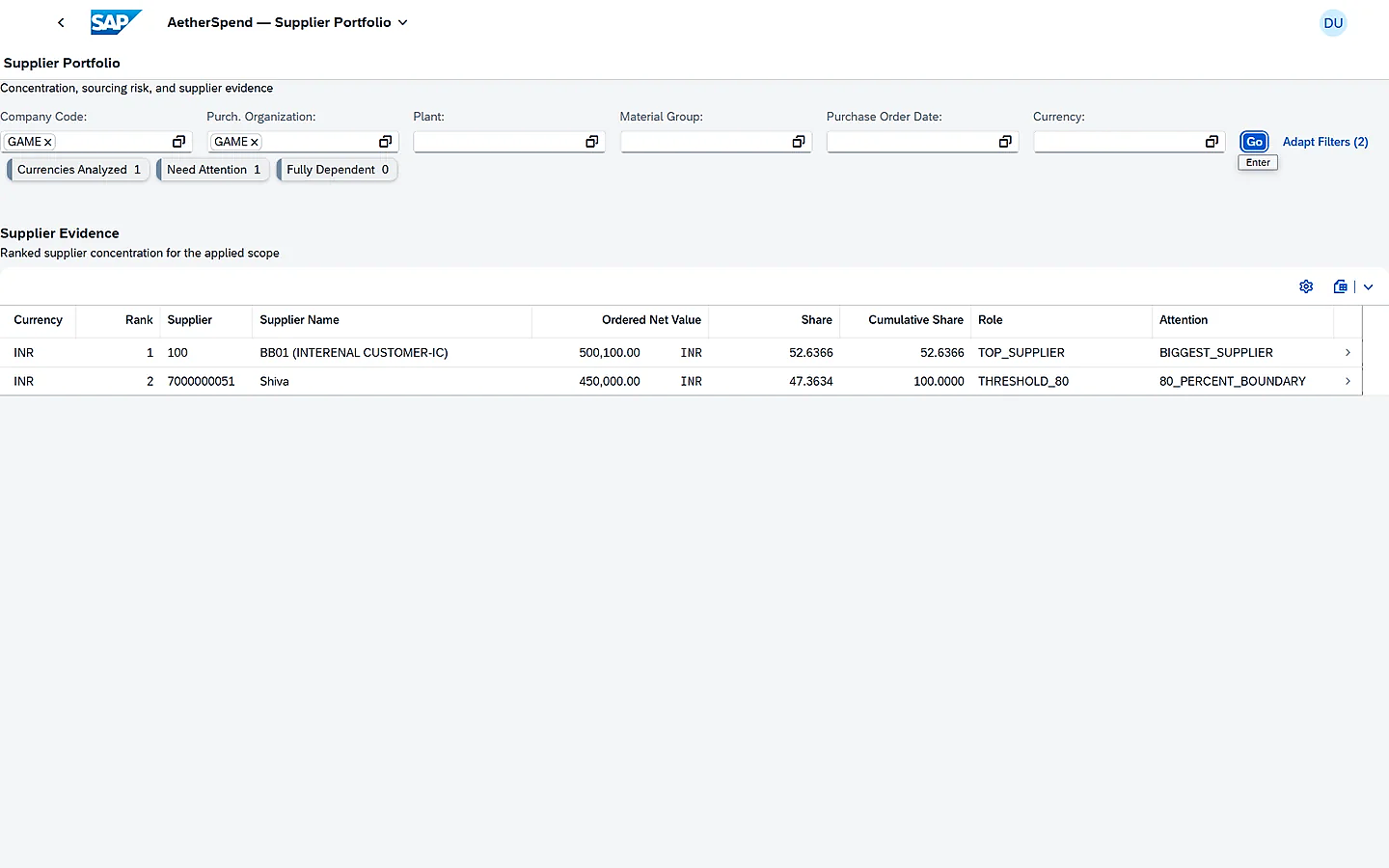
Read the supplier picture.
Inspect ranked suppliers and their share of ordered value within the selected currency scope. Use the purchasing evidence to explain the concentration.
Which suppliers account for the ordered value in this scope?
03 / 05
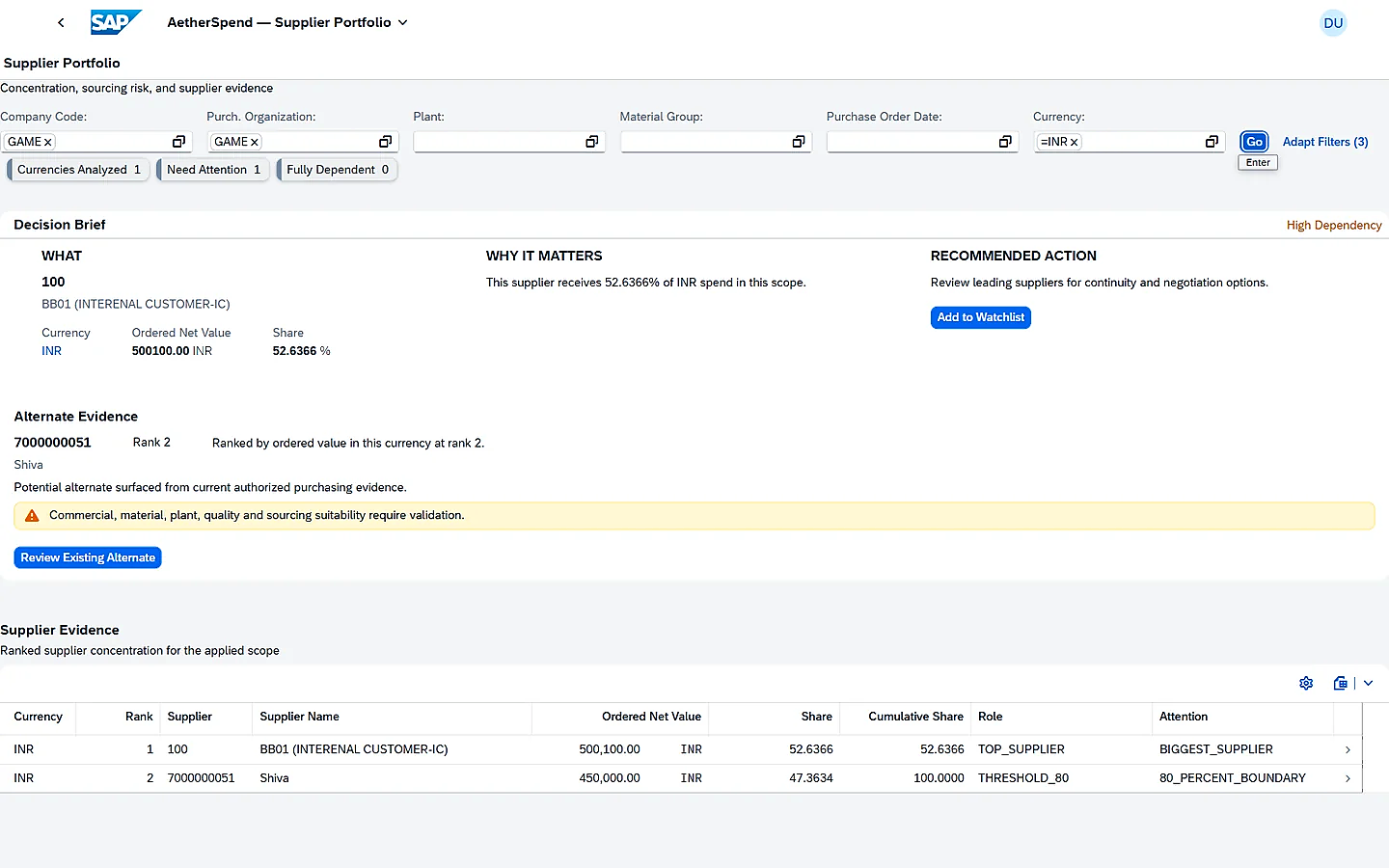
Understand the Decision Brief.
Read what the finding means, the recommended action and the alternate-supplier purchasing evidence where available.
What does this finding justify reviewing next?
04 / 05
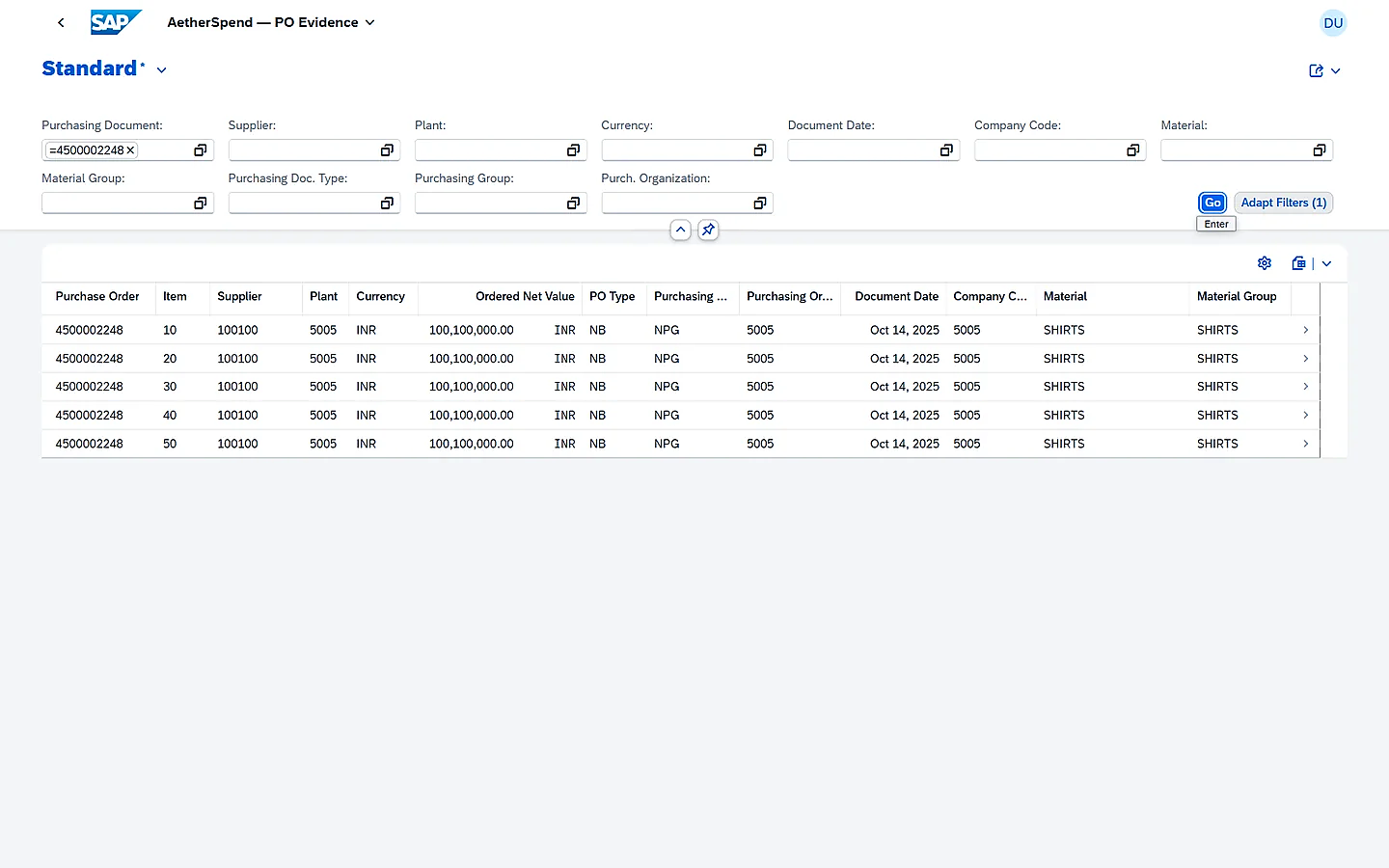
Open the PO evidence.
Inspect the underlying purchase-order records. Compare the relevant documents, items, organizational context and currency before agreeing the explanation.
Which purchasing records support the explanation?
05 / 05
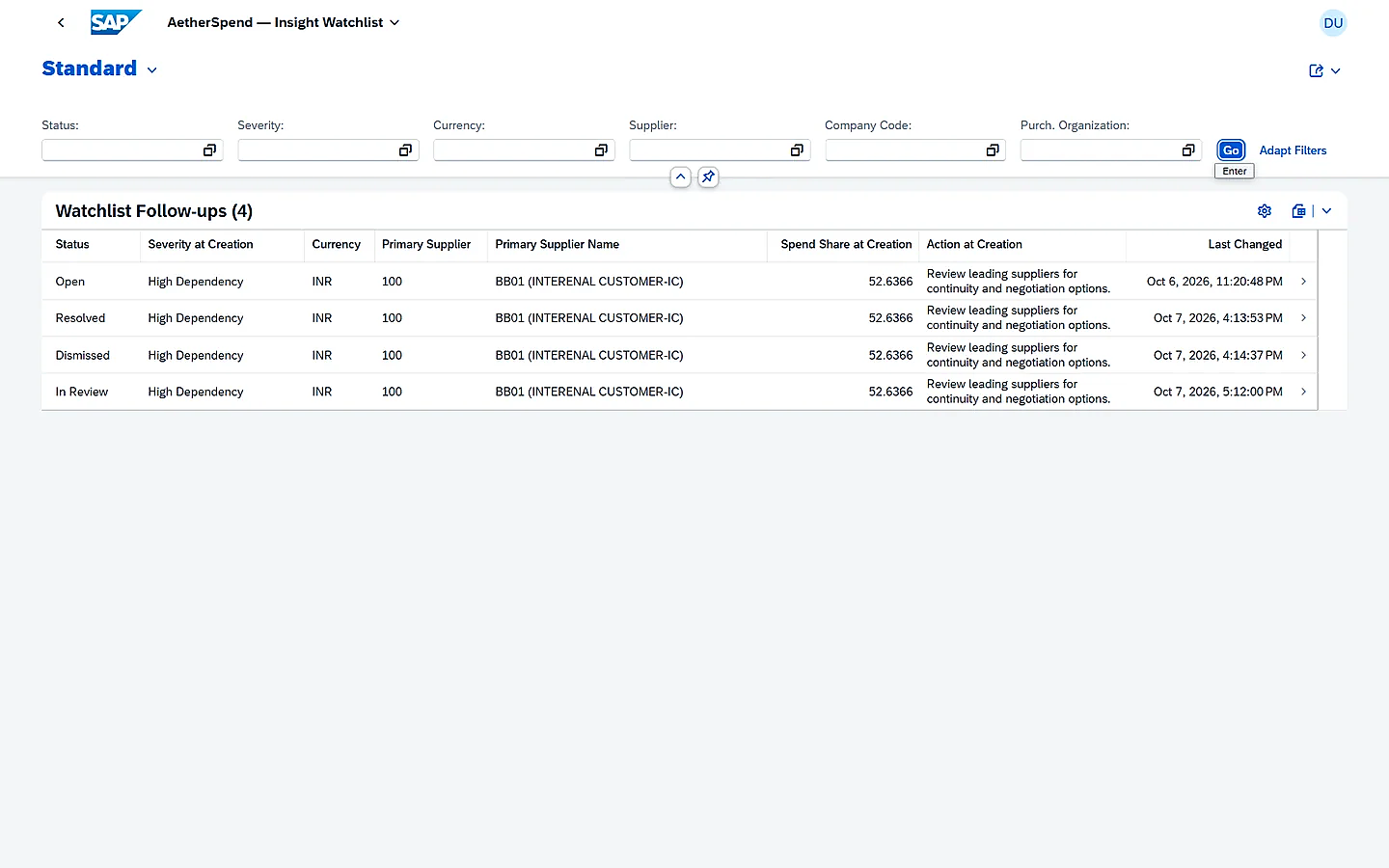
Preserve the response.
Save the decision-at-creation snapshot and review note in the creator-owned Watchlist. Controlled lifecycle actions keep the saved response connected to the original finding.
What response did I record, and what is its review state?
Step 1 of 5
A guided screen walkthrough, not a connection to a live SAP system. The screens illustrate the product workflow; your own figures and authorization context will differ.
A PRACTICAL NEXT STEP
Would this fit your purchasing review?
Examine the requirements and compare the approach before planning a demonstration.