ABAP standard, sorted and hashed tables: Choose for the access pattern
A manufacturer imports order rows in a defined sequence while repeatedly enriching them with related business data.

Source review:
START HERE · NO PRIOR TOPIC KNOWLEDGE NEEDED
What it is. Why it matters.
An ABAP internal table stores rows temporarily in program memory. Standard, sorted and hashed tables organize access differently; choosing the right type makes lookups predictable.
Completely new to SAP?
Manufacturers use SAP to connect work such as buying components, recording inventory, planning production, shipping equipment and accounting for costs. SAP S/4HANA is an enterprise resource planning system: it connects these activities through shared business data.
ABAP is SAP’s programming language for business applications. A program reads data, applies rules and produces a result. Start with the objects involved before investigating code.
A transaction code, or t-code, is a shortcut to a task in classic SAP GUI. Fiori apps provide another way to work. Names and screens depend on the product and release; you do not need a live system to learn the concepts in this guide.

Scope and source-review notes
Scope and evidence
Source review by FAST SAP SOLUTIONS® editorial. This badge describes our editorial review; it does not represent SAP certification or independent endorsement.
ABAP internal-table categories, primary and secondary key concepts; modern sample syntax requires a compatible ABAP release.
Primary documentation reviewed on 14 November 2026 using readable full text and official indexed excerpts. Documentation review only; authored examples were not compiled or executed in an SAP system.
A MANUFACTURING EXAMPLE
Choose a lookup structure for a factory import
Match the table to the lookup
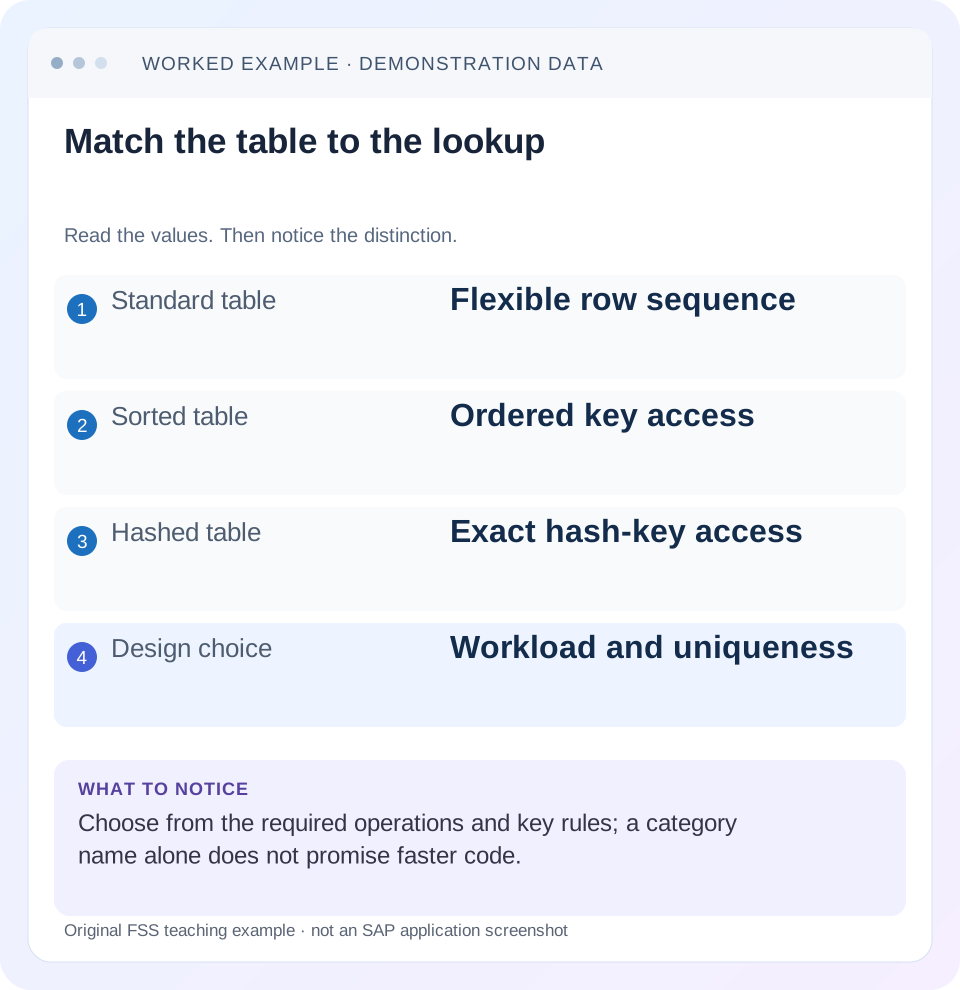
Read the example values
- Standard table
- Flexible row sequence
- Sorted table
- Ordered key access
- Hashed table
- Exact hash-key access
- Design choice
- Workload and uniqueness
Words you’ll meet in this guide
- Program
- A set of instructions executed by a computer.
- Class
- A reusable unit that groups data with operations called methods.
- Database
- Organized information kept beyond one program execution.
- Internal table
- A list of rows held temporarily in an ABAP program’s memory.
- Key
- One or more fields used to identify or find a record.
- ABAP
- SAP’s programming language for business applications.
Preview the practical steps
SEE THE CONNECTION
See it in a simple example.
A small example to make the idea concrete.
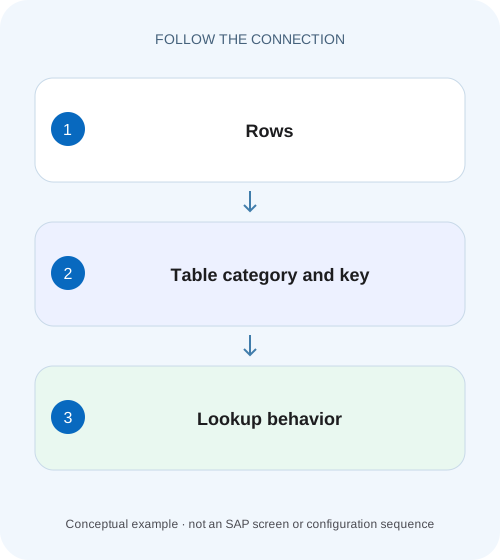
Choose a lookup structure for a factory import
A manufacturer imports order rows in a defined sequence while repeatedly enriching them with related business data.
Start with the operations, then choose the table category
Choose a standard table when a flexible row sequence and index-oriented processing fit the contract.
Scope and prerequisites
You should understand ABAP structures, LOOP, INSERT and READ TABLE.
Understand the primary organization
A standard table has a primary table index and can be accessed by position.
Choose a lookup structure for a factory import
A manufacturer imports order rows in a defined sequence while repeatedly enriching them with related business data.
Compare sequence requirements, uniqueness and lookup patterns before choosing a standard, sorted or hashed internal table.
| Reader | Business question | Evidence to carry forward |
|---|---|---|
| SAP developers and application teams supporting manufacturers | Choose a lookup structure for a factory import | Compare sequence requirements, uniqueness and lookup patterns before choosing a standard, sorted or hashed internal table. |
01 Start with the operations, then choose the table category
Choose a standard table when a flexible row sequence and index-oriented processing fit the contract. Choose a sorted table when maintained key order and ordered access are central. Choose a hashed table when repeated complete unique-key lookups dominate. The category defines primary access behavior; the key defines identity, ordering and permitted duplicates. [1]
A report can need more than one access pattern. An item list may preserve upload order while a customer lookup requires fast exact-key access. You do not have to force both into the same category. This tutorial separates those workloads, implements explicit keys and shows how to test that a performance refactoring preserves business meaning.
02 Scope and prerequisites
You should understand ABAP structures, LOOP, INSERT and READ TABLE. The examples use contemporary declarations, constructor expressions and explicit empty keys, so verify syntax against the installed ABAP language version. The category and key concepts also apply to older releases, but code syntax and secondary-key features must match your system.
All rows below are fictional. The example runs entirely on internal data and needs no SAP business table. It is suitable for a local development exercise, subject to syntax adaptation. Runtime comparisons require representative volume and your actual environment; the article makes no measured performance claim and does not treat broad algorithmic descriptions as a guarantee of elapsed time.
03 Understand the primary organization
A standard table has a primary table index and can be accessed by position. A sorted table also has an index, but the runtime maintains its primary key ordering. Its primary key can be unique or non-unique. A hashed table's primary hash key is unique and has no primary positional index. These distinctions change both accepted operations and observable behavior. [1] [2]
A key is a tuple, not a vague description of important fields. For an order item it might be document_id plus item_no. A customer ID alone is not unique across all possible business contexts unless the contract says so. Choosing a unique hashed key that omits a required context field can reject valid rows or collapse a design that previously allowed multiple entries.
04 Worked case: upload order and customer enrichment
A fictional upload contains three items: document D100/item 10 for customer C100, D100/item 20 for C200 and D101/item 10 for C100. The user expects the result in this upload sequence. A separate customer lookup contains C100 named Alpha and C200 named Beta. Enrichment should return Alpha, Beta, Alpha without duplicating or reordering the item list.
Use a standard item table with an explicit empty primary key when the sequence itself matters and no primary-key lookup is required. Use a hashed lookup table with unique customer_id for exact customer access. The lookup's uniqueness expresses one current display name per customer in this simplified fixture. If names depend on language or validity date, those dimensions require a different key or a preceding selection rule.
| Dataset | Rows | Required access |
|---|---|---|
| Upload items | D100/10 C100; D100/20 C200; D101/10 C100 | Sequential processing in upload order |
| Customer names | C100 Alpha; C200 Beta | Complete unique-key lookup |
| Output | Alpha; Beta; Alpha | Same item identities and sequence |
05 Declare the contract explicitly in code
The following declarations avoid an implicit standard key. The row type and key are visible to reviewers, and the lookup statement requests the complete primary table key. Repeated item references to C100 are valid; duplicate C100 rows inside the lookup are a separate contract problem.
The loop deliberately branches on sy-subrc immediately after READ TABLE. A missing lookup should not reuse the preceding customer's name. This example leaves the optional label blank; a real required master-data reference may instead reject the item. Choose that outcome from the business requirement rather than from the table category.
TYPES: BEGIN OF ty_item,
         document_id TYPE c LENGTH 4,
         item_no TYPE i,
         customer_id TYPE c LENGTH 4,
         customer_name TYPE string,
       END OF ty_item,
       BEGIN OF ty_customer,
         customer_id TYPE c LENGTH 4,
         name TYPE string,
       END OF ty_customer.
DATA items TYPE STANDARD TABLE OF ty_item WITH EMPTY KEY.
DATA customers TYPE HASHED TABLE OF ty_customer
  WITH UNIQUE KEY customer_id.
items = VALUE #(
  ( document_id = 'D100' item_no = 10 customer_id = 'C100' )
  ( document_id = 'D100' item_no = 20 customer_id = 'C200' )
  ( document_id = 'D101' item_no = 10 customer_id = 'C100' ) ).
customers = VALUE #(
  ( customer_id = 'C100' name = 'Alpha' )
  ( customer_id = 'C200' name = 'Beta' ) ).
LOOP AT items ASSIGNING FIELD-SYMBOL(<item>).
  CLEAR <item>-customer_name.
  READ TABLE customers INTO DATA(customer)
    WITH TABLE KEY customer_id = <item>-customer_id.
  IF sy-subrc = 0.
    <item>-customer_name = customer-name.
  ENDIF.
ENDLOOP.
06 Use a sorted key when the question is a range or group
Suppose the next requirement is “process every item for one customer in customer/document/item order.” That is different from retrieving one exact customer master row. A sorted table or a suitable sorted secondary key can support an ordered group traversal. Put customer_id first when the intended access uses that leading part of the key.
Key component order matters for sorted access. A key ordered by document_id, item_no, customer_id does not organize all rows for one customer into the same leading-key group. Keep the required ordering explicit. If the output must still preserve upload order, keep the original table or use a separate access path rather than silently sorting the user's working sequence in place.
07 Secondary keys add an access path and a maintenance cost
Secondary sorted or hashed keys can provide additional access patterns without changing the primary organization. For example, a standard item table can retain primary upload sequence while exposing a named sorted key for customer-oriented traversal. The access statement must use the intended key; SAP documents that a suitable secondary key is not silently selected for every read. [2] [3]
Each additional key consumes memory and requires administration as rows change. It is most attractive when repeated reads justify that cost. Do not add every conceivable key to a small write-heavy table. Measure the workload including population, modification and the first relevant access, rather than timing only a convenient warmed-up read after all setup costs have been excluded.
08 Insertion, duplicates and changing keys
Inserting into a unique key structure requires an explicit duplicate policy. For individual INSERT ... INTO TABLE operations, inspect the documented result rather than assuming every row was accepted. Constructor or bulk operations can have different duplicate-error behavior; check the exact statement form before choosing error handling. A rejected duplicate is evidence that the proposed identity contract and incoming data disagree.
Primary key components of sorted and hashed tables are protected from arbitrary in-place changes because those changes would invalidate organization. When a business key changes, design an appropriate remove/reinsert or supported replacement flow and handle collisions. Do not use field-symbol access to bypass the key model. Non-key descriptive fields are a different case and can be updated through permitted operations. [4]
09 Troubleshooting by access pattern
A table category can be correct while an individual statement uses it poorly. Inspect the declaration and the read statement together. A partial or unrelated free-key search does not automatically obtain the complete-key behavior that motivated a hashed table.
| Observation | Question | Correction direction |
|---|---|---|
| Hashed table search is still expensive | Is the complete hash key supplied? | Use the intended key or a suitable alternate access path |
| Valid rows rejected as duplicates | Does the key omit a business dimension? | Repair identity and duplicate policy |
| Output order changed | Was a maintained order substituted for upload sequence? | Preserve sequence explicitly |
| Sorted access misses expected group | Are leading key components aligned? | Design component order for the group query |
| Memory grows after adding keys | Are extra indexes justified? | Measure read benefit against administration |
| Previous label appears on missing key | Is the read result checked? | Define missing-value handling immediately |
10 Verify identity, order and failure behavior
For the positive fixture, expect three output items in the original sequence with names Alpha, Beta, Alpha. Add an unknown customer C999 after C100 and confirm its label is blank or rejected according to the chosen contract. Test an empty item list and an empty lookup table; neither should cause stale enrichment.
Add a duplicate C100 lookup row deliberately in a development fixture and observe the actual statement's duplicate handling. Then add two items for the same customer and confirm both survive: duplicate lookup identity and repeated references are different concepts. If refactoring to a sorted table, check output sequence separately from row count. Three correct identities in the wrong business order can still be a regression.
11 Measure the complete workload before declaring it faster
Compare alternatives using realistic sizes and proportions of hits, misses, inserts and updates. A one-time sequential pass through ten rows has a different cost profile from millions of repeated exact-key reads. Include data preparation and any sorting or key administration that the application actually performs on each request.
Keep functional assertions identical between versions and measure with the appropriate ABAP profiling tools. A faster loop can be irrelevant if the report spends most time in repeated database calls. Use SAT or the ABAP Profiler for the application path and ST05 when database access dominates. Report dataset and environment rather than claiming a universal percentage improvement from a category change.
12 Frequently asked questions
Is a hashed table always the fastest? No. Its intended strength is complete unique-key access. Sequence, grouping, write volume, memory and actual statement form all matter.
Can a hashed table ever have an index access path? Its primary organization has no positional index, but a sorted secondary key can provide a secondary index. Name the access path precisely rather than repeating an absolute slogan. [2]
Should I use the default key? Prefer an explicit design. A default derived from character-like fields may not match business identity or the operations you intend.
Does sorting a standard table make it a sorted table? No. Explicit sorting changes current content order; it does not change the table's declared category or automatically preserve that order after arbitrary later writes. Use the category or a disciplined lifecycle that matches the required invariant.
Related services and next steps
Primary sources
Found this useful?
Share this guide with your network, or leave a like.
Your like is saved in this browser.