ABAP SELECT SINGLE versus UP TO 1 ROWS: Make the chosen row predictable
A custom plant report needs the latest relevant order record, but more than one row can share the same date.

Source review:
START HERE · NO PRIOR TOPIC KNOWLEDGE NEEDED
What it is. Why it matters.
A database query asks for stored records. SELECT SINGLE retrieves one matching row, but a condition that matches several rows does not express which business row you intended.
Completely new to SAP?
Manufacturers use SAP to connect work such as buying components, recording inventory, planning production, shipping equipment and accounting for costs. SAP S/4HANA is an enterprise resource planning system: it connects these activities through shared business data.
ABAP is SAP’s programming language for business applications. A program reads data, applies rules and produces a result. Start with the objects involved before investigating code.
A transaction code, or t-code, is a shortcut to a task in classic SAP GUI. Fiori apps provide another way to work. Names and screens depend on the product and release; you do not need a live system to learn the concepts in this guide.

Scope and source-review notes
Scope and evidence
Source review by FAST SAP SOLUTIONS® editorial. This badge describes our editorial review; it does not represent SAP certification or independent endorsement.
ABAP SQL SINGLE and limited ordered selection; syntax and available data sources depend on release and ABAP language version.
Primary documentation reviewed on 14 November 2026 using official indexed excerpts. Documentation review only; authored examples were not compiled or executed in an SAP system.
A MANUFACTURING EXAMPLE
Select a predictable latest manufacturing record
Define which one row you mean
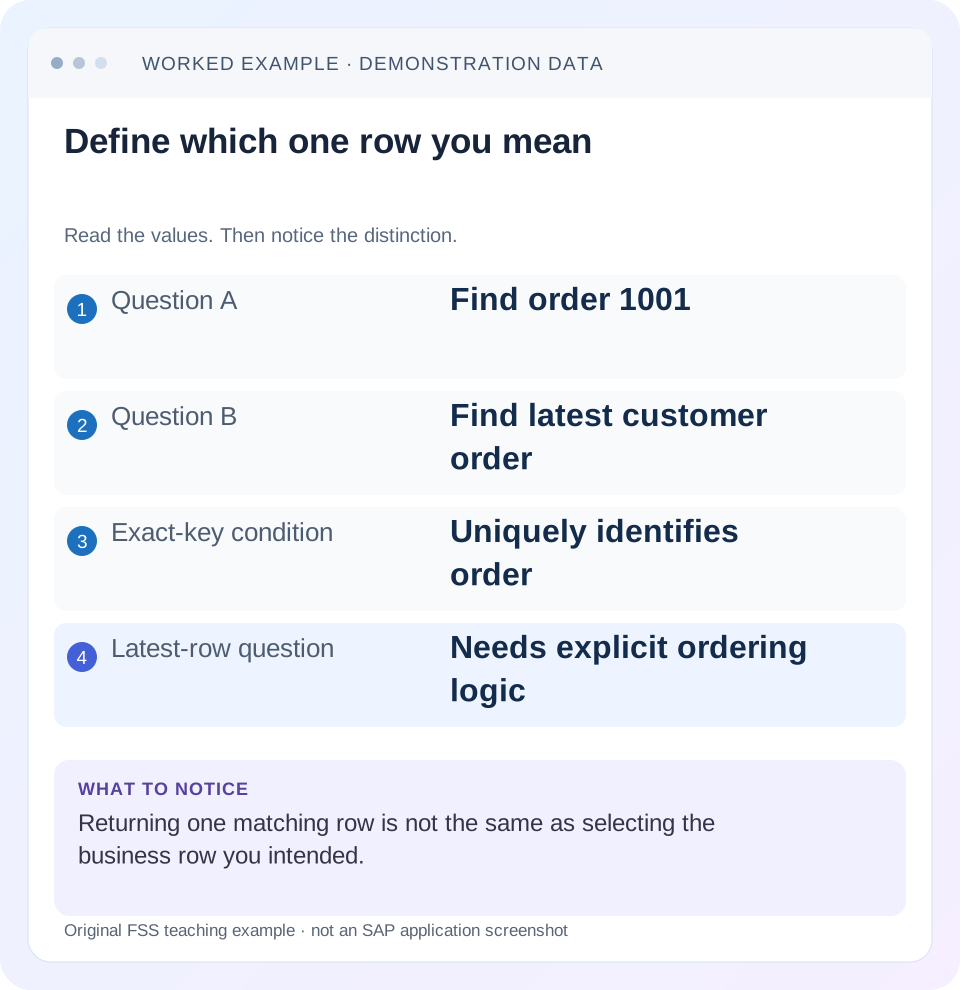
Read the example values
- Question A
- Find order 1001
- Question B
- Find latest customer order
- Exact-key condition
- Uniquely identifies order
- Latest-row question
- Needs explicit ordering logic
Words you’ll meet in this guide
- Program
- A set of instructions executed by a computer.
- Class
- A reusable unit that groups data with operations called methods.
- Database
- Organized information kept beyond one program execution.
- Internal table
- A list of rows held temporarily in an ABAP program’s memory.
- Key
- One or more fields used to identify or find a record.
- ABAP
- SAP’s programming language for business applications.
- CDS
- Core Data Services: reusable definitions of business data and relationships.
- SQL
- A language used to read and work with database data.
Preview the practical steps
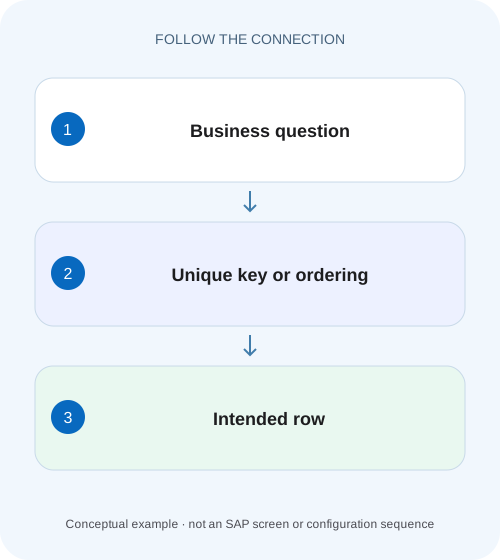
SEE THE CONNECTION
See it in a simple example.
A small example to make the idea concrete.
Select a predictable latest manufacturing record
A custom plant report needs the latest relevant order record, but more than one row can share the same date.
Decide whether you are identifying a row or choosing one
Use SELECT SINGLE for an exactly identified row.
Scope and prerequisite knowledge
The article uses ABAP SQL and contemporary host-variable syntax.
What SINGLE and UP TO actually promise
SINGLE limits a result to one row and provides a scalar/structured target form.
Select a predictable latest manufacturing record
A custom plant report needs the latest relevant order record, but more than one row can share the same date.
Define a complete ordering and tie-breaker before treating any matching row as the intended latest result.
| Reader | Business question | Evidence to carry forward |
|---|---|---|
| SAP developers and application teams supporting manufacturers | Select a predictable latest manufacturing record | Define a complete ordering and tie-breaker before treating any matching row as the intended latest result. |
01 Decide whether you are identifying a row or choosing one
Use SELECT SINGLE for an exactly identified row. When a condition can match several rows and the business wants the latest, highest or preferred one, use a supported limited selection with an explicit ORDER BY and a complete tie-breaker. Returning one row and selecting the intended row are different requirements. [1] [2]
An unordered SELECT SINGLE against a non-unique condition does not express a preference. Replacing it with unordered UP TO 1 ROWS does not add one. This tutorial builds a deterministic “latest order” query from a small fixture and separates its correctness from performance considerations.
02 Scope and prerequisite knowledge
The article uses ABAP SQL and contemporary host-variable syntax. Exact syntax and available data sources depend on ABAP release and language version. The customer table names below are illustrative definitions that do not exist merely because they appear in the example. Adapt the design to a permitted real data source or a local training artifact.
You should understand database keys, WHERE predicates and ordering. For a client-dependent table, retain the supported client-handling behavior and all required organizational context. A document number alone may not be globally unique in the application model. Inspect the actual table or released CDS key rather than inferring identity from a familiar screen label.
03 What SINGLE and UP TO actually promise
SINGLE limits a result to one row and provides a scalar/structured target form. If the predicate identifies more than one row, one matching row can be returned without a business ordering guarantee. In the reviewed keyword documentation, ORDER BY cannot be combined with SINGLE. [2]
UP TO 1 ROWS limits a tabular selection and can be combined with ORDER BY to choose the first row of an ordered result. The order itself must be unique enough for the requirement. Sorting only by a date leaves two documents with the same date tied. The database cannot infer which of those documents your business regards as newer or preferred. [1]
04 Worked case: latest order with a tied posting date
Consider fictional customer C100 in company 1000. Orders O100 and O101 both have posting date 2026-11-10; O099 has date 2026-11-09. The business rule for this tutorial is latest posting date, then greatest order ID as an explicit tie-breaker. Under that rule, O101 wins. This is an authored rule, not a claim that every SAP document number implies creation chronology.
A SELECT SINGLE filtered only by customer and company could return any matching row. A query ordered only by posting date still leaves O100 and O101 tied. Adding order ID makes the selection reproducible for this fixture, provided that the ID is unique within the selected context. If the real requirement is actual creation instant, use the appropriate timestamp and a unique identity tie-breaker instead.
| Company | Customer | Order | Posting date | Rule result |
|---|---|---|---|---|
| 1000 | C100 | O099 | 2026-11-09 | Older date |
| 1000 | C100 | O100 | 2026-11-10 | Loses explicit ID tie-break |
| 1000 | C100 | O101 | 2026-11-10 | Chosen |
| 2000 | C100 | O200 | 2026-11-11 | Outside selected company |
05 Express exact lookup and ranked selection separately
For an exact lookup, supply the complete relevant identity in WHERE. The example assumes order_id plus company_code uniquely identifies the row within supported client handling. Verify that assumption for the real source. Check sy-subrc before consuming a structured result so a missing record does not become a stale business value.
For the latest-order query, read into a table with a maximum of one row. This makes the zero-row result explicit and allows ordering. Do not SELECT every order and then arbitrarily keep the first row of an unordered internal table. The database can apply the intended order and row limit as one logical query.
" Exact identity: confirm the actual unique key.
SELECT SINGLE order_id, posting_date, net_amount, currency
  FROM zorder_hdr
  WHERE company_code = @company
    AND order_id = @requested_order
  INTO @DATA(exact_order).
IF sy-subrc = 0.
  " Consume only this successful lookup result.
ENDIF.

" Business winner: latest date, then greatest ID by agreed rule.
SELECT order_id, posting_date, net_amount, currency
  FROM zorder_hdr
  WHERE company_code = @company
    AND customer_id = @customer
  ORDER BY posting_date DESCENDING, order_id DESCENDING
  INTO TABLE @DATA(latest_candidates)
  UP TO 1 ROWS.
IF latest_candidates IS NOT INITIAL.
  DATA(latest_order) = latest_candidates[ 1 ].
ELSE.
  " No eligible order: follow the caller's missing-result contract.
ENDIF.
06 Define the eligible population before ranking
The winner is chosen from the rows that survive WHERE. If cancelled orders should be excluded, express the supported status criterion before ordering. If the business wants only a particular sales organization or document category, include that context. A perfect tie-breaker cannot repair an incorrectly defined candidate population.
For the example, O200 in company 2000 is deliberately newer but ineligible. Omitting company_code changes the business question and selects the wrong record even though the result is deterministic. Likewise, using a posting date instead of a creation timestamp is a semantic decision. Write the sentence defining “latest” before writing its SQL translation.
07 Choose a tie-breaker that is meaningful and complete
A unique key component can stabilize equal dates, but stability and business preference are not identical. Ask whether the business accepts a greatest-ID rule or requires a sequence/timestamp that captures the intended chronology. If two rows can still tie after the chosen columns, add sufficient identity columns or define a group result rather than pretending there is one winner.
Be explicit about initial values and nullability when querying views or joins. A missing timestamp may need exclusion or a documented placement. Do not rely on a database's convenient current ordering of equal values. A database upgrade, changed plan or newly inserted row can expose ambiguity that a small development table concealed.
08 Handle no-match results deliberately
A maximum-one-row query can legitimately return zero rows. The caller should distinguish missing from a valid initial amount. In an order summary, no eligible order might mean an empty state; in a required reference lookup, it may mean rejection. Avoid returning a previously populated structure after a failed exact lookup.
When an existence check is the only requirement, select an appropriate constant or minimal field using supported syntax and inspect the result. Do not retrieve a full wide business object merely to answer “does any eligible row exist?” Conversely, an existence check is not proof that a later separate read will see an unchanged row under concurrent modifications.
09 Troubleshooting one-row selection errors
Inspect population, ranking and result lifecycle in that order. Each can independently produce a plausible but wrong one-row answer.
| Symptom | Question | Correction direction |
|---|---|---|
| Different row after upgrade | Was selection non-unique and unordered? | Define the winner explicitly |
| Same date, varying result | Is ordering still tied? | Add an agreed unique tie-breaker |
| Newer row from wrong company | Was organizational scope omitted? | Repair candidate predicates |
| No row but old amount displayed | Was target consumed after a miss? | Branch on the current result |
| Correct row, unexpected date meaning | Posting versus creation chronology? | Use the business-defined time field |
| Slow after adding ordering | What work does the actual access perform? | Measure plan and trace without removing required semantics |
10 Verify zero, one, many and tied candidates
For the positive case, use C100/company 1000 and expect O101 under the written rule. For a single-match case, use a customer with one eligible order and expect that exact identity. For a negative case, use an unknown customer and expect no result with no stale amount. Then add another row sharing the date and verify the tie-breaker.
A boundary case changes O101 to an excluded status or another company. The selected identity should then follow the remaining eligible set. Test repeated calls: one successful selection followed by no match. Assert identity and amount/currency together, not only that exactly one row was returned. These are proposed training checks and have not been run against a customer database.
11 Measure performance after preserving the correct semantics
The reviewed keyword documentation describes no major practical performance distinction between equivalent unordered one-row forms. Avoid a blanket optimization rule that always replaces SINGLE with UP TO 1 ROWS or the reverse. Different predicates, projections, buffering and database plans can matter more than that syntax choice. [1] [2]
Use ST05 or the supported SQL analysis for the actual workload. Inspect returned rows, execution count and the access path as appropriate. An index proposal must consider the table's full write/read workload and platform, not only one tutorial query. If ordering is required for correctness, investigate how to support it efficiently rather than dropping it to obtain an arbitrary faster answer.
12 Frequently asked questions
Does UP TO 1 ROWS always choose the latest row? No. It limits quantity. ORDER BY and a complete business rule choose the winner.
Can SELECT SINGLE use ORDER BY? The reviewed ABAP SQL syntax does not allow that combination; use the supported limited tabular selection for ranked results.
Is ORDER BY PRIMARY KEY the same as latest? Only if the agreed business rule actually follows that key order. Do not infer chronology from a technical key.
What should the review record say? State the eligible population, unique identity or ranking, tie-breaker, no-result behavior and proposed fixture. A reviewer should be able to predict O101 before inspecting the SQL, then explain why every predicate and order component exists.
Related services and next steps
Primary sources
Found this useful?
Share this guide with your network, or leave a like.
Your like is saved in this browser.