SAP Ariba approval flows: Follow the approvable and its current node
A factory requests workshop equipment through Ariba and the buyer needs to explain which approval node is pending.

Source review:
START HERE · NO PRIOR TOPIC KNOWLEDGE NEEDED
What it is. Why it matters.
SAP Ariba helps companies buy goods and services. An approval flow shows who must review a document and in what order, so requesters can find the current decision owner.
Completely new to SAP?
Manufacturers use SAP to connect work such as buying components, recording inventory, planning production, shipping equipment and accounting for costs. SAP S/4HANA is an enterprise resource planning system: it connects these activities through shared business data.
SAP Ariba supports purchasing collaboration and buying experiences. Requests, approvals, supplier communication and receipt of goods remain distinct parts of the buying process.
A transaction code, or t-code, is a shortcut to a task in classic SAP GUI. Fiori apps provide another way to work. Names and screens depend on the product and release; you do not need a live system to learn the concepts in this guide.

Scope and source-review notes
Scope and evidence
Source review by FAST SAP SOLUTIONS® editorial. This badge describes our editorial review; it does not represent SAP certification or independent endorsement.
SAP Ariba Procurement approval concepts from the 2605 guide. Approvable-specific statuses, group/visibility, delegation, editing/reapproval and active rule behavior depend on tenant configuration and permissions.
Reviewed the cited official SAP indexed documentation excerpts on 14 November 2026. Direct Help Portal opens did not consistently expose readable page text. This is documentation-based teaching, not customer-system execution. All document identifiers, quantities and outcomes in the worked case are illustrative; installed release, edition, configuration and authorizations require local verification.
A MANUFACTURING EXAMPLE
Follow an industrial purchasing approval
Find the current approver
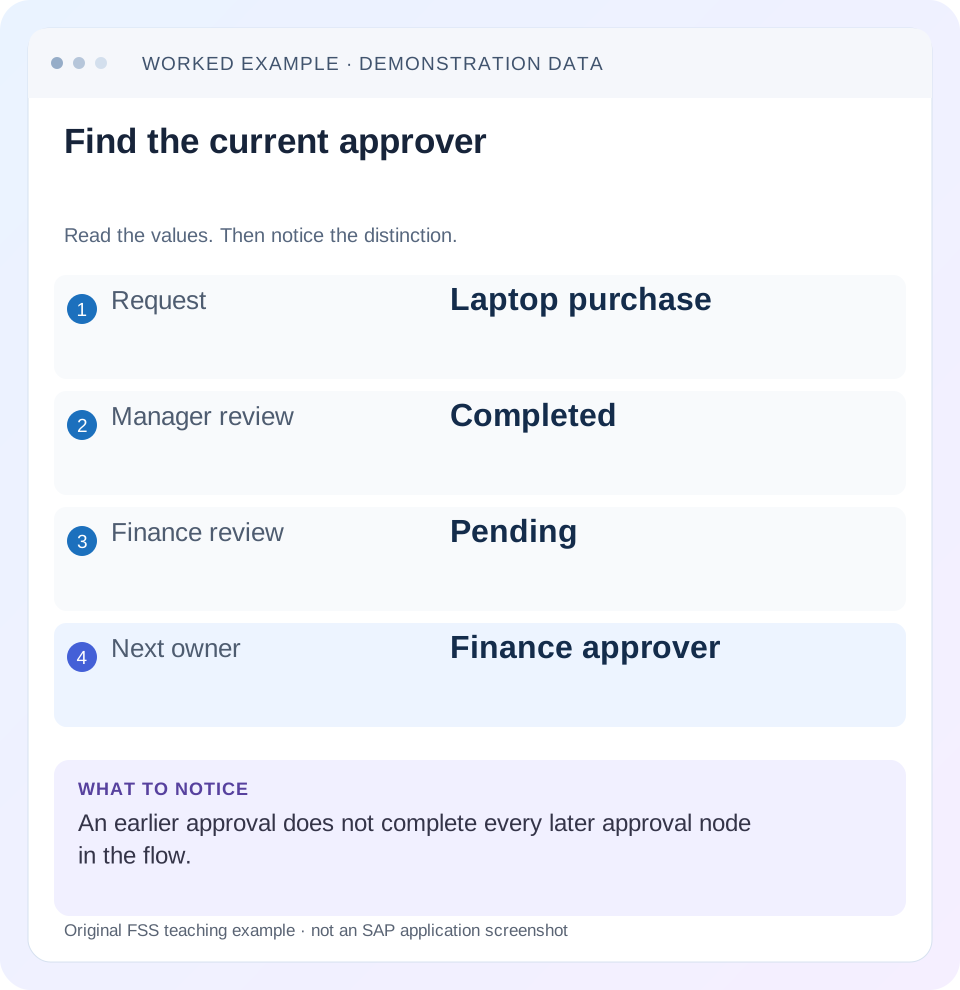
Read the example values
- Request
- Laptop purchase
- Manager review
- Completed
- Finance review
- Pending
- Next owner
- Finance approver
Words you’ll meet in this guide
- Requisition
- An internal request to purchase goods or services.
- Approver
- A person responsible for a required decision.
- Supplier
- The organization providing goods or services.
Preview the practical steps
SEE THE CONNECTION
See it in a simple example.
A small example to make the idea concrete.
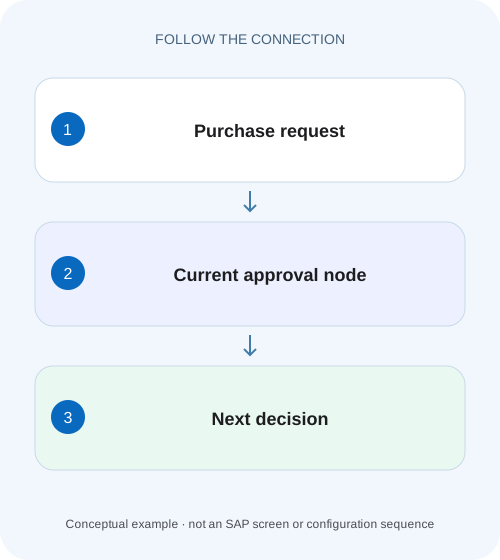
Follow an industrial purchasing approval
A factory requests workshop equipment through Ariba and the buyer needs to explain which approval node is pending.
Find the current required decision, not every name in the diagram
An SAP Ariba approval flow represents approval requests for a particular approvable document.
Scope and prerequisites
The scope is SAP Ariba Procurement approval-flow concepts, using the current 2605 Approval Process Management Guide.
Understand rules, flows and document states
SAP documents an approval process as rules for an approvable type.
Follow an industrial purchasing approval
A factory requests workshop equipment through Ariba and the buyer needs to explain which approval node is pending.
Follow the approvable, current node and responsible approver; distinguish approval from the later order and receiving steps.
| Reader | Business question | Evidence to carry forward |
|---|---|---|
| Manufacturing buyers and purchasing managers | Follow an industrial purchasing approval | Follow the approvable, current node and responsible approver; distinguish approval from the later order and receiving steps. |
01 Find the current required decision, not every name in the diagram
An SAP Ariba approval flow represents approval requests for a particular approvable document. Nodes identify approver roles and arcs show processing order. A visible name can belong to an earlier completed step, a later serial step or a watcher rather than the person who can resolve the current wait. [1]
Start with the document type, identity, current status and pending required node. This tutorial follows a workshop device request through manager and finance review, then examines group membership, parallel work and reapproval after edits. The goal is a precise next-owner explanation that respects the configured rule rather than asking everyone in the diagram to approve.
02 Scope and prerequisites
The scope is SAP Ariba Procurement approval-flow concepts, using the current 2605 Approval Process Management Guide. Buying, Buying and Invoicing, invoice reconciliation, receipts and other approvable types can have different statuses and actions. Tenant features and permissions determine what the reader can display or change.
Obtain the exact approvable ID/type, requester/preparer, purchasing unit, current amount/currency and relevant content, approval diagram and history. Authorized document/approval display is required. Rules, delegation or reassignment changes require the permitted administrative process and a test tenant for verification.
Do not use email presence as the sole state record. Notification preferences, visibility and timing can differ from the actual document. The current flow and audit evidence should establish who is required to act.
03 Understand rules, flows and document states
SAP documents an approval process as rules for an approvable type. Document content can determine the required reviewers. The generated flow is the document-specific result, while the active process definition is the configuration behind it. A rule called Finance Review is not itself proof that one particular request is currently pending there. [2]
Submission formally begins the approval process in the documented model. Draft creation, submitted waiting and fully approved are different states. Editing and resubmission can lead to reapproval according to the applicable edit/rule behavior.
Retain the exact document version and history when comparing a current flow with an earlier screenshot. A changed amount, commodity or requester context can explain a changed approval population without any missing rule.
04 Worked case: workshop device request with finance pending
Fictional request REQ-WORKSHOP is for one workshop device at 1,200 currency units. The configured illustration requires Manager first and Finance Review next. Workshop Support is a watcher. Manager has approved, Finance Review is pending and no order-creation or supplier-communication conclusion has yet been established.
The current required decision belongs to Finance Review. Asking Manager to approve again does not satisfy the later node. Asking Workshop Support to act as though it were a required approver misunderstands the watcher role.
Suppose Finance Review is a group with two eligible members in the actual tenant. Establish the group’s configured semantics, current membership and visibility rather than assuming both must independently approve. SAP’s documented group/approver-list concepts differ from two separate parallel required nodes.
| Node | Role/state | Investigation meaning |
|---|---|---|
| Manager | Required serial; completed | Earlier decision already recorded |
| Finance Review | Required serial; pending | Current decision to investigate |
| Workshop Support | Watcher | Informed; does not replace required approval |
| REQ-WORKSHOP | 1 × 1,200 | Content basis for this illustrative route |
| PO/output | Not established by diagram | Separate follow-on process evidence |
05 Read serial, parallel and watcher roles correctly
Serial nodes are processed in their defined order; a later approver may not yet have the actionable request. Parallel required nodes represent concurrently pending responsibilities in the configured flow. A watcher is informed without participating as a required approval decision. [1]
Group or approver-list membership is another dimension. A single group node is not the same as several separate required nodes. Read the actual node type and documented tenant behavior before counting required approvals.
For the workshop device case, draw the manager-to-finance dependency separately from the workshop watcher relationship. This small sketch explains the wait more accurately than a list of three names with no role/state labels.
06 Investigate the current flow in sequence
Follow the document’s actual state, then identify the pending decision and its allowed actor.
Confirm document and version
Open REQ-WORKSHOP with its actual type, current status, amount and history. Distinguish draft or denied/resubmitted versions.
Expected observation: The case concerns the current approvable, not an old screenshot.
Label every relevant node
Mark Manager completed, Finance pending and workshop watcher in the illustration. Identify serial/parallel dependencies.
Expected observation: The current required work is separated from informational roles.
Check eligible responsibility
For the Finance group, review permitted membership/visibility/delegation evidence with the authorized owner.
Expected observation: The intended actor can be identified without removing the control.
Read the actual action blocker
If the actor can see the request but cannot complete it, capture missing-data validation or other exact message.
Expected observation: Assignment, visibility and action validation are different branches.
Verify the recorded decision
After the authorized test action, inspect history and the next state/node. Follow order/output separately if required.
Expected observation: A decision is proved by document evidence, not just a sent reminder.
07 Delegation and reassignment address responsibility changes
If the responsible person is unavailable, use the tenant’s supported delegation or reassignment process with the required permissions. SAP documents temporary delegated authority and administrative role reassignment concepts. Preserve who acted and on whose behalf in the audit trail. [1]
Do not solve an absence by deleting Finance Review from the flow without an authorized business decision. That changes the control rather than assigning its work to an eligible person.
Check purchasing-unit visibility as well as group membership. A user can be part of a broad business group while document visibility or actual assigned role prevents the expected action. Capture the observed access result instead of assuming every group member sees every approvable.
08 A changed request can require a changed review
Suppose the workshop device request changes from one unit at 1,200 to two at 1,200 each, giving 2,400. The content basis for approval has changed. The actual edit rules and approval process determine whether prior approvals remain valid or reapproval is required. [2]
Do not interpret a new pending manager review as a duplicate defect without checking the edit/resubmission history. Conversely, do not assume a prior approval covers every later amount. Compare the approved version with the current version and the installed rule.
For test design, choose content changes that are business-relevant, such as amount or commodity, and an innocuous permitted change where appropriate. Establish the expected reapproval behavior before the test rather than deciding afterward that any result is acceptable.
09 Approval completion does not prove external ordering
A fully approved request can still require order generation, integration or output processing. The approval diagram answers who reviewed the approvable, not whether a supplier received an order. Follow actual purchasing references and communication evidence.
The same distinction matters for invoices and receipts. An approved receipt is not automatically an invoice settlement, and an approved invoice-related document is not itself proof of payment. Use the actual document type and subsequent state.
In the workshop device case, report “Finance pending” until that decision is recorded. Afterward, report the verified next state and any PO/output reference. Avoid expanding one green approval indicator into a claim that procurement is finished.
10 Troubleshooting decisions
Name the failing boundary so the support request reaches the right owner. A generic approval delay message loses the distinction between rule, actor and action.
| Observation | Question | Next evidence |
|---|---|---|
| Later person cannot approve | Is an earlier serial node pending? | Node dependency and current state |
| Watcher received email | Is this informational rather than required? | Node role in diagram |
| Group node pending | Who is eligible under actual membership/visibility? | Group, purchasing-unit and role evidence |
| Actor sees request but action fails | Is required data or validation missing? | Exact message and document content |
| Approval reappears after edit | Did rules require reapproval? | Version/edit history and active process |
| All approvals complete, supplier unaware | Was order/integration/output completed? | Actual follow-on document and communication |
11 Common mistakes with the audit trail
Do not count diagram names as required approvals without interpreting node roles. Do not count email recipients as the same population as active required approvers. Do not remove a node because it is slow without resolving the business control it represents.
Do not change active rules and assume every in-flight document will automatically behave identically. Establish the tenant’s actual rule/version and resubmission behavior. The current generated flow must be inspected on the test document.
Keep confidential amounts and personal details restricted to the authorized investigation. A useful escalation needs the document reference, current node and exact symptom; it rarely needs a broad copy of every supplier or employee detail.
12 Verification exercises
For the positive worksheet check, show Manager complete, Finance pending and workshop watcher. Identify Finance as the current required decision and explain why the other two nodes cannot substitute. After the authorized test decision, inspect actual history and next state.
For the negative check, treat the watcher as an approver or request a second manager approval; explain why neither satisfies Finance. Then compare a single group node with two separate parallel nodes and identify the different responsibility model.
For boundary checks, use an unavailable approver with supported delegation, an amount-changing edit, a denied/resubmitted document and a purchasing-unit visibility difference. Record the exact approvable type because actions and statuses are not universal across all Ariba documents.
13 Questions and the handover
Does everyone shown need to approve? Required role and node type decide. Does no email prove no approval request? Read current document/To Do/visibility evidence. Can a previous approval cover an edited document? Apply the tenant’s actual edit/reapproval rules.
A useful handover identifies REQ-WORKSHOP, one workshop device/1,200, current version, Manager completed, Finance Review pending, workshop watcher and the specific membership, visibility or validation question. After resolution, retain the actual decision and follow-on reference.
Continue with guided buying and PR-versus-PO lessons to distinguish the request experience, approval responsibility and external supplier-order stage.
Related services and next steps
Primary sources
Found this useful?
Share this guide with your network, or leave a like.
Your like is saved in this browser.