SAP BTP entitlements and quotas: Permission to use is not an active instance
A manufacturer allocates platform quota for a new operational extension and needs to distinguish capacity assignment from active consumption.

Source review:
START HERE · NO PRIOR TOPIC KNOWLEDGE NEEDED
What it is. Why it matters.
An entitlement permits a cloud service or plan to be used. A quota limits how much can be allocated; neither is the same as an already running service.
Completely new to SAP?
Manufacturers use SAP to connect work such as buying components, recording inventory, planning production, shipping equipment and accounting for costs. SAP S/4HANA is an enterprise resource planning system: it connects these activities through shared business data.
SAP Business Technology Platform, or BTP, provides cloud services for applications, data and integration. A connection needs a route, an identity and permission to perform the intended task.
A transaction code, or t-code, is a shortcut to a task in classic SAP GUI. Fiori apps provide another way to work. Names and screens depend on the product and release; you do not need a live system to learn the concepts in this guide.

Scope and source-review notes
Scope and evidence
Source review by FAST SAP SOLUTIONS® editorial. This badge describes our editorial review; it does not represent SAP certification or independent endorsement.
SAP BTP global-account, managed-directory and subaccount entitlements and quota allocation. Service-plan units and commercial behavior are plan specific; fictional quantities teach allocation arithmetic, not pricing.
Documentation review on 14 November 2026 using official SAP sources and indexed official excerpts where full Help text was unavailable. Scope and service or release differences are explained in the lesson. All datasets, requests and checks are illustrative; no customer SAP runtime execution or measured results are claimed.
A MANUFACTURING EXAMPLE
Distinguish allocated plant-app quota from use
Permission, quantity, resource
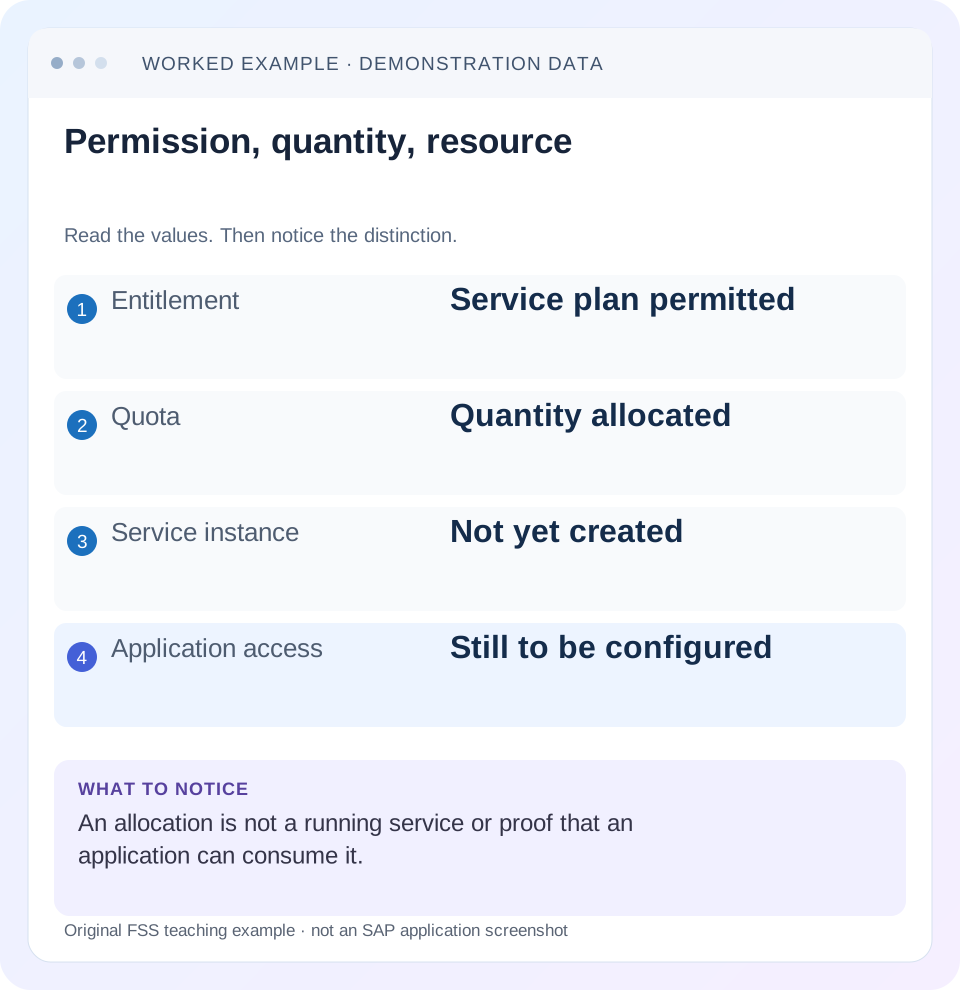
Read the example values
- Entitlement
- Service plan permitted
- Quota
- Quantity allocated
- Service instance
- Not yet created
- Application access
- Still to be configured
Words you’ll meet in this guide
- Backend
- The service or system doing the work behind an interface.
- Destination
- Named connection settings for another service.
- Credential
- Access information used to prove an identity.
- Subaccount
- A BTP scope for applications, services and access settings.
- BTP
- SAP Business Technology Platform: cloud services for applications, data and integration.
Preview the practical steps
SEE THE CONNECTION
See it in a simple example.
A small example to make the idea concrete.
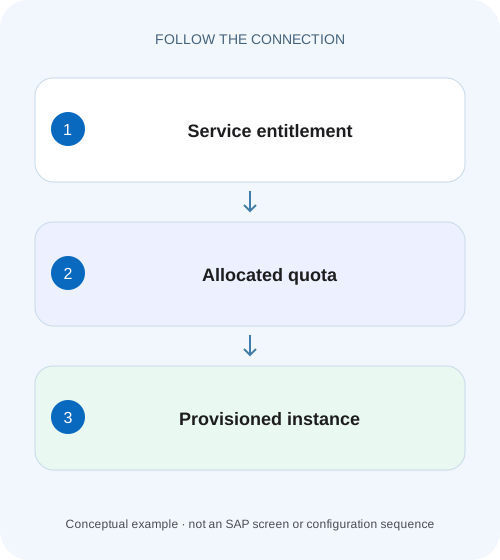
Distinguish allocated plant-app quota from use
A manufacturer allocates platform quota for a new operational extension and needs to distinguish capacity assignment from active consumption.
Permission, allocation and consumption are separate states
An SAP BTP entitlement makes a service plan available for permitted use, while quota specifies an allocatable quantity where the plan uses a quota.
Read the hierarchy before doing the arithmetic
A global account holds the commercial and resource-management context.
Worked case: six units are allocated, only four are consumed
Imagine a service plan whose documented unit is one illustrative provisionable resource.
Distinguish allocated plant-app quota from use
A manufacturer allocates platform quota for a new operational extension and needs to distinguish capacity assignment from active consumption.
Compare entitlement, allocation and actual service usage before requesting additional quota or describing existing capacity as consumed.
| Reader | Business question | Evidence to carry forward |
|---|---|---|
| SAP developers and application teams supporting manufacturers | Distinguish allocated plant-app quota from use | Compare entitlement, allocation and actual service usage before requesting additional quota or describing existing capacity as consumed. |
01 Permission, allocation and consumption are separate states
An SAP BTP entitlement makes a service plan available for permitted use, while quota specifies an allocatable quantity where the plan uses a quota. Neither creates a running service instance or an application subscription. To diagnose a provisioning failure, identify the first missing state: global-account availability, allocation to the correct subaccount, provisioning or application access. [1] [2]
This tutorial is for BTP administrators and developers interpreting provisioning problems. You need read access to the relevant account hierarchy, the exact service offering and plan, the target subaccount and the provisioning operation. Examples use fictional quota units and service names to explain arithmetic. They do not represent current pricing, free allowances or a universal relationship between quota and instance count.
02 Read the hierarchy before doing the arithmetic
A global account holds the commercial and resource-management context. Entitlements can be distributed to subaccounts and, where configured, managed directories that distribute them onward. A directory groups administrative scope; services are not consumed by creating an instance at the directory itself. Consequently, quota reserved at a directory can look used from above even before its subaccounts consume the service. [2]
Check the parent chain of the target subaccount. If an entitlement is controlled through a directory, unassigned global quota is not the only relevant number. You need the directory allocation and what remains available within that scope. Display names help people navigate, but record unique account identifiers when comparing screenshots or automation output.
03 Worked case: six units are allocated, only four are consumed
Imagine a service plan whose documented unit is one illustrative provisionable resource. The global account has ten units. A managed directory receives six; another subaccount receives two directly. The directory allocates four to DEV and two to TEST. DEV consumes three and TEST consumes one. Actual consumption totals four inside the directory, but all six directory units are allocated from the global pool.
The global-account arithmetic is ten minus six minus two, leaving two units unallocated there. Inside DEV, four assigned minus three consumed leaves one available unit. TEST also has one available. These are different pools. You cannot add every remaining value together as though it were immediately available to any subaccount. A request for two more resources in DEV fails under this fixture even though the directory has six assigned overall.
| Scope | Assigned | Consumed or distributed | Remaining at that scope |
|---|---|---|---|
| Global | 10 | 6 directory + 2 direct | 2 unallocated |
| Directory | 6 | 4 DEV + 2 TEST | 0 undistributed |
| DEV | 4 | 3 resources | 1 usable |
| TEST | 2 | 1 resource | 1 usable |
04 Confirm the service plan and unit, not just the service name
A service offering may contain several plans with different entitlement rules and metering units. One plan being visible does not establish that another is allocated. Record the technical offering and plan names from the failing operation. Compare those with the entitlement entry, including plan availability in the chosen region and environment.
Quota sometimes relates to instance count, but the product documentation explicitly allows plan-specific allocation behavior. Do not count database size, application memory, subscriptions and broker instances as equivalent resources. If a plan is not quota based, increasing an unrelated numerical quota will not repair it. Commercial model and service-specific constraints still matter even when an account shows an unlimited allocation. [2]
05 Walk from a failed creation back to the missing boundary
Start with the full sanitized provisioning error and timestamp. An authorization denial and quota exhaustion can appear during the same user workflow but require different repairs. If the service plan is absent from the target marketplace, investigate allocation, region and environment availability. If the plan is present and creation fails, inspect the broker operation and its plan-specific limits.
Establish the target
Record global account, any managed directory, subaccount ID, region and runtime or space. Compare the cockpit selection with the deployment target.
Expected observation: The allocation and the failed operation refer to the same subaccount.
Reconcile the exact allocation
Find the offering and plan, its documented unit and assigned quantity. Reconcile existing consumption and pending or failed operations using the service-specific lifecycle information.
Expected observation: The expected free quantity is explained without combining unrelated scopes.
Verify after an authorized correction
Repeat the intended provisioning operation once the allocation or setup issue is corrected. Inspect the resulting resource status before testing the consumer.
Expected observation: Provisioning succeeds or returns a new error identifying the next boundary.
06 Allocation does not establish a usable application connection
After provisioning, a service instance can exist while no application is bound to it. A subscription can exist while a user lacks an application role. These are later stages. Avoid reporting “service available” when the evidence only shows that a plan was allocated. State precisely whether you verified allocation, instance readiness, a binding, login or a business operation.
In the worked case, giving DEV one additional unit would allow the two-resource request only if one free unit already remains and no other operation consumes it first. It would not configure credentials for the resulting resources. The application team still needs the supported binding or consumption mechanism and a verification request. This is why quota troubleshooting and service-access troubleshooting should have separate acceptance criteria.
07 Resolve exhausted quota without creating orphaned resources
If the arithmetic shows a real shortfall, establish which scope can release or reallocate quota. Under the fixture, TEST could relinquish one unused assigned unit, after which the directory could assign it to DEV. That sequence is illustrative; apply the product’s supported allocation rules and ensure the unit is actually eligible to move.
Before deleting an apparently unused instance to free capacity, inspect its bindings, data, scheduled consumers and ownership. A failed deployment may also have created a resource before a later step failed. Inventory what exists before retrying. Deleting and recreating the same named service without understanding that state can lose data or leave another resource behind. Reconcile identifiers, rather than assuming that a failed application deployment implies no service was created.
08 Decision table for common provisioning symptoms
Treat each symptom as evidence about a particular stage. The purpose of this table is to avoid repairing a different stage simply because it is visible in the same cockpit. Save the error before changing allocation so the original cause remains reviewable.
| Symptom | First question | Useful next evidence |
|---|---|---|
| Plan absent | Is the exact plan allocated and supported here? | Offering, plan, region, subaccount allocation |
| Quota exceeded | Which unit and scope are exhausted? | Assigned quantity, consumption and pending operations |
| Not authorized | Can this identity perform provisioning? | User or automation role and error context |
| Instance exists, app fails | Was consumption configured? | Binding or supported credential mechanism |
| Directory allocation appears used | Is quota reserved below global scope? | Directory assignment and subaccount distribution |
09 Verify positive, negative and boundary cases
For a development exercise, use the ledger on paper first. Ask whether DEV can create one resource and whether it can create two. The answers are yes and no under the stated fixture. Then move one unused unit from TEST through the directory to DEV. DEV now has five assigned, three consumed and two available; TEST has one assigned and one consumed. The directory total remains six.
A negative check should keep the same service offering but use a plan that is intentionally not assigned in a safe test scope. The expected result is an unavailable or rejected operation consistent with the documented plan behavior. Do not use a paid resource creation merely to prove arithmetic; the paper exercise and existing failed operation may already provide sufficient evidence.
Test the boundary of exact remaining quota and inspect concurrent or pending provisioning. If two deployment jobs both assume the final unit is free, one successful creation changes the state for the other. Record the observation time with the ledger. A stale screenshot is not an allocation lock.
10 Reconcile the ledger after partial or asynchronous provisioning
Provisioning is not always one instantaneous operation. A deployment can request a resource, receive an accepted operation and fail later. Another run can then encounter the resource or its in-progress operation. Before retrying, identify the exact instance and last operation. An application deployment failure does not justify assuming the service quota was never consumed.
Extend the fictional DEV case: three resources are ready and a fourth is being created against its four assigned units. A second deployment asking for two resources cannot rely on the old screenshot showing one free unit. First reconcile the pending fourth resource. If it becomes ready, DEV has zero free; if the operation fails, the service’s documented cleanup and quota-release behavior decide the next state.
Use a ledger row for each resource identity rather than counting successful application releases. Include requested plan, operation timestamp, last operation state and the owning deployment. This allows the team to explain whether a failed retry is a real shortfall, a still-running operation or a duplicate creation attempt. Once the state is understood, choose a supported retry or cleanup path instead of repeatedly submitting the same request.
11 Questions administrators and developers should settle together
Does assigning quota incur the same effect as consumption? The commercial model and service terms decide charging. This lesson distinguishes technical states; it does not derive a bill from allocation arithmetic. Use the service’s commercial documentation for that question.
Why can I see the service but not create it? Visibility, available plans, quota and provisioning authorization are different conditions. Compare the exact failed operation with all four. A colleague’s successful operation may use another plan or account scope.
What belongs in the handoff? Include the target identifiers, offering and plan, unit, allocation ledger, failed operation and intended resource count. State whether the requested change is allocation, provisioning or consumer access. The related account-model and binding lessons help continue the investigation without confusing those stages.
Related services and next steps
Primary sources
Found this useful?
Share this guide with your network, or leave a like.
Your like is saved in this browser.