SAP BTP global account versus subaccount: Choose the correct administrative scope
A manufacturer deploys similarly named applications across its landscape and needs to identify the intended BTP account context.

Source review:
START HERE · NO PRIOR TOPIC KNOWLEDGE NEEDED
What it is. Why it matters.
SAP BTP is SAP’s cloud technology platform. A global account organizes resources, while subaccounts provide more specific places to run applications, services and access settings.
Completely new to SAP?
Manufacturers use SAP to connect work such as buying components, recording inventory, planning production, shipping equipment and accounting for costs. SAP S/4HANA is an enterprise resource planning system: it connects these activities through shared business data.
SAP Business Technology Platform, or BTP, provides cloud services for applications, data and integration. A connection needs a route, an identity and permission to perform the intended task.
A transaction code, or t-code, is a shortcut to a task in classic SAP GUI. Fiori apps provide another way to work. Names and screens depend on the product and release; you do not need a live system to learn the concepts in this guide.

Scope and source-review notes
Scope and evidence
Source review by FAST SAP SOLUTIONS® editorial. This badge describes our editorial review; it does not represent SAP certification or independent endorsement.
SAP BTP account hierarchy and administrative scope, with a Cloud Foundry organization/space worked example. Kyma and other runtime resources differ; no resource move or account creation is executed.
Documentation review on 14 November 2026 using official SAP sources and indexed official excerpts where full Help text was unavailable. Scope and service or release differences are explained in the lesson. All datasets, requests and checks are illustrative; no customer SAP runtime execution or measured results are claimed.
A MANUFACTURING EXAMPLE
Identify the environment serving a plant extension
Separate cloud environments
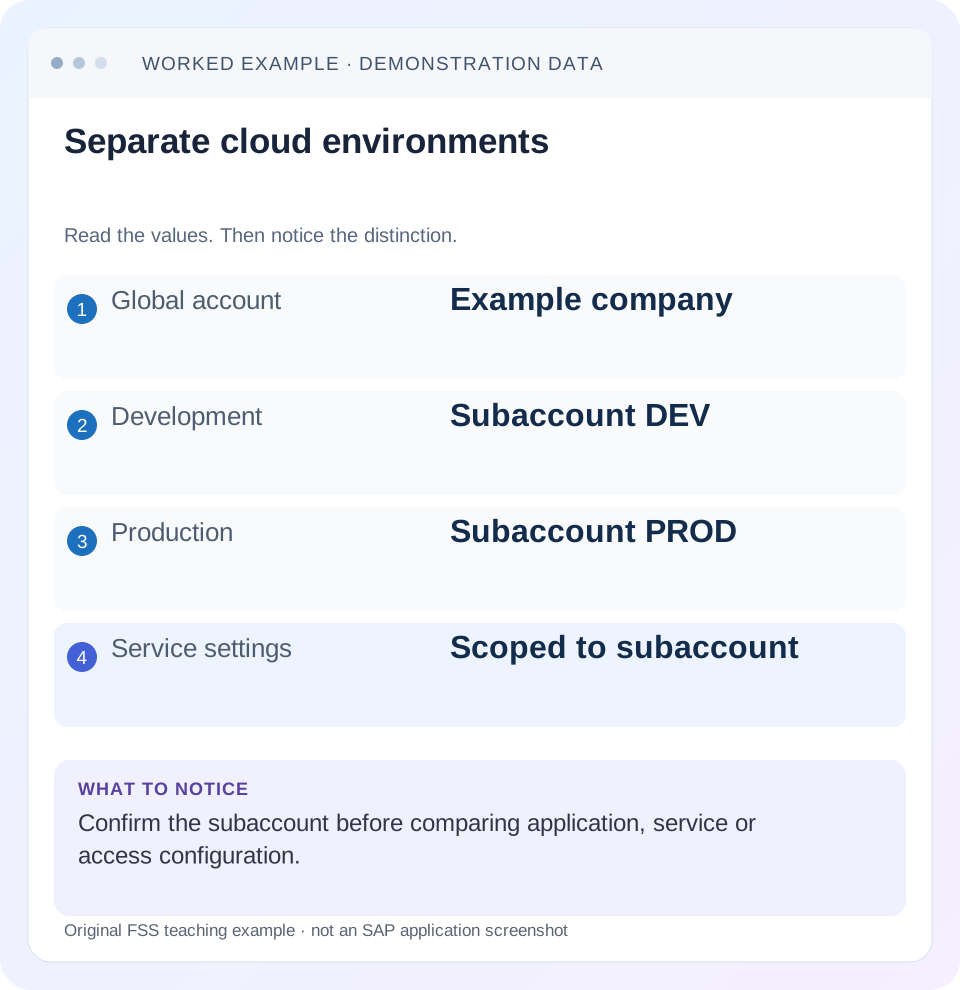
Read the example values
- Global account
- Example company
- Development
- Subaccount DEV
- Production
- Subaccount PROD
- Service settings
- Scoped to subaccount
Words you’ll meet in this guide
- Backend
- The service or system doing the work behind an interface.
- Destination
- Named connection settings for another service.
- Credential
- Access information used to prove an identity.
- Subaccount
- A BTP scope for applications, services and access settings.
- BTP
- SAP Business Technology Platform: cloud services for applications, data and integration.
- API
- A defined interface through which programs exchange data or request actions.
Preview the practical steps
SEE THE CONNECTION
See it in a simple example.
A small example to make the idea concrete.
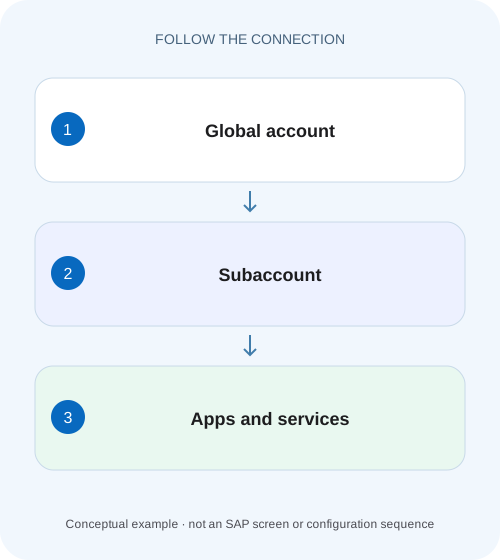
Identify the environment serving a plant extension
A manufacturer deploys similarly named applications across its landscape and needs to identify the intended BTP account context.
Choose the scope that owns the failing resource
A BTP global account manages the overall commercial and administrative resource hierarchy; a subaccount provides a specific regional scope for services, applications and configuration.
Understand each level as an ownership boundary
The global account is the top-level context for managing entitlements and subaccounts under the account model.
Worked landscape: identical app names in different places
Imagine global account ACME-GA with directory SALES.
Identify the environment serving a plant extension
A manufacturer deploys similarly named applications across its landscape and needs to identify the intended BTP account context.
Record global account, subaccount, region and application identity before comparing configurations or deploying a correction.
| Reader | Business question | Evidence to carry forward |
|---|---|---|
| SAP developers and application teams supporting manufacturers | Identify the environment serving a plant extension | Record global account, subaccount, region and application identity before comparing configurations or deploying a correction. |
01 Choose the scope that owns the failing resource
A BTP global account manages the overall commercial and administrative resource hierarchy; a subaccount provides a specific regional scope for services, applications and configuration. If an application seems missing, confirm the subaccount and runtime before creating anything. Being in the correct global account does not establish that you are viewing the subaccount that owns the resource. [1]
This lesson is for platform administrators and developers who move between cockpit views, the btp CLI and Cloud Foundry tools. You need the expected landscape inventory and read access to the relevant account and runtime. The worked identifiers are fictional. The account model applies across BTP, but Cloud Foundry organization and space checks apply specifically to Cloud Foundry; Kyma and other environments have their own runtime resources.
02 Understand each level as an ownership boundary
The global account is the top-level context for managing entitlements and subaccounts under the account model. Directories can organize the hierarchy and, when configured, manage entitlement or user scope. Subaccounts belong to a region and define an important separation for configuration and services. Decide these boundaries deliberately because region, identity setup, administration and integration dependencies affect a landscape. [1]
An environment is not another name for a subaccount. A Cloud Foundry environment exposes an organization and spaces within its runtime model. Your btp CLI account target and your cf CLI target therefore answer related but different questions. A resource visible through the cockpit may be outside the space targeted by cf commands. Write both contexts in a deployment or incident record. [2]
03 Worked landscape: identical app names in different places
Imagine global account ACME-GA with directory SALES. It contains DEV-EU, a European development subaccount, and PROD-US, a production subaccount in another region. Each has a Cloud Foundry application named order-api. DEV-EU uses organization acme-dev and space dev; PROD-US uses organization acme-prod and space live. The display name alone cannot distinguish the applications.
A developer opens PROD-US in the cockpit but still has the cf CLI targeted to acme-dev/dev. A read-only cf app order-api command describes the development application. Its result is correct for that target, yet irrelevant to the production incident. The repair begins by aligning context, not by redeploying order-api because its version looks old.
| Layer | Development | Production |
|---|---|---|
| Global account | ACME-GA | ACME-GA |
| Directory | SALES | SALES |
| Subaccount | DEV-EU, distinct ID | PROD-US, distinct ID |
| Region | European region | US region |
| CF organization / space | acme-dev / dev | acme-prod / live |
| Application name | order-api | order-api |
04 Capture identifiers rather than relying on navigation labels
Record the subaccount ID, region and environment endpoint from the authoritative resource context. Human-readable names can be similar or changed. Include the global account identity when working across customers or commercial accounts. For a Cloud Foundry application, add organization, space and app identity. For a subscription, include its application and plan instead of inventing a CF app identity.
When someone sends a screenshot of a missing service, ask the evidence itself to answer which scope it covers: navigation breadcrumb, resource ID and runtime target. A screenshot without those details can show a true observation about the wrong place. The same applies to exported lists and automation logs; persist scope alongside the resource rows so a later reader can interpret them.
05 Compare cockpit, btp CLI and cf CLI deliberately
The btp CLI manages account resources and supports targeting the account hierarchy. The cf CLI talks to a Cloud Foundry API endpoint and has an organization/space target. Before any mutation, inspect the current targets in the corresponding tools. The commands below are observational starting points; available fields and authorization depend on installed CLI versions and your role. [2]
btp target
cf target
cf apps
cf services
06 Follow a missing application from the inventory outward
Begin with the deployment record or service owner’s known resource identity. Compare it with the cockpit subaccount. If that agrees, verify the enabled environment and runtime endpoint. Then inspect the organization and space. Finally compare the application version or service identifier. This sequence narrows the search without creating resources in a guessed location.
Establish the expected home
Use an existing deployment record to identify the subaccount ID, region and runtime. In the worked case, production means PROD-US and acme-prod/live.
Expected observation: The desired application is associated with one explicit scope.
Inspect every current target
Compare cockpit selection, btp account target and cf API endpoint/organization/space. Keep the observations together with a timestamp.
Expected observation: Any difference is visible before a deployment or service operation.
Locate the exact resource
List or display resources in the expected scope using authorized read access. Compare resource identity and deployed version with the release record.
Expected observation: A missing resource is distinguished from a wrong target or a visibility restriction.
07 Separate administrative roles from application authorization
Account administration, runtime development and application usage are different activities. Someone who can view a global account may not be able to deploy into every Cloud Foundry space. Someone who can administer a subaccount may still need the application’s role collections or business authorization to use a particular feature. Diagnose the denied action using the identity and role model of that action.
In the worked landscape, a developer seeing DEV but not PROD might have a legitimate production restriction. Retargeting to production does not grant access. Conversely, a production user can use a subscribed application without owning a CF space. Avoid granting broad global roles to repair a narrow runtime or business-role problem. Establish the required operation and its actual authorization boundary first.
08 Map dependencies before moving or recreating a resource
A subaccount can hold destinations, trust configuration, service instances, subscriptions and integration dependencies. A similarly named destination in DEV may point to a development backend, even if its name matches production. Moving application code alone does not reproduce these dependencies. Compare the complete environment contract when preparing a release.
For example, order-api in PROD-US might require a production destination and a service binding that are absent in DEV-EU. Copying a destination definition can also copy the wrong endpoint or credential reference. Build an inventory containing non-secret service identities, destination names, intended backend and ownership. Keep credentials in their supported stores. A scope correction should not silently become an uncontrolled environment clone.
09 Troubleshooting by the first differing identity
Choose the next action from the first identity that disagrees with the expected landscape. If subaccount and runtime targets match but a list is empty, investigate authorization and the resource type rather than returning to global-account naming.
| Observation | Likely distinction | Next action |
|---|---|---|
| App exists in cockpit, absent in cf apps | Different runtime or space | Compare CF API endpoint, org and space |
| Service name exists twice | Names are not unique across scopes | Compare resource IDs and subaccount |
| Entitlement visible globally, plan absent locally | Allocation boundary | Inspect subaccount/directory assignments |
| Resource visible, operation denied | Action-specific authorization | Inspect the executing identity and required role |
| Region differs from release record | Wrong subaccount or landscape assumption | Reconcile inventory before deploying |
10 Exercise the scope check before a release
Use a harmless inventory exercise with two spaces or two subaccounts you are permitted to inspect. Give the test applications identical names and different version labels. Have a reviewer determine which is production using explicit identifiers. The exercise succeeds when another person can reproduce the identification without relying on color, browser tabs or memory.
For a positive check, align all targets and read the intended app version. For a negative check, deliberately point a read-only tool at the other permitted space and verify that the mismatch is detected before mutation. For a boundary case, test an identity that can see the subaccount but lacks the relevant runtime permission. The expected outcome is a clearly classified authorization limitation, not an assumption that the resource disappeared.
11 Give automation an explicit scope contract
Interactive target state is convenient for a person but fragile in unattended work. A script run after a colleague’s command can inherit a different target than its author expected. Where the supported CLI accepts an explicit subaccount parameter, use it for that operation and log the non-secret scope. SAP documents that an explicitly supplied account scope can override the current btp target. Review the installed command reference before adapting flags. [3]
In the worked landscape, a production inventory job should declare the PROD-US identifier and compare the resolved region and runtime with its release configuration. A development shell can remain targeted to DEV-EU without silently changing the intended production inventory. For CF operations, independently verify the API endpoint, organization and space available to the job; an explicit btp subaccount argument does not retarget the cf CLI.
Add a preflight that prints the intended and resolved identities before mutation and fails when they disagree. This is an application-specific guard you implement in your automation, not an invented BTP setting. Store only identifiers and expected environment names. A reviewer should be able to see why a job will operate on acme-prod/live without seeing credentials or relying on a remembered login session.
12 Questions that make an operations handoff precise
Is a directory an application runtime? No. It organizes account hierarchy and may carry configured management capabilities; locate the actual consuming resource in a subaccount and applicable runtime.
Does one subaccount always mean one lifecycle stage? That is an architectural choice, not a universal product rule. Different companies separate lifecycle, region, business area and compliance boundaries differently. Document your actual mapping before applying a generic DEV/TEST/PROD diagram.
What should a deployment ticket say? Name the global and subaccount IDs, region, environment endpoint, organization/space where relevant, artifact identity and dependencies being changed. The reviewer should be able to distinguish two order-api applications and identify which entitlements or bindings belong to each.
Related services and next steps
Primary sources
Found this useful?
Share this guide with your network, or leave a like.
Your like is saved in this browser.