ABAP CDS amount looks wrong? Check its currency and unit semantics
A manufacturer combines operational items carrying different currencies or quantity units in a CDS-based report.

Source review:
START HERE · NO PRIOR TOPIC KNOWLEDGE NEEDED
What it is. Why it matters.
An amount needs a currency and a quantity needs a unit to have a clear meaning. CDS annotations describe those relationships for consumers of the data.
Completely new to SAP?
Manufacturers use SAP to connect work such as buying components, recording inventory, planning production, shipping equipment and accounting for costs. SAP S/4HANA is an enterprise resource planning system: it connects these activities through shared business data.
ABAP is SAP’s programming language for business applications. A program reads data, applies rules and produces a result. Start with the objects involved before investigating code.
A transaction code, or t-code, is a shortcut to a task in classic SAP GUI. Fiori apps provide another way to work. Names and screens depend on the product and release; you do not need a live system to learn the concepts in this guide.

Scope and source-review notes
Scope and evidence
Source review by FAST SAP SOLUTIONS® editorial. This badge describes our editorial review; it does not represent SAP certification or independent endorsement.
ABAP CDS amount/currency and quantity/unit semantics in supported view entities; expression, conversion and analytical rules depend on backend and view type.
Primary documentation reviewed on 14 November 2026 using official indexed excerpts. Documentation review only; authored examples were not compiled or executed in an SAP system.
A MANUFACTURING EXAMPLE
Keep manufacturing report totals meaningful
Give a number its meaning
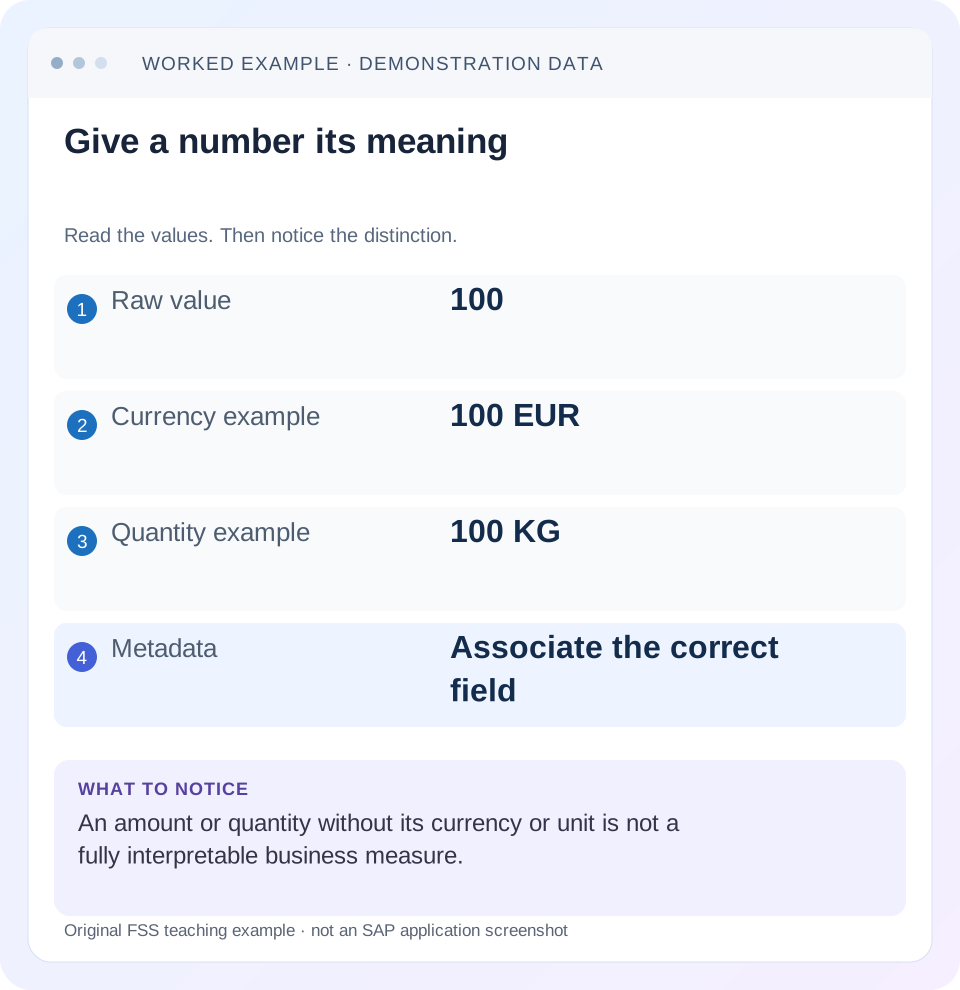
Read the example values
- Raw value
- 100
- Currency example
- 100 EUR
- Quantity example
- 100 KG
- Metadata
- Associate the correct field
Words you’ll meet in this guide
- Program
- A set of instructions executed by a computer.
- Class
- A reusable unit that groups data with operations called methods.
- Database
- Organized information kept beyond one program execution.
- Internal table
- A list of rows held temporarily in an ABAP program’s memory.
- Key
- One or more fields used to identify or find a record.
- ABAP
- SAP’s programming language for business applications.
- CDS
- Core Data Services: reusable definitions of business data and relationships.
- API
- A defined interface through which programs exchange data or request actions.
Preview the practical steps
SEE THE CONNECTION
See it in a simple example.
A small example to make the idea concrete.
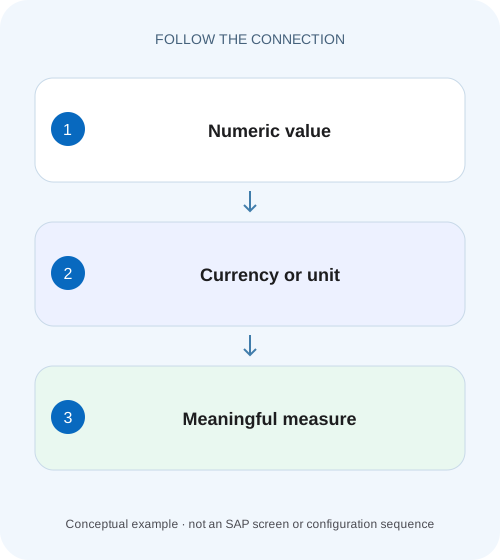
Keep manufacturing report totals meaningful
A manufacturer combines operational items carrying different currencies or quantity units in a CDS-based report.
Compare the numeric value and its reference as one business measure
An amount needs its currency, and a quantity needs its unit, to be interpreted correctly.
Scope and prerequisites
The guide covers ABAP CDS view-entity amount/currency and quantity/unit relationships.
Understand the reference relationship
@Semantics.amount.currencyCode names the exposed currency element corresponding to an amount.
Keep manufacturing report totals meaningful
A manufacturer combines operational items carrying different currencies or quantity units in a CDS-based report.
Preserve amount-currency and quantity-unit relationships before aggregating or presenting a total as comparable business value.
| Reader | Business question | Evidence to carry forward |
|---|---|---|
| SAP developers and application teams supporting manufacturers | Keep manufacturing report totals meaningful | Preserve amount-currency and quantity-unit relationships before aggregating or presenting a total as comparable business value. |
01 Compare the numeric value and its reference as one business measure
An amount needs its currency, and a quantity needs its unit, to be interpreted correctly. In ABAP CDS, semantic annotations associate those fields for consumers and participate in supported expression rules. When a report looks wrong, compare the source value, reference field, CDS result, service metadata and displayed value before changing the arithmetic. [1]
A missing currency label, an incorrect conversion and a duplicated amount after a join are different defects. This tutorial uses a small sales-item fixture to distinguish them and shows why attaching EUR to an unchanged USD number is relabeling rather than conversion.
02 Scope and prerequisites
The guide covers ABAP CDS view-entity amount/currency and quantity/unit relationships. DDIC-based views, analytical queries and newer calculated-quantity expressions have release-specific rules. Check the backend's keyword documentation and the language version used by the actual CDS artifact; a syntax example from current cross-product documentation is not guaranteed on an older ERP backend.
You should understand a projection, field alias and basic aggregation. Use an authorized development data preview and a sanitized service response. The example assumes an illustrative customer source with suitable amount, quantity, currency and unit types. No customer CDS model was activated or queried for this article, and the exchange rate used below is a teaching input.
03 Understand the reference relationship
@Semantics.amount.currencyCode names the exposed currency element corresponding to an amount. @Semantics.quantity.unitOfMeasure does the same for a quantity and its unit. The reference must resolve to the intended element in the actual view. Check aliases and annotation propagation when a projection renames fields or a calculated expression changes the result type. [1]
Semantic metadata is more than a caption. A consumer can use it to format and interpret a measure, while CDS expression checks distinguish amounts, quantities and ordinary numbers. Do not remove reference annotations merely to silence an activation message. Read the exact type/expression restriction and model the resulting business measure appropriately. [2]
04 Worked case: three sales items with unlike references
Fictional item A has net amount 100 EUR and quantity 5 PC. Item B has net amount 120 USD and quantity 6 PC. Item C has net amount 40 EUR and quantity 2 KG. The valid unconverted EUR subtotal is 140 EUR for A and C. Adding every amount gives 260 with no single currency meaning. Adding all quantities gives 13 with no meaningful common unit.
If the business supplies an illustrative rate of 0.90 EUR per USD for the relevant date/type, B converts to 108 EUR and the reporting total becomes 248 EUR. That arithmetic is 120 ×0.90 =108, then 100 +108 +40 =248. The rate is not a current market quotation or a claim about SAP customizing. Real conversion requires the maintained rate, date, type and documented rounding behavior.
| Item | Net amount | Quantity | Meaningful comparison |
|---|---|---|---|
| A | 100 EUR | 5 PC | EUR subtotal; PC subtotal |
| B | 120 USD | 6 PC | Convert before EUR aggregation |
| C | 40 EUR | 2 KG | Separate KG from PC |
| Unconverted groups | 140 EUR and 120 USD | 11 PC and 2 KG | Keep references separate |
| Converted reporting total | 248 EUR at assumed 0.90 rate | No combined PC/KG total | State conversion basis |
05 Preserve references through a projection
The sketch exposes both numeric and reference elements using consistent aliases. The named currency and unit fields are part of the result contract even when the UI does not show them as separate columns. Verify the source types and annotation requirements in the target release; the source name zsales_item is illustrative.
If a later service projection renames CurrencyCode to DocumentCurrency, review the amount reference at that layer. If it omits the currency entirely, a consumer cannot safely infer it from another row. Test the actual exposed metadata instead of checking only the lower-level source view.
@EndUserText.label: 'Sales item measures'
define view entity ZI_SalesItemMeasure
  as select from zsales_item
{
  key item_id as ItemID,
      @Semantics.amount.currencyCode: 'CurrencyCode'
      net_amount as NetAmount,
      currency_code as CurrencyCode,
      @Semantics.quantity.unitOfMeasure: 'QuantityUnit'
      quantity as Quantity,
      quantity_unit as QuantityUnit
}
06 Model conversion separately from semantic labeling
SAP documents the CDS currency_conversion function for converting an amount to a target currency. Its inputs include source/target currencies and a conversion date, with additional supported options depending on release. Use the intended business date and rate type; system date is not automatically correct for a historical invoice report. [3]
The converted result needs a reference to the target currency, while the original amount retains its source reference. A useful audit-oriented projection can expose both. If a conversion fails because a rate is missing, follow the documented error-handling option and business policy. Replacing the missing rate with 1 without an explicit rule would make a plausible but false reporting amount.
Original: NetAmount 120, CurrencyCode USD
Target: ReportingCurrency EUR
Business conversion date: stated report valuation date
Rate type: stated maintained business rule
Illustrative rate:0.90 EUR/USD
Converted amount:108 EUR
Metadata: converted amount references ReportingCurrency
Missing rate: explicit documented error/null policy, not silent relabeling
07 Quantities need compatible dimensions and conversion context
PC and KG cannot be added merely because both fields are numeric. Group by unit or convert using a supported business relationship that genuinely connects the quantities. A physical unit conversion such as kilograms to grams differs from a material-specific relationship such as pieces per carton. A generic dimensional conversion does not invent packaging master data.
For A and B,11 PC is a valid illustrative subtotal. C remains 2 KG. If a business wants total weight, obtain the relevant material/unit relationship and its effective context before deriving it. Preserve the resulting unit and explain assumptions. Incorrect unit handling can make a report appear arithmetically consistent while comparing unlike business measures.
08 Calculated measures can have new semantics
Dividing an amount by quantity produces a rate such as EUR/PC, not an ordinary EUR amount. Newer CDS calculated-quantity facilities have explicit rules and a calculated unit. Check whether your view type and release support the intended expression and annotate the result according to that contract. [2]
Also define aggregation. A's unit price is 20 EUR/PC. A weighted group unit price requires compatible currency and quantity and a stated formula; averaging displayed unit prices can be wrong when quantities differ. For mixed PC/KG, there is no single simple rate. Model additive base measures first, then calculate the required ratio at the appropriate analytical layer.
09 Troubleshoot the first incorrect boundary
Keep a known item identity and compare it across layers. A number that changes before serialization needs another investigation from a correct payload displayed with the wrong reference.
| Observation | Question | Next evidence |
|---|---|---|
| Number right; currency absent | Reference omitted or alias mismatch? | Exposed annotation and metadata |
| USD amount shown as EUR unchanged | Relabeling instead of conversion? | Conversion expression and target reference |
| Amount multiplied after adding text | Join changed result grain? | Source/target match counts |
| Factor-of 100 discrepancy | Type/decimal/currency handling differs? | Raw source type, service value and formatting |
| Total combines currencies | Was conversion/grouping defined? | Currency groups and valuation rule |
| Quantity total mixes PC and KG | Compatible unit context missing? | Separate groups or supported conversion |
| Activation rejects calculated rate | Amount/quantity expression rule? | Release-specific calculated-unit documentation |
10 Verify source, service and display with positive and negative cases
A positive check follows item A and expects 100 EUR with 5 PC at every boundary. A conversion check follows B and expects 108 EUR only under the stated illustrative rate. A negative check removes a required reference or conversion rate in a development fixture and confirms the documented error path rather than a silently invented currency.
Boundary checks include zero quantity for a unit-price expression, initial currency/unit values, currencies with differing decimal conventions and large/negative amounts permitted by the process. Compare raw values with formatted output. Do not apply an arbitrary divide-by 100 patch until source types and currency handling explain the discrepancy. These are proposed checks, not executed customer results.
Verify conversion separately from aggregation with a one-row observation for item B: retain its original 120 USD, the illustrative 0.90 EUR-per-USD rate/date and the resulting 108 EUR. Only then compare the converted total of 248 EUR. If that total is wrong, this intermediate evidence distinguishes a rate/date/direction issue from duplicate rows introduced elsewhere in the CDS query. Keep source amount/currency in the test output so a plausible converted result cannot conceal an incorrect input population.
11 Aggregation and consumer review
Inspect whether the consumer groups amounts by currency, performs a supported conversion or displays a mixed-currency indicator under its contract. A grand total of 260 is not made valid by hiding the currency column. For quantities, retain 11 PC and 2 KG unless a real conversion supports another common basis.
Check export and API consumers as well as the main screen. A UI may format correctly while a CSV loses reference columns, or a custom client may ignore metadata. Include both numeric and reference elements in the integration contract where needed. Verify that filters and joins preserve one intended row per item before assessing totals; semantic annotations cannot correct row multiplication.
12 Frequently asked questions
Does the annotation convert currency? No. It associates an amount with its currency reference. Conversion is a separate modeled calculation.
Can I sum every quantity? Only when the quantities have compatible meaning and units or a documented conversion to a common basis.
Why did renaming a field break the display? A reference may no longer point to the exposed currency/unit element, or propagation may differ for the expression. Inspect the final metadata.
What should the review record contain? One source item, its types and references, projection aliases, conversion inputs, expected grouped totals and actual consumer response. That lets another developer distinguish metadata, calculation, row-grain and formatting defects without guessing from a screenshot.
Related services and next steps
Primary sources
Found this useful?
Share this guide with your network, or leave a like.
Your like is saved in this browser.