SAPUI5 formatter versus type: Put parsing and validation in the right place
A manufacturing user enters a localized quantity while the application needs a consistent model value and a meaningful validation outcome.

Source review:
START HERE · NO PRIOR TOPIC KNOWLEDGE NEEDED
What it is. Why it matters.
A formatter changes how a value is displayed. A data type can handle supported parsing and validation, helping distinguish a readable presentation from an acceptable user input.
Completely new to SAP?
Manufacturers use SAP to connect work such as buying components, recording inventory, planning production, shipping equipment and accounting for costs. SAP S/4HANA is an enterprise resource planning system: it connects these activities through shared business data.
SAP Fiori is SAP’s design approach for business applications. SAPUI5 is a user-interface toolkit, and Fiori elements uses metadata to generate common application patterns.
A transaction code, or t-code, is a shortcut to a task in classic SAP GUI. Fiori apps provide another way to work. Names and screens depend on the product and release; you do not need a live system to learn the concepts in this guide.

Scope and source-review notes
Scope and evidence
Source review by FAST SAP SOLUTIONS® editorial. This badge describes our editorial review; it does not represent SAP certification or independent endorsement.
SAPUI5 property binding, Float-type JSONModel editing and validation-message concepts; verify deployed type/options and use metadata-appropriate OData types for service data.
Primary documentation reviewed on 14 November 2026 using official indexed excerpts. Documentation review only; authored examples were not compiled or executed in an SAP system.
A MANUFACTURING EXAMPLE
Validate quantities entered in a plant application
Display and input handling differ
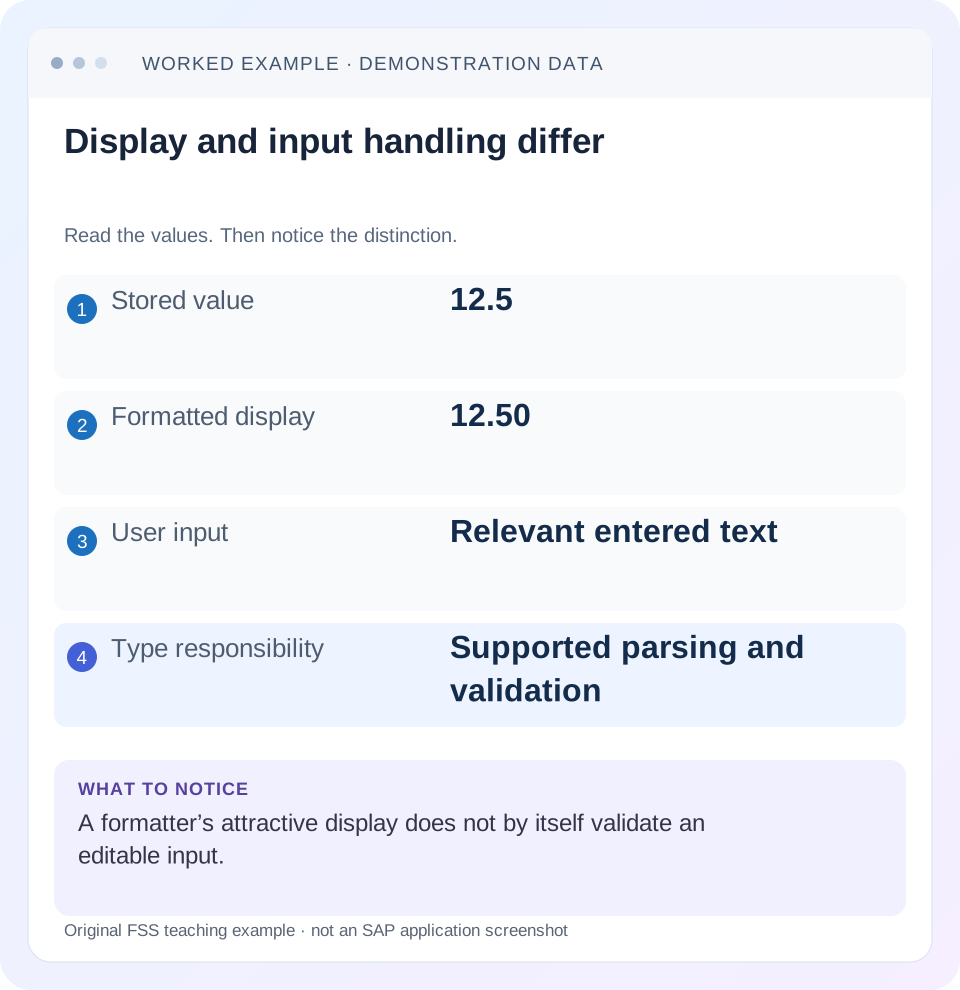
Read the example values
- Stored value
- 12.5
- Formatted display
- 12.50
- User input
- Relevant entered text
- Type responsibility
- Supported parsing and validation
Words you’ll meet in this guide
- Binding
- A connection between a screen control and data.
- Metadata
- Information describing data or how it should be used.
- Service
- A software interface that provides data or operations.
- Backend
- The system or service that provides business processing behind the interface.
- OData
- A standard for reading and updating data through a web API.
- API
- A defined interface through which programs exchange data or request actions.
- XML
- A format that organizes data into named, nested elements.
Preview the practical steps
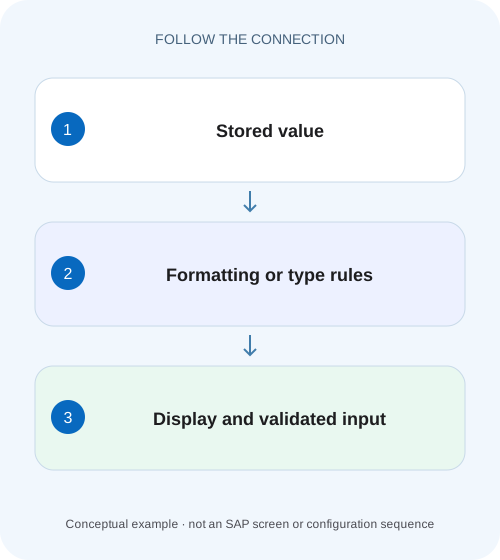
SEE THE CONNECTION
See it in a simple example.
A small example to make the idea concrete.
Validate quantities entered in a plant application
A manufacturing user enters a localized quantity while the application needs a consistent model value and a meaningful validation outcome.
Use a formatter for display and a type for editable conversion
A SAPUI5 formatter transforms a model value into display output.
Scope the model, value property and deployed version
The example uses a named JSONModel, numeric quantity data and sap.m.Input.value with a built-in Float type.
Worked fixture: 12.5 in the model, localized text in the input
The model starts with quantity=12.5.
Validate quantities entered in a plant application
A manufacturing user enters a localized quantity while the application needs a consistent model value and a meaningful validation outcome.
Separate display formatting from parsing and typed validation before accepting the input for a business update.
| Reader | Business question | Evidence to carry forward |
|---|---|---|
| SAP developers and application teams supporting manufacturers | Validate quantities entered in a plant application | Separate display formatting from parsing and typed validation before accepting the input for a business update. |
01 Use a formatter for display and a type for editable conversion
A SAPUI5 formatter transforms a model value into display output. A data type can also parse user input back to the model and validate constraints. The documentation states that formatter-function bindings become one-way, so adding a formatter to an editable field can explain why its attractive text never becomes the intended model change. [1]
Start with the complete contract: stored representation, displayed representation, valid input and persistence rules. This tutorial edits an illustrative numeric quantity, follows format/parse/validate stages and distinguishes local input errors from backend business rejection. A correct display is only one part of a working editor.
02 Scope the model, value property and deployed version
The example uses a named JSONModel, numeric quantity data and sap.m.Input.value with a built-in Float type. Confirm the deployed UI5 version and two-way binding configuration. An OData model has metadata-derived types and protocol representations that must be respected; do not replace an exact decimal service property with a JavaScript floating-point number without reviewing its contract. [1] [2]
The numeric fixture is suitable for learning UI conversion, not an accounting precision design. Dates, timestamps, currencies and composite units require their appropriate supported types and semantics. The cited guides span current and versioned UI5 documentation; use the matching API for options and constraints available in your installed release.
03 Worked fixture: 12.5 in the model, localized text in the input
The model starts with quantity=12.5. The desired display has two fractional digits: for an English-format locale, 12.50; for a German-format locale, 12,50. The permitted business range for this exercise is 0 through 1,000 inclusive. Entering a valid localized representation of 15.75 should produce numeric 15.75 in the JSON model.
Entering abc cannot be interpreted as a numeric quantity and should fail parsing. Entering -1 can be parsed as a number but violates the minimum constraint. These are different failures. In either case, the app must show a useful correction message and must not pretend that the invalid input was stored as zero.
| User/model state | Stage | Expected outcome |
|---|---|---|
| Model 12.5 | Formatting | Localized two-fraction display |
| Valid localized 15.75 | Parse then validate | Numeric model value 15.75 |
| abc | Parsing | No accepted numeric update |
| -1 | Validation | Below allowed minimum |
| 0 or 1,000 | Boundary validation | Accepted for this exercise |
04 Bind an editable value with an appropriate type
The XML fragment uses a Float type on an existing qty named model. The model must permit two-way updates and the component must use compatible binding syntax. It intentionally leaves Input.type at its normal text behavior so locale-sensitive conversion is handled by the UI5 type rather than depending on browser-specific number-input restrictions. [1] [2]
minFractionDigits and maxFractionDigits govern display formatting; do not assume that requesting two displayed decimals is a business rule forbidding a third input decimal. If the domain requires exact scale or precision, choose and configure the appropriate type/metadata constraints and backend validation, then test rounding explicitly. Displaying 12.35 does not prove the stored quantity ceased to be 12.345.
<Input id="quantityInput"
  value="{
    path: 'qty>/quantity',
    type: 'sap.ui.model.type.Float',
    formatOptions: {
      minFractionDigits: 2,
      maxFractionDigits: 2,
      groupingEnabled: false
    },
    constraints: {minimum: 0, maximum: 1000}
  }" />
05 Follow formatValue, parseValue and validateValue in order
When model data changes, the type formats it for the target control property's type. When the user changes input and the binding transports it back, the type parses that text into the model representation, then validates the parsed value against constraints. A formatter alone provides no inverse input contract. [1] [3]
Custom types derive from sap.ui.model.SimpleType and implement formatValue, parseValue and validateValue. Formatting can raise FormatException, parsing ParseException and constraint checks ValidateException. Use a custom type only when a supported built-in type cannot express the required conversion. Keep a custom type's representation and error behavior explicit; a function named validate in a controller does not automatically become binding validation.
06 Keep display-only formatters pure and separate
A formatter is useful for a read-only status label, icon or composed description. It should return a value from its inputs and handle initial/undefined data according to the display design. Avoid side effects such as submitting changes, rewriting unrelated model properties or starting a request during formatting; bindings can reevaluate when data or context changes.
For the quantity editor, replacing the type with a formatter that calls toFixed(2) creates a display string and a one-way binding. The user may still type into an enabled control, but that does not supply parsing back to the model. Use a Text control or explicit read-only design for presentation-only data, and a type for actual editing. [1]
07 Connect type errors to the message lifecycle
Automatic validation message generation must be enabled through a supported mechanism. The documented manifest setting sap.ui5/handleValidation=true is one option. The framework can then associate type-validation messages with a control/property target so the user sees where correction is required. Confirm the application's message display and accessibility behavior, not just a console exception. [4]
Do not clear all application messages whenever one quantity changes. That can remove an unrelated backend error. Follow the supported validation-message lifecycle and target the affected property. Distinguish an error that is resolved by corrected input from a persistent business message that needs a separate lifecycle. [4]
{
  "sap.ui5": {
    "handleValidation": true
  }
}
08 Do not save an older model value while invalid text remains
After an invalid input, the accepted model value can still be the previous 12.5 even though the control visibly contains abc. A Save handler that merely reads the model and submits it could report success for the old value, leaving the user's attempted edit unexplained. Before persistence, ensure the application has processed the relevant input change and has no blocking validation errors under its supported message/validation strategy.
Do not silently replace invalid text with zero or discard it on an unrelated refresh. Preserve a clear correction path. Once the user enters valid localized 15.75, verify that the model changes to numeric 15.75 and the field's error state clears before testing the backend write.
09 Separate local constraints from server business rules
The local minimum/maximum improves interaction but cannot enforce authorization, stock availability or cross-record business consistency. A quantity of 900 passes this fixture's local range while a backend rule might reject it because only 20 units are available. Present that backend rejection through the service's message contract and keep the edit recoverable.
A direct API caller can bypass the UI type entirely. The service must validate its own accepted representation and business rules. Conversely, if no request leaves the browser because parsing failed, changing backend validation cannot repair that local conversion problem. Follow the value through the first failed stage before choosing a fix.
10 Troubleshoot the conversion boundary
Inspect input text, accepted model value, binding type/mode and messages together. A screen value alone cannot show whether conversion succeeded.
| Observation | Boundary to inspect | Useful evidence |
|---|---|---|
| Text changes; model stays 12.5 | Formatter one-way or parse failure | Binding info and validation messages |
| 12,50 becomes 1250 | Ad hoc separator removal | Locale/type parser and resulting number |
| -1 accepted without error | Constraints absent or unused | Assigned type and validation path |
| Error thrown; no field message | Message handling not enabled/displayed | handleValidation and message target |
| Display 12.35; stored 12.345 | Formatting confused with scale rule | Model value and exact domain contract |
| Save succeeds with old number | Invalid visible edit not checked | Control text versus accepted model value |
| Local validation passes; service rejects | Backend business constraint | Actual payload and service message |
11 Verify parsing, validation and persistence independently
For the positive case, enter the locale's representation of 15.75, inspect numeric 15.75 in the model, save through the intended backend path and reread the persisted representation. For negative cases, enter abc and -1, verify the appropriate message and ensure Save does not claim the attempted input was persisted. Correct the field and confirm recovery.
Test boundaries 0 and 1,000, then values just outside them. Define empty/null/required behavior explicitly rather than assuming all numeric types map an empty string identically. Repeat under English and German locales, including grouping behavior and a value with more than two fractional digits. Test a backend rejection separately. These are proposed exercises, not executed SAP results.
Use a fresh input state for each conversion test. Start at accepted 12.5, enter abc and record both visible text and model value; then correct to a valid localized 15.75 and verify the model changes once the supported input event is processed. Repeat with -1 to distinguish a successfully parsed but rejected number from unparseable text. This sequence also checks that a previous error does not remain after correction.
For the extra-fraction case, record input 12.345, accepted model representation, formatted redisplay and transmitted payload separately. Decide whether the business wants rounding, rejection or higher precision, then enforce that decision through the appropriate type and backend contract. A two-decimal screenshot cannot answer that design question.
12 Frequently asked questions
Does Input type=Number validate the business quantity? It can affect browser input behavior, but it does not replace type constraints or backend rules.
Can I reverse a formatted string by deleting commas? That can turn a decimal separator into a different number. Use the appropriate locale-aware type/parser.
Does two-decimal display enforce exact monetary precision? No. Representation, scale, rounding and backend semantics require a deliberate contract.
When is a formatter appropriate? For one-way presentation such as a status description or computed display label.
What demonstrates the fix? Correct display, accepted model representation, understandable invalid-input behavior and verified persistence/rejection under the intended locale and service contract.
Related services and next steps
Primary sources
Found this useful?
Share this guide with your network, or leave a like.
Your like is saved in this browser.