SAPUI5 i18n bundles: Find the text key before editing the screen
A manufacturer presents an operational application to users in different plant languages and needs consistent labels.

Source review:
START HERE · NO PRIOR TOPIC KNOWLEDGE NEEDED
What it is. Why it matters.
Internationalization, often shortened to i18n, separates user-facing text from application logic. SAPUI5 uses text resources and language selection to display the appropriate wording.
Completely new to SAP?
Manufacturers use SAP to connect work such as buying components, recording inventory, planning production, shipping equipment and accounting for costs. SAP S/4HANA is an enterprise resource planning system: it connects these activities through shared business data.
SAP Fiori is SAP’s design approach for business applications. SAPUI5 is a user-interface toolkit, and Fiori elements uses metadata to generate common application patterns.
A transaction code, or t-code, is a shortcut to a task in classic SAP GUI. Fiori apps provide another way to work. Names and screens depend on the product and release; you do not need a live system to learn the concepts in this guide.

Scope and source-review notes
Scope and evidence
Source review by FAST SAP SOLUTIONS® editorial. This badge describes our editorial review; it does not represent SAP certification or independent endorsement.
SAPUI5 ResourceModel/bundle localization; supportedLocales and fallbackLocale examples require UI5 1.77+ and a compatible manifest. Confirm runtime and tooling behavior before changing locale loading.
Primary documentation reviewed on 14 November 2026 using official indexed excerpts. Documentation review only; authored examples were not compiled or executed in an SAP system.
A MANUFACTURING EXAMPLE
Translate a manufacturing worklist through text keys
Follow the active text bundle
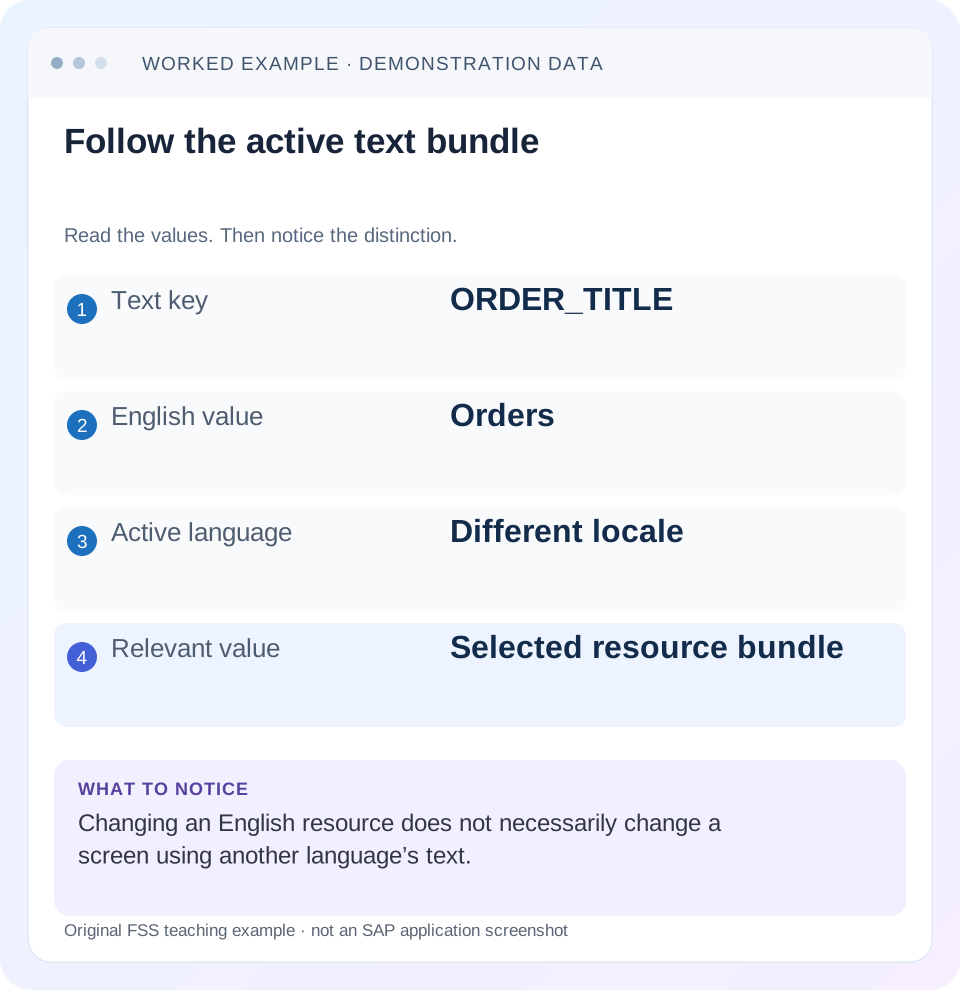
Read the example values
- Text key
- ORDER_TITLE
- English value
- Orders
- Active language
- Different locale
- Relevant value
- Selected resource bundle
Words you’ll meet in this guide
- Binding
- A connection between a screen control and data.
- Metadata
- Information describing data or how it should be used.
- Service
- A software interface that provides data or operations.
- Backend
- The system or service that provides business processing behind the interface.
- OData
- A standard for reading and updating data through a web API.
- API
- A defined interface through which programs exchange data or request actions.
Preview the practical steps
SEE THE CONNECTION
See it in a simple example.
A small example to make the idea concrete.
Translate a manufacturing worklist through text keys
A manufacturer presents an operational application to users in different plant languages and needs consistent labels.
Trace a visible string to its resource key and active locale
SAPUI5 internationalization separates application text from control logic.
Scope the runtime and text responsibilities
The older localized-text guide remains useful for the resource-model concept, while the supported-locales configuration discussed here requires SAPUI5 1.77 or later.
Worked case: Orders in English and Aufträge in German
A fictional order app has a named i18n model.
Translate a manufacturing worklist through text keys
A manufacturer presents an operational application to users in different plant languages and needs consistent labels.
Find the resolved resource key and locale bundle before changing a literal string that another language or screen still uses.
| Reader | Business question | Evidence to carry forward |
|---|---|---|
| SAP developers and application teams supporting manufacturers | Translate a manufacturing worklist through text keys | Find the resolved resource key and locale bundle before changing a literal string that another language or screen still uses. |
01 Trace a visible string to its resource key and active locale
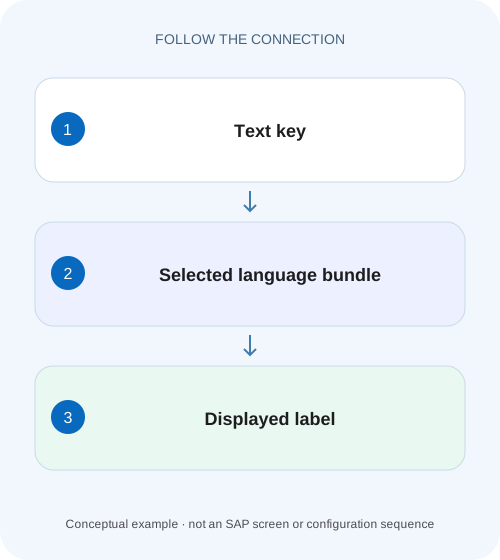
SAPUI5 internationalization separates application text from control logic. A ResourceModel exposes bundle texts through bindings such as {i18n>ORDER_TITLE}; bundle lookup chooses appropriate localized resources and fallback text. When a button shows a technical key or the wrong language, investigate that binding, model, key, locale and packaged bundle chain. [1] [2]
Changing an English file is effective only if the active lookup uses that value. This tutorial follows ORDER_TITLE and a parameterized save message through English, German and unsupported French locales, then gives a repeatable diagnosis for missing keys, unnecessary bundle requests and stale deployment artifacts.
02 Scope the runtime and text responsibilities
The older localized-text guide remains useful for the resource-model concept, while the supported-locales configuration discussed here requires SAPUI5 1.77 or later. Confirm the installed UI5 runtime, manifest schema and build toolchain. UI5 Tooling v4 and later can generate supported locales under documented conditions, so inspect the built manifest as well as its source. [2] [3]
This example concerns static application labels and messages. Backend business descriptions, user-entered comments, OData metadata labels and locale-sensitive numeric/date formatting have their own ownership. Translating a Save button does not translate a product description returned by a service, and changing text bundles does not convert the user's date input correctly.
03 Worked case: Orders in English and Aufträge in German
A fictional order app has a named i18n model. Its raw bundle and explicit English bundle define ORDER_TITLE=Orders and SAVE_SUCCESS=Order {0} saved. The German bundle defines ORDER_TITLE=Aufträge and SAVE_SUCCESS=Auftrag {0} wurde gespeichert. The parameter is the business order ID O100; it is data inserted into the translated sentence, not a separate text key.
The intended locale configuration supports en and de and falls back to en. A de-DE user should see Aufträge without requiring a region-specific German file. A fr-FR user should see the configured English fallback. If the German SAVE_SUCCESS entry is deliberately omitted in a test, its message should resolve through the documented fallback chain rather than becoming a hardcoded German/English mixture.
| Resource | ORDER_TITLE | SAVE_SUCCESS |
|---|---|---|
| i18n.properties | Orders | Order {0} saved |
| i18n_en.properties | Orders | Order {0} saved |
| i18n_de.properties | Aufträge | Auftrag {0} wurde gespeichert |
04 Configure descriptor texts and the runtime model consistently
The manifest has two related consumers: sap.app/i18n resolves descriptor text references such as {{appTitle}}, while the named ResourceModel supplies control bindings. The descriptor's double braces are resource references, not normal UI5 data-binding syntax. Configure both consistently when both use the same bundle. [2] [3]
The fragment assumes a compatible manifest version and an application containing all three fixture files. Preserve the rest of the application's existing descriptor. An incorrect model name, module path or resource URL can prevent lookup before locale fallback is relevant. Inspect the resolved deployed URL rather than assuming source-folder placement proves the server serves that path.
{
  "sap.app": {
    "i18n": {
      "bundleUrl": "i18n/i18n.properties",
      "supportedLocales": ["en", "de"],
      "fallbackLocale": "en"
    },
    "title": "{{ORDER_TITLE}}"
  },
  "sap.ui5": {
    "models": {
      "i18n": {
        "type": "sap.ui.model.resource.ResourceModel",
        "settings": {
          "bundleUrl": "i18n/i18n.properties",
          "supportedLocales": ["en", "de"],
          "fallbackLocale": "en"
        }
      }
    }
  }
}
05 Understand the fallback chain before treating a 404 as fatal
For a German-region input, the documented candidate chain reduces the regional locale to its language, then considers the configured fallback locale and raw bundle. supportedLocales filters those candidates. With only en and de declared, a de-DE input can use the de resource without asking for a nonexistent de-DE bundle; a supported fr file would not be requested merely because it exists if fr is not in that input's fallback chain. [2]
A locale omitted from supportedLocales can fall back even when its translation file exists. Conversely, declaring a locale without packaging its file can produce missing-resource responses. An empty supportedLocales list means all locales are supported; it does not mean no translations are supported. Maintain the list and files together. [2]
06 Bind labels and keep parameterized messages translatable
Use resource bindings for static control text and ResourceBundle.getText with parameters for messages generated in code. Retrieve the ResourceModel bundle through the API appropriate to its synchronous/asynchronous configuration and installed version; do not assume every getResourceBundle call immediately returns a loaded object. [1]
The example below shows the lookup once a bundle is available. Keep the complete sentence in the bundle so translators can move the order parameter and grammar. Concatenating a translated Order label, an ID and a hardcoded saved suffix fixes the English word order in code and makes other languages unnecessarily difficult.
XML view label:
<Title text="{i18n>ORDER_TITLE}" />

Bundle entries:
# i18n_en.properties
SAVE_SUCCESS=Order {0} saved
# i18n_de.properties
SAVE_SUCCESS=Auftrag {0} wurde gespeichert.

JavaScript, with oBundle already resolved:
var sMessage = oBundle.getText("SAVE_SUCCESS", ["O100"]);
07 Diagnose a technical key instead of a friendly caption
First inspect the exact binding and case of ORDER_TITLE. Check that the named i18n model is available to the control, then inspect the bundle URL and files actually returned in the network trace. A successful request for another app's i18n.properties does not establish that this control has the correct ResourceModel.
Compare the key across the active bundle and fallback resources. Distinguish an absent key from a present but intentionally empty value. Review the properties syntax, escaped characters and build encoding rather than pasting a display string directly into the controller. A typo such as ORDER_TITEL can survive a deployment perfectly while lookup remains wrong.
08 Verify the deployed artifact rather than only the source file
If source German says Aufträge but the app still says Orders, inspect the delivered i18n_de.properties content and built manifest. The deployed artifact can omit the translation, declare the wrong supported locale or belong to another app version. Preserve request URL, response content and app build identity before considering cache maintenance.
Use the application's supported deployment and cache workflow once a stale artifact has been identified. Repeated broad cache clearing cannot repair a missing file in the build output. Also check runtime language selection: a browser language, launchpad-selected language and explicit app configuration can produce a different effective locale than the developer expected.
09 Troubleshoot text lookup at its specific boundary
Avoid changing layout or service business data when the defect is a local resource key. Capture one visible string and its complete lookup chain.
| Symptom | Evidence to inspect | Targeted correction |
|---|---|---|
| ORDER_TITLE appears literally | Binding/model and exact key | Fix model availability or key spelling |
| English under German locale | Effective locale and de bundle | Correct language configuration or deployment |
| Translation exists but is ignored | Built supportedLocales list | Include maintained locale consistently |
| Repeated region-file 404s | Candidate chain and runtime version | Configure supported locales when supported |
| Descriptor title translated; control not | sap.app resource vs named model | Align runtime ResourceModel |
| Saved message has mixed grammar | Sentence concatenated in code | Translate complete parameterized message |
| Only old deployed text appears | Actual resource response/build identity | Deploy corrected artifact and supported refresh |
10 Run language and fallback verification as separate cases
For a positive case, run de-DE and verify ORDER_TITLE displays Aufträge and SAVE_SUCCESS inserts O100 in the German sentence. Run en-US and confirm English. For an unsupported-locale boundary, run fr-FR under this fixture and verify the configured English fallback, including the descriptor title and runtime controls.
For a negative key test, omit German SAVE_SUCCESS in a controlled branch and verify fallback behavior against the installed runtime, then restore it. Test a typo absent from all bundles and inspect the failure rather than silently accepting a technical key. Include accented characters, a long translated label and a parameter containing ordinary punctuation. These checks are proposed, not reported customer executions.
Keep the test's text source visible while comparing languages. Record the effective locale, model name, key and delivered bundle value for ORDER_TITLE, then separately record the resolved SAVE_SUCCESS message with O100 inserted. If the title is correct but the message is not, inspect that message's key and lookup path rather than repeating the whole language setup. This catches code that uses the right ResourceModel in a view but a different bundle instance for controller-generated messages.
11 Maintain translation contracts as the app evolves
Treat resource keys as interfaces used by views and code. Renaming a key requires updating consumers and every maintained language. Give translators a meaningful key and context, and preserve parameter positions and meaning. A message about an order ID should not later reuse the same placeholder for a customer name without review.
Review language additions in the source and packaged output: files, supportedLocales and any tool-generated manifest changes must agree. Keep text translation separate from numeric, currency and date formatting tests; the app can show a correctly translated Amount label while still parsing a German decimal value incorrectly. Both user-facing behaviors need their own verification.
12 Frequently asked questions
Is i18n a special service? It is commonly the name of a ResourceModel holding application text. It does not automatically translate server business data.
Does every 404 mean the application is broken? Some arise from fallback candidates without corresponding files. Supported-locale configuration can avoid those requests, but a missing required bundle still needs correction.
Can the raw bundle be the fallback? The documented configuration allows an empty fallback locale to skip the default English candidate. Check that choice and supported-locale rules against the installed release. [2]
Why did editing English not change German? The active German key can override the fallback value. Inspect the selected resource rather than copying the English text into the view.
What proves the fix? The expected visible text, correct parameter substitution and verified delivered resources for every intended locale and fallback case.
Related services and next steps
Primary sources
Found this useful?
Share this guide with your network, or leave a like.
Your like is saved in this browser.