Fiori elements annotations: Presentation metadata is not backend validation
A manufacturer configures the presentation of an operational Fiori elements application while its business validity rules belong in the backend contract.

Source review:
START HERE · NO PRIOR TOPIC KNOWLEDGE NEEDED
What it is. Why it matters.
SAP Fiori is SAP’s approach to business application design. Fiori elements uses annotations, or descriptive metadata, to decide how fields, tables and actions should appear.
Completely new to SAP?
Manufacturers use SAP to connect work such as buying components, recording inventory, planning production, shipping equipment and accounting for costs. SAP S/4HANA is an enterprise resource planning system: it connects these activities through shared business data.
SAP Fiori is SAP’s design approach for business applications. SAPUI5 is a user-interface toolkit, and Fiori elements uses metadata to generate common application patterns.
A transaction code, or t-code, is a shortcut to a task in classic SAP GUI. Fiori apps provide another way to work. Names and screens depend on the product and release; you do not need a live system to learn the concepts in this guide.

Scope and source-review notes
Scope and evidence
Source review by FAST SAP SOLUTIONS® editorial. This badge describes our editorial review; it does not represent SAP certification or independent endorsement.
Fiori elements metadata and ABAP CDS UI annotations; term support and responsive behavior depend on OData version, floorplan, table type and UI5/backend release.
Primary documentation reviewed on 14 November 2026 using official indexed excerpts. Documentation review only; authored examples were not compiled or executed in an SAP system.
A MANUFACTURING EXAMPLE
Separate the factory screen from backend rules
Presentation and validation differ
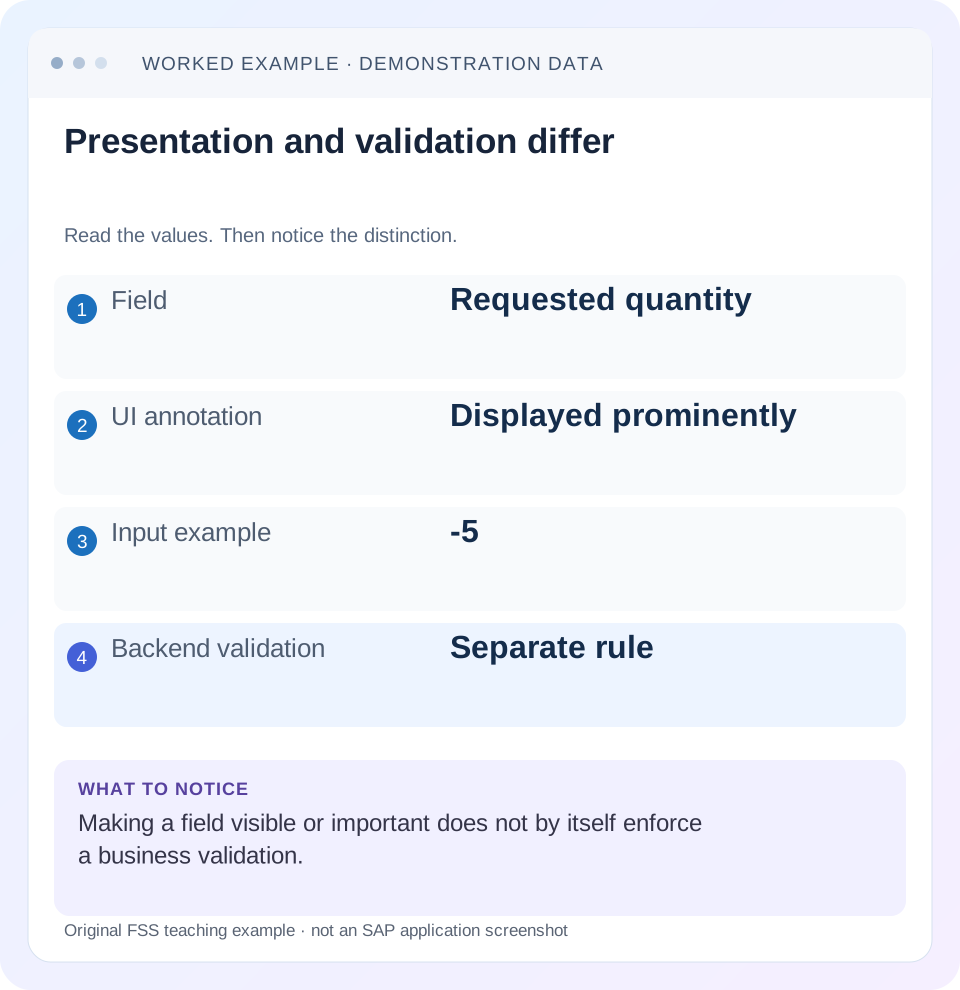
Read the example values
- Field
- Requested quantity
- UI annotation
- Displayed prominently
- Input example
- -5
- Backend validation
- Separate rule
A REAL SCREEN TO RECOGNIZE
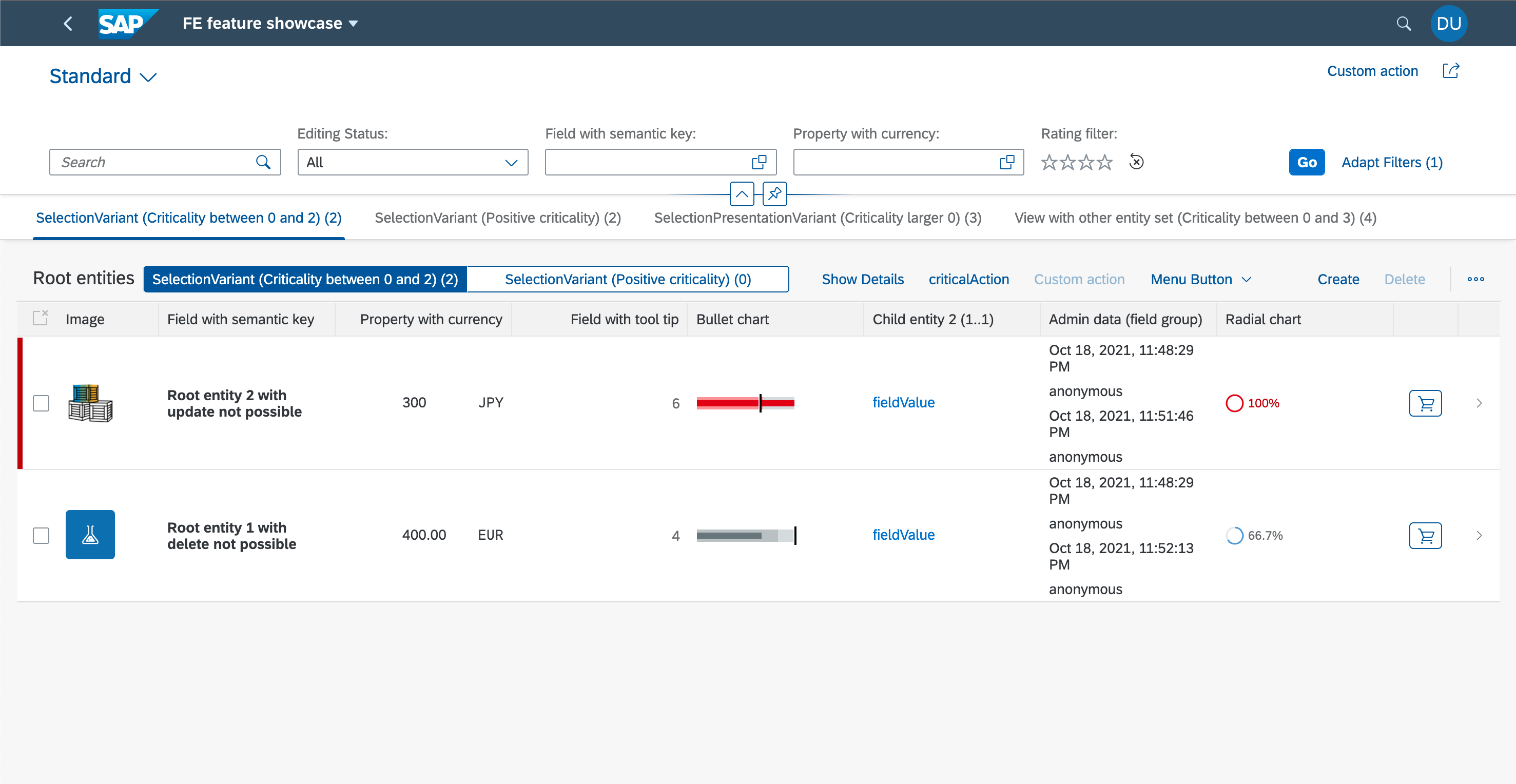
SAP’s Fiori elements feature showcase. The filter bar, table columns and row actions are distinct UI regions. Compare the region discussed in this guide with the corresponding service and metadata.
© 2021 SAP SE or an SAP affiliate company and project contributors. Apache-2.0. Reproduced unchanged for educational commentary. This is a source example, not a capture of your system.Words you’ll meet in this guide
- Binding
- A connection between a screen control and data.
- Metadata
- Information describing data or how it should be used.
- Service
- A software interface that provides data or operations.
- Backend
- The system or service that provides business processing behind the interface.
- ABAP
- SAP’s programming language for business applications.
- CDS
- Core Data Services: reusable definitions of business data and relationships.
- RAP
- ABAP RESTful Application Programming Model: a way to build business objects and services.
- OData
- A standard for reading and updating data through a web API.
- Fiori
- SAP’s approach to business application design.
- API
- A defined interface through which programs exchange data or request actions.
Preview the practical steps
SEE THE CONNECTION
See it in a simple example.
A small example to make the idea concrete.
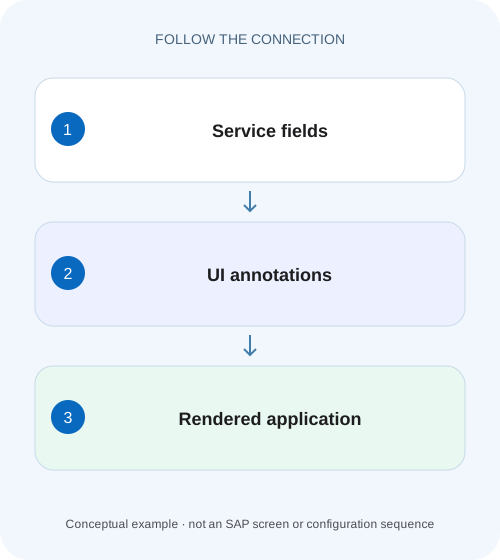
Separate the factory screen from backend rules
A manufacturer configures the presentation of an operational Fiori elements application while its business validity rules belong in the backend contract.
Annotations describe the experience; the service owns business acceptance
Fiori elements reads service metadata and annotations to build fields, tables, object pages and actions.
Scope and prerequisites
The example uses ABAP CDS UI annotations consumed by Fiori elements.
Understand the metadata path before editing a screen
A property originates in the exposed data/service model.
Separate the factory screen from backend rules
A manufacturer configures the presentation of an operational Fiori elements application while its business validity rules belong in the backend contract.
Distinguish annotation-driven display behavior from validation and authorization before calling a visible field constraint an enforced business rule.
| Reader | Business question | Evidence to carry forward |
|---|---|---|
| SAP developers and application teams supporting manufacturers | Separate the factory screen from backend rules | Distinguish annotation-driven display behavior from validation and authorization before calling a visible field constraint an enforced business rule. |
01 Annotations describe the experience; the service owns business acceptance
Fiori elements reads service metadata and annotations to build fields, tables, object pages and actions. Position and importance can influence where a property appears and how it behaves on smaller screens. Those presentation choices do not by themselves enforce a rule such as “requested quantity must be positive” at every backend entry point. [1] [2] [3]
Some annotations also drive client assistance and validation behavior in supported scenarios, so the distinction is not “annotations do nothing.” The practical requirement is to verify both the generated experience and the authoritative business rule. This tutorial traces one quantity field from CDS metadata to a responsive page and a direct service request.
02 Scope and prerequisites
The example uses ABAP CDS UI annotations consumed by Fiori elements. OData V2 and V4, floorplans, table types and UI5 versions support different terms and behaviors. Record app ID, entity/property, binding protocol, backend release and frontend version. A responsive-table example does not prescribe identical behavior for a grid or analytical table.
You need the consumed service metadata, relevant annotation sources and an authorized development/test application. The CDS metadata-extension sketch assumes a projection that permits metadata extensions and exposes the named fields. It has not been activated or tested. Use existing project conventions for annotation ownership and avoid duplicating conflicting definitions across layers.
03 Understand the metadata path before editing a screen
A property originates in the exposed data/service model. UI annotations can be defined in CDS or metadata extensions and can also be supplied by app-local annotation files where supported. The application consumes a particular service and annotation configuration, so changing a similarly named view that the app never uses will have no effect.
Trace the exact target and qualifier. A UI.LineItem definition describes table content, while identification or field-group annotations describe other contexts. A field can appear on the object page without being in the list report. Check the app's configured annotation path and effective metadata rather than assuming one unqualified definition controls every page.
04 Worked case: quantity visible on desktop, absent on a narrow page
Fictional request R100 exposes RequestID, RequestedQuantity, Unit and InternalNote. Desktop users see the quantity, but a phone-sized layout hides it while retaining an internal note. The business needs request identity and quantity prominent; the note is secondary. Separately, a user can enter quantity−5, which the backend must reject under the stated business rule.
These are two issues. Change relative position/importance for a better responsive experience, then verify the backend quantity validation independently. Making quantity HIGH importance should not be described as fixing negative-value acceptance. Removing the note from the visible table likewise does not protect its data from an otherwise authorized API response.
| Property | Presentation need | Backend responsibility |
|---|---|---|
| RequestID | Recognizable on all relevant layouts | Correct identity and access |
| RequestedQuantity | Prominent with its unit | Reject non-positive values under business rule |
| Unit | Interpret quantity correctly | Validate compatible unit semantics |
| InternalNote | Secondary display priority | Enforce data access if confidential |
05 Set relative position and importance deliberately
Position values establish relative ordering for the relevant annotation collection. Leaving gaps can make later additions easier. Importance expresses display priority for supported responsive behavior; actual hiding or pop-in treatment depends on the consumer and table configuration. Do not assume a fixed pixel breakpoint or identical device behavior from the enum alone. [1] [2]
The sketch assigns identity and quantity high priority and note low priority. Unit remains available so quantity retains meaning. Verify labels, unit metadata and object-page placement separately. A field's position in lineItem does not automatically place it in a field group or the filter bar.
@Metadata.layer: #CORE
annotate view ZC_Request with
{
  @UI.lineItem: [{ position: 10, importance: #HIGH }]
  RequestID;

  @UI.lineItem: [{ position: 20, importance: #HIGH }]
  RequestedQuantity;

  @UI.lineItem: [{ position: 30, importance: #MEDIUM }]
  Unit;

  @UI.lineItem: [{ position: 80, importance: #LOW }]
  InternalNote;
}
06 Distinguish hidden, read-only, mandatory and unauthorized
Hidden means the consumer should not display an element in the supported context. Read-only presentation prevents an edit through that control. Mandatory presentation or field control can guide input and trigger supported client checks. Authorization decides whether the caller can access or change protected data, and business validation enforces acceptable state.
A hidden property can still be part of the service contract. A client can construct requests without using the generated screen. Review backend exposure, authorization and behavior rules for confidential or controlled fields. The reviewed RAP release documentation explicitly describes hidden action-input fields remaining available to Web API clients, illustrating why visual omission is not access control. [4]
07 Validate the business rule through the service
For RequestedQuantity, define the accepted domain and relevant unit/process context. If the rule requires positive quantity, enforce it in the backend behavior and return a useful field-targeted error when−5 or 0 is invalid. A UI type or mandatory marker can improve early feedback, but it does not replace the authoritative check.
Test the actual service with a permitted negative fixture outside the normal UI assistance path. Confirm rejection and resulting business state. Also test a valid quantity with its correct unit. Do not remove the input control or its required marker merely to avoid a backend error; determine whether the UI is failing to collect required information or the backend rule is wrong.
08 Inspect effective metadata and consumer requests
Open the service metadata/annotation response used by the app and find the exact property and UI collection. Compare it with the source extension and local annotation configuration. If a change is absent, inspect activation, transport, consumed binding and annotation targeting before assuming the browser needs a blanket cache clear.
Then inspect the rendered table at the intended width and with a known personalization state. A saved user variant can affect columns independently of source defaults. Compare a controlled baseline under the supported app reset/variant process and retain the distinction. Do not delete user personalization as an unexplained first troubleshooting step.
Identify app and field
Record app ID, service/binding, entity, property and relevant annotation path.
Expected observation: The edit targets the consumed contract.
Inspect source and effective metadata
Compare CDS/extension/local annotations with the actual response.
Expected observation: The intended term reaches the app.
Check responsive presentation
Test desktop and narrow layouts using a known variant.
Expected observation: Identity and quantity remain understandable.
Verify backend acceptance
Submit valid and invalid quantity fixtures through the service.
Expected observation: Presentation and business protection are separately proven.
09 Troubleshooting unexpected generated behavior
A visible symptom can originate in service exposure, annotation targeting, runtime support or user personalization. Choose the first boundary that differs from expectation.
| Observation | Question | Next evidence |
|---|---|---|
| Field absent from metadata | Exposed by the actual service projection? | Binding and service entity fields |
| Metadata has field; no table column | Correct LineItem/qualifier selected? | App annotation path and collection |
| Desktop right; narrow layout poor | Importance/table responsive behavior? | Version-matched table documentation |
| Source changed; response old | Wrong binding, activation or transport? | Effective metadata and active object |
| One user differs | Personalization/variant state? | Controlled baseline comparison |
| Hidden field still returned by API | Presentation mistaken for authorization? | Service exposure/access policy |
| Mandatory-looking input accepts invalid state | Backend rule missing or bypassed? | Direct service negative test |
10 Verify presentation and invariant boundaries
A positive presentation test checks RequestID, quantity and unit on desktop and a narrow supported layout. Verify that the secondary note behaves according to the chosen priority without losing essential information. Test keyboard navigation and readable labels where they are relevant to the change, rather than judging only a screenshot.
A negative business test sends−5 through the service and checks a controlled rejection with no accepted invalid active state. Boundary tests include 0, initial input and the largest permitted quantity. Test an unauthorized identity separately from invalid data. These are proposed checks; this article does not claim frontend execution or backend validation in a customer system.
11 Keep annotation ownership and reuse maintainable
Put reusable semantic meaning such as amount/currency or quantity/unit relationships in the appropriate shared model. Put use-case presentation in its intended projection/annotation layer. A shared service can have several consumers, so a change that helps one table should be assessed for others using the same annotation contract.
Avoid copying the same field definition into multiple local files just to override an unexplained result. Record which layer owns the final term and why. Review qualifiers and transport dependencies together. A clear ownership decision reduces the chance that a later regeneration or app upgrade restores a conflicting definition.
12 Frequently asked questions
Does HIGH importance guarantee identical placement everywhere? No. It supplies priority to supported consumer behavior; floorplan, table type and version still matter.
Does UI.Hidden secure confidential data? No. Inspect backend exposure and authorization separately.
Can annotations improve validation? Supported terms can drive client checks and assistance, but business invariants still need authoritative backend enforcement.
Why did changing lineItem not move the object-page field? Different annotation collections govern different UI contexts.
What belongs in the review record? App/service/property identity, effective term/qualifier, expected responsive behavior, backend rule and actual positive/negative checks. That keeps a presentation adjustment from being mistaken for a complete data-protection or validation change.
Related services and next steps
Primary sources
Found this useful?
Share this guide with your network, or leave a like.
Your like is saved in this browser.