RAP side effects: Refresh dependent fields without confusing UI and business logic
A manufacturer's order application recalculates a value on the backend, while the screen still shows the earlier value.

Source review:
START HERE · NO PRIOR TOPIC KNOWLEDGE NEEDED
What it is. Why it matters.
A side effect describes data that may need refreshing after a RAP operation. The backend can change successfully while the interface still displays an earlier value.
Completely new to SAP?
Manufacturers use SAP to connect work such as buying components, recording inventory, planning production, shipping equipment and accounting for costs. SAP S/4HANA is an enterprise resource planning system: it connects these activities through shared business data.
ABAP is SAP’s programming language for business applications. A program reads data, applies rules and produces a result. Start with the objects involved before investigating code.
A transaction code, or t-code, is a shortcut to a task in classic SAP GUI. Fiori apps provide another way to work. Names and screens depend on the product and release; you do not need a live system to learn the concepts in this guide.

Scope and source-review notes
Scope and evidence
Source review by FAST SAP SOLUTIONS® editorial. This badge describes our editorial review; it does not represent SAP certification or independent endorsement.
RAP side effects in supported managed-draft UI services; triggers, target types and consumer behavior depend on backend, binding and UI versions.
Primary documentation reviewed on 14 November 2026 using official indexed excerpts. Documentation review only; authored examples were not compiled or executed in an SAP system.
A MANUFACTURING EXAMPLE
Refresh the derived value in a plant application
The backend and screen can diverge
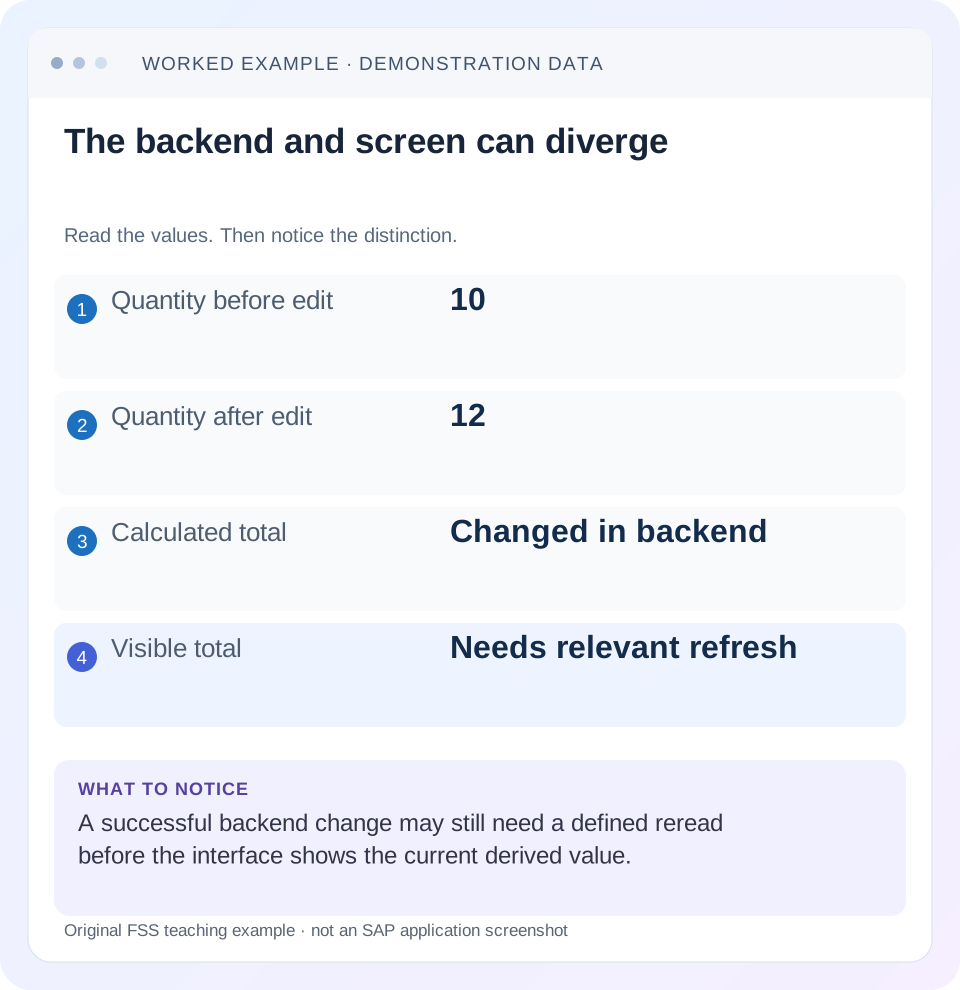
Read the example values
- Quantity before edit
- 10
- Quantity after edit
- 12
- Calculated total
- Changed in backend
- Visible total
- Needs relevant refresh
Words you’ll meet in this guide
- Program
- A set of instructions executed by a computer.
- Class
- A reusable unit that groups data with operations called methods.
- Database
- Organized information kept beyond one program execution.
- Internal table
- A list of rows held temporarily in an ABAP program’s memory.
- Key
- One or more fields used to identify or find a record.
- ABAP
- SAP’s programming language for business applications.
- RAP
- ABAP RESTful Application Programming Model: a way to build business objects and services.
- OData
- A standard for reading and updating data through a web API.
- Fiori
- SAP’s approach to business application design.
Preview the practical steps
SEE THE CONNECTION
See it in a simple example.
A small example to make the idea concrete.
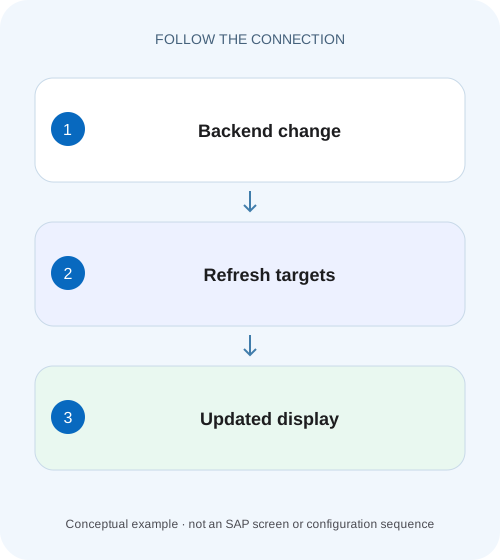
Refresh the derived value in a plant application
A manufacturer's order application recalculates a value on the backend, while the screen still shows the earlier value.
A side effect describes dependent refresh, while business logic computes the result
When changing a RAP field leaves a dependent total stale on the page, separate two questions: did the backend calculate the correct value, and did the client reread it?
Scope and prerequisites
The primary SAP examples describe RAP side effects for managed draft scenarios and Fiori elements consumers.
Map trigger, backend rule and refresh target explicitly
For a quantity change, Quantity is the trigger, the total calculation is backend behavior and TotalAmount is a dependent target.
Refresh the derived value in a plant application
A manufacturer's order application recalculates a value on the backend, while the screen still shows the earlier value.
Check the response and supported refresh targets before changing the calculation to compensate for stale presentation.
| Reader | Business question | Evidence to carry forward |
|---|---|---|
| SAP developers and application teams supporting manufacturers | Refresh the derived value in a plant application | Check the response and supported refresh targets before changing the calculation to compensate for stale presentation. |
01 A side effect describes dependent refresh, while business logic computes the result
When changing a RAP field leaves a dependent total stale on the page, separate two questions: did the backend calculate the correct value, and did the client reread it? A side-effect declaration describes which targets a supported consumer should refresh after a trigger. It does not replace the determination, validation or action that owns the business rule. [1] [2]
This tutorial follows a quantity edit from 10 to 12 at a unit price of 5 EUR, with a total changing from 50 to 60 EUR. It then adds validation messages and a parent total so you can distinguish missing calculation, missing exposure and missing refresh instead of applying a global reload.
02 Scope and prerequisites
The primary SAP examples describe RAP side effects for managed draft scenarios and Fiori elements consumers. Support varies with ABAP backend, BDL feature set, OData binding and UI5/Fiori version. Record those versions and verify the actual edit path before adapting a current cross-product declaration.
You need a behavior definition, its projection, a supported UI service and browser request inspection. Understand draft versus active state: a fresh active read is not necessarily the same data the user is editing in a draft. The example fields and values below are original teaching material. No RAP object or Fiori page was activated or exercised for this article.
03 Map trigger, backend rule and refresh target explicitly
For a quantity change, Quantity is the trigger, the total calculation is backend behavior and TotalAmount is a dependent target. A child item price can affect a parent total through an association path. An action can change status and dependent availability, requiring a different target set. [1] [2]
Keep that dependency map small and specific. Refreshing every entity after every edit can add requests and obscure the real dependency. Conversely, refreshing only the changed input misses values the server derived. Include messages or supported permission targets when the operation changes those aspects, using the exact capabilities of the installed release.
04 Worked case: the backend says 60 but the screen says 50
Fictional item I10 starts with Quantity 10 PC, UnitPrice 5 EUR/PC and TotalAmount 50 EUR. The user edits Quantity to 12. The backend determination correctly sets TotalAmount 60 in the relevant draft state, but the page still displays 50. A manual reload later displays 60, suggesting a refresh-path problem rather than an arithmetic defect.
Now change the hypothesis: if a read of that same draft still returns 50, the missing side effect is not the primary cause. Inspect the determination trigger, calculation inputs and update outcome. If the active record returns 50 while the draft returns 60, that can be normal before activation. Always compare the same instance and draft/active context.
| Boundary | Expected value | What a mismatch means |
|---|---|---|
| Input after edit | Quantity 12 PC | Binding or write path may be wrong |
| Relevant backend draft | TotalAmount 60 EUR | Calculation/trigger problem if still 50 |
| Follow-up service read | TotalAmount 60 EUR | Wrong context/projection if different |
| Open page display | 60 EUR after supported refresh | Binding/refresh problem if still 50 |
| Active record before activation | May remain 50 EUR | Separate lifecycle state |
05 Declare the smallest field dependency
The partial BDL example describes Quantity and UnitPrice affecting TotalAmount. It assumes suitable backend derivation already exists. Put the complete side-effects block in the relevant entity behavior according to supported syntax; SAP's tutorial notes that the side effects keyword block appears once per behavior body. [1]
A child-to-parent dependency uses the modeled association path, such as _Order.TotalAmount, when supported. Verify that the target association and field are available in the consumed projection. A typo or a target omitted from the exposed contract can leave source code looking plausible while the UI never receives the intended dependency metadata.
side effects
{
  field Quantity affects field TotalAmount;
  field UnitPrice affects field TotalAmount;
}

// For an appropriate item/parent model, a supported target can be:
// field Quantity affects field _Order.TotalAmount;
06 Reuse the behavior in the projection and inspect metadata
RAP side effects defined in the base behavior must be reused in the projection for the documented UI-service scenario. Inspect the projection behavior's use side effects declaration and the actual service binding consumed by the app. Another projection can intentionally expose a different contract. [1] [2]
Read generated metadata/annotations and compare them with the source dependency map. Then inspect the browser request sequence after a committed field change in the control's normal edit flow. A side effect need not mean one visible request for every keystroke; client batching and change-event timing influence the observed network sequence. Verify the final supported interaction rather than counting individual key presses.
// Within the applicable projection behavior definition:
use side effects;
07 Use determine actions when immediate validation feedback is required
SAP's tutorial shows a determine action containing a validation and a side effect that executes it for field changes, with messages as a target. This allows supported immediate feedback while retaining the validation's business responsibility. A simple field-target refresh is not an instruction to invent new validation logic in the browser. [1]
For Quantity, a validateQuantity determine action could invoke the declared validation and refresh messages, subject to the actual BDL syntax and authorization model. Keep save-time protection in the behavior so a direct service caller cannot bypass the rule by avoiding the UI's determine-action flow. Immediate feedback and final acceptance are complementary responsibilities.
determine action ( authorization : update ) validateQuantityNow
{ validation validateQuantity; }

side effects
{
  field Quantity affects field TotalAmount;
  determine action ( authorization : update ) validateQuantityNow
    executed on field Quantity affects messages;
}
08 Inspect the actual write and follow-up read
Use one sanitized browser capture for I10. Confirm the edit reaches the intended model and service entity, the backend accepts it, and the follow-up read addresses the correct draft/active instance. Inspect the value returned by that read before blaming the control's binding.
If no follow-up read occurs, inspect side-effect exposure and consumer support. If it occurs and returns 60 while the UI shows 50, inspect the binding path and model context. If it returns 50, inspect backend derivation and transaction state. A broad refresh can mask these distinctions and create the impression of a fix without explaining which boundary failed.
Verify backend derivation
Read the same instance/context after the edit through a supported development path.
Expected observation: Total 60 is established independently of display.
Verify exposed dependency
Inspect base/projection behavior and generated metadata.
Expected observation: Quantity-to-total refresh is in the consumed contract.
Verify client request sequence
Observe the supported change event, submitted write and dependent read.
Expected observation: The intended target is actually requested.
Verify the displayed binding
Compare response 60 with control path/context.
Expected observation: The screen consumes the current returned value.
09 Troubleshooting dependent values and messages
Use the first incorrect boundary to choose the correction. A side-effect declaration cannot repair an unsuccessful write or a wrong relative binding.
| Observation | Question | Next action |
|---|---|---|
| Backend total wrong | Determination triggered with current inputs? | Inspect derivation before refresh |
| Backend right; no reread | Projection reuse or consumer support missing? | Metadata and use side effects |
| Reread targets active while editing draft | Wrong lifecycle identity? | Compare key and draft context |
| Reread right; field stale | Wrong UI binding/model? | Trace binding context |
| Messages appear only at save | Immediate validation trigger modeled? | Determine action and messages target |
| Unrelated edits cause many reads | Targets too broad? | Narrow dependency map |
| Action changes status; button state stale | Dependent permission/field targets covered? | Version-supported target design |
10 Verify triggering, unrelated and invalid edits
A positive check changes Quantity 10 to 12 and expects TotalAmount 60 without a manual page reload. Change UnitPrice 5 to 6 and expect 72 under the same simplified arithmetic. A negative check enters an invalid quantity and verifies the intended validation message and preserved business state, rather than displaying a recomputed but invalid total as success.
A boundary check changes an unrelated description and verifies it does not cause unnecessary total recalculation/refresh under the chosen design. Test a child edit affecting the parent, an action affecting status and draft activation separately. Compare network reads and final business values. These are proposed tests, not a record of executed UI behavior.
11 Performance and sequencing considerations
Side effects can add network and backend work, so target the fields/entities that the business effect actually changes. A parent-entity refresh may be appropriate when several dependent fields change together, while a single-field target can be clearer for a narrow calculation. Measure the real edit sequence before optimizing request counts.
Do not rely on a lucky ordering of unrelated determinations or refreshes. Backend rules should produce stable state under supported repeated execution. Client refresh should reveal that state. If a validation or determination depends on another rule's side effect happening first, review the business-logic design rather than adding another UI reload to enforce an accidental sequence.
12 Frequently asked questions
Does a side effect calculate the total? The backend rule owns calculation. The declaration coordinates dependent refresh and, where modeled, supported determine-action execution.
Why does manual reload work? It can reread correct server state that the normal dependency path failed to refresh. Confirm the same draft/active context before drawing that conclusion.
Can I refresh everything? It may conceal the missing dependency and add unnecessary work. Define the required target set and verify it.
What should the review record contain? Trigger, backend rule, target, projection reuse, generated metadata and the observed write/read/display values. That explains whether the correction changes business logic, service exposure or client refresh.
Related services and next steps
Primary sources
Found this useful?
Share this guide with your network, or leave a like.
Your like is saved in this browser.