Fiori draft versus active data: Saved work and activated business state
A buyer edits a manufacturing request and saves draft work, while another process still reads the active business state.

Source review:
START HERE · NO PRIOR TOPIC KNOWLEDGE NEEDED
What it is. Why it matters.
A draft stores work that is still being edited. Active data is the business record available in its activated state; saving a draft and activating it are different events.
Completely new to SAP?
Manufacturers use SAP to connect work such as buying components, recording inventory, planning production, shipping equipment and accounting for costs. SAP S/4HANA is an enterprise resource planning system: it connects these activities through shared business data.
SAP Fiori is SAP’s design approach for business applications. SAPUI5 is a user-interface toolkit, and Fiori elements uses metadata to generate common application patterns.
A transaction code, or t-code, is a shortcut to a task in classic SAP GUI. Fiori apps provide another way to work. Names and screens depend on the product and release; you do not need a live system to learn the concepts in this guide.

Scope and source-review notes
Scope and evidence
Source review by FAST SAP SOLUTIONS® editorial. This badge describes our editorial review; it does not represent SAP certification or independent endorsement.
RAP draft-enabled Fiori elements lifecycle, principally exclusive draft; collaborative support and exact UI/protocol behavior vary by release.
Primary documentation reviewed on 14 November 2026 using official indexed excerpts. Documentation review only; authored examples were not compiled or executed in an SAP system.
A MANUFACTURING EXAMPLE
Explain saved work in a plant application
Which version can others read?
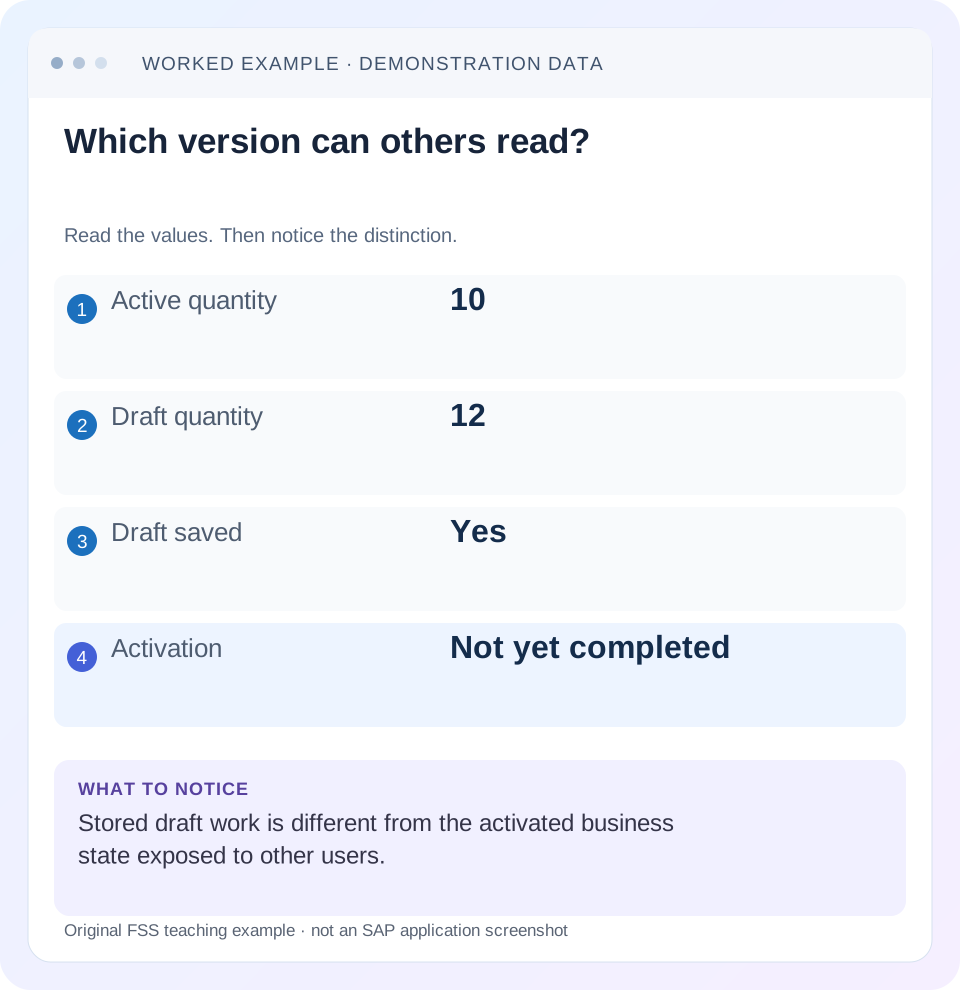
Read the example values
- Active quantity
- 10
- Draft quantity
- 12
- Draft saved
- Yes
- Activation
- Not yet completed
A REAL SCREEN TO RECOGNIZE
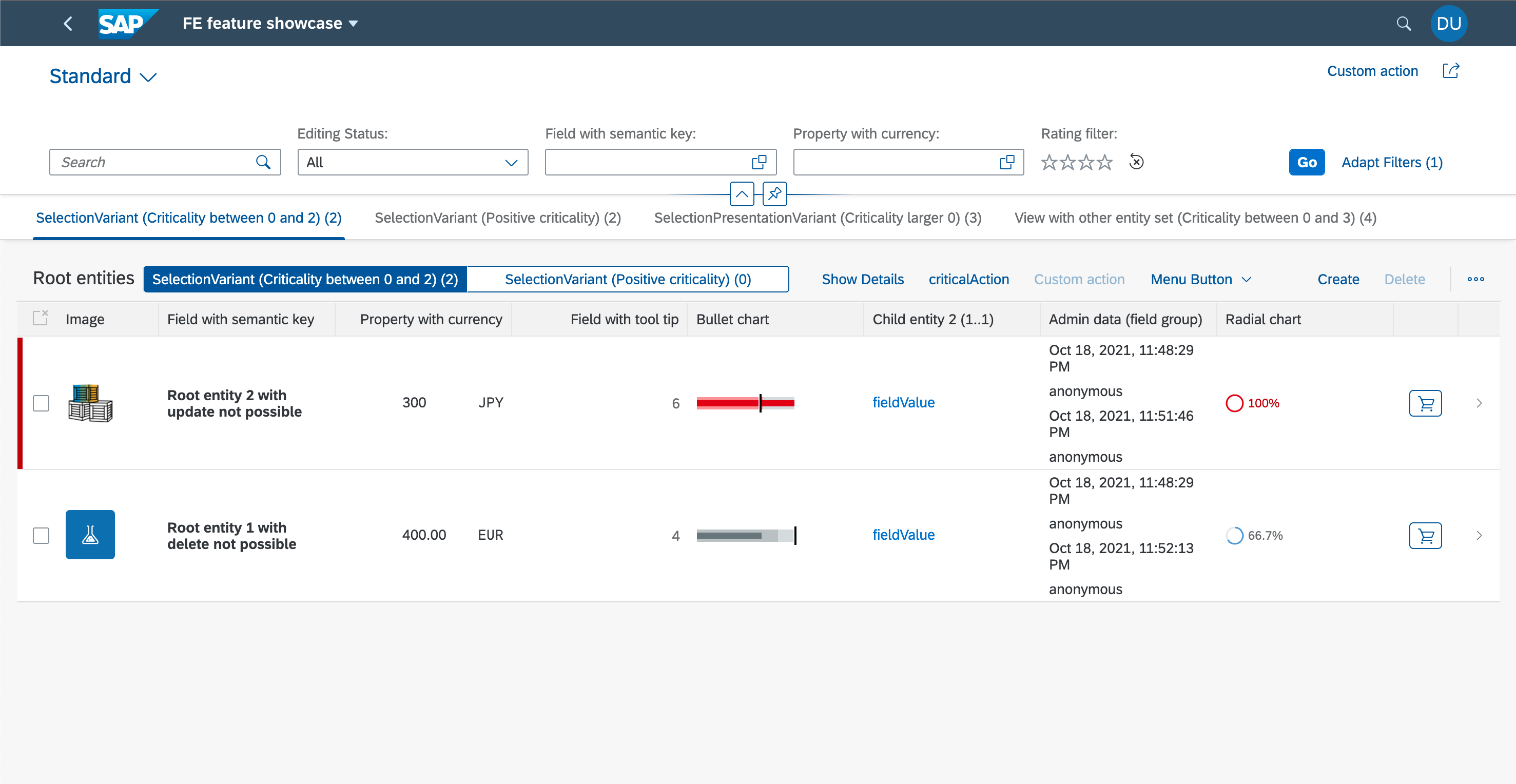
SAP’s Fiori elements feature showcase. The filter bar, table columns and row actions are distinct UI regions. Compare the region discussed in this guide with the corresponding service and metadata.
© 2021 SAP SE or an SAP affiliate company and project contributors. Apache-2.0. Reproduced unchanged for educational commentary. This is a source example, not a capture of your system.Words you’ll meet in this guide
- Binding
- A connection between a screen control and data.
- Metadata
- Information describing data or how it should be used.
- Service
- A software interface that provides data or operations.
- Backend
- The system or service that provides business processing behind the interface.
- ABAP
- SAP’s programming language for business applications.
- RAP
- ABAP RESTful Application Programming Model: a way to build business objects and services.
- OData
- A standard for reading and updating data through a web API.
- Fiori
- SAP’s approach to business application design.
- API
- A defined interface through which programs exchange data or request actions.
- HTTP
- The request-and-response protocol used by web applications and APIs.
- ETag
- A resource-version identifier used in checks that can prevent overwriting a concurrent change.
Preview the practical steps
SEE THE CONNECTION
See it in a simple example.
A small example to make the idea concrete.
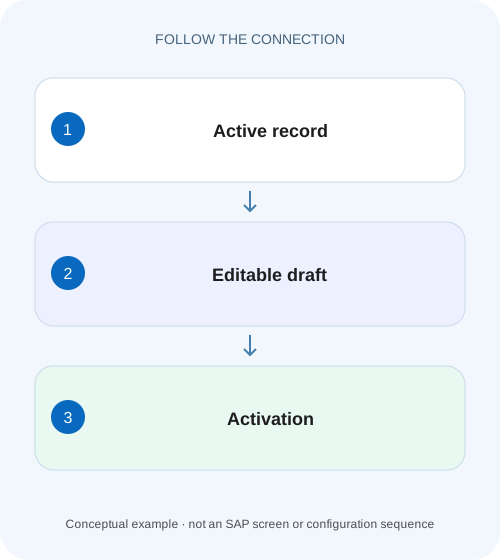
Explain saved work in a plant application
A buyer edits a manufacturing request and saves draft work, while another process still reads the active business state.
Stored draft work and activated business data are different states
A draft preserves work in progress in a draft-enabled business object.
Scope and prerequisites
The detailed lifecycle here uses ABAP RAP draft behavior consumed by a supported Fiori elements UI.
Understand new drafts and edit drafts
A new draft represents an object being created before its active version exists.
Explain saved work in a plant application
A buyer edits a manufacturing request and saves draft work, while another process still reads the active business state.
Track draft ownership and activation evidence before telling another team that the business change is effective.
| Reader | Business question | Evidence to carry forward |
|---|---|---|
| SAP developers and application teams supporting manufacturers | Explain saved work in a plant application | Track draft ownership and activation evidence before telling another team that the business change is effective. |
01 Stored draft work and activated business data are different states
A draft preserves work in progress in a draft-enabled business object. Active data represents the corresponding activated business state. Seeing an edited quantity on a Fiori page, or a message that draft changes were stored, does not prove the active record was updated successfully. [1] [2]
Identify the business key and draft/active context before comparing two screens or repeating creation. This tutorial follows order O100 from active quantity 10 through draft quantity 12, a failed validation and successful activation. It also explains why discarding an edit draft differs from deleting the active business record.
02 Scope and prerequisites
The detailed lifecycle here uses ABAP RAP draft behavior consumed by a supported Fiori elements UI. Other draft providers and app-specific workflows can differ. Exclusive and collaborative draft are distinct models; the ownership discussion focuses on exclusive draft and calls out that current RAP also supports collaborative scenarios where available.
Record backend release, OData binding, UI version and the app's actual save/activation actions. You need authorized test access to the relevant draft and active reads, messages and behavior definition. The order, quantities and request paths below are illustrative. No draft was created, activated or discarded in a customer system for this article.
03 Understand new drafts and edit drafts
A new draft represents an object being created before its active version exists. An edit draft starts from an existing active instance. In the documented RAP lifecycle, Edit copies active data into draft context, while activation transfers draft changes toward active processing and the normal save sequence. [1] [2]
Do not reduce this to “Save writes a table.” Draft updates can be durably stored as unfinished work, while the final active transition still needs validation and successful completion. Direct EML active creation is another supported provider path in some scenarios, but the documented Fiori elements draft creation flow starts a draft. Keep the UI and programmatic contracts separate. [1]
04 Worked case: active 10, draft 12 and a missing cost center
Fictional O100 is active with Quantity 10 PC and valid CostCenter CC10. Alex starts editing, changes quantity to 12 and accidentally clears the required cost center. The draft can preserve that unfinished state according to the application's draft contract. An active-data consumer still reads 10/CC10 until the active transition succeeds.
When Alex chooses the app's Save flow, the relevant checks report the missing cost center. The application must not present active quantity 12 as established merely because the draft was stored. Alex restores CC10 and completes the supported activation/save process. A subsequent active read should then establish 12/CC10. The distinction is about lifecycle state, not a mysterious delay in the database.
| Stage | Active quantity / cost center | Draft quantity / cost center |
|---|---|---|
| Before edit | 10 / CC10 | No edit draft |
| Unfinished edit | 10 / CC10 | 12 / initial |
| Validation rejects completion | 10 / CC10 | 12 / initial retained per app flow |
| After correction and successful completion | 12 / CC10 | Draft lifecycle completed |
| Discard instead of completion | 10 / CC10 | Edit draft removed |
05 Compare the same business key with the correct technical state
In OData draft services, the technical active/draft indicator is part of resource identity. In RAP EML, the corresponding draft context is expressed through the technical draft indicator. A read of O100 active and a read of O100 draft can correctly return different values. [2]
Use metadata to build the real request; key names and routes vary. The illustrative paths show the diagnostic idea rather than a delivered endpoint. Capture the current draft owner/context where permitted and verify that the response belongs to the intended version. A list filtered to active records is not evidence that a new draft has been lost.
GET /Orders(OrderID='O100',IsActiveEntity=true)
Expected before activation: Quantity 10, CostCenter CC10

GET /Orders(OrderID='O100',IsActiveEntity=false)
Expected for the authorized edit draft: Quantity 12, CostCenter initial

// These are different resource states under one business identity.
06 Follow Prepare, Activate and save completion without conflating them
RAP's documented Prepare action invokes the assigned consistency logic before activation. Activate transfers the draft state toward the active transactional state; the normal save sequence establishes persistence. The guide explicitly distinguishes activation from the final database save, so an implementation-level action return alone is not the full durability proof. [1] [3]
Inspect the actual operation responses and application messages. A Prepare result, an activation result and final supported read evidence answer different questions. Framework optimizations can reduce repeated rule execution, so do not diagnose success by counting how many times a validation method ran. Verify the invariant and resulting active state instead. [3]
07 Discarding draft work does not undo the active record
For an edit draft, Discard removes draft data and releases relevant draft locks under the documented lifecycle, while leaving the active instance unchanged. In O100, choosing to discard 12 restores the user's view of the existing active 10; it does not delete the business order. For a new draft with no active instance, discard abandons that unfinished creation. [4]
Deleting an active instance is a separate business operation with its own authorization and consequences. Do not select Delete simply because you want to remove unfinished edits. App labels and confirmation dialogs vary, so verify the technical operation and stated effect in the supported UI before treating a generic Cancel/Save label as a universal API definition.
08 Ownership, locks and concurrency need the actual draft model
In exclusive draft, the creator owns the draft's editing lifecycle under the documented rules. Another user's view or takeover behavior is not identical to resuming one's own work. A lock can expire while draft data remains, leading to a later optimistic check and resume behavior rather than immediate unrestricted editing. [5] [6]
Current RAP collaborative draft has another authorization/participation model where supported. Do not apply a single-owner explanation to such an application. For an exclusive draft resumed after active data changed, total ETag checks protect the transition. A conflict should lead to reconciliation, not a forced overwrite or a new duplicate order created to bypass the draft. [2]
09 Troubleshooting different values and missing records
Start with identity, state and operation outcome. A stale UI, an unfinished draft and a failed active transition can all show “old values” but require different corrections.
| Observation | Question | Next evidence |
|---|---|---|
| Editor shows 12; active list shows 10 | Draft versus active comparison? | Technical state indicator and final completion |
| New record absent from active search | Only a new draft exists? | Authorized draft list and creation flow |
| Save reports validation error | Did active transition actually complete? | Operation responses and active read |
| Draft cannot be resumed | Ownership, lock or total ETag conflict? | Draft model and current active version |
| Cancel seems to remove changes | Was Discard executed? | Draft removal versus active preservation |
| Active updated; open page stale | Client refresh issue? | Same-context response and binding |
| Two similar orders now exist | Was creation retried without reconciliation? | Original request and draft/active identities |
10 Verify creation, resumption, rejection and discard
A positive test edits O100 to 12 with a valid cost center, completes the supported flow and verifies active 12 afterward. A negative test clears the required cost center and confirms that invalid active state is not accepted. Inspect the draft separately so stored unfinished work is not mistaken for a validation bypass.
Boundary tests include creating a new draft without an active counterpart, resuming one's own unfinished edit, discarding an edit draft and discarding a new draft. Verify active 10 remains after the edit-draft discard. Test a competing active change/expired-lock scenario only in an authorized fixture and expect the documented conflict path. These are proposed tests, not executed customer outcomes.
11 Business release, approval and payment remain separate process states
Activation makes the record active under its draft contract. It does not automatically mean a purchase request is approved, a sales order released, a delivery posted or an invoice paid. Those are business-process states implemented by their own rules and operations.
For O100, report “active quantity 12 verified” only after the supported completion/read evidence. If the order still requires approval, retain that status explicitly. A useful support record includes key, draft owner/model, active/draft quantities, last operation, messages and resulting active state. That prevents an editing-state explanation from becoming an unsupported claim about the downstream business process.
12 Design the user feedback around established state
Use clear pending-edit, validation-failed and active-save outcomes in the application experience. Do not close the edit flow and show success merely because an HTTP transport completed. If a network response is uncertain, reconcile the draft/active state before issuing another create or transition.
Keep user-entered changes recoverable according to the supported client flow. A refresh that discards unsent edits can be as damaging to usability as a stale total. Coordinate side effects and messages with the lifecycle so users can correct the missing cost center without reconstructing the whole order. The backend rule remains authoritative even when the UI provides early feedback.
13 Frequently asked questions
Does saved draft mean everyone sees the new quantity? No. Compare the active version and the application's ownership/access model.
Does Discard delete the active order? The documented draft discard removes draft work and leaves the active instance unchanged; active deletion is separate.
Why can Save fail after edits were stored? Draft storage and active acceptance are separate boundaries with validation and completion requirements.
Is every draft single-user? No. Exclusive and collaborative draft differ, and support depends on product/release.
What proves completion? The actual operation outcome and a supported active read showing the intended business values, alongside any separate approval/release status.
Related services and next steps
Primary sources
Found this useful?
Share this guide with your network, or leave a like.
Your like is saved in this browser.