SAP Fiori tools: Open the ABAP service binding in VS Code
A developer extends a manufacturer's Fiori application and needs to locate the actual ABAP service binding behind it.

Source review:
START HERE · NO PRIOR TOPIC KNOWLEDGE NEEDED
What it is. Why it matters.
App-to-ABAP navigation connects the Main Service link for a Fiori elements project to its matching ABAP service binding in the VS Code workspace.
Completely new to SAP?
Manufacturers use SAP to connect work such as buying components, recording inventory, planning production, shipping equipment and accounting for costs. SAP S/4HANA is an enterprise resource planning system: it connects these activities through shared business data.
SAP Fiori is SAP’s design approach for business applications. SAPUI5 is a user-interface toolkit, and Fiori elements uses metadata to generate common application patterns.
A transaction code, or t-code, is a shortcut to a task in classic SAP GUI. Fiori apps provide another way to work. Names and screens depend on the product and release; you do not need a live system to learn the concepts in this guide.

Scope and source-review notes
Scope and evidence
Source review by FAST SAP SOLUTIONS® editorial. This badge describes our editorial review; it does not represent SAP certification or independent endorsement.
SAP Fiori tools 2611-era Main Service navigation with ADT for VS Code and supported ABAP backends; installed extension/backend versions determine availability.
Primary documentation reviewed on 14 November 2026 using official indexed excerpts. Official indexed SAP release/product text reviewed; the SAP Community direct fetch returned403 and the old OpenVSX changelog URL was inaccessible, so neither is claimed as a full-text fetch. No VS Code/SAP runtime navigation or field change was executed.
A MANUFACTURING EXAMPLE
Find the backend used by an equipment-order app
Tracing a purchase request app
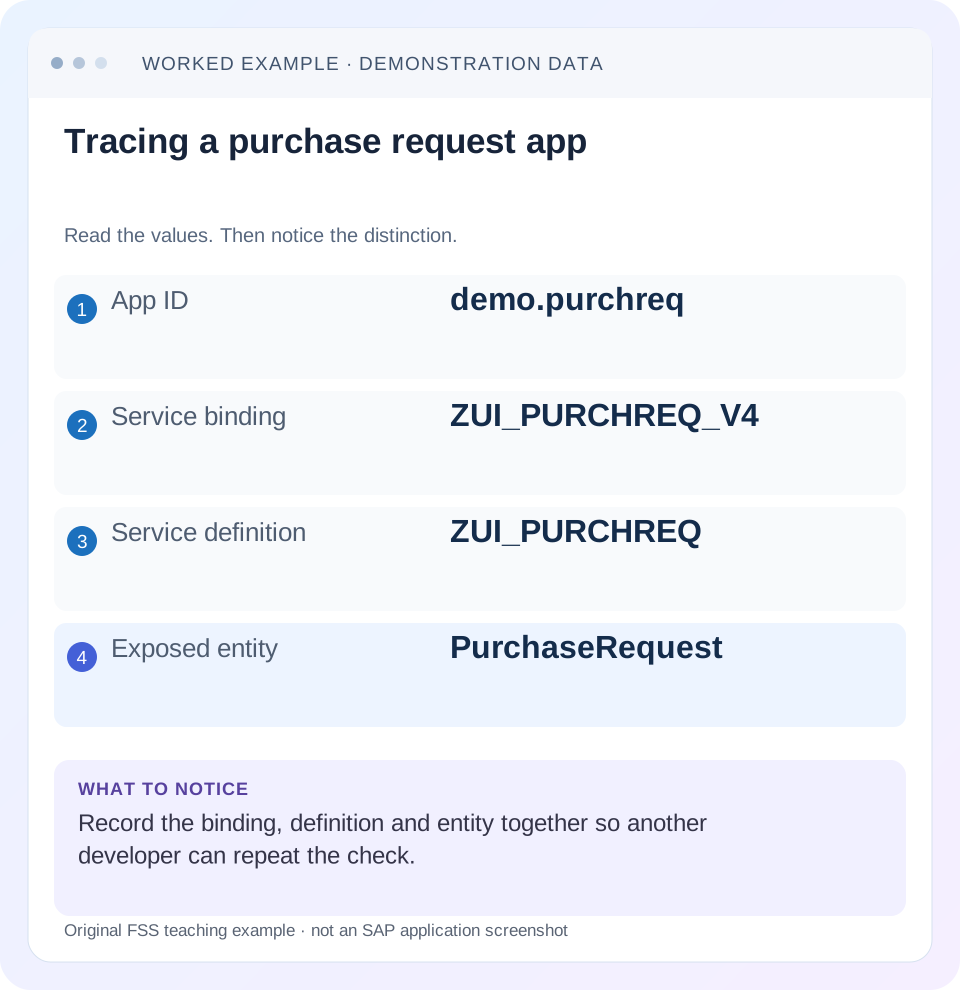
Read the example values
- App ID
- demo.purchreq
- Service binding
- ZUI_PURCHREQ_V4
- Service definition
- ZUI_PURCHREQ
- Exposed entity
- PurchaseRequest
Words you’ll meet in this guide
- Binding
- A connection between a screen control and data.
- Metadata
- Information describing data or how it should be used.
- Service
- A software interface that provides data or operations.
- Backend
- The system or service that provides business processing behind the interface.
- ABAP
- SAP’s programming language for business applications.
- RAP
- ABAP RESTful Application Programming Model: a way to build business objects and services.
- OData
- A standard for reading and updating data through a web API.
- Fiori
- SAP’s approach to business application design.
- API
- A defined interface through which programs exchange data or request actions.
- ADT
- ABAP Development Tools: SAP tools for ABAP development in Eclipse and, on supported systems, Visual Studio Code.
Preview the practical steps
SEE THE CONNECTION
See it in a simple example.
A small example to make the idea concrete.
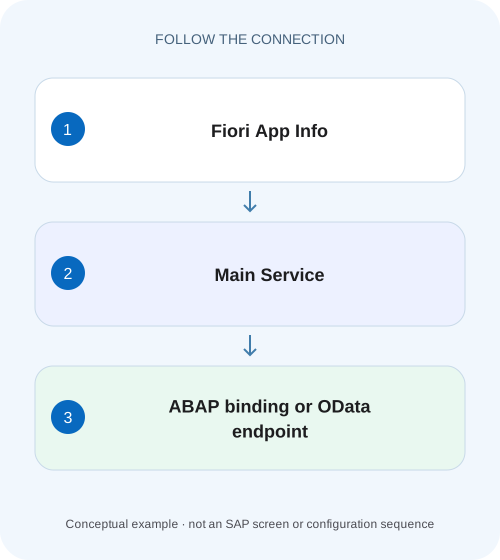
Find the backend used by an equipment-order app
A developer extends a manufacturer's Fiori application and needs to locate the actual ABAP service binding behind it.
Use Main Service to identify the app’s actual ABAP binding
SAP Fiori tools 2611 introduced navigation from an app's Main Service link to a matching ABAP service binding in the same VS Code workspace when the ADT extension and matching backend folder are available.
Scope and prerequisites
The feature is described in SAP's November 2026 Fiori tools 2611 announcement, with Application Modeler 1.34-era App Info improvements.
Worked case: add RequestedDeliveryDate to the right app
A fictional app demo.purchaserequests lists purchase requests.
Find the backend used by an equipment-order app
A developer extends a manufacturer's Fiori application and needs to locate the actual ABAP service binding behind it.
Match the application, project and backend service identity before editing a similarly named business object.
| Reader | Business question | Evidence to carry forward |
|---|---|---|
| SAP developers and application teams supporting manufacturers | Find the backend used by an equipment-order app | Match the application, project and backend service identity before editing a similarly named business object. |
01 Use Main Service to identify the app’s actual ABAP binding
SAP Fiori tools 2611 introduced navigation from an app's Main Service link to a matching ABAP service binding in the same VS Code workspace when the ADT extension and matching backend folder are available. If no match is found, the link falls back to the OData endpoint in the browser. That fallback is an observable navigation result, not proof that the service is broken. [1]
The practical goal is to connect one frontend app to its exact binding, service definition and exposed entity before changing a field or annotation. This tutorial keeps the existing purchase-request scenario and develops a repeatable workspace, routing and metadata investigation.
02 Scope and prerequisites
The feature is described in SAP's November 2026 Fiori tools 2611 announcement, with Application Modeler 1.34-era App Info improvements. Check the installed extension versions and current backend support. ADT for Visual Studio Code supports particular object types from documented backend versions; extension installation alone does not add those capabilities to an unsupported server. [1] [2]
You need an existing ABAP-backed Fiori elements project, SAP's ADT for VS Code extension, an authorized ABAP development connection and both app/backend contexts in the same workspace. No extension was installed and no SAP connection was opened for this article. The named app and ABAP objects are fictional teaching fixtures.
03 Worked case: add RequestedDeliveryDate to the right app
A fictional app demo.purchaserequests lists purchase requests. The change request is to show RequestedDeliveryDate for request 1001 while retaining DocumentDate. The handover mentions ZUI_PURCHREQ_V4 and an older ZUI_PURCHREQ_V2, and another workspace points to a quality system. Guessing from those names can lead to an irrelevant annotation edit.
The expected chain is app demo.purchaserequests → configured endpoint/destination → development binding ZUI_PURCHREQ_V4 → service definition ZUI_PURCHREQ → exposed Requests entity. Each edge needs evidence. If RequestedDeliveryDate is already exposed, the next change may be presentation-only. If absent, the backend contract needs investigation before a UI column can display it.
| Layer | Expected fixture value | Evidence |
|---|---|---|
| App | demo.purchaserequests | App Info and manifest app ID |
| Route | Development purchase-request endpoint | Configured data source/proxy/destination |
| Binding | ZUI_PURCHREQ_V4 | Opened ABAP service binding |
| Definition | ZUI_PURCHREQ | Binding service/version mapping |
| Entity/property | Requests/RequestedDeliveryDate | Exposed model and actual metadata |
04 Confirm the app and configured service before using the shortcut
Open the intended project and run Fiori: Open Application Info where supported. Confirm the app title and ID, especially in a multi-app workspace. Inspect the main service configuration rather than assuming every OData data source is the app's primary one. Value-help or annotation services can be separate dependencies. [3]
In a typical UI5 manifest, sap.app dataSources identifies service URIs while model configuration references a data source. Compare those with local proxy/destination configuration and the deployed environment. The same local path can resolve to another backend under a different preview configuration. Preserve the route evidence so a binding opened in ADT can be checked against the app's actual target.
05 Put the ABAP system alongside the app in the workspace
Follow the ADT setup documented for the actual product and backend release, then add the ABAP system as a workspace folder as described by the release announcement. Verify that repository objects can be browsed before testing app-to-binding navigation. A folder label that says DEV is not sufficient evidence of system/client identity. [1] [2]
For the first controlled check, use one known development connection and one app. If the backend cannot be browsed, resolve that connection or developer-access issue separately. Do not change the app's business-service endpoint merely to make a source-navigation shortcut find a convenient system. The runtime route and source workspace should be reconciled deliberately.
Open the intended app
Use App Info and confirm app ID/title.
Expected observation: The Main Service link belongs to demo.purchaserequests.
Open the matching backend context
Mount the authorized ABAP system in the same VS Code workspace.
Expected observation: Repository objects are browsable in the intended system.
Select Main Service
Observe editor navigation or browser fallback without assuming either means runtime success.
Expected observation: The navigation result is recorded.
Record binding/service version
Inspect the opened binding and corresponding definition/entity.
Expected observation: Frontend and backend refer to a concrete shared contract.
06 Read binding type and version before following the definition
A service binding connects a protocol-specific exposure to a service definition, while the definition describes the consumer perspective on the data model. Multiple bindings can use related definitions, and bindings can expose versioned services. A familiar definition name does not uniquely establish the app's protocol/version. [4] [5]
For ZUI_PURCHREQ_V4, record the binding type/category and selected service/version, then the mapped service definition. Compare its endpoint with the app's actual request route. Current ADT V4 documentation describes version-level preview and service/version mapping; use the installed editor's supported display rather than inventing a universal file layout or assuming V2 and V4 bindings are interchangeable. [6]
07 Narrow a field change to exposure or presentation
Open the exposed Requests entity and locate RequestedDeliveryDate. Compare source/projection fields, service metadata and the app's local metadata snapshot used by tooling. If the live service has the field but the local copy is old, the page editor can offer an incomplete model even though runtime exposure is correct.
If the field is exposed, inspect the relevant UI.LineItem or other consumed annotation path and app personalization. If it is missing, identify the supported backend projection/extension point and its release contract. Do not add a local annotation referring to a nonexistent property and expect the service to supply data. Use request 1001 with a known requested date to verify the complete chain.
08 Diagnose browser fallback without treating it as a service failure
First record the endpoint opened by Main Service and compare it with the app configuration. Then try to locate the expected binding manually through the mounted ADT backend. If the workspace lacks the matching system or binding, browser fallback matches the documented behavior. [1]
If manual opening succeeds but the shortcut still falls back, retain extension versions, workspace layout, app service URI and the exact manually opened binding. Continue the investigation from that confirmed object while the matching problem is reviewed. If the browser endpoint itself fails, diagnose its authentication, routing or service response separately; source navigation and runtime availability are different observations.
09 Troubleshooting the app/source connection
Keep the app, route and backend identity together. A change in any one can invalidate an old handover mapping.
| Observation | Question | Next evidence |
|---|---|---|
| Main Service opens browser | Matching binding present in this workspace? | Mounted system and manual object lookup |
| ADT cannot browse backend | Connection/support/access issue? | ADT setup and supported backend capabilities |
| Wrong binding opens | App route/system/version differs? | Manifest/proxy and binding endpoint comparison |
| Binding right; field absent | Exposure contract incomplete? | Definition and projection elements |
| Live field present; tools omit it | Local metadata snapshot stale? | Service Manager metadata comparison |
| Binding opens; app still fails | Navigation succeeded but runtime failed? | Actual app network request |
| Shortcut does not jump to annotation line | Feature destination misunderstood? | 2611 documents service-binding navigation |
10 Keep local metadata aligned through the supported workflow
Fiori tools uses local metadata/annotation copies for project visualization and editing. When the backend changes, compare and update those copies through the supported Service Manager workflow for the installed tools. Review the resulting project diff so a metadata refresh does not silently erase intentional local annotations or mask a changed API contract. [1]
The 2611 announcement also documents a CLI update route, but the key maintenance task remains the same: retrieve from the intended backend, inspect changes and verify dependent value-help services where relevant. A refreshed local file is not proof that the deployed app now points to that backend or that its runtime UI correctly displays the new property.
11 Verify navigation and the actual field behavior separately
A positive navigation test independently traces demo.purchaserequests to ZUI_PURCHREQ_V4 in the intended development system. A negative/boundary test uses a workspace without the matching binding and observes the documented browser fallback. Another compares the old V2 route so protocol/version confusion is exposed.
For the business change, preview the intended app, read request 1001 and verify RequestedDeliveryDate alongside unchanged DocumentDate. Check a record with an initial requested date and another existing consumer if the shared service changed. These are proposed checks. Opening a repository object is not equivalent to compiling, publishing, deploying or testing its business operation.
12 Write a reusable frontend/backend handover
Record app ID, environment route, backend system/client, binding, service/version, definition, entity/property and annotation ownership. Add the known test record and expected visible dates. Keep a source-navigation limitation explicit if only the endpoint is confirmed; do not turn a guessed binding name into project documentation.
When the app changes service version or destination, update this map as part of review. A small accurate contract map is more useful than screenshots of several similarly named objects. It also helps reviewers assess whether a proposed change is presentation-only or affects every consumer of a shared backend projection.
13 Frequently asked questions
Does every endpoint map to an ABAP binding? No. The shortcut depends on a matching binding in the workspace; external or non-RAP services need their own source/contract path.
Does selecting Main Service publish anything? The documented feature is navigation. Publication and deployment are separate operations under their own supported workflows.
Does 2611 jump directly to an annotation line? The reviewed announcement documents service-binding navigation and describes finer annotation navigation as future exploration, not the delivered destination. [1]
Why does the editor know less than the live service? Its local metadata snapshot can be stale. Compare and refresh through the supported tooling, then review the diff and actual runtime behavior.
What proves the handover? Another developer can repeat the app-to-binding trace and verify the requested field on the same defined test record.
Related services and next steps
Primary sources
Found this useful?
Share this guide with your network, or leave a like.
Your like is saved in this browser.