OData V2 versus V4 in SAP: Confirm the protocol before reusing client code
A manufacturer connects an operational client to an SAP OData service and needs to distinguish V2 and V4 behavior.

Source review:
START HERE · NO PRIOR TOPIC KNOWLEDGE NEEDED
What it is. Why it matters.
OData is a standard for reading and changing data through an API. Versions 2 and 4 have different conventions, so clients must use the service’s actual protocol version.
Completely new to SAP?
Manufacturers use SAP to connect work such as buying components, recording inventory, planning production, shipping equipment and accounting for costs. SAP S/4HANA is an enterprise resource planning system: it connects these activities through shared business data.
An API lets one program use another program’s data or operations. OData defines conventions for doing this over HTTP, including reading entities and sending supported updates.
A transaction code, or t-code, is a shortcut to a task in classic SAP GUI. Fiori apps provide another way to work. Names and screens depend on the product and release; you do not need a live system to learn the concepts in this guide.

Scope and source-review notes
Scope and evidence
Source review by FAST SAP SOLUTIONS® editorial. This badge describes our editorial review; it does not represent SAP certification or independent endorsement.
General OData V2 versus V4.0-style JSON/query semantics with explicitly scoped SAP SuccessFactors and SAPUI5 client examples. Actual provider capabilities and UI5 release determine support.
Primary documentation reviewed on 14 November 2026 using readable full text and official indexed excerpts. Official indexed SAP/OData/OASIS excerpts reviewed; V4 JSON collection/navigation sections opened as readable full text. No provider endpoint, migration or update was executed. Examples use V4.0 conventions and do not imply support for every later revision.
A MANUFACTURING EXAMPLE
Reuse a plant integration against the correct protocol
Match the client to the protocol
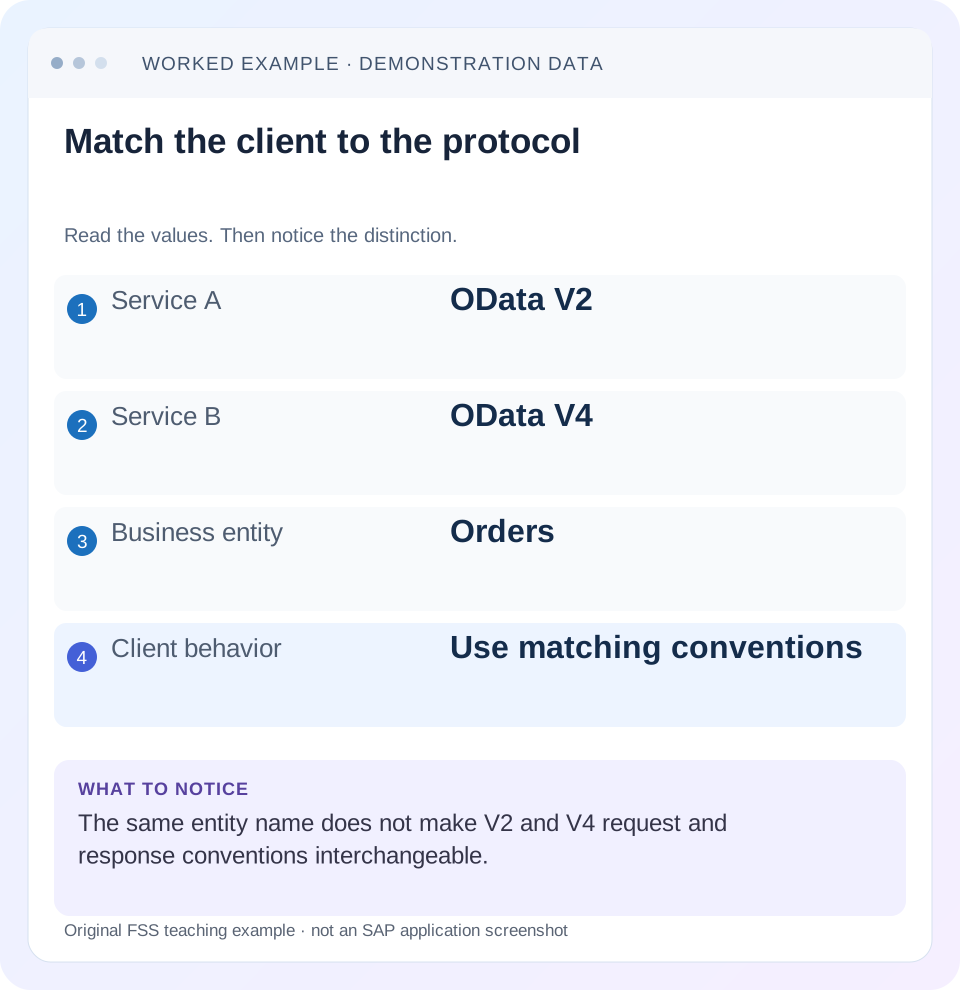
Read the example values
- Service A
- OData V2
- Service B
- OData V4
- Business entity
- Orders
- Client behavior
- Use matching conventions
A REAL SCREEN TO RECOGNIZE
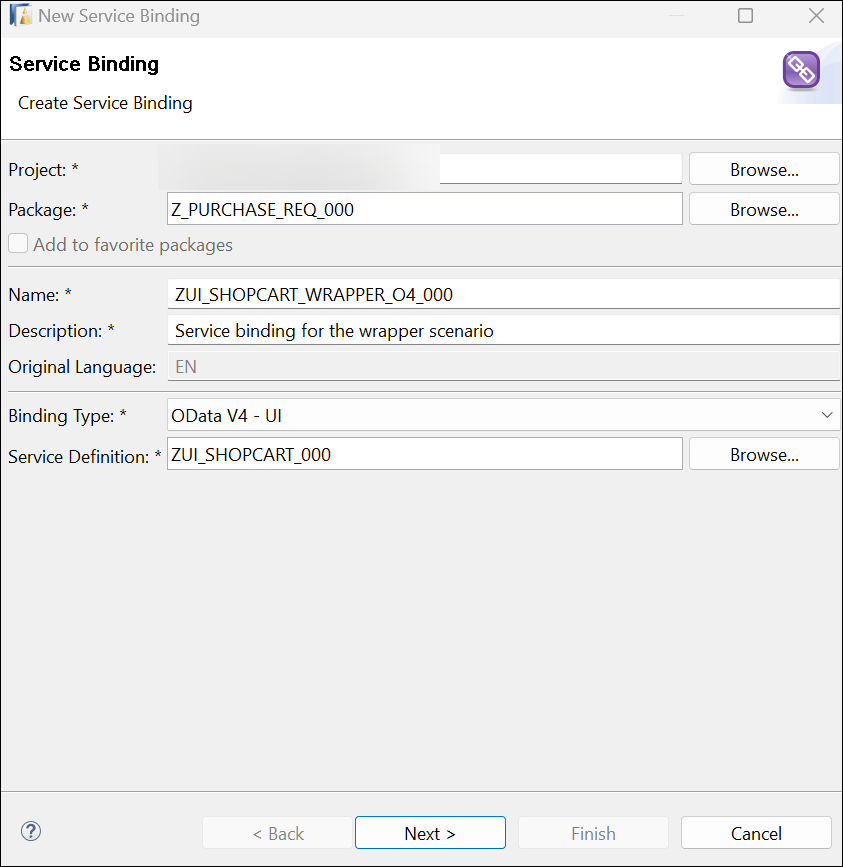
An SAP workshop service-binding editor in ABAP Development Tools. The binding type identifies the exposed service protocol. This example is OData V4; it is not a screenshot of a V2 service.
© 2025 SAP SE or an SAP affiliate company and abap-platform-rap110 contributors. Apache-2.0 (repository REUSE annotation). Reproduced unchanged for educational commentary. This is a source example, not a capture of your system.Words you’ll meet in this guide
- HTTP
- The request-and-response protocol used by web services.
- Entity
- A business-data type or record exposed by a service.
- Status code
- A numeric summary of an HTTP response.
- RAP
- ABAP RESTful Application Programming Model: a way to build business objects and services.
- OData
- A standard for reading and updating data through a web API.
- API
- A defined interface through which programs exchange data or request actions.
- ETag
- A resource-version identifier used in checks that can prevent overwriting a concurrent change.
- CSRF
- Cross-Site Request Forgery. A CSRF token helps a service reject unwanted cross-site write requests.
Preview the practical steps
SEE THE CONNECTION
See it in a simple example.
A small example to make the idea concrete.
Reuse a plant integration against the correct protocol
A manufacturer connects an operational client to an SAP OData service and needs to distinguish V2 and V4 behavior.
Treat V2 and V4 as different service contracts
OData V2 and V4 share the idea of typed entities exposed through HTTP, but their payloads, query conventions, type systems and client programming models are not interchangeable.
Scope the comparison and avoid product-specific generalizations
The original SAP source compares SuccessFactors APIs.
Worked case: three Orders, two returned in the first page
A fictional old V2 service and replacement V4 service both expose O100, O200 and O300.
Reuse a plant integration against the correct protocol
A manufacturer connects an operational client to an SAP OData service and needs to distinguish V2 and V4 behavior.
Read the actual service metadata and supported protocol before copying paging, payload or write assumptions from another client.
| Reader | Business question | Evidence to carry forward |
|---|---|---|
| SAP developers and application teams supporting manufacturers | Reuse a plant integration against the correct protocol | Read the actual service metadata and supported protocol before copying paging, payload or write assumptions from another client. |
01 Treat V2 and V4 as different service contracts
OData V2 and V4 share the idea of typed entities exposed through HTTP, but their payloads, query conventions, type systems and client programming models are not interchangeable. Repointing an integration at a V4 URL while retaining its V2 parser and Save code can fail even when both services expose Orders.
Identify the actual provider/product, protocol version, metadata and supported client first. Then compare the operations your application needs. This tutorial follows an illustrative Orders consumer through collection parsing, counts, paging and an update, separating protocol rules from product-specific SAP support.
02 Scope the comparison and avoid product-specific generalizations
The original SAP source compares SuccessFactors APIs. Its endpoint paths, custom operators, metadata capabilities and update conventions describe that product; they are not universal defaults for every SAP Gateway, RAP or CAP service. Use it within that scope and use the protocol references for general JSON/query semantics. [1]
The examples focus on V2 and V4.0-style JSON collection responses. Later V4 revisions and negotiated metadata/format options can introduce additional details. Confirm the provider's supported version and capabilities. A modern UI5 OData V4 model also has its own versioned feature set, including adapters in some releases; do not infer wire protocol solely from a JavaScript variable or model class name. [7]
03 Worked case: three Orders, two returned in the first page
A fictional old V2 service and replacement V4 service both expose O100, O200 and O300. Each has Quantity 10 initially. The app requests two ordered records, displays the complete count of three and follows the provider's continuation link to obtain O300. It later changes O100 to Quantity 12.
The compatibility goal is business equivalence: the same authorized identities, values and intended update outcome. It is not byte-for-byte payload equivalence. A parser that reads only d.results can report an empty V4 table even when the V4 payload correctly contains two records in value. The network request can succeed while application interpretation fails.
| Concern | Expected business result | Version-specific implementation |
|---|---|---|
| First page | O100/O200 | Parse correct collection envelope |
| Complete count | 3 | Use supported query/count representation |
| Continuation | O300 next | Follow provider continuation link |
| Update | Only O100 quantity becomes 12 | Supported partial-update/client API |
| Invalid quantity | Defined service rejection | Read correct error/message contract |
04 Read the metadata and provider contract before reusing code
Retrieve the intended service metadata through an authorized non-modifying call and inspect entity set/type, keys, property types, nullability, navigation and exposed operations. Compare the exact requested service version/environment; a local metadata snapshot can be older than the deployed service.
Do not identify protocol solely from a convenient /v2 or /v4 path segment. Providers choose endpoint paths, and gateways can rewrite them. Record protocol headers and metadata evidence alongside the product API documentation. A successful metadata read establishes reachability and a schema, not that the caller may update every entity or that the old application's filters and batch grouping remain valid.
Build a field-and-operation inventory before replacing the endpoint. For each consumed property, record old/new name, key role, type, nullability and business meaning. For each write or custom operation, record binding kind, parameters, result and concurrency behavior. A field renamed from RequestedDate to RequestedDeliveryDate requires a mapping decision even if both are strings in a sample payload.
Keep the old and new fixture consumers runnable side by side during controlled verification. Compare identities and business values after normalizing only documented representation differences; do not strip properties or coerce all values merely to make a comparison pass. An unexpected null, shifted date or changed precision is a contract finding to resolve. This inventory also identifies which UI5 bindings and local metadata copies must change, rather than assuming a URL replacement reaches every consumer.
05 Adapt the JSON envelope and control information
The V2 JSON specification wraps response data in d and uses results for the illustrated collection representation, with __count and __next when supplied. The V4.0 JSON reference represents a collection using value and annotations such as @odata.count and @odata.nextLink. Parse according to the negotiated protocol/format rather than probing random property names until one returns an array. [2] [3]
The fragments are simplified independent fixtures, omitting per-entity metadata and transport headers. They represent the same first two identities and complete count. A production client must also handle empty arrays, errors, optional information and the actual provider contract. Prefer the supported SDK's parser when it already implements these distinctions.
{
  "d": {
    "results": [
      {
        "OrderID": "O100"
      },
      {
        "OrderID": "O200"
      }
    ],
    "__count": "3",
    "__next": "[provider V2 continuation URL]"
  }
}{
"@odata.context": "$metadata#Orders",
"@odata.count": 3,
"value": [
{
"OrderID": "O100"
},
{
"OrderID": "O200"
}
],
"@odata.nextLink": "[provider V4 continuation URL]"
}06 Compare count and paging semantics explicitly
For a provider supporting the relevant options, V2 uses $inlinecount=allpages to request a count with the collection; V4 uses $count=true. Both example requests also use $top=2, which limits the page rather than proving only two entities match. Inspect actual count availability and provider restrictions before promising a complete count in the UI. [4] [5]
Follow __next or @odata.nextLink through the supported client. Do not translate an opaque continuation token into a guessed offset or copy a V2 token into a V4 request. Verify unique identities over all pages and define how concurrent inserts/deletes affect the consumer. A continuation mechanism does not automatically promise a frozen business snapshot. [2] [3]
V2: GET Orders?$orderby=OrderID&$top=2&$inlinecount=allpages
V4: GET Orders?$orderby=OrderID&$top=2&$count=true

First page identities: O100, O200
Complete fixture count: 3
Next provider continuation: O300
07 Map property types and literals by meaning
Compare the model representation and URI literal syntax for each used type. The SAP product comparison illustrates differences involving dates/times and filter literals, but its exact examples must be interpreted within that provider. Date-only business values, timestamps with offsets and local date-times are different semantics; they should not be converted by string slicing merely to satisfy a changed payload. [1]
For Quantity, define whether the new property remains the same numeric domain, precision, scale and nullability. Test zero, null where allowed and boundary values. For amount properties, preserve currency references and exact-decimal handling. A parser that turns every JSON number/string into JavaScript Number can lose a provider's intended precision even when the protocol migration appears successful.
08 Rewrite update and operation handling deliberately
The V4 protocol defines PATCH as a partial update of specified components. The SuccessFactors comparison describes that product's V2 merge transport and V4 PATCH behavior. Other V2 providers can expose their own supported merge/update conventions, so use the actual API rather than imposing a SuccessFactors header pattern on every Gateway service. [1] [5]
For O100, submit only the intended Quantity 12 under the service's concurrency contract, then reread the authorized record and verify unrelated properties remain unchanged. Compare CSRF/session handling, ETags, operation binding and error payloads as separate concerns. Successful HTTP delivery does not establish that a business action or every inner batch operation succeeded.
09 Choose the matching UI5 programming model
UI5 V2 and V4 models expose different application APIs. The V2 deferred-save workflow uses group configuration and submitChanges. The documented V4 comparison uses binding parameters/application groups and submitBatch rather than V2's setDeferredGroups/setChangeGroups APIs. V4 operation calls use operation bindings instead of blindly reusing V2 callFunction. [6]
Some historical comparison pages describe early feature limitations that later releases expanded. Do not repeat their old unsupported-feature lists as current facts. Check the installed V4 model's API/tutorial for create, delete, metadata access and operation execution. A migration should replace the relevant binding and save flow deliberately, with tests around the actual version in use. [6] [7]
10 Troubleshoot a failed version migration
Classify the first mismatch: route/schema, request syntax, response interpretation or client lifecycle. This keeps a payload-parser failure from being misdiagnosed as missing backend data.
| Observation | Inspect | Useful correction |
|---|---|---|
| Metadata works; table empty | d.results versus value parsing | Use matching supported parser/model |
| Count missing | Query option and returned control info | Use provider-supported version syntax |
| Only first page exported | Continuation handling | Follow returned link under same query/context |
| Filter rejected | Property type/literal/operator capability | Build version/provider-supported predicate |
| Save API undefined | V2 code on V4 model | Rewrite matching binding/group flow |
| Unrelated property lost | Replacement/full payload assumptions | Use supported partial update and verify fields |
| Product example fails elsewhere | Provider-specific behavior copied | Consult target product API contract |
11 Verify business equivalence with positive and boundary cases
Read both fixture services with the same authorized scope and compare O100/O200/O300 and their quantities. Check the first page, complete count and final accumulated identity set. Change only O100 to 12 and verify O200/O300 stay 10. Test a rejected quantity and confirm its error is visible and persisted state remains correct.
For boundaries, test an empty collection, one record, exactly two and three records; nullable properties where supported; date/time boundaries; and a stale ETag conflict. Include the deployed proxy route and a refreshed metadata snapshot. These are proposed contract tests, not executed customer-system results. Do not claim migration complete solely because both $metadata calls return HTTP 200.
12 Frequently asked questions
Is V4 always available for an existing V2 SAP API? No. The provider/product must expose and support the required V4 contract.
Can I keep the same business UI? Often its business purpose can remain, but data bindings, operations and message handling still need version-specific review.
Does V4 automatically mean faster? Performance depends on supported query shape, payload, backend implementation and client behavior. Measure the actual workload.
Are all product comparison tables protocol specifications? No. SuccessFactors-specific capabilities need their product scope; OData/OASIS references define general protocol formats.
What belongs in the migration handover? Old/new endpoint and metadata, provider/version, property/operation mapping, parser/client changes and evidence for reads, paging, writes, rejection and concurrency.
Related services and next steps
Primary sources
- Summary of Differences Between OData V2 and V4 — SAP SuccessFactors
- JSON Format — OData V2 specification
- OData JSON Format V4.0 Plus Errata 03 — OASIS
- URI Conventions — OData V2 specification
- OData V4.0 Protocol Plus Errata 03 — OASIS
- Changes Compared to OData V2 Model — SAPUI5 historical comparison
- OData Models — SAPUI5
Found this useful?
Share this guide with your network, or leave a like.
Your like is saved in this browser.