SAP Gateway HTTP 500: Correlate the hub and backend error logs
A manufacturing worklist receives HTTP 500, and support needs the matching Gateway and backend evidence.

Source review:
START HERE · NO PRIOR TOPIC KNOWLEDGE NEEDED
What it is. Why it matters.
SAP Gateway handles relevant OData requests between clients and SAP business logic. An HTTP 500 error indicates a server failure, but matching log records are needed to locate its cause.
Completely new to SAP?
Manufacturers use SAP to connect work such as buying components, recording inventory, planning production, shipping equipment and accounting for costs. SAP S/4HANA is an enterprise resource planning system: it connects these activities through shared business data.
An API lets one program use another program’s data or operations. OData defines conventions for doing this over HTTP, including reading entities and sending supported updates.
A transaction code, or t-code, is a shortcut to a task in classic SAP GUI. Fiori apps provide another way to work. Names and screens depend on the product and release; you do not need a live system to learn the concepts in this guide.

Scope and source-review notes
Scope and evidence
Source review by FAST SAP SOLUTIONS® editorial. This badge describes our editorial review; it does not represent SAP certification or independent endorsement.
SAP Gateway ABAP hub/backend error logs and traces; verify SAP_GWFND release, client, embedded/separate deployment and supported diagnostic access. Historical navigation options vary by release.
Primary documentation reviewed on 14 November 2026 using readable full text and official indexed excerpts. Error Log historical page read in full; current Display Logs and Support Content indexed excerpts reviewed. No SAP transaction/log access or request reproduction was executed.
A MANUFACTURING EXAMPLE
Trace a failed plant OData request across systems
Match a failing request to logs
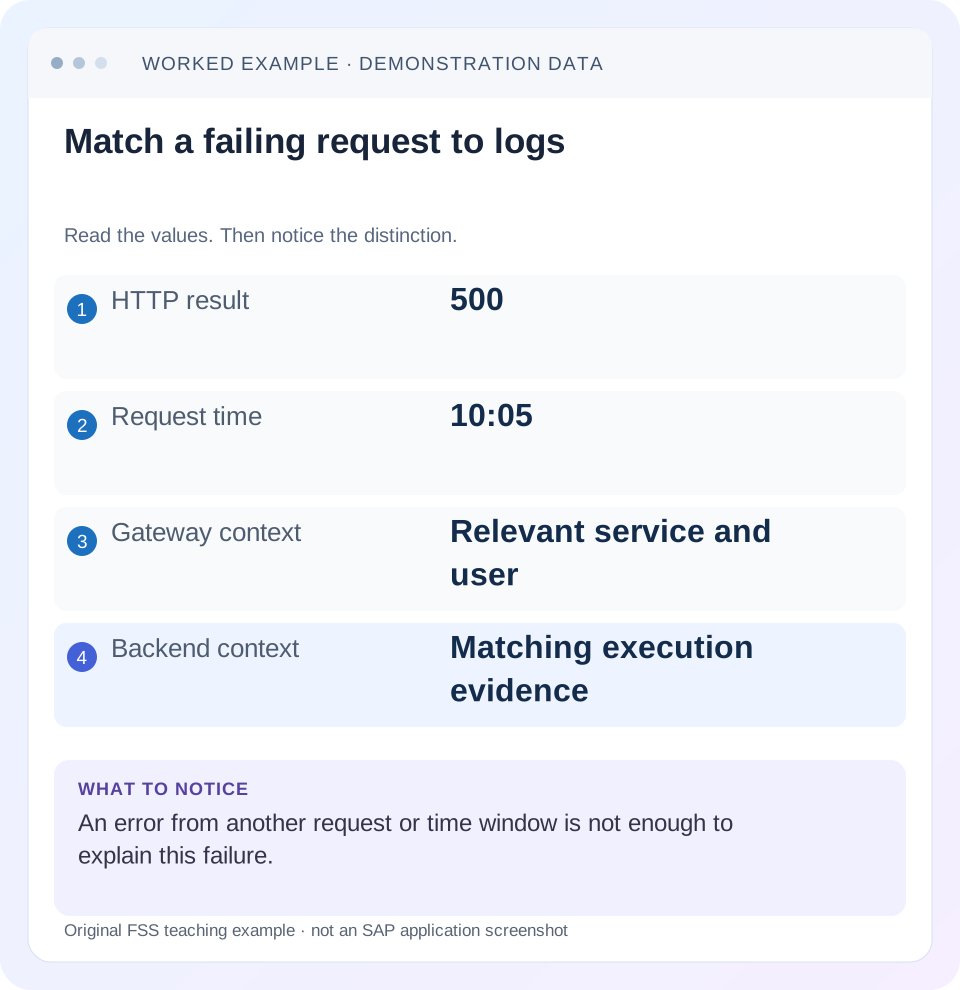
Read the example values
- HTTP result
- 500
- Request time
- 10:05
- Gateway context
- Relevant service and user
- Backend context
- Matching execution evidence
Words you’ll meet in this guide
- HTTP
- The request-and-response protocol used by web services.
- Entity
- A business-data type or record exposed by a service.
- Status code
- A numeric summary of an HTTP response.
- ABAP
- SAP’s programming language for business applications.
- OData
- A standard for reading and updating data through a web API.
- RFC
- Remote Function Call: a way for one system to call functions in another.
Preview the practical steps
SEE THE CONNECTION
See it in a simple example.
A small example to make the idea concrete.
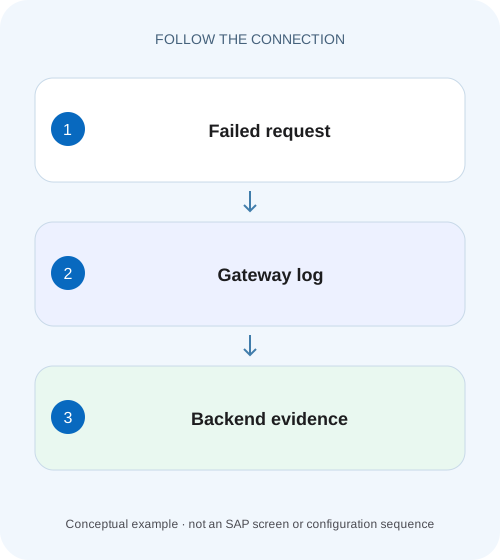
Trace a failed plant OData request across systems
A manufacturing worklist receives HTTP 500, and support needs the matching Gateway and backend evidence.
Match one failed request before assigning a cause
An HTTP 500 identifies a server-side failure category, not the defective SAP component.
Scope the deployment and diagnostic access
The documented transactions apply to SAP Gateway ABAP landscapes: /IWFND/ERROR_LOG for the hub role and /IWBEP/ERROR_LOG for the backend role.
Worked case: an Orders read at 10:05 UTC
At 10:05:12 UTC on 14 November 2026, user TEST_READ opens fictional order O100 through hub H01 client 100 and backend D01 client 200.
Trace a failed plant OData request across systems
A manufacturing worklist receives HTTP 500, and support needs the matching Gateway and backend evidence.
Correlate request identity, time and service context before combining unrelated error-log entries into one diagnosis.
| Reader | Business question | Evidence to carry forward |
|---|---|---|
| SAP developers and application teams supporting manufacturers | Trace a failed plant OData request across systems | Correlate request identity, time and service context before combining unrelated error-log entries into one diagnosis. |
01 Match one failed request before assigning a cause
An HTTP 500 identifies a server-side failure category, not the defective SAP component. Correlate the exact browser or integration request with Gateway error context and, where relevant, backend execution evidence. A nearby red log entry can belong to another service, user or retry and lead an investigation in the wrong direction.
Capture timestamp with timezone, method, service/resource, response error and any supplied transaction/request identifier. Then verify a matching entry in the correct Gateway system/client. This tutorial follows one fictional Orders read through a separate hub/backend landscape and shows how to handle missing logs, batch envelopes and insufficient payload detail.
02 Scope the deployment and diagnostic access
The documented transactions apply to SAP Gateway ABAP landscapes: /IWFND/ERROR_LOG for the hub role and /IWBEP/ERROR_LOG for the backend role. In an embedded deployment both roles can be in one ABAP system; in a separate hub they can be different systems/clients. Identify the actual route rather than assuming a standard diagram matches the app. [1] [2]
Confirm SAP_GWFND release/support package and diagnostic permissions. Historical documentation describes navigation options whose availability can vary by release and log configuration. Public-cloud services may provide different supported diagnostics. The example system IDs, users and messages are teaching fixtures; no incident was reproduced or real customer logs inspected.
03 Worked case: an Orders read at 10:05 UTC
At 10:05:12 UTC on 14 November 2026, user TEST_READ opens fictional order O100 through hub H01 client 100 and backend D01 client 200. The GET returns 500 with a transaction identifier. A second error at 10:05:40 belongs to a value-help service and must not be selected merely because it is newest.
The intended match combines the captured identifier, Orders service/resource, affected user and time. If a backend technical user differs from the browser user, preserve that mapping from the error context instead of searching only the browser name in every system. The hypothesis is a quantity-conversion failure, but it remains a hypothesis until matching backend evidence supports it.
| Evidence | Fixture value | Why it matters |
|---|---|---|
| Time | 2026-11-14T10:05:12Z | Narrow search with known timezone |
| Hub/client | H01/100 | Correct entry point |
| Backend/client | D01/200 | Actual processing target |
| Operation | GET ZORDER_SRV/Orders('O100') | Separate read from parallel requests |
| Transaction identifier | Illustrative supplied value T-100 | Correlate affected systems |
| Observed result | 500; quantity conversion text | Failure evidence, not yet root cause |
04 Preserve the relevant network evidence
Open the failed request and save its method, sanitized URL, status and response error body. Record request start and completion timing if available. A request can start in one minute and fail in the next, and a browser/local timestamp can differ from the SAP log display. Write the timezone explicitly rather than passing an ambiguous 10:05 to another team.
For $batch, identify the relevant inner request/response. An outer response can be delivered while an inner operation fails, and one user action can issue several reads. Remove authorization headers, cookies and tokens from shared evidence. Preserve a minimal access-controlled original only under the team's support process; a full browsing-session export is usually unnecessary.
05 Use the identifiers for their documented purposes
The Error Log reference distinguishes Request ID supplied by the consumer, Operation ID internal to the log and Transaction ID transferred to affected SAP systems during processing. They are related diagnostic fields, not interchangeable labels. Record the field name alongside its value; a string copied from an unrelated header cannot be assumed to be the Gateway Transaction ID. [1]
In the hub log, narrow by time/user/service and compare identifiers. The documented overview and Error Context expose additional attributes such as service namespace/name, request URI, system alias and RFC destination. Use those to confirm the processing route. If an identifier is absent, combine several independent attributes rather than inventing a match. [1] [2]
Create a compact correlation worksheet with one row per candidate log entry. Compare the captured request against each candidate's service, user, time window, identifier and backend target. Exclude a candidate explicitly when one of those contradicts the request. In the fixture, the later value-help failure is excluded by its service/resource even if its text also mentions conversion.
Do not interpret an error counter as a list of distinct request identities. The historical Error Log documentation describes aggregation of identical errors over an interval using standard attributes. Use the selected entry's actual context and available identifiers for the incident, and preserve occurrence information separately when assessing frequency. One repeated-error summary can be useful for impact while still requiring a more specific request correlation for root-cause analysis. [1]
06 Navigate from the hub entry to the backend evidence
Open Error Context for the matched entry and inspect the exception/message, processing target and call information. Where the release supports it, use its backend-monitor/navigation functions or open the backend error log in the confirmed system/client. If a short dump occurred, correlate ST22 with the same time, user and execution context. [1]
For the fixture, a matching backend conversion dump can point to the routine that interpreted a value as a numeric quantity. Read the call chain and actual operation before deciding whether the source value, mapping or target type is wrong. An exception class alone does not establish the correction. A valid quantity routed to the wrong target field is a different defect from malformed input.
07 Handle an empty log search methodically
An empty /IWBEP/ERROR_LOG search does not prove the request never failed. First verify system/client, date/time conversion, user mapping and service namespace/version. Check whether the request reached the intended Gateway route or failed earlier at an application router, reverse proxy or authentication layer. The response body and headers can help identify that boundary.
Also distinguish missing detail from missing entry. Secure log levels can intentionally omit sensitive request/payload information. The support documentation explains that some replay or service-navigation functions depend on data not retained at secure level. Do not increase global logging merely because one saved entry lacks a body; identify the smallest additional evidence needed. [3]
08 Trace narrowly when the retained evidence is insufficient
Gateway tracing tools provide performance and payload traces through /IWFND/TRACES and /IWBEP/TRACES as supported by the release. Payload tracing can show headers and bodies; performance tracing answers a different question about request processing. Choose the tool that addresses the unresolved fact rather than collecting every trace. [3]
For a reproducible read, target the affected test user or supported request scope for a short interval, reproduce once and stop collection. Review access and remove sensitive data from the handoff. A write replay can create business effects, so reconcile its prior outcome and use disposable controlled test data before executing it. The presence of a Replay button is not authorization to repeat an uncertain business transaction.
09 Separate symptom, location and root-cause claim
A useful evidence chain for the case is: Orders GET O100 → hub transaction T-100 → backend D01/200 context → conversion exception in the matching call chain → input/mapping evidence. The final correction follows from the last item, not from HTTP 500 alone. Preserve the source version and payload field involved so reviewers can assess whether the change fits the incident.
If no matching dump exists, do not manufacture one as the expected explanation. The Gateway log may instead show a business exception, authorization denial, unavailable dependency or serialization issue. State which observation is confirmed and which explanation remains untested. This makes support handoffs more efficient than an early categorical claim that Gateway is broken.
10 Troubleshoot correlation gaps
Work from the first missing or inconsistent piece of evidence. Changing service configuration before confirming the entry can destroy the opportunity to understand the original failure.
| Observation | Check next | Reason |
|---|---|---|
| Only generic 500 available | Specific response body and failed resource | Status alone is insufficient |
| Many nearby errors | Identifier/service/user/time combination | Newest is not necessarily relevant |
| Hub entry; no backend match | Alias/destination, client and user mapping | Processing target may differ |
| No Gateway entry | Route and upstream response evidence | Request may have failed before Gateway |
| Entry lacks payload | Log level and retained context | Secure logging can omit details |
| Dump exists but time differs | Timezone and request duration | Avoid correlating another execution |
| Replay succeeds later | Original state and environment change | Later success does not explain old failure |
11 Verify the match and the remediation separately
First verify correlation: another developer should be able to locate the same hub entry and backend evidence from the incident record. Include a negative comparison with the 10:05:40 value-help error and explain why it is excluded. For a boundary, test a request spanning a minute/timezone display change and confirm the search still locates it.
Then verify the proposed correction in a controlled fixture: O100 should return the expected valid quantity; the malformed or incorrectly mapped case should produce the intended handled response. Recheck business state if the original operation was a write. A successful later read confirms current behavior but cannot by itself prove what happened to an earlier timed-out write. These are proposed checks, not runtime results.
12 Write a concise, reproducible support handover
Include landscape/release, app/service/version, method/resource, timestamp with timezone, affected user mapping, outer/inner status, sanitized error, matched hub log reference and backend evidence. State expected versus actual business behavior, the last relevant change and whether reproduction was attempted. Keep credentials and unrelated payloads out.
Does every 500 have a dump? No; inspect the actual error context. Are hub and backend always separate? No; establish the deployment. Is a Transaction ID the same as a Request ID? The reference gives them different meanings. Can a log entry establish persisted state? It describes processing evidence; verify the business record through its supported read path when the outcome matters. [1]
Related services and next steps
Primary sources
Found this useful?
Share this guide with your network, or leave a like.
Your like is saved in this browser.