SAP ST22 short dump: What to collect before proposing a fix
A manufacturer's data import fails on one input row while other records appear valid, and support needs a precise runtime failure trail.

Source review:
START HERE · NO PRIOR TOPIC KNOWLEDGE NEEDED
What it is. Why it matters.
An ABAP short dump records a runtime failure. ST22 displays the captured context, helping developers locate the failing code and conditions instead of relying on a vague error report.
Completely new to SAP?
Manufacturers use SAP to connect work such as buying components, recording inventory, planning production, shipping equipment and accounting for costs. SAP S/4HANA is an enterprise resource planning system: it connects these activities through shared business data.
ABAP is SAP’s programming language for business applications. A program reads data, applies rules and produces a result. Start with the objects involved before investigating code.
A transaction code, or t-code, is a shortcut to a task in classic SAP GUI. Fiori apps provide another way to work. Names and screens depend on the product and release; you do not need a live system to learn the concepts in this guide.

Scope and source-review notes
Scope and evidence
Source review by FAST SAP SOLUTIONS® editorial. This badge describes our editorial review; it does not represent SAP certification or independent endorsement.
ABAP ST22 and supported ADT runtime-error inspection; retention, cross-client access and available viewer features depend on release and authorization.
Primary documentation reviewed on 14 November 2026 using readable full text and official indexed excerpts. ABAP Dump Analysis page read in full; listing and ADT viewer guidance reviewed through official indexed text. All incident values and conversion code are illustrative and unexecuted.
A MANUFACTURING EXAMPLE
Investigate a plant import short dump
Start with the recorded failure
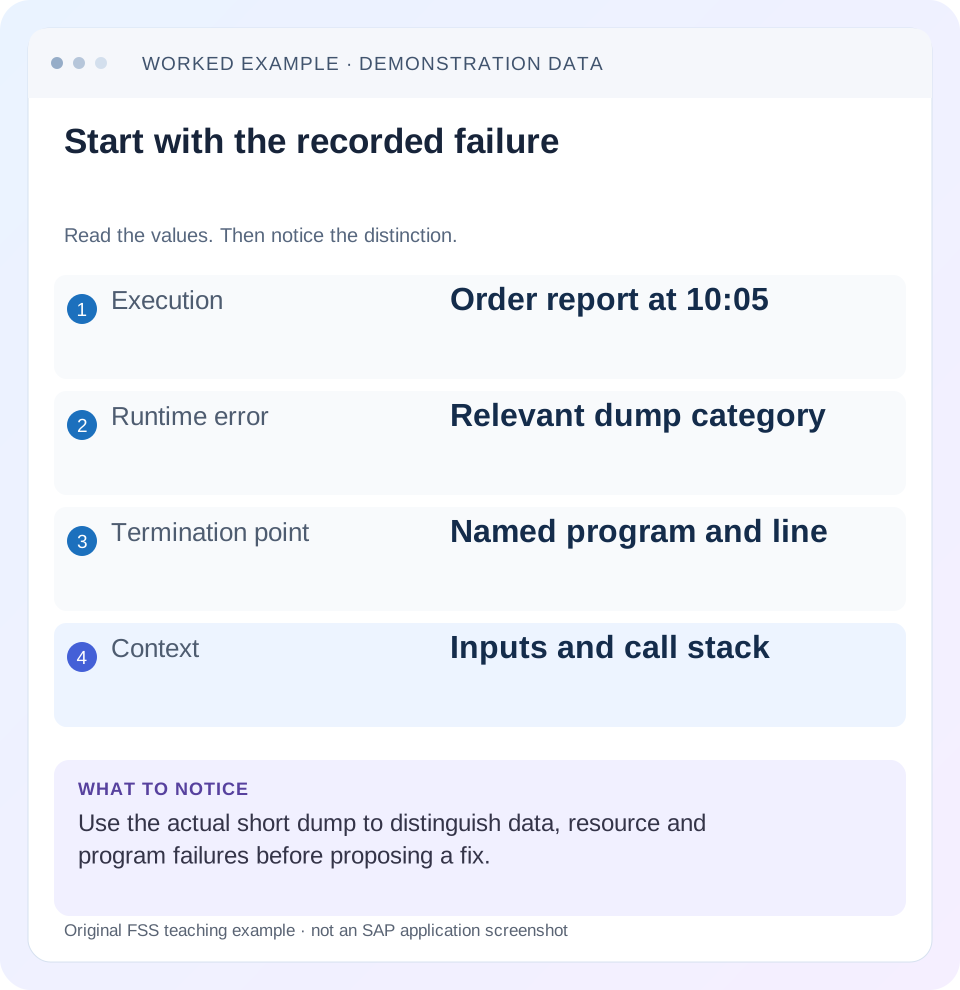
Read the example values
- Execution
- Order report at 10:05
- Runtime error
- Relevant dump category
- Termination point
- Named program and line
- Context
- Inputs and call stack
Words you’ll meet in this guide
- Program
- A set of instructions executed by a computer.
- Class
- A reusable unit that groups data with operations called methods.
- Database
- Organized information kept beyond one program execution.
- Internal table
- A list of rows held temporarily in an ABAP program’s memory.
- Key
- One or more fields used to identify or find a record.
- ABAP
- SAP’s programming language for business applications.
- SQL
- A language used to read and work with database data.
- ADT
- ABAP Development Tools: SAP tools for ABAP development in Eclipse and, on supported systems, Visual Studio Code.
Preview the practical steps
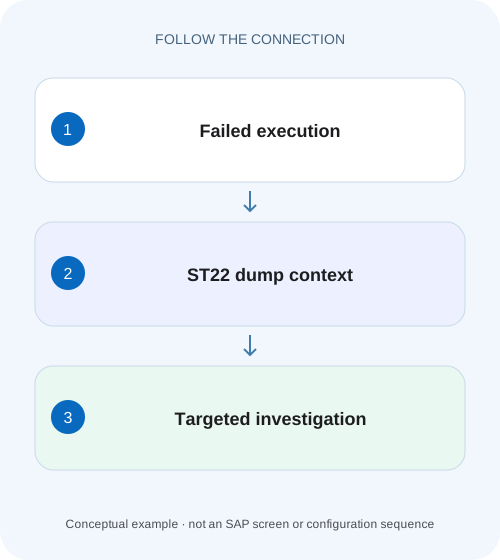
SEE THE CONNECTION
See it in a simple example.
A small example to make the idea concrete.
Investigate a plant import short dump
A manufacturer's data import fails on one input row while other records appear valid, and support needs a precise runtime failure trail.
Match the dump to one failed execution before proposing a fix
ST22 displays saved ABAP runtime errors and their short-dump context.
Scope and prerequisite access
Use ST22 in an ABAP landscape where dump analysis is supported.
Worked case: one bad import row among valid quantities
Fictional import request IMP-17 runs at 10:05 UTC in D01/client 100 as IMPORT_TEST.
Investigate a plant import short dump
A manufacturer's data import fails on one input row while other records appear valid, and support needs a precise runtime failure trail.
Capture the dump's program, user, time and failing context before changing input or restarting a partially processed load.
| Reader | Business question | Evidence to carry forward |
|---|---|---|
| SAP developers and application teams supporting manufacturers | Investigate a plant import short dump | Capture the dump's program, user, time and failing context before changing input or restarting a partially processed load. |
01 Match the dump to one failed execution before proposing a fix
ST22 displays saved ABAP runtime errors and their short-dump context. Start with the failed business action, system/client, execution identity and time with timezone. The newest dump in a shared system may belong to another user or request. A runtime-error name is a category of failure, not a complete diagnosis. [1] [2]
This tutorial investigates a fictional quantity-import conversion failure. It shows how to connect the error analysis, termination location, call chain and input value, then build a controlled correction and verification plan. The same evidence method also helps separate data, resource and application defects without turning every dump into a parameter change.
02 Scope and prerequisite access
Use ST22 in an ABAP landscape where dump analysis is supported. Selection visibility, retention, cross-client access and export facilities depend on release and authorization. ADT also provides a runtime-error viewer in supported backends, with summary/source/call information and long-text views. Record the actual tool and system used. [1] [3]
You need permitted access to the relevant dump and application context. Preserve an access-controlled original where the support process allows it, and sanitize shared extracts because selected variables can reveal business or technical data. No customer dump was inspected for this article; its names, timestamps and values form an explicitly illustrative investigation.
03 Worked case: one bad import row among valid quantities
Fictional import request IMP-17 runs at 10:05 UTC in D01/client 100 as IMPORT_TEST. Its quantity column contains 12,8 and A12. The application expects whole-number quantities. A conversion step in ZCL_ORDER_IMPORT=>MAP_ROW fails for row 3, and the runtime error context identifies a numeric-conversion failure.
The useful hypothesis is not simply “row 3 is bad.” Determine whether A12 is invalid input under the agreed format, a shifted CSV column, a locale/formatting issue or an application mapping defect. If a delimiter error placed a material code into the quantity field, deleting that row's letters would conceal the real parser problem. Connect the raw record to the exact conversion boundary.
| Evidence | Value | Why it matters |
|---|---|---|
| Request | IMP-17 | Correlates import and application logs |
| Time/system | 10:05 UTC; D01/100 | Selects the matching execution |
| User | IMPORT_TEST | May differ from initiating frontend user |
| Rows 1/2 | 12 and 8 | Nearby valid controls |
| Row 3 quantity | A12 | Candidate conversion input |
| Termination | ZCL_ORDER_IMPORT=>MAP_ROW | Specific code boundary to inspect |
04 Select the matching runtime error
Open ST22 and select an appropriate date/time range and permitted user/client scope. Compare the candidate's runtime-error name, program, timestamp and execution context with IMP-17. A browser error can run under a technical backend identity, while a background import needs its job/request correlation rather than the user's dialog name. [2]
Retain the dump reference and relevant long text. If no matching dump appears, first verify system, client, user and time basis. Not every failed request produces an ABAP dump; a handled business rejection or routing failure may appear elsewhere. Conversely, an empty selection in one client does not prove the system recorded no error. [1]
05 Read the analysis before the highlighted source line
The short text and error analysis describe the detected runtime condition. The termination section and source extract identify where execution stopped. The active calls/events show how that location was reached. Read those together: the line that raises an error may be a reusable converter, while the caller supplied the wrong field. [3]
In IMP-17, inspect the conversion target type and the value supplied to it. Compare the import schema with the actual parsed row and any earlier transformation. Preserve the precise failing value in the authorized record, while using a sanitized equivalent in a shared ticket. Do not paste an entire customer payload when one typed boundary explains the issue.
06 Follow the call chain to the owning input contract
Suppose MAP_ROW receives raw_quantity from PARSE_CSV, which receives an uploaded line. Inspect the parameter at each boundary: original column text, parsed field name, normalized value and final conversion input. The first incorrect mapping is often more useful than the final failing statement.
Also identify active source version and recent transports. A dump source extract can describe the executed version while the development editor now shows a later change. Record backend release, relevant component/support package and application revision when comparing SAP documentation or corrections. A note for another release or another call path is not automatically applicable because the runtime-error name matches.
Correlate the incident
Match IMP-17 time, backend identity and execution context to the selected dump.
Expected observation: The error belongs to the reported action.
Inspect the termination boundary
Read target type, statement and selected variable context.
Expected observation: The immediate failed operation is explicit.
Follow callers upward
Compare parser output and mapping inputs until the first wrong value is found.
Expected observation: The owning contract is identified.
Compare version and changes
Match active source/transport context and relevant release information.
Expected observation: A proposed correction applies to the executed code.
07 Build a small correction without swallowing the failure
If A12 violates the quantity format, reject it at a clear validation boundary with its row context. If the parser selected the wrong column, correct the mapping and verify neighboring fields. Catching every exception and substituting zero would convert a detectable failure into an accepted but false business quantity.
The code sketch demonstrates a controlled conversion boundary for a compatible ABAP release. A real import should use its declared quantity type and format rules, including allowed decimals, signs and units. Preserve the cause and a rejected-row outcome; do not report the import successful merely because it no longer dumps.
DATA raw_quantity TYPE string VALUE 'A12'.
DATA parsed_quantity TYPE i.
DATA row_rejected TYPE abap_bool VALUE abap_false.

TRY.
    parsed_quantity = CONV i( raw_quantity ).
  CATCH cx_sy_conversion_no_number INTO DATA(cause).
    row_rejected = abap_true.
    " Return row3 failure and controlled diagnostic context.
    " Do not continue posting with parsed_quantity as valid input.
ENDTRY.

IF row_rejected = abap_false.
  " Apply remaining business quantity checks before use.
ENDIF.
08 Choose the next tool from the failure mechanism
A conversion defect needs typed input and mapping evidence. A timeout or memory failure needs volume, access pattern and resource context. An invalid object reference needs the lifecycle and branch that left the reference unavailable. The dump points to the boundary, while further evidence establishes why that boundary received an invalid state.
Use SAT/ABAP Profiler for an expensive execution path and ST05 when database work is the relevant uncertainty. Do not increase runtime or memory limits as a universal response to a large report. An unguarded broad read, repeated SQL or growing internal table may be the real cause. Keep infrastructure changes and application fixes tied to the actual evidence.
09 Troubleshooting the investigation itself
A useful investigation can stop at a well-defined hypothesis when runtime access is unavailable, but it must not claim a reproduced cause without the necessary observation.
| Observation | Question | Next evidence |
|---|---|---|
| No matching dump | Wrong system/client/time or handled failure? | Request/job and backend logs |
| Source line differs from editor | Executed version changed? | Dump extract and transport/active source |
| Converter fails on plausible value | Type, locale or shifted field? | Raw bytes/parsed columns and target type |
| Failure only at large volume | Scaling or resource boundary? | Counts, profile and query scope |
| Same dump name in unrelated app | Same mechanism and release? | Actual call chain and applicability |
| Fix removes dump but data wrong | Was failure replaced by default value? | Persisted quantities and rejected-row state |
| Retry may duplicate work | Earlier commit or remote effect? | Business outcome reconciliation |
10 Verify valid, invalid and boundary records
A positive test imports 12 and 8 with the expected identities and quantities. A negative test sends A12 and expects a controlled row rejection with no invalid posting. A boundary test covers empty quantity, zero, negative values, maximum supported magnitude and permitted decimal/locale formats under the actual import contract.
Run a valid row followed by an invalid row in one process to detect stale parsed_quantity reuse. Test the parser with a missing delimiter so a material code cannot silently shift into quantity. Verify the resulting business documents or rejected-row records, not just the absence of a new dump. These are proposed tests, not executed SAP evidence.
11 Preserve evidence and write a concrete handoff
The handoff should state the matched dump, failed operation, current hypothesis, supporting values and smallest proposed reproduction. For IMP-17: “Row 3 supplies A12 to an integer quantity conversion through PARSE_CSV→MAP_ROW; determine whether the raw file or mapping violates the schema.” That is actionable without pretending the final cause is already proven.
After a reviewed correction, link actual test results and any relevant new dump/log observation. Preserve original error evidence before cleanup or retention removes it through the supported process. Do not delete dumps merely to make monitoring appear clean; retention is an operational policy separate from resolving the failed business action.
12 Frequently asked questions
Does ST22 show every application error? No. Handled validation errors, network failures and navigation problems can use other logs.
Is the highlighted line always the faulty business code? It is the termination point. The wrong value or state may originate in a caller.
Can I use a matching internet fix? Verify product/release, exact error analysis and call path before applying it. A shared error name is insufficient.
What proves resolution? The original failing fixture becomes an intentional valid/rejected outcome, nearby valid and boundary cases behave correctly, and actual business state is verified. “No dump appeared” is necessary evidence for some fixes, but it is not the whole business acceptance test.
Related services and next steps
Primary sources
Found this useful?
Share this guide with your network, or leave a like.
Your like is saved in this browser.