SE80 and ABAP Development Tools: Navigate from a symptom to the right object
A factory support analyst sees a message from a custom order report, while the actual validation may sit below the report entry point.

Source review:
START HERE · NO PRIOR TOPIC KNOWLEDGE NEEDED
What it is. Why it matters.
SE80 and ABAP Development Tools, or ADT, help developers find and inspect SAP development objects. A package groups related objects, much like a project folder.
Completely new to SAP?
Manufacturers use SAP to connect work such as buying components, recording inventory, planning production, shipping equipment and accounting for costs. SAP S/4HANA is an enterprise resource planning system: it connects these activities through shared business data.
ABAP is SAP’s programming language for business applications. A program reads data, applies rules and produces a result. Start with the objects involved before investigating code.
A transaction code, or t-code, is a shortcut to a task in classic SAP GUI. Fiori apps provide another way to work. Names and screens depend on the product and release; you do not need a live system to learn the concepts in this guide.

Scope and source-review notes
Scope and evidence
Source review by FAST SAP SOLUTIONS® editorial. This badge describes our editorial review; it does not represent SAP certification or independent endorsement.
SE80 and ADT repository navigation; editor support, shortcuts and search capabilities depend on backend/ADT release.
Primary documentation reviewed on 14 November 2026 using official indexed excerpts. Documentation review only; authored examples were not compiled or executed in an SAP system.
A MANUFACTURING EXAMPLE
Find the source behind a plant application message
Keep the object context
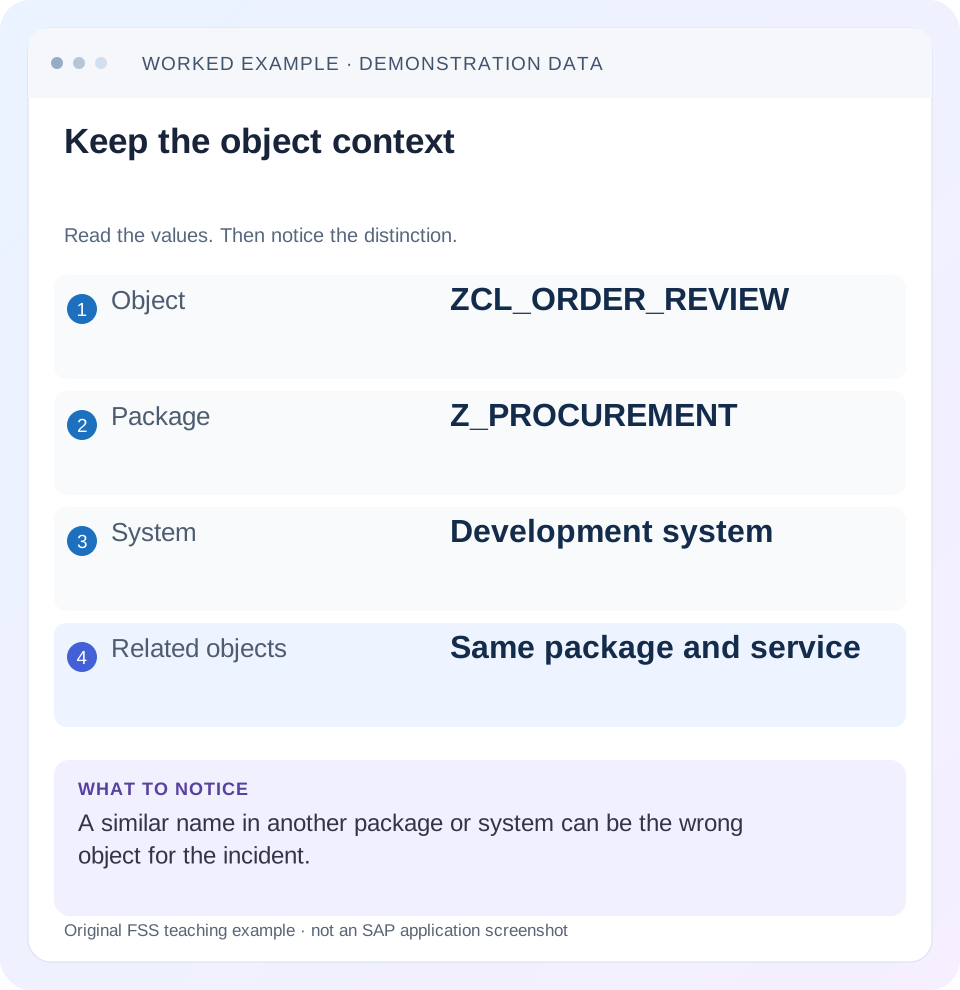
Read the example values
- Object
- ZCL_ORDER_REVIEW
- Package
- Z_PROCUREMENT
- System
- Development system
- Related objects
- Same package and service
A REAL SCREEN TO RECOGNIZE
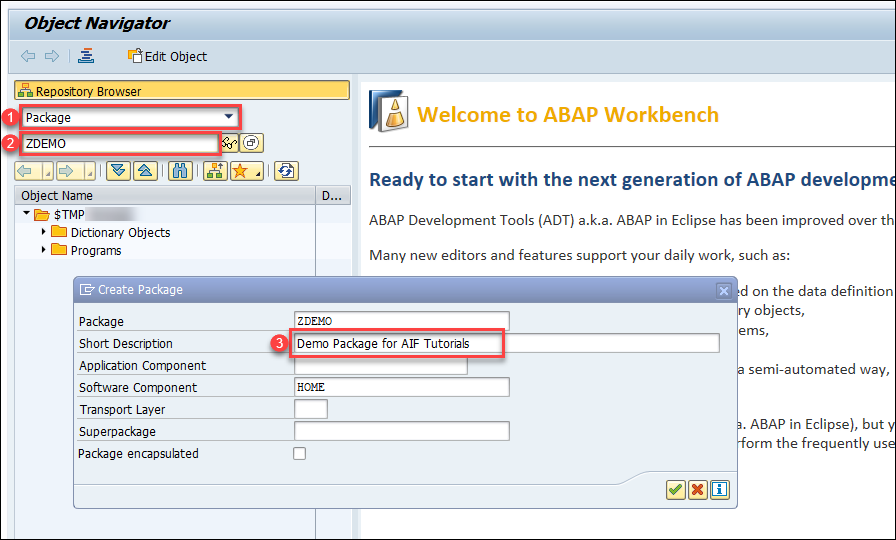
SAP’s tutorial shows the SE80 Object Navigator while creating a package. Notice the object selector and package context; they determine what you are navigating.
© 2024 SAP SE or an SAP affiliate company. All rights reserved. Reproduced unchanged for educational commentary. This is a source example, not a capture of your system.A REAL SCREEN TO RECOGNIZE
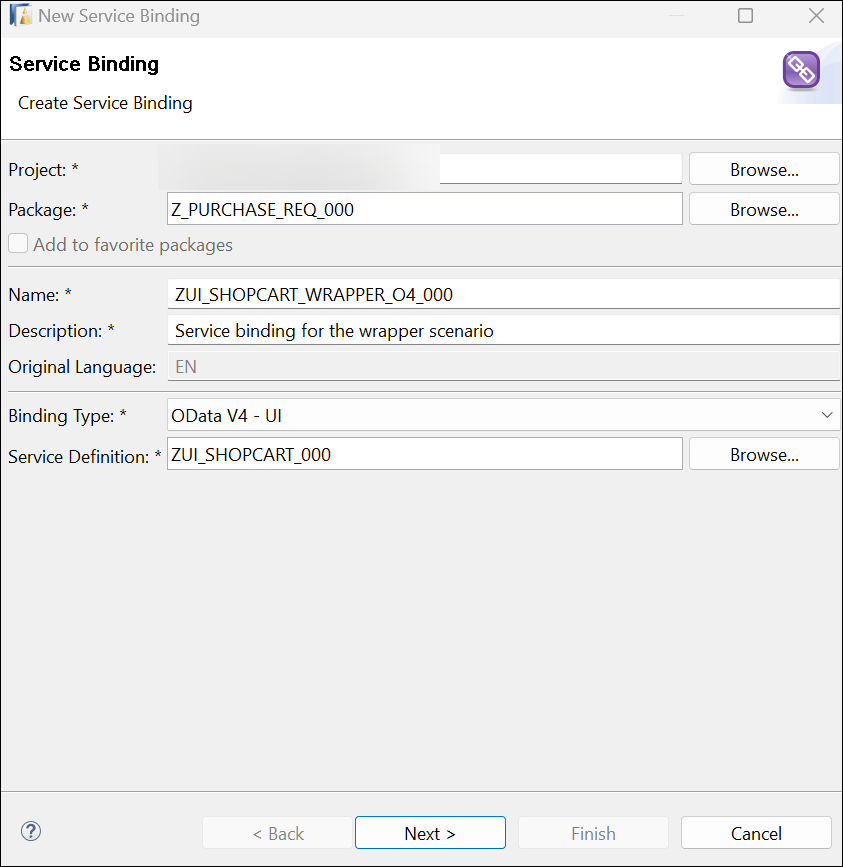
An SAP workshop service-binding editor in ABAP Development Tools. The binding type identifies the exposed service protocol. This example is OData V4; it is not a screenshot of a V2 service.
© 2025 SAP SE or an SAP affiliate company and abap-platform-rap110 contributors. Apache-2.0 (repository REUSE annotation). Reproduced unchanged for educational commentary. This is a source example, not a capture of your system.Words you’ll meet in this guide
- Program
- A set of instructions executed by a computer.
- Class
- A reusable unit that groups data with operations called methods.
- Database
- Organized information kept beyond one program execution.
- Internal table
- A list of rows held temporarily in an ABAP program’s memory.
- Key
- One or more fields used to identify or find a record.
- ABAP
- SAP’s programming language for business applications.
- GUI
- Graphical user interface. SAP GUI is a desktop interface used for many classic SAP tasks.
- HTTP
- The request-and-response protocol used by web applications and APIs.
- ADT
- ABAP Development Tools: SAP tools for ABAP development in Eclipse and, on supported systems, Visual Studio Code.
Preview the practical steps
SEE THE CONNECTION
See it in a simple example.
A small example to make the idea concrete.
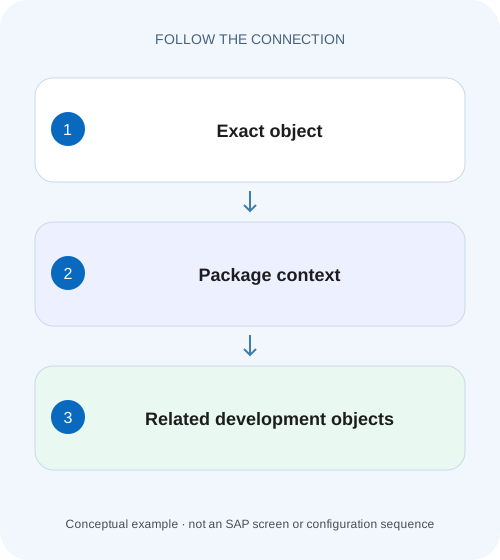
Find the source behind a plant application message
A factory support analyst sees a message from a custom order report, while the actual validation may sit below the report entry point.
Navigate from the exact object and keep the system context
SE80 Object Navigator and ABAP Development Tools help you move among repository objects, their definitions and their relationships.
Scope and prerequisites
Use SE80 for supported classic Workbench navigation and ADT for the object editors and search features available with your backend.
Understand the navigation model
SE80 separates an object-navigation area from the relevant development tool area.
Find the source behind a plant application message
A factory support analyst sees a message from a custom order report, while the actual validation may sit below the report entry point.
Follow repository references and caller context before editing the first object that contains similar text.
| Reader | Business question | Evidence to carry forward |
|---|---|---|
| SAP developers and application teams supporting manufacturers | Find the source behind a plant application message | Follow repository references and caller context before editing the first object that contains similar text. |
01 Navigate from the exact object and keep the system context
SE80 Object Navigator and ABAP Development Tools help you move among repository objects, their definitions and their relationships. Start with an exact object named in a dump, message, request or design. Keep its system, client and source version attached to the investigation. A similarly named class in another project can be perfectly valid and entirely irrelevant. [1] [2]
The goal is to identify the application path that owns the behavior, not merely to open source. This tutorial follows a fictional validation message through a report, interface implementation and reader class, using static navigation to form a hypothesis and runtime evidence to confirm it.
02 Scope and prerequisites
Use SE80 for supported classic Workbench navigation and ADT for the object editors and search features available with your backend. Some objects have native ADT editors only from particular releases; others open in integrated SAP GUI. Recent ADT documentation is a guide to its current capabilities, not proof that an older connected system supports every feature. [2]
You need authorized display/search access and a known starting point. Record the product release, ABAP project connection and whether the observed code is active. If the incident comes from quality assurance, inspect that system's object before assuming your development copy is identical. Opening source is a reversible observation; changing standard objects or executing write-capable tests is a separate decision.
03 Understand the navigation model
SE80 separates an object-navigation area from the relevant development tool area. A package, program, function group or class provides a hierarchy of related objects. ADT's Project Explorer and repository search provide corresponding ways to find and organize backend objects. A package is ownership and delivery context, not proof that every contained object executes together. [1]
Definitions, references and usages answer different questions. Opening a method definition shows its contract or implementation. A where-used result identifies statically recognized consumers. A relation view helps visualize selected repository relationships. None of those is a complete execution trace, especially when dynamic calls, framework dispatch or configuration select an implementation at runtime. [2]
04 Worked case: the message originates below the report
A fictional user sees “Customer reference required” from Z_ORDER_UPLOAD. A support record identifies class ZCL_ORDER_REVIEW, method CHECK. In development, that class implements ZIF_ORDER_RULE and delegates data access to ZCL_ORDER_READER. Another class ZCL_ORDER_REVIEW_OLD remains in the same package but is no longer the intended implementation.
Start from ZCL_ORDER_REVIEW exactly. Capture package Z_ORDER_APP and the active method. Follow ZIF_ORDER_RULE to understand the interface and examine where CHECK is used. Then inspect the report's actual call. A broad name search might prioritize the obsolete class; the caller chain explains why the current class matters. The reader class becomes relevant only if its returned data explains the missing reference.
| Node | What it contributes | What it does not prove |
|---|---|---|
| Z_ORDER_UPLOAD | Entry and input mapping | Every rule executes |
| ZIF_ORDER_RULE | Validation contract | Which implementation is selected |
| ZCL_ORDER_REVIEW=>CHECK | Current rule implementation | That the runtime used this source version |
| ZCL_ORDER_READER | Data retrieval dependency | That returned data is complete |
| ZCL_ORDER_REVIEW_OLD | Historical similar name | Current relevance |
05 Open the object with a bounded search
In supported ADT versions, Ctrl+Shift+A opens ABAP development-object search; content assist exposes available property filters, including object type. Use the exact name first, then narrow by project, type or package as needed. Ctrl+H provides broader search facilities, but distinguish backend object/source search from an ordinary local Eclipse file search. [2]
In SE80, choose an appropriate object category and navigate to the exact repository object. Confirm the package and object type before following subordinate methods, includes or function modules. If a search returns nothing, check the selected system, authorizations, name spelling and object category. Do not conclude that a runtime object never existed merely because a filter excludes it.
06 Move between definition, implementation and where-used
Open CHECK and inspect its declared parameters and exception/result contract. If it implements an interface method, read the interface definition and then the actual implementation. For an inherited method, determine whether the subclass redefines it. The visible class name may not own the executable method body that you first expect.
Use where-used on the relevant method or interface element to find callers, then follow the report's invocation. ADT documents Ctrl+Shift+G for where-used in supported configurations. Review filters in the result view so you know what was included. Keep a short list of meaningful edges instead of exporting a large unexamined result set. [2]
07 Read package and source-version context
Record package, software component and application ownership for the suspected object. These help locate related tests, supported extension points and delivery responsibility. A reusable reader may belong to a different component from the report, so its behavior can affect more than this one application.
Compare active source in the affected system with the proposed development version. A recent transport can explain why a line number or branch differs. An inactive local edit does not establish what the user executed. If the same name exists in multiple ADT projects, deliberately select the intended project and retain the connection context in your notes. Avoid fixing the wrong system's already-correct source.
08 Confirm dynamic or framework-selected paths
A where-used list may not show a call constructed dynamically or a framework-selected implementation. In the worked case, Z_ORDER_UPLOAD might obtain ZIF_ORDER_RULE through a factory or configuration. Inspect that selection logic and confirm the class instantiated for the representative request.
Use an authorized debugger or appropriately scoped runtime trace when static navigation leaves uncertainty. A breakpoint at CHECK can confirm the executing implementation and current parameters; a trace can show the call path. Keep the operation small and use the right breakpoint context for HTTP requests. Static discovery identifies candidates, while execution evidence resolves which candidate handled this action.
Build the smallest object map
Start with report, interface, implementation and direct reader.
Expected observation: Each edge has a reason.
Mark uncertain edges
Identify factory/configuration/dynamic selection rather than drawing it as proven.
Expected observation: Hypotheses remain visible.
Observe the representative runtime
Use a supported development trace or breakpoint for the actual request context.
Expected observation: The selected implementation is confirmed.
Compare input and output
Match the order/customer key and reference field across the reader and validator.
Expected observation: The first data divergence has a location.
09 Troubleshooting missing or misleading navigation results
Treat search results as a view over the repository with particular scope and capabilities. An empty list, an obsolete object or an integrated-GUI editor can each have an ordinary explanation.
| Observation | Check | Next step |
|---|---|---|
| Object not found | Project, type and name filter | Search exact name in correct backend |
| Wrong class opens | Similar names or multiple projects | Confirm package and active system |
| Where-used is empty | Dynamic use or restrictive filters | Inspect factory/configuration and runtime |
| Method body is elsewhere | Interface implementation or inheritance | Navigate to actual implementing method |
| GUI opens inside ADT | Native editor support for object/release | Use supported integrated tool |
| Line differs from incident | Active source or transport mismatch | Compare affected-system version |
10 Turn navigation into a focused defect hypothesis
For the example, suppose the reader returns an initial external reference for O100, and CHECK correctly rejects it. The next hypothesis concerns why the data was initial: missing persisted data, wrong key, authorization filtering or an incorrect field mapping. Do not alter the validator simply because its message is where the user notices the problem.
If the reader returns the reference but CHECK sees it empty, inspect the wrapper mapping between them. That narrows the correction to a concrete boundary. If the wrong implementation is selected, changing the correct class cannot affect the user. Keep object relevance tied to observed input, output and dispatch rather than familiarity with a name.
11 Verify the map with positive, negative and boundary exercises
For a positive case, navigate from the report to the actual rule and show a valid order passing with its reference intact. For a negative case, use a deliberately missing reference and confirm the same implementation produces the expected rejection. For a boundary case, use an unknown order and distinguish not-found handling from an existing order with a blank field.
As a navigation exercise, temporarily include the obsolete class in a paper map and explain what evidence excludes it. Then remove a where-used filter and see how the candidate population changes in an authorized tool session. These proposed checks teach search interpretation without requiring changes to business code. No customer execution is claimed by this article.
12 Frequently asked questions and useful handoff detail
Is SE80 obsolete for every task? Tool choice depends on object type and backend. ADT supports many modern workflows, while classic tools remain relevant where documented.
Does package membership prove ownership of the defect? It gives useful organizational context. The actual caller and behavior still need investigation.
Why is where-used incomplete? Static analysis cannot necessarily resolve every runtime-selected relationship, and filters or supported object coverage can narrow results.
A useful handoff names the starting symptom, exact project/system, active object, meaningful caller chain, uncertain dynamic edge and confirmed runtime observation. Add the smallest proposed correction and verification fixture. That is more actionable than a screenshot of an entire package tree or a list of similarly named classes.
Related services and next steps
Primary sources
Found this useful?
Share this guide with your network, or leave a like.
Your like is saved in this browser.