ABAP session versus external breakpoints: Why your HTTP request does not stop
A developer sets a breakpoint while a manufacturer's browser application sends its order request through a different execution context.

Source review:
START HERE · NO PRIOR TOPIC KNOWLEDGE NEEDED
What it is. Why it matters.
A breakpoint pauses program execution so a developer can inspect it. Session breakpoints and external breakpoints apply to different execution contexts, such as SAP GUI work and incoming web requests.
Completely new to SAP?
Manufacturers use SAP to connect work such as buying components, recording inventory, planning production, shipping equipment and accounting for costs. SAP S/4HANA is an enterprise resource planning system: it connects these activities through shared business data.
ABAP is SAP’s programming language for business applications. A program reads data, applies rules and produces a result. Start with the objects involved before investigating code.
A transaction code, or t-code, is a shortcut to a task in classic SAP GUI. Fiori apps provide another way to work. Names and screens depend on the product and release; you do not need a live system to learn the concepts in this guide.

Scope and source-review notes
Scope and evidence
Source review by FAST SAP SOLUTIONS® editorial. This badge describes our editorial review; it does not represent SAP certification or independent endorsement.
ABAP session and external debugging for supported HTTP/RFC contexts; authorization, matching and load-distribution details require release-specific documentation.
Primary documentation reviewed on 14 November 2026 using official indexed excerpts. Documentation review only; authored examples were not compiled or executed in an SAP system.
A MANUFACTURING EXAMPLE
Debug the request used by a plant app
Follow the request context
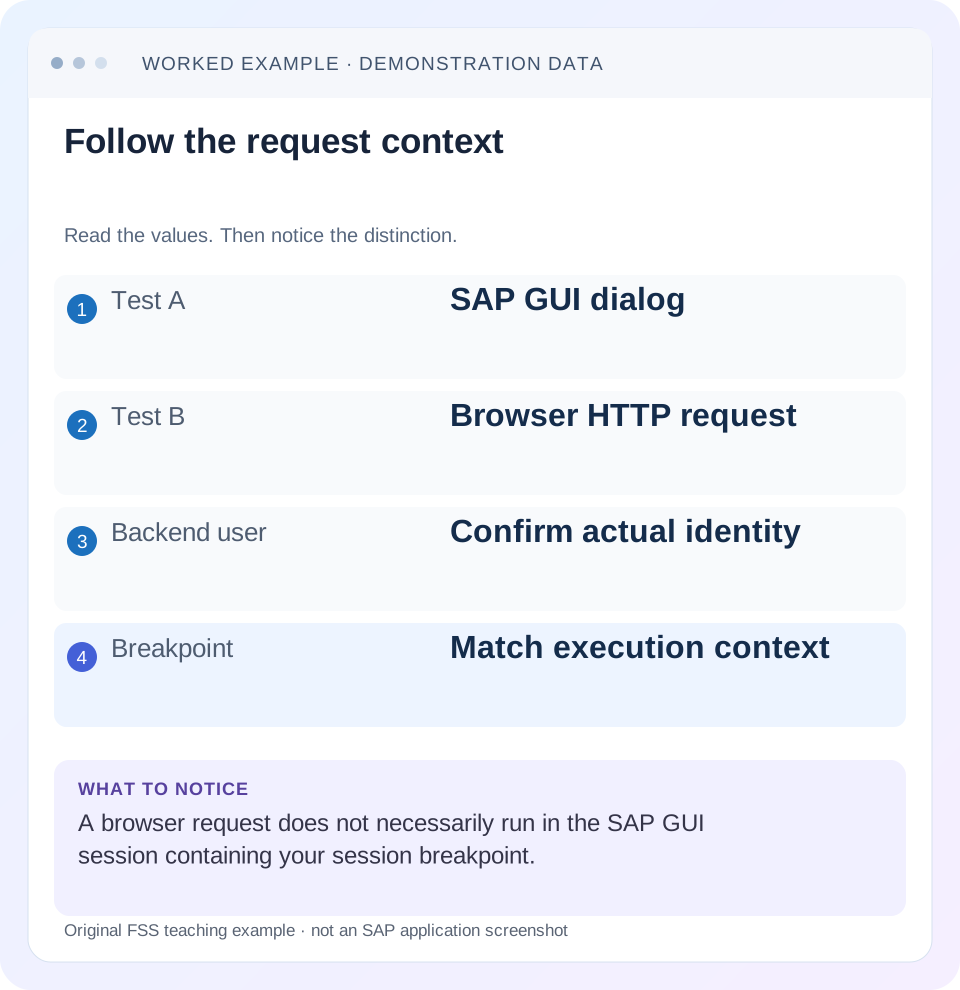
Read the example values
- Test A
- SAP GUI dialog
- Test B
- Browser HTTP request
- Backend user
- Confirm actual identity
- Breakpoint
- Match execution context
Words you’ll meet in this guide
- Program
- A set of instructions executed by a computer.
- Class
- A reusable unit that groups data with operations called methods.
- Database
- Organized information kept beyond one program execution.
- Internal table
- A list of rows held temporarily in an ABAP program’s memory.
- Key
- One or more fields used to identify or find a record.
- ABAP
- SAP’s programming language for business applications.
- RFC
- Remote Function Call: a way for one system to call functions in another.
- GUI
- Graphical user interface. SAP GUI is a desktop interface used for many classic SAP tasks.
- HTTP
- The request-and-response protocol used by web applications and APIs.
- CSRF
- Cross-Site Request Forgery. A CSRF token helps a service reject unwanted cross-site write requests.
Preview the practical steps
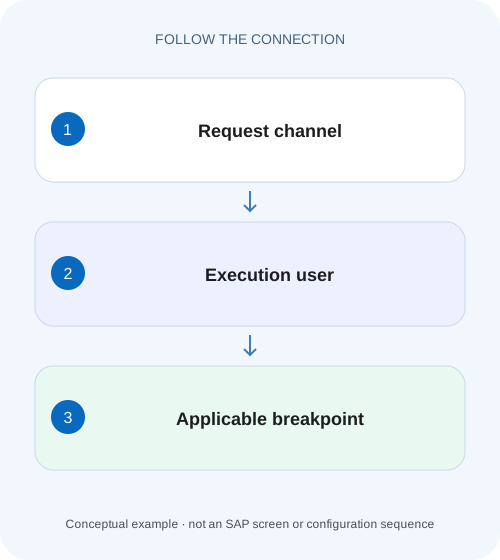
SEE THE CONNECTION
See it in a simple example.
A small example to make the idea concrete.
Debug the request used by a plant app
A developer sets a breakpoint while a manufacturer's browser application sends its order request through a different execution context.
A session breakpoint does not cover a separate HTTP or RFC session
If an ABAP breakpoint works in a SAP GUI dialog test but does not stop an HTTP request, first check the execution session.
Scope and prerequisites
This guide covers ABAP debugging concepts for SAP GUI, HTTP and RFC execution.
Separate frontend identity, backend identity and session
A browser user can authenticate through a launchpad, application router, proxy or another integration layer before ABAP runs.
Debug the request used by a plant app
A developer sets a breakpoint while a manufacturer's browser application sends its order request through a different execution context.
Match the request user, backend session and supported breakpoint type before concluding that the code was not called.
| Reader | Business question | Evidence to carry forward |
|---|---|---|
| SAP developers and application teams supporting manufacturers | Debug the request used by a plant app | Match the request user, backend session and supported breakpoint type before concluding that the code was not called. |
01 A session breakpoint does not cover a separate HTTP or RFC session
If an ABAP breakpoint works in a SAP GUI dialog test but does not stop an HTTP request, first check the execution session. SAP documents inbound HTTP and RFC processing in a newly opened user session. A session breakpoint belongs to the session in which it was set; it does not automatically interrupt that external request. [1]
Use the supported external-debugging mechanism for the intended backend identity and request path in an authorized development context. Then confirm system, client, code version and routing. A debugger that does not open is not proof that the method never executes. This tutorial develops those checks with a fictional order-read request.
02 Scope and prerequisites
This guide covers ABAP debugging concepts for SAP GUI, HTTP and RFC execution. External debugging configuration, breakpoint validity, application-server behavior and authorization requirements vary by backend release and tools. Follow the installed documentation rather than applying a historical time limit or IP-matching rule universally.
You need permitted debugging access and a small representative request. Prefer a read-only request when the question is whether code is reached. Record the backend system/client, expected user and service route. No production breakpoint or customer request was executed for this article. Debugging another user must use authorized tool configuration; sharing credentials is not a necessary or appropriate substitute.
03 Separate frontend identity, backend identity and session
A browser user can authenticate through a launchpad, application router, proxy or another integration layer before ABAP runs. Principal propagation or a technical communication user may determine the backend identity. The name visible in the frontend is therefore a clue, not sufficient evidence of the executing ABAP user.
A session is another dimension. Even the same backend user can have a SAP GUI session and an independent HTTP/RFC session. Session-local debugging does not cross that boundary merely because both carry the same username. External debugging is designed to cover the relevant request context through supported breakpoint settings. [1]
04 Worked case: an order GET misses a dialog breakpoint
A fictional developer can call ZCL_ORDER_READ=>GET locally in a dialog exercise and stop at its first executable statement. A browser request GET /OrderService/Orders('O100') returns data without stopping. The service route is illustrative, not a delivered SAP endpoint. The developer initially suspects that the service uses another reader.
Build a context table before moving the breakpoint. The dialog test runs in development system D01/client 100 as DEV01. The browser route actually targets Q01/client 200 using APP_TEST. A session breakpoint in D01 cannot explain a request in Q01, regardless of breakpoint type. Once routing and identity are aligned in an authorized test environment, an external breakpoint can answer the remaining code-path question.
| Dimension | Dialog test | Browser request |
|---|---|---|
| System/client | D01 / 100 | Q01 / 200 |
| Backend user | DEV01 | APP_TEST |
| Execution context | Current GUI session | Inbound HTTP session |
| Breakpoint originally used | Session breakpoint | No matching external context |
| First correction | Keep baseline | Align intended route before debugging |
05 Correlate one request with its backend destination
Capture the request method, sanitized resource path, request time and available correlation identifier. Check the configured destination or service binding used by the app through the supported project tools. A local development proxy may route to a different system from a deployed application, so test the actual path involved in the incident.
If the request fails before business code, inspect its response and relevant Gateway evidence rather than setting progressively deeper breakpoints. Authentication, CSRF or routing failures can prevent entry to the method. If the request succeeds, confirm which service implementation and active version correspond to it. A similarly named class in another backend does not establish execution.
06 Set a supported external breakpoint for the actual identity
In the permitted backend and tools, configure external debugging for the user or other supported matching context that executes the test. Set a breakpoint on an executable statement in the expected request path. Confirm it is an external breakpoint and that it is active under the current release's rules. [1] [2]
Reissue the single controlled request. If it stops, inspect the current user, input key and call stack to prove that it is the intended request. Do not assume any debugger stop belongs to your browser action when a shared technical identity can process many requests. Use a distinctive non-sensitive test key and a narrow investigation interval.
Choose a harmless fixture
Use order O100 through an approved read-only test path.
Expected observation: The test does not create duplicate business effects.
Align backend context
Confirm system/client and the authenticated execution identity.
Expected observation: The breakpoint can apply to the actual request.
Set an external breakpoint
Use the documented tool configuration for the installed release.
Expected observation: The breakpoint is active in the correct context.
Inspect the stopped request
Compare key, user and stack with captured browser evidence.
Expected observation: The stop is correlated to O100 rather than unrelated traffic.
07 When external debugging still does not stop
Check the active code version and actual implementation first. Framework dispatch, subclasses or another service version can select a different method. Use repository navigation or a narrowly scoped runtime trace to locate the path. A breakpoint on a declaration or a branch that is not taken will not answer whether the surrounding service ran.
Then inspect matching restrictions, authorization and the documented handling of load distribution or application-server scope. Proxies can affect client-matching assumptions in some configurations. Do not blindly disable restrictions or broaden debugging to every user. The aim is to identify the mismatched condition, not to interrupt unrelated requests until one happens to stop. [2]
08 A stopped write request changes timing and can create uncertainty
Pausing execution can hold locks and extend request duration. A browser or proxy may time out while the backend is paused. If a write request is involved, a frontend timeout does not prove that the backend made no change. Before retrying, inspect the actual business state through a supported read or reconciliation process.
For the order-read tutorial, these concerns are avoided by choosing a GET-style fixture whose documented operation is non-modifying. If the actual defect occurs only during a write, prepare disposable test data and understand transaction ownership before debugging. Do not use repeated production posting attempts merely as a way to discover which breakpoint type works.
09 Troubleshooting by observed boundary
Work from the earliest confirmed boundary: browser request, backend destination, authenticated identity, service implementation, method branch. This avoids treating every missed breakpoint as the same problem.
| Observation | Likely boundary | Next observation |
|---|---|---|
| GUI stops; HTTP does not | Session mismatch | Use correct external-debugging context |
| External breakpoint in D01; route Q01 | Backend routing | Inspect actual destination/system |
| Breakpoint set for DEV01; request APP_TEST | Identity mismatch | Confirm supported debugging identity |
| HTTP fails before method | Authentication, CSRF or service routing | Response and Gateway log |
| Correct user/system; no stop | Different implementation or inactive code | Trace dispatch and source version |
| Occasional unexpected stop | Shared user processes other traffic | Correlate request key/time/stack |
| Client times out while paused | Debugging changes timing | Reconcile outcome before retry |
10 Verify the explanation with positive and negative checks
A positive check sends the intended O100 request and stops at the expected method with matching input. A negative check sends a different supported route that does not use the method and confirms that absence is consistent with the call path. A boundary check uses an unknown order and determines whether not-found handling occurs before or inside the breakpoint location.
Also repeat the dialog test with its session breakpoint to distinguish the two mechanisms. Verify that removing the temporary external breakpoint allows the same request to complete normally. Record actual observations in the development test; this documentation-based guide does not establish that any particular customer's debugger or routing setup has been tested.
11 Keep the useful evidence and remove temporary settings
Retain the request reference, actual execution context, selected implementation and parameter finding. Remove temporary breakpoints or matching settings according to the supported tools. Keep the saved result focused on the cause, such as “the app proxy targeted Q01 while the breakpoint was set in D01,” rather than merely “external debugging fixed it.”
If the investigation identifies incorrect routing, correct and test that configuration through its normal owner and delivery path. If it identifies wrong input mapping, fix the application boundary. Breakpoint configuration is diagnostic equipment; it should not become a permanent workaround that hides an unresolved deployment or identity problem.
12 Frequently asked questions
Do external breakpoints require a different username? No. They address an external execution session, which may belong to the same user or another authorized identity.
Can I use a hard-coded BREAK-POINT statement for HTTP? Follow the documented external-debugging mechanism; the reviewed SAP explanation says ordinary session breakpoints and breakpoint statements do not cover that external session in the described model. [1]
Why does my colleague's breakpoint work? Compare system, client, backend user, matching configuration, source version and route before attributing the difference to the editor.
Where should I investigate a server error instead? Correlate the browser request with Gateway and backend logs, then use a breakpoint only if the evidence requires runtime inspection of a specific path.
Related services and next steps
Primary sources
Found this useful?
Share this guide with your network, or leave a like.
Your like is saved in this browser.