ABAP CDS left outer join loses rows: Inspect the right-side WHERE filter
A plant report should retain operational records without optional details, but a filter on the joined side removes some of them.

Source review:
START HERE · NO PRIOR TOPIC KNOWLEDGE NEEDED
What it is. Why it matters.
A left outer join keeps left-side records even without a right-side match. Filtering a right-side field afterwards can remove those unmatched records.
Completely new to SAP?
Manufacturers use SAP to connect work such as buying components, recording inventory, planning production, shipping equipment and accounting for costs. SAP S/4HANA is an enterprise resource planning system: it connects these activities through shared business data.
ABAP is SAP’s programming language for business applications. A program reads data, applies rules and produces a result. Start with the objects involved before investigating code.
A transaction code, or t-code, is a shortcut to a task in classic SAP GUI. Fiori apps provide another way to work. Names and screens depend on the product and release; you do not need a live system to learn the concepts in this guide.

Scope and source-review notes
Scope and evidence
Source review by FAST SAP SOLUTIONS® editorial. This badge describes our editorial review; it does not represent SAP certification or independent endorsement.
ABAP CDS/SQL left-outer-join and null concepts; concrete expression and view syntax require target-release verification.
Primary documentation reviewed on 14 November 2026 using official indexed excerpts. Documentation review only; authored examples were not compiled or executed in an SAP system.
A MANUFACTURING EXAMPLE
Keep unmatched manufacturing records visible
Keep or remove unmatched rows?
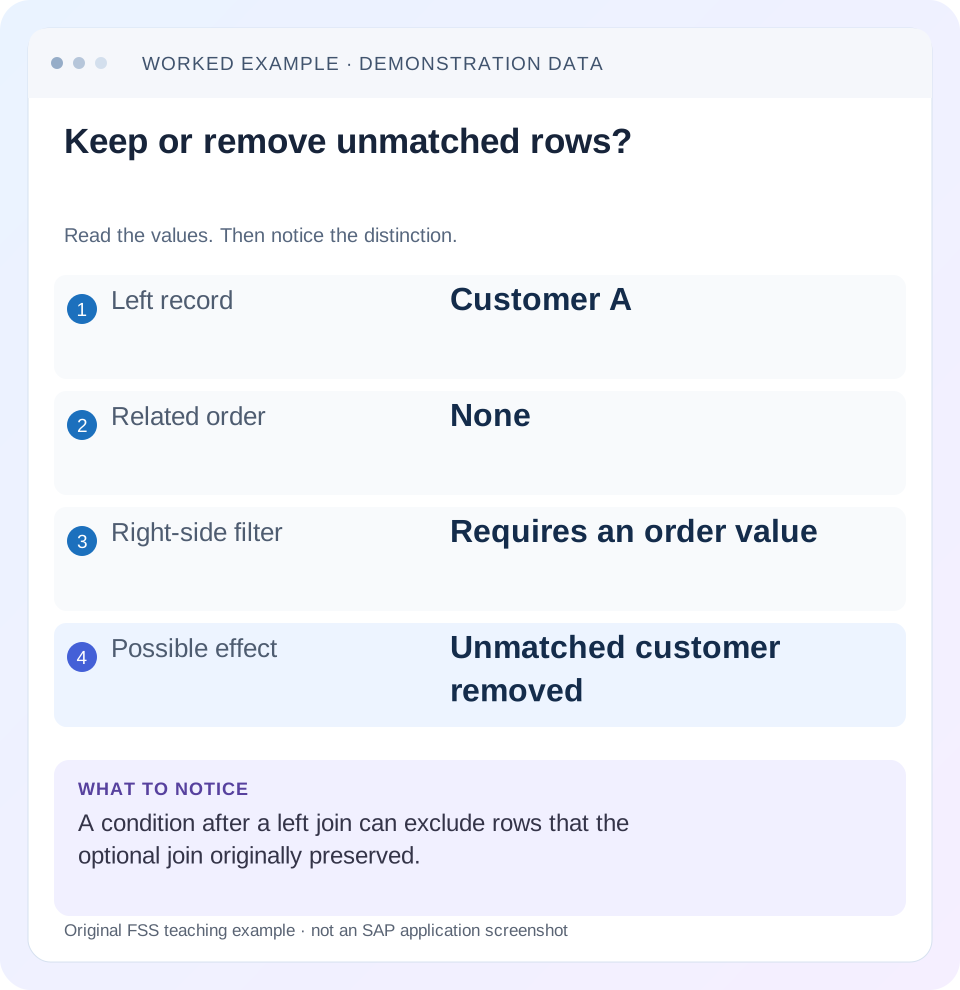
Read the example values
- Left record
- Customer A
- Related order
- None
- Right-side filter
- Requires an order value
- Possible effect
- Unmatched customer removed
Words you’ll meet in this guide
- Program
- A set of instructions executed by a computer.
- Class
- A reusable unit that groups data with operations called methods.
- Database
- Organized information kept beyond one program execution.
- Internal table
- A list of rows held temporarily in an ABAP program’s memory.
- Key
- One or more fields used to identify or find a record.
- ABAP
- SAP’s programming language for business applications.
- CDS
- Core Data Services: reusable definitions of business data and relationships.
- SQL
- A language used to read and work with database data.
Preview the practical steps
SEE THE CONNECTION
See it in a simple example.
A small example to make the idea concrete.
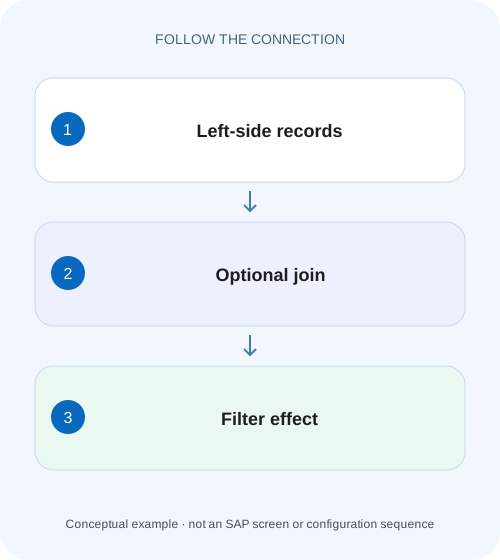
Keep unmatched manufacturing records visible
A plant report should retain operational records without optional details, but a filter on the joined side removes some of them.
ON selects optional matches; WHERE filters the resulting rows
A left outer join preserves a left-side row when no right-side match exists, filling right-side columns with database nulls.
Scope and prerequisites
The examples use ABAP CDS view-entity syntax and SQL null semantics.
Worked case: active, inactive and absent details
Fictional customer C100 has one detail D1 with status A.
Keep unmatched manufacturing records visible
A plant report should retain operational records without optional details, but a filter on the joined side removes some of them.
Compare the join condition and WHERE predicate with the intended unmatched-row behavior before treating absence as missing source data.
| Reader | Business question | Evidence to carry forward |
|---|---|---|
| SAP developers and application teams supporting manufacturers | Keep unmatched manufacturing records visible | Compare the join condition and WHERE predicate with the intended unmatched-row behavior before treating absence as missing source data. |
01 ON selects optional matches; WHERE filters the resulting rows
A left outer join preserves a left-side row when no right-side match exists, filling right-side columns with database nulls. A later WHERE condition still applies to that row. If it requires a right-side value such as status = 'A', the null-extended row does not satisfy the condition and can disappear. [1] [2]
Choose the query from the business requirement: “all customers with optional active details” differs from “customers that have active details.” This tutorial uses customers with active, inactive and missing details to show why moving a predicate changes the answer, including a common OR IS NULL repair that remains incomplete.
02 Scope and prerequisites
The examples use ABAP CDS view-entity syntax and SQL null semantics. Available expressions, view types and association-path options depend on backend release. The customer tables zcustomer and zcust_detail are illustrative and need compatible actual definitions before any activation.
You should understand a join key, predicate and result row. Use a small authorized fixture with explicit expected identities. No CDS example was activated or queried in a customer system. The result tables below are logically derived from their listed rows, with one detail per customer for the first exercise. Multiple details are introduced separately so row optionality and multiplication remain distinct questions.
03 Worked case: active, inactive and absent details
Fictional customer C100 has one detail D1 with status A. C200 has detail D2 with status I. C300 has no detail. The requirement is to list all three customers and show an active detail only when one exists. Expected output is C100/D1 plus C200 and C300 with missing active-detail columns.
Joining by customer alone first yields C100/A, C200/I and C300/null. Applying WHERE detail.status = 'A' retains only C100. The join did preserve C300 at its own stage, but the later predicate removed it. C200 also disappears because an actual inactive detail fails the same predicate.
| Customer | Stored detail | Required active-detail display |
|---|---|---|
| C100 | D1 status A | D1 shown |
| C200 | D2 status I | Customer retained; no qualifying detail |
| C300 | No detail | Customer retained; no qualifying detail |
04 Predict the join and filter as separate stages
Write the intermediate rows on paper. For a matched right row, evaluate the actual status. For a missing right row, keep a distinct null marker rather than writing blank immediately. Then apply the WHERE predicate. Only rows for which it is true remain; a comparison to a null value is not true.
This stage-by-stage reasoning prevents a misleading slogan such as “left join always keeps every left row.” A downstream WHERE, inner join, association-path choice or consumer filter can still remove them. The useful invariant is the required final result identity, not the presence of LEFT OUTER in one part of the model.
| Intermediate row | status = A | Retained by WHERE? |
|---|---|---|
| C100 / D1 / A | True | Yes |
| C200 / D2 / I | False | No |
| C300 / null detail / null status | Not true under null semantics | No |
05 Put qualifying optional-detail criteria into ON
For the stated requirement, make active status part of the matching relationship. C100 finds D1. C200 has no qualifying match because D2 is inactive, so the outer join emits C200 with null right fields. C300 also has no qualifying match and is retained. All three customers survive with the intended optional active detail.
The code does not say every filter belongs in ON. A left-side company selection can remain a WHERE condition when the report intentionally excludes other companies. A right-side filter can also be correct in WHERE when the business wants only customers with qualifying details. Explain each predicate's role instead of moving conditions mechanically.
@EndUserText.label: 'Customers with optional active detail'
define view entity ZI_CustomerActiveDetail
  as select from zcustomer as c
  left outer join zcust_detail as d
    on  d.customer_id = c.customer_id
    and d.status = 'A'
{
  key c.customer_id as CustomerID,
      c.name as CustomerName,
      d.detail_id as DetailID,
      d.status as DetailStatus
}
06 Why OR detail IS NULL is not the same repair
A frequent alternative keeps the original join and adds WHERE status = 'A' OR detail_id IS NULL. This retains C100 and C300, but C200 still has a matched inactive row: its detail_id is D2, not null, and status is I. The filter removes it. The database does not generate another null row merely because a matched row later fails WHERE.
That alternative expresses a different population: customers with an active detail or no detail at all. The original requirement includes customers whose only details are inactive. Keep C200 in the regression fixture because it distinguishes the two designs. Testing only active and absent cases would make the incomplete repair appear correct.
| Design | C100 | C200 | C300 |
|---|---|---|---|
| Join by customer; WHERE active | Retained | Removed | Removed |
| Same join; WHERE active OR no detail | Retained | Removed | Retained |
| Join ON customer AND active | Retained with D1 | Retained without active detail | Retained without active detail |
07 Null, initial and blank values are separate states
A database null introduced by an outer join differs from a stored blank or zero. A later ABAP target or UI may display both as initial-looking values. If the application needs to distinguish “no qualifying detail” from “detail exists with blank status,” expose an appropriate presence indicator or retain the right-side identity at the relevant layer. [1]
Use a non-nullable target identity to reason about match presence where the model supports that assumption. Testing a nullable descriptive field is weaker: a real detail can have a null description. COALESCE can provide a display fallback, but replacing null with A before filtering changes the business meaning and can treat missing data as an active record.
08 Multiple qualifying details change the grain
Now add a second active detail D3 for C100. The corrected ON design produces two rows for C100 plus one each for C200 and C300. It preserves optionality but does not promise one row per customer. If the report needs one row, define a summary, a unique current-detail relationship or an explicit winner rule.
Do not declare to-one cardinality or add DISTINCT merely to force the desired count. Those can hide an incomplete identity or an unsupported uniqueness assumption. Separate two acceptance questions: every eligible customer survives, and the output grain matches the business contract. Both must be verified when rewriting a CDS join.
09 Troubleshooting missing source rows
Trace the first stage where an expected customer disappears. A correct lower-level outer join can still be consumed through a more restrictive projection or filter.
| Observation | Question | Next evidence |
|---|---|---|
| No-detail customers vanish | Right-side equality in WHERE? | Intermediate null row and predicate |
| Inactive-only customers vanish after OR-null fix | Matched nonqualifying row exists? | C200-style fixture |
| Customer duplicated after fix | Several qualifying right rows? | Target identities and cardinality |
| Blank detail confused with no detail | Null collapsed to initial display? | Right identity/presence at query layer |
| View preview right; app missing rows | Consumer filter or another join? | Actual service query and projection |
| Moving predicate improves count but changes totals | Did result grain also change? | Identity and measure reconciliation |
10 Verify positive, negative and boundary cases
The positive fixture expects all three customer IDs under the optional-active-detail requirement. The negative comparison intentionally uses the restrictive WHERE design and predicts only C100, demonstrating why it answers another question. The boundary fixture retains C200 with an inactive detail, which catches the incomplete OR-null workaround.
Add a stored blank status, two active details, no left-side customers and a left-side company filter. For each, predict identities and counts before the test. Verify a known amount or quantity if the view carries measures, since duplicate matches can inflate totals. Run the actual application projection and request as well as a data preview. These proposed tests are not claims of SAP runtime execution.
Add a second active detail for C100 in a separate boundary fixture. The ON-filtered left join should still preserve all three customers, but C100 can now produce two rows. That demonstrates that retaining unmatched customers and preserving one-row-per-customer grain are independent requirements. If the consumer needs exactly one detail, define a supported deterministic selection or aggregate at the intended grain; a left join and a status predicate alone cannot choose which active detail is authoritative.
11 Performance changes must preserve the required semantics
Moving a predicate can change optimization opportunities and result volume. SAP explicitly warns that rewriting an outer join as an inner join changes data-model semantics. Evaluate correctness first, then measure the supported database plan and runtime for representative data. [3]
If the business truly wants only customers with active details, an inner-join or equivalent restrictive design may communicate that clearly. If it wants all customers, a faster query that drops C200/C300 is a regression. Keep the written population and zero-match fixture in the review so a later performance change cannot quietly remove optionality.
12 Frequently asked questions
Does a left outer join guarantee all left records in the final output? It preserves them at that join stage; later filtering can still remove them.
Should every right-side condition move to ON? No. Place it according to whether it defines an optional match or deliberately restricts the final population.
Why did OR IS NULL fail? A customer with an actual inactive detail is matched before WHERE, so it has no null-extended alternative row.
Does COALESCE repair optionality? It replaces a null expression with a value. That can help display, but it does not automatically implement the intended population rule.
What belongs in code review? The three-state fixture, intended grain, predicate roles, null/blank distinction and expected final identities. Those explain the correction more reliably than a row-count screenshot.
Related services and next steps
Primary sources
Found this useful?
Share this guide with your network, or leave a like.
Your like is saved in this browser.