SAP HANA delta merge: What to check before forcing a manual merge
A manufacturer sees reporting latency alongside column-store changes and asks whether a manual merge is justified.

Source review:
START HERE · NO PRIOR TOPIC KNOWLEDGE NEEDED
What it is. Why it matters.
SAP HANA column tables use different storage structures for incoming changes and optimized main data. Delta merge combines these structures, so it is a database maintenance mechanism rather than a generic repair button.
Completely new to SAP?
Manufacturers use SAP to connect work such as buying components, recording inventory, planning production, shipping equipment and accounting for costs. SAP S/4HANA is an enterprise resource planning system: it connects these activities through shared business data.
SAP HANA is a database platform. Data models describe how records relate; queries ask for results. Start with the intended result before looking at storage or performance.
A transaction code, or t-code, is a shortcut to a task in classic SAP GUI. Fiori apps provide another way to work. Names and screens depend on the product and release; you do not need a live system to learn the concepts in this guide.

Scope and source-review notes
Scope and evidence
Source review by FAST SAP SOLUTIONS® editorial. This badge describes our editorial review; it does not represent SAP certification or independent endorsement.
SAP HANA column-store delta-merge concepts, with a HANA Cloud administration reference for manual-merge behavior. Operations and monitoring differ across releases and deployments.
Documentation review on 14 November 2026 using official SAP sources and indexed official excerpts where full Help text was unavailable. Scope and service or release differences are explained in the lesson. All datasets, requests and checks are illustrative; no customer SAP runtime execution or measured results are claimed.
A MANUFACTURING EXAMPLE
Investigate database behavior behind plant reporting
Collect database evidence first
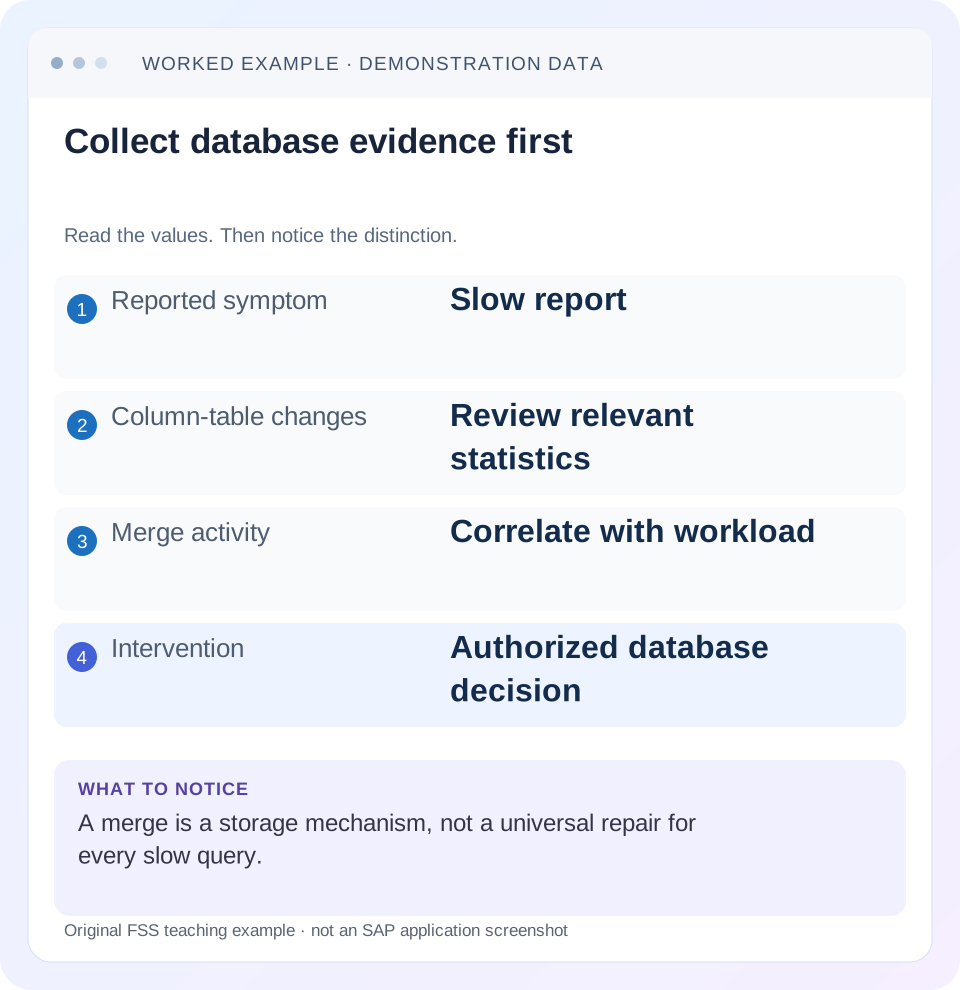
Read the example values
- Reported symptom
- Slow report
- Column-table changes
- Review relevant statistics
- Merge activity
- Correlate with workload
- Intervention
- Authorized database decision
Words you’ll meet in this guide
- Query
- A request to retrieve or calculate data.
- Table
- Data organized into rows and columns.
- Persistence
- Keeping data in storage so it survives beyond memory.
- HANA
- SAP’s database platform.
- SQL
- A language used to read and work with database data.
- DTP
- Data Transfer Process: a configured process that moves data in SAP BW.
Preview the practical steps
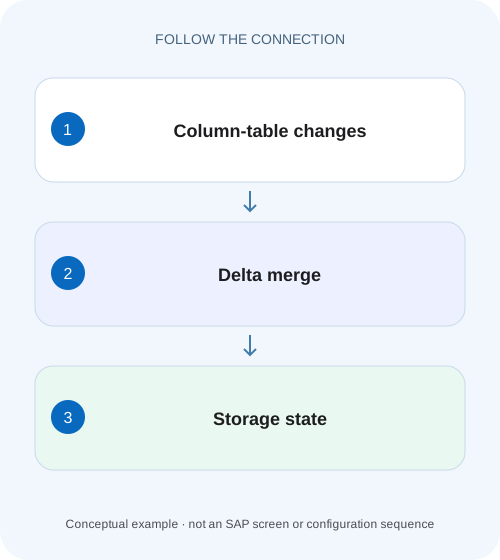
SEE THE CONNECTION
See it in a simple example.
A small example to make the idea concrete.
Investigate database behavior behind plant reporting
A manufacturer sees reporting latency alongside column-store changes and asks whether a manual merge is justified.
A delta is normal; an unexplained growing delta needs investigation
Column-store modifications enter write-optimized storage and are incorporated into optimized main storage through delta merge.
Understand why main and delta coexist
Main storage is optimized for compressed column-oriented reads, while delta supports incoming changes.
Worked case: a hot partition grows during an ingestion window
Imagine customer-managed column table DEMO_FACT with several partitions.
Investigate database behavior behind plant reporting
A manufacturer sees reporting latency alongside column-store changes and asks whether a manual merge is justified.
Read the relevant workload and merge evidence before forcing an operation based only on a slow business report.
| Reader | Business question | Evidence to carry forward |
|---|---|---|
| SAP developers and application teams supporting manufacturers | Investigate database behavior behind plant reporting | Read the relevant workload and merge evidence before forcing an operation based only on a slow business report. |
01 A delta is normal; an unexplained growing delta needs investigation
Column-store modifications enter write-optimized storage and are incorporated into optimized main storage through delta merge. Delta data existing is therefore normal. When a report slows or an alert fires, identify the affected table or partition, inspect merge history and correlate it with the actual workload before forcing a manual merge. A merge is a storage operation with resource costs and documented follow-up behavior. [1] [2] [3]
This tutorial is for HANA database administrators and developers investigating column-table behavior. You need authorized monitoring access, the exact schema/table/partition and a representative query or ingestion window. SAP HANA Platform and HANA Cloud tools and versions differ. The manual-merge discussion uses the current cited HANA Cloud guide; application-managed BW merge behavior requires its own application procedure.
02 Understand why main and delta coexist
Main storage is optimized for compressed column-oriented reads, while delta supports incoming changes. The database combines their visible data according to its consistency rules. The business row count is not simply a count of raw physical versions in one storage structure. Updates and retained versions can make storage metrics differ from the number of visible rows.
A successful merge does not require delta memory to become zero. SAP’s administration guidance notes that new work or open-transaction records can remain in a new delta, and empty containers also consume some memory. Treat a nonzero post-merge value as an observation to interpret, not automatic proof that the operation failed. [1]
03 Worked case: a hot partition grows during an ingestion window
Imagine customer-managed column table DEMO_FACT with several partitions. Partition 3 receives the current day’s inserts and updates. An illustrative monitoring sample shows 8 GiB main storage and 700 MiB delta for that partition, while older partitions have small deltas. A report reading today’s rows slows during the same ingestion period. These hypothetical values identify a correlation to investigate, not a measured customer result.
The first question is whether partition 3’s merge history shows successful merges, failed merges or a normal interval while writes continue. The second is whether the report actually spends time reading this storage. A broad report can be slow because of an expensive join or excessive output even when its delta is healthy. Keep the query plan and table metrics tied to the same time window.
| Object | Observed condition | Question |
|---|---|---|
| DEMO_FACT partition 3 | Current-day write activity; delta 700 MiB | Does merge history explain growth? |
| Older partitions | Small deltas | Is the issue localized? |
| Today report | Slow during ingestion | Does execution touch the hot partition? |
| System resources | Not yet inspected | Would a manual operation have headroom? |
04 Collect table metrics before changing storage
SAP documents M_CS_TABLES as a source for inspecting large delta memory. Start with authorized read-only observations and narrow the result to the affected object using the supported columns in your release. Keep schema, table and partition identity with every sample. An aggregate across all partitions can hide one hot partition. [1]
The documented query below is an initial inventory, not a recommendation to merge its first hundred rows. After locating DEMO_FACT, compare visible row count, main/delta memory and recent write activity over the incident window. Use compatible units and note observation times. A one-time large value without growth or failure evidence is a weak basis for intervention.
SELECT TOP 100 *
FROM M_CS_TABLES
ORDER BY MEMORY_SIZE_IN_DELTA DESC;
05 Read merge history and distinguish operation types
SAP documents M_DELTA_MERGE_STATISTICS for merge-history evidence. Inspect the relevant table/partition, operation time, success and error information using the version-specific view reference. History retention and whether a view covers only the current system-start interval matter when interpreting absence. An empty result does not automatically mean no merge ever occurred. [4]
Also distinguish merging from post-merge compression optimization. The history can describe different operation types. An unsuccessful compression optimization is a different event from an unsuccessful merge, even if both affect the same table. Preserve the actual operation and error rather than reporting every row as “delta merge failed.” Correlate with supported traces when the documented troubleshooting procedure calls for them. [4]
06 Check workload and memory headroom before manual intervention
A merge can need substantial temporary resources while it reorganizes data. SAP’s troubleshooting guidance describes memory pressure during large merges. Inspect current memory and concurrent workloads rather than assuming a merge immediately releases more memory than it consumes. A failed operation caused by insufficient headroom will not be repaired by repeatedly forcing the same operation under identical conditions. [5]
For the fixture, compare ingestion volume, active report workload, merge timing and failure evidence. If the hot partition repeatedly grows after a temporary reduction, investigate why automatic or application-triggered processing does not keep up. If a large batch just finished and supported monitoring shows a healthy pending merge, the correct response can differ from an actual repeated error.
07 Respect application-specific merge control
BW and BW/4HANA data loading can use application-managed merge triggers. SAP publishes separate guidance for DTP and process-chain behavior. Do not override those settings based on a generic HANA table example. Establish whether the object is an application-managed table or a customer model with database-managed behavior. [6]
If an application deliberately groups several loads before a merge, a temporary growing delta can be expected within that design. Compare the scheduled completion and expected trigger with actual processing. If the application’s trigger did not run, repair that orchestration rather than creating a permanent manual job that competes with it. The owner needs a specific missed step and time, not a generic request to “merge everything.”
08 Understand what a manual merge does and does not include
The cited HANA Cloud procedure documents manual hard merge and additional supported options, with required privileges. It also explicitly states that a manual merge does not automatically trigger the subsequent compression optimization associated with system-triggered operations. The prior compression strategy remains unless an appropriate additional optimization is performed. [2]
That distinction is why a manual merge can complete without delivering the compression result someone expected. Follow the installed guide and database team’s approved procedure for any merge and follow-up. This lesson deliberately provides observational SQL rather than a copy-and-run production mutation. A forced rebuild is a stronger option with a documented purpose, not a generic escalation when the first command seems slow.
09 Troubleshoot by evidence, not a universal delta threshold
There is no single delta size in this tutorial that defines every table as unhealthy. Table size, write rate, partitioning, workload and configured behavior matter. Use the actual alert definition and history alongside the reported symptom.
| Observation | Question | Next evidence |
|---|---|---|
| Large delta, successful recent merges | Is write activity naturally rebuilding delta? | Time series and ingestion volume |
| Repeated merge failures | What operation and error failed? | History error, resources and relevant trace |
| Manual merge succeeds, compression unchanged | Was optimization triggered? | Documented manual-merge follow-up |
| Delta remains nonzero after success | Are new/open-transaction records present? | Current writes and supported storage metrics |
| Only hot partition differs | Is the work localized? | Partition-level history and query pruning |
| Report still slow after healthy merge | Was storage the causal bottleneck? | Same query plan and runtime breakdown |
10 Verify the operation and the original symptom separately
After an authorized intervention, inspect its actual completion and operation type, then collect the same table/partition metrics. A lower delta proves a storage-state change; it does not by itself prove the report improved or ingestion remained healthy. Repeat the representative harmless query under comparable conditions and record only measurements actually observed.
Check result correctness as well as duration. Merge should preserve the intended logical rows, so compare known keys, values and aggregate checks for the fixture. A query returning fewer rows can look faster for an unrelated reason. Also observe ingestion and later merge behavior over a defined period to see whether the original growth pattern recurs.
If no intervention was executed, label the outcome as an investigation plan with documentation-checked hypotheses. Do not convert the illustrative 700 MiB sample into an actual before/after claim. Preserve unresolved questions such as missing history or insufficient privileges in the evidence record.
11 Use positive, negative and boundary exercises
In an authorized development environment, identify a supported write batch and inspect its table metrics before, during and after normal merge processing. The positive exercise is to explain why visible data remains correct while physical storage metrics change. Use monitoring tools documented for that release; do not create artificial production pressure.
For a negative case, examine a recorded failed merge or an approved test fixture and identify its specific operation and error. The exercise should choose a targeted investigation rather than simply recommend FORCE REBUILD. For a boundary case, keep writes active during a permitted observation and verify that nonzero delta after a successful merge is interpreted correctly.
Also compare a report that reads the hot partition with a report restricted to older partitions. If both slow equally while only one touches the growing delta, investigate shared resources or other common work. That comparison tests the causal hypothesis instead of assuming temporal coincidence proves it.
12 Questions for the final database handoff
Will a manual merge always improve performance? No result follows without workload evidence. It changes column-store state and can consume resources; the actual bottleneck may be elsewhere.
Why did memory not fall to zero? Delta containers, current writes and records retained under the supported consistency behavior can remain. Compare documented metrics and operation success rather than expecting an empty structure.
What closes the investigation? Record object/partition, time window, workload, storage metrics, history/error, chosen action and the same post-action checks. Include any compression follow-up and recurrence ownership. The related storage and calculation-view lessons address workload fit and semantic errors that a merge cannot repair.
Related services and next steps
Primary sources
- Perform a Manual Delta Merge Operation: HANA Platform
- Perform a Manual Delta Merge Operation: HANA Cloud QRC 2/2026
- Analyze Large Delta Storage of Column Store Tables
- Monitoring Delta Merge History
- HANA 2.0 SPS 08 Troubleshooting and Performance Analysis Guide
- Triggering a Delta Merge: BW application context
Found this useful?
Share this guide with your network, or leave a like.
Your like is saved in this browser.