SAP HANA row versus column storage: Start with the workload
A manufacturer reviews a custom data workload used in operational reporting and needs to understand row and column storage tradeoffs.

Source review:
START HERE · NO PRIOR TOPIC KNOWLEDGE NEEDED
What it is. Why it matters.
A row store keeps a record’s fields together; a column store groups values by column. SAP HANA supports both approaches, which suit different data-access patterns.
Completely new to SAP?
Manufacturers use SAP to connect work such as buying components, recording inventory, planning production, shipping equipment and accounting for costs. SAP S/4HANA is an enterprise resource planning system: it connects these activities through shared business data.
SAP HANA is a database platform. Data models describe how records relate; queries ask for results. Start with the intended result before looking at storage or performance.
A transaction code, or t-code, is a shortcut to a task in classic SAP GUI. Fiori apps provide another way to work. Names and screens depend on the product and release; you do not need a live system to learn the concepts in this guide.

Scope and source-review notes
Scope and evidence
Source review by FAST SAP SOLUTIONS® editorial. This badge describes our editorial review; it does not represent SAP certification or independent endorsement.
SAP HANA row/column storage design for customer-owned tables, using HANA Cloud developer and administration guidance. Illustrative DDL is for an isolated development schema; SAP-managed table conversion is outside scope.
Documentation review on 14 November 2026 using official SAP sources and indexed official excerpts where full Help text was unavailable. Scope and service or release differences are explained in the lesson. All datasets, requests and checks are illustrative; no customer SAP runtime execution or measured results are claimed.
A MANUFACTURING EXAMPLE
Match a factory data workload to storage behavior
Match storage to access
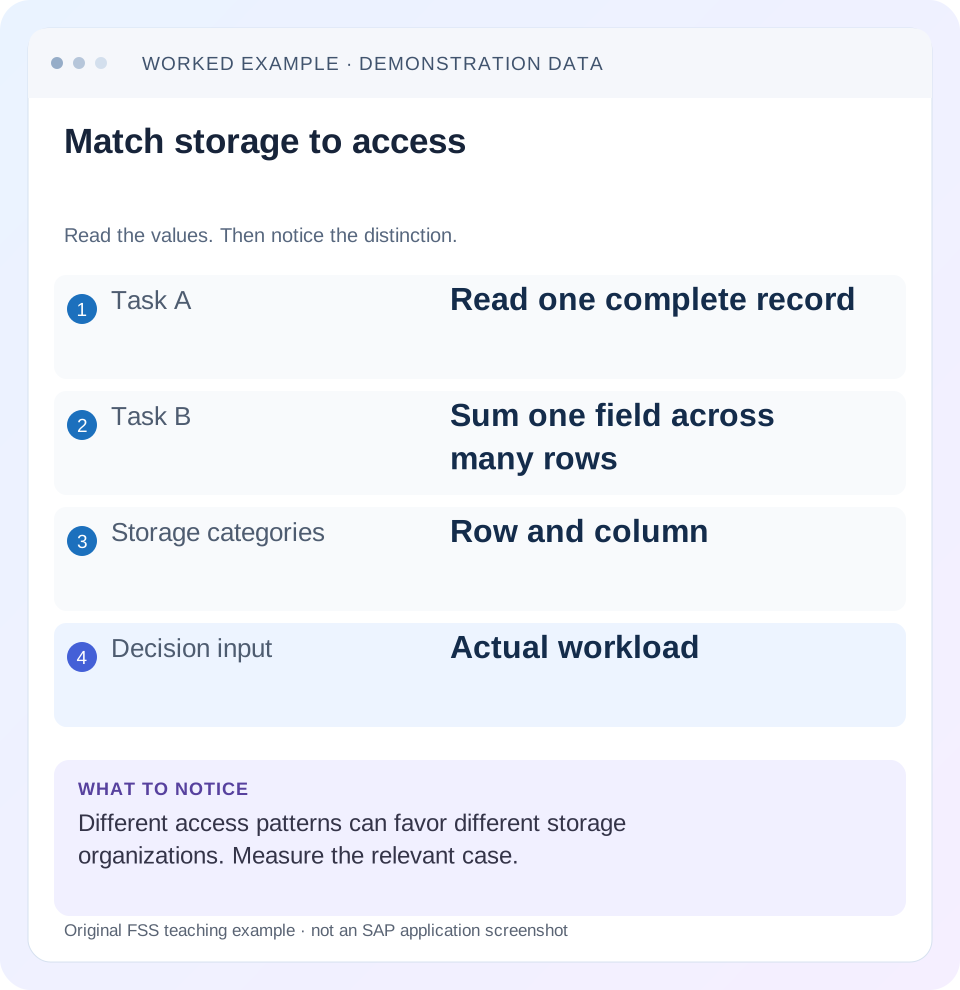
Read the example values
- Task A
- Read one complete record
- Task B
- Sum one field across many rows
- Storage categories
- Row and column
- Decision input
- Actual workload
Words you’ll meet in this guide
- Query
- A request to retrieve or calculate data.
- Table
- Data organized into rows and columns.
- Persistence
- Keeping data in storage so it survives beyond memory.
- HANA
- SAP’s database platform.
- SQL
- A language used to read and work with database data.
Preview the practical steps
SEE THE CONNECTION
See it in a simple example.
A small example to make the idea concrete.
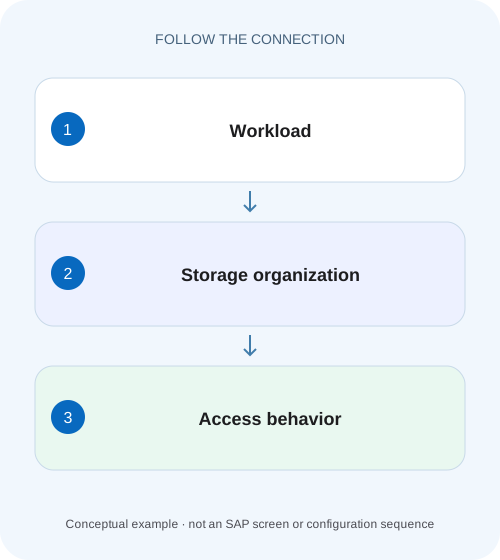
Match a factory data workload to storage behavior
A manufacturer reviews a custom data workload used in operational reporting and needs to understand row and column storage tradeoffs.
Choose storage from the workload, then verify the choice
SAP HANA supports row and column tables and is optimized for column storage.
Understand the physical difference without changing the logical rows
Both organizations expose a logical table with rows and columns.
Worked case: a complete-record lookup and a regional sum
Imagine a customer-owned sales fixture containing four records.
Match a factory data workload to storage behavior
A manufacturer reviews a custom data workload used in operational reporting and needs to understand row and column storage tradeoffs.
Start with the actual access pattern and supported design context before changing storage because one option sounds faster.
| Reader | Business question | Evidence to carry forward |
|---|---|---|
| SAP developers and application teams supporting manufacturers | Match a factory data workload to storage behavior | Start with the actual access pattern and supported design context before changing storage because one option sounds faster. |
01 Choose storage from the workload, then verify the choice
SAP HANA supports row and column tables and is optimized for column storage. Row storage groups a record’s fields; column storage groups values from the same column. The decision should follow the actual access pattern, data size, required features and application ownership. “Transactional means row store” is an unreliable shortcut because HANA’s column store also supports transactional workloads. [1] [2]
This tutorial is for developers designing customer-owned HANA tables or investigating a justified physical-design question. You need an authorized development schema, representative data and read/write workload evidence. It is not a procedure for converting SAP application-managed tables. SQL defaults and development artifacts vary across releases; explicit ROW or COLUMN declarations make an experiment’s intent clearer. [2]
02 Understand the physical difference without changing the logical rows
Both organizations expose a logical table with rows and columns. The difference is how values are arranged and processed internally. A row-oriented arrangement makes a complete record’s fields adjacent in its storage representation. A column-oriented arrangement makes it possible to process selected columns without treating every field of every row as equally relevant. [1]
Column storage also supports compression and efficient scans over repeated values. That can be useful for analytical filters and aggregates, but the actual benefit depends on data distribution and operations. A table with repeated region codes differs from a column full of distinct large texts. Do not derive a guaranteed compression ratio from the word column alone. [1]
03 Worked case: a complete-record lookup and a regional sum
Imagine a customer-owned sales fixture containing four records. A support screen reads the complete record for ID 101, including its descriptive text. A report reads REGION, NET_AMOUNT and CURRENCY across many records and groups totals by region and currency. The support screen and report touch the same logical data but use different access shapes.
The small fixture has North EUR amounts 100 and 150, and South EUR amounts 70 and 80. The expected report returns North 250 EUR and South 150 EUR. Its total of 400 EUR is meaningful because all four fixture amounts are EUR. Keep that business result constant when comparing physical storage. A faster query returning three rows instead of four is not a valid comparison.
| ID | Region | Amount | Currency |
|---|---|---|---|
| 101 | North | 100 | EUR |
| 102 | North | 150 | EUR |
| 103 | South | 70 | EUR |
| 104 | South | 80 | EUR |
04 Describe workload dimensions before creating a benchmark
Record how many rows are normally selected, how many columns are returned, filter selectivity, join patterns, aggregate operations and update frequency. Include concurrency and batch behavior where they matter. A single-key read performed rarely can be irrelevant beside a repeated broad aggregation, even if the lookup is the first use case someone describes.
Also record transaction size and data lifecycle. Many small updates, periodic bulk loads and a mostly static lookup have different operational patterns. The choice affects more than one SELECT statement. For the sales example, include both the complete-record screen and regional report, plus the supported insert/update path. Do not optimize one query while ignoring the application’s dominant write workload.
Keep the workload mix in the decision record. If a later release adds a broad nightly aggregate to a lookup-oriented table, revisit the measured assumptions rather than treating the original choice as permanent.
05 Keep the development comparison explicit and reversible
If an experiment is justified, use two isolated customer-owned fixture tables with the same columns, key and dataset, one ROW and one COLUMN. The illustrative declarations below establish the physical choice; they are not production migration instructions and have not been executed here. Populate them only in an authorized development schema with sanitized data.
Align the logical data
Load the same authorized fixture into both tables and compare key sets and values before timing any operation.
Expected observation: Four identical business records exist in each fixture.
Align the access contract
Use the same projection, predicate, grouping and client behavior for each storage comparison.
Expected observation: Only the intended physical organization differs.
CREATE ROW TABLE DEMO_SALES_ROW (
  ID INTEGER PRIMARY KEY,
  REGION NVARCHAR(10),
  NET_AMOUNT DECIMAL(13,2),
  CURRENCY NVARCHAR(3),
  DETAILS NVARCHAR(100)
);
CREATE COLUMN TABLE DEMO_SALES_COLUMN (
  ID INTEGER PRIMARY KEY,
  REGION NVARCHAR(10),
  NET_AMOUNT DECIMAL(13,2),
  CURRENCY NVARCHAR(3),
  DETAILS NVARCHAR(100)
);
06 Compare the same logical queries
For the support screen, read the exact intended fields for ID 101. For the report, group amounts by region and currency. Change only the table reference between fixture variants. The SQL below illustrates the query shapes; it does not claim one elapsed time is better.
Test representative scale after the tiny fixture establishes correctness. Four rows are useful for arithmetic review but do not represent a large analytical scan. Keep data distribution realistic enough to include frequent and rare filter values, repeated codes and actual column widths. Label synthetic volume assumptions rather than presenting them as a customer benchmark.
SELECT ID, REGION, NET_AMOUNT, CURRENCY, DETAILS
FROM DEMO_SALES_COLUMN
WHERE ID = 101;

SELECT REGION, CURRENCY, SUM(NET_AMOUNT) AS NET_AMOUNT
FROM DEMO_SALES_COLUMN
GROUP BY REGION, CURRENCY;
07 Account for indexes, plans and selected columns
Table type is one part of physical design. Keys, indexes, data distribution and query plans also affect execution. SAP’s developer guidance discusses index structures for both row and column storage. Do not assume row storage is slow because an important lookup path is absent, or that column storage automatically makes every filter optimal. [3]
Inspect the actual plan and selected columns using supported tools. SELECT * can return large text or unused attributes that a report does not need. Reducing that projection can improve the workload independently of table type. Conversely, a complete-record screen legitimately needs its defined fields, so benchmarking a narrow projection does not test that screen’s actual contract.
08 Include write behavior and column-store maintenance
Column tables handle writes with their supported internal mechanisms, including delta storage and merge behavior. That is part of why a column table can support transactional access rather than being an immutable reporting file. Include ingestion, update latency and maintenance/resource observations in a representative comparison instead of measuring only a quiet post-load aggregate. [2] [4]
For the fixture, update ID 102 from 150 to 160 and confirm North becomes 260 EUR while South remains 150. Then insert and delete a controlled test row under the application’s transaction contract. Compare logical outcomes and relevant resource evidence across both organizations. Do not force a delta merge merely to make one timing look better without explaining the test state and documented behavior.
09 Check required features and application ownership
Some HANA features and supported modeling options depend on table type. Use the current guide for the actual deployment rather than assuming feature parity. If the object participates in application-managed lifecycle, replication, partitioning or deployment artifacts, inspect those dependencies before proposing a change.
An SAP-managed application table is not an experimental fixture. Its technical settings can be part of the supported application design and upgrade behavior. For customer-owned HDI artifacts or another supported development model, change the authoritative definition and plan the documented migration. A one-off catalog conversion can be overwritten later or require operational work the benchmark did not include.
10 Troubleshooting questions before blaming storage organization
Use the observed bottleneck to choose a next check. A slow calculation view caused by duplicate joins is a semantic defect. A report waiting on a remote source is an acquisition issue. Neither is repaired by choosing a different physical layout for an unrelated local table.
| Observation | Question | Next evidence |
|---|---|---|
| Wide scan reads few columns | Could column-oriented access reduce unnecessary work? | Projection, plan and representative volume |
| Single-record lookup slow | Is the intended key access used? | Predicate, key/index and plan |
| Aggregate total incorrect | Is the model logically correct? | Join grain, currency and filters |
| Write batch slows under load | What maintenance/resources coincide? | Transaction size, delta/merge and concurrency |
| Small fixture shows no difference | Is the test too small to represent the workload? | Realistic scale and distribution |
| Conversion proposed for SAP-managed table | Is the change supported? | Application technical design and ownership |
11 Verify positive, negative and boundary cases
For the positive comparison, confirm both fixture variants return ID 101 with the same complete data and regional totals of 250/150 EUR before the update. After updating 102, verify 260/150. Timing is secondary until those results agree. Capture conditions and only report durations actually measured.
For a negative check, query an absent ID and verify the same empty result rather than a stale application cache. For boundaries, use a highly selective filter, a broad scan, an empty table and realistic long descriptive values. Include a mixed-currency row and ensure the aggregation keeps currency context rather than reporting a misleading combined amount.
If concurrency matters, use an approved test workload that resembles simultaneous readers and writers. Do not infer production behavior from a single SQL console session. Record throughput, latency distribution and resource observations with the exact fixture size and test duration. No universal row-versus-column winner follows from this article.
12 Make the final choice reviewable
The decision record should identify the customer-owned object, dominant workload, selected type, required features, measured evidence and lifecycle/migration plan. If the existing column design meets the workload, a justified choice can be to keep it and repair a query or model instead. A physical change needs a concrete benefit and a supported implementation path.
Is column storage only for analytics? HANA documentation explicitly describes transactional capability as well. Is row storage always better for tiny lookups? Treat that as a workload hypothesis and measure the supported case; implementation details and surrounding work still matter.
The related calculation-view lesson explains grain and aggregation, while the delta-merge lesson explains column-table maintenance. Resolve those questions with their own evidence so storage selection remains a deliberate design decision rather than a generic answer to any slow report.
Related services and next steps
Primary sources
Found this useful?
Share this guide with your network, or leave a like.
Your like is saved in this browser.