SAP HCM infotypes: Read the record type and validity together
A manufacturer's HR team investigates which personnel record applies to a factory employee before a dated organizational or address change.

Source review:
START HERE · NO PRIOR TOPIC KNOWLEDGE NEEDED
What it is. Why it matters.
An infotype is a structured category of employee data in SAP HCM, such as an address. Its validity dates describe when that particular record applies.
Completely new to SAP?
Manufacturers use SAP to connect work such as buying components, recording inventory, planning production, shipping equipment and accounting for costs. SAP S/4HANA is an enterprise resource planning system: it connects these activities through shared business data.
SAP HR applications manage employee-related records and processes. A record’s subject, validity dates and access permissions all matter before it is read or changed.
A transaction code, or t-code, is a shortcut to a task in classic SAP GUI. Fiori apps provide another way to work. Names and screens depend on the product and release; you do not need a live system to learn the concepts in this guide.

Scope and source-review notes
Scope and evidence
Source review by FAST SAP SOLUTIONS® editorial. This badge describes our editorial review; it does not represent SAP certification or independent endorsement.
Classic SAP HCM Personnel Administration infotype/subtype validity and time-constraint concepts in ERP and supported HCM for S/4HANA contexts. Country screens, actual subtype constraints and access are configuration dependent.
Reviewed relevant official SAP indexed documentation excerpts on 14 November 2026. Examples, identifiers, amounts and expected observations are illustrative; no customer SAP execution was performed. Transaction availability, labels and results depend on the installed release, deployment and local configuration.
A MANUFACTURING EXAMPLE
Read a plant employee's dated record
Read the valid employee record
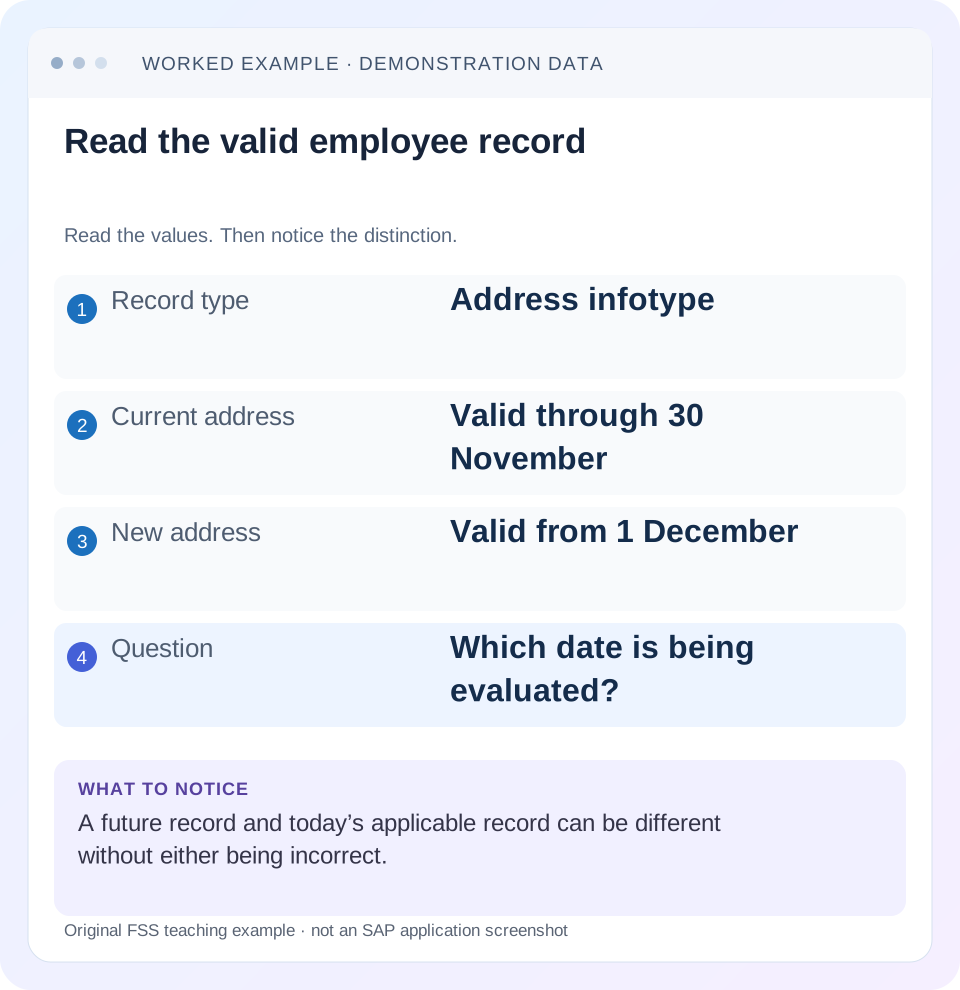
Read the example values
- Record type
- Address infotype
- Current address
- Valid through 30 November
- New address
- Valid from 1 December
- Question
- Which date is being evaluated?
Words you’ll meet in this guide
- Employee record
- Stored information about a person’s employment.
- Validity
- The dates during which a record applies.
- Payroll
- The process that calculates an employee’s pay.
- HANA
- SAP’s database platform.
- HCM
- Human Capital Management: SAP software for employee-related information and processes.
Preview the practical steps
SEE THE CONNECTION
See it in a simple example.
A small example to make the idea concrete.
Read a plant employee's dated record
A manufacturer's HR team investigates which personnel record applies to a factory employee before a dated organizational or address change.
Read an infotype as dated personnel information
An SAP HCM infotype organizes a defined category of personnel information.
Separate category, subtype and record identity
An infotype identifies the subject category; a subtype can distinguish categories within it, such as different address uses.
Understand why validity is part of the data
A record’s start and end describe when its content applies to the relevant HR history.
Read a plant employee's dated record
A manufacturer's HR team investigates which personnel record applies to a factory employee before a dated organizational or address change.
Identify the infotype, subtype and validity interval; use authorized fictional personnel data when learning the process.
| Reader | Business question | Evidence to carry forward |
|---|---|---|
| Plant HR, time and payroll application teams | Read a plant employee's dated record | Identify the infotype, subtype and validity interval; use authorized fictional personnel data when learning the process. |
01 Read an infotype as dated personnel information
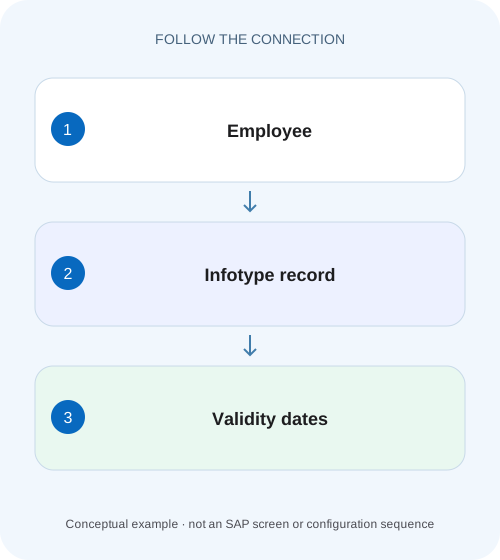
An SAP HCM infotype organizes a defined category of personnel information. The useful unit for investigation is the employee or personnel assignment, infotype, relevant subtype and record validity, rather than the infotype number alone. An address valid today and a different address valid next month can both be correct records. The evaluation date determines which one answers the question. [1] [2]
This tutorial is for HR administrators, payroll/time analysts and developers learning to interpret classic SAP HCM personnel records in ERP or supported HCM for S/4HANA contexts. It does not describe SuccessFactors Employee Central entities as if they were identical storage objects. Use authorized personnel-data display and fictional training identities. Country screens, subtype definitions, time constraints and downstream processing vary by release and configuration.
02 Separate category, subtype and record identity
An infotype identifies the subject category; a subtype can distinguish categories within it, such as different address uses. SAP documents that subtypes can have separate histories and time characteristics, and can participate in authorization scope. Two records of one infotype are therefore not automatically duplicates if their subtypes or validity differ. [1]
For a support question, record the infotype’s technical number and business name, the subtype if applicable, personnel number or assignment context and the specific interval. Where the application exposes other record-identifying attributes, preserve those too. A screenshot headed “Address” without subtype and dates can be insufficient to identify the saved record another administrator should inspect.
03 Understand why validity is part of the data
A record’s start and end describe when its content applies to the relevant HR history. The date it was entered is another observation. A future change entered on 14 November can begin on 1 December; it should not automatically replace the state used for 14 November. Likewise, a later correction can change what a historical report should read while retaining a traceable maintenance process.
Before judging a field, state the question as “Which value applies to this personnel assignment on this date?” A report for 31 October and a current display in December answer different questions. If a process evaluates an interval rather than a single day, inspect its actual selection semantics and potentially multiple valid records. Do not force an interval result into a single current value.
04 Worked case: a planned address change
Fictional personnel number P100 has a permanent-residence address record valid through 30 November 2026 and a new record starting 1 December 2026. The address values are labels Address A and Address B so no real personal data is needed. Assume the selected subtype’s configured time behavior permits the declared contiguous change and the relevant end date is inclusive.
On14 November, Address A answers the current-address question. On1 December, Address B does. An overview covering November and December can legitimately show both. The newest-created record is not necessarily the effective record for the selected date, and the record displayed first is not evidence of the report’s evaluation logic.
| Evaluation date/range | Relevant record | Reason |
|---|---|---|
| 14 November 2026 | Address A | Date falls within A’s validity |
| 30 November 2026 | Address A | Last declared valid day |
| 1 December 2026 | Address B | First declared valid day |
| November–December overview | A and B can both be relevant | Selection spans the change |
| Creation timestamp only | Insufficient | Entry time is not effective validity |
05 Time constraints protect the permitted history
SAP describes time constraints as controlling whether a record must exist, whether multiple records may exist and whether validity intervals can overlap. In the documented Personnel Administration scheme, constraint 1 requires one valid record during the relevant employment context without overlapping records; constraint 2 permits at most one and does not require continuous existence; constraint 3 permits concurrent records. Other constraint categories also exist. [2]
Use that vocabulary to ask the right question, then inspect the actual infotype/subtype setup. Do not assume an optional certificate, a permanent address and an organizational assignment all follow the same constraint. The system can delimit existing records or issue messages when a new entry conflicts with the defined history. Read the proposed result before saving.
06 Use organizational assignment as a different example
Organizational Assignment 0001 is documented with time constraint 1 in the relevant HCM guidance. Its purpose requires the system to determine the applicable organizational context. This differs from an infotype such as education history, where multiple training records can represent distinct facts. One infotype’s “one record” rule is not a universal property of all employee data. [3] [4]
For a fictional transfer effective 1 December, inspect the existing 0001 record through 30 November and the new applicable record from 1 December under the supported action/process. Then check which organization a report evaluates for 14 November and 1 December. Do not overwrite the old department merely to make the current organization appear everywhere in historical reporting.
07 Display the full relevant interval before diagnosing a missing record
PA20 is the classic personnel-data display route. SAP’s record-list guidance describes selecting personnel number, infotype, optional subtype and a Period restriction, then displaying the relevant overview. A narrow period selection can exclude a future or historical record even when that record exists. [5] [6]
Begin with the dates needed for the question and expand within authorized scope only when necessary. If Address B does not appear in a November-only selection, compare its 1 December start before escalating a missing-data incident. If another user sees it, compare selection and authorized scope rather than immediately copying roles. The list’s absence is an observation to explain, not proof that the record was deleted.
08 A practical record-reading sequence
Build a small dated worksheet before considering maintenance. This makes the expected result reviewable without exposing actual employee values.
Confirm personnel identity
Select P100 or the permitted training assignment, then verify the work-area identity. Do not rely on a similar name.
Expected observation: The intended employee/assignment is being inspected.
Identify category and subtype
Choose the relevant infotype and subtype and record their technical values.
Expected observation: Permanent and temporary address histories are not mixed.
Read neighboring validity intervals
Inspect the record before, during and after the disputed date as authorized.
Expected observation: A ends30 November and B begins1 December in the example.
Apply the evaluation question
For a key date, identify which declared interval contains it; for a range, identify every relevant interval.
Expected observation: 14 November returns A and 1 December returns B.
Check process and access branches
If the expected record is absent, inspect selection, time constraint, actual saved state and permission context.
Expected observation: The next action follows evidence rather than a speculative overwrite.
09 Correction and effective-dated change have different intentions
A correction says the saved information for an existing interval is wrong. A new effective-dated change says a different fact becomes valid from a defined date. Use the approved HCM operation or personnel action that reflects the real event. Changing existing historical content and creating a successor record can produce different downstream results.
For Address B, a misspelled street label within its intended interval is a different issue from an employee moving again on 1 February. Likewise, a transfer date correction can affect organizational evaluation for multiple days. Inspect the actual application’s proposed delimitations, related records and relevant payroll/time integration before finalizing an authorized change.
10 Troubleshoot records with the right temporal question
A missing or unexpected value can come from record identity, date selection, subtype, authorization or downstream evaluation. Test those separately before assuming data corruption.
| Observation | Check first | Interpretation to test |
|---|---|---|
| Future value visible in overview | Selected interval | Overview can include more than today’s state |
| Report differs from current screen | Evaluation date | Historical and current questions differ |
| Two address rows overlap | Subtype and configured constraint | They may represent distinct valid address uses |
| New record rejected | Time constraint and neighboring intervals | Input conflicts with required history |
| Only one user misses the record | Selection and authorized subtype/time scope | Display absence need not mean deletion |
| Payroll still shows older value | Actual processing period and input | Master-data save and payroll recalculation are separate |
11 Verify current, historical and boundary outcomes
The positive worksheet check returns A for 14 November and B for 1 December using the declared intervals. Verify both the saved records and the report/application’s actual evaluation date in an authorized training system. A successful save alone does not prove that a consumer queried the intended date.
A negative test selects November only and rejects the claim that B must be absent from the system because it is not displayed. A boundary test evaluates 30 November and 1 December separately, then deliberately proposes a gap or overlap for a constraint 1 training record and inspects the actual supported response. Another uses an allowed concurrent-record category to demonstrate why overlap is not universally an error. These are proposed checks, not executed customer maintenance.
12 Keep downstream results and access evidence separate
A valid master record does not establish that time evaluation, payroll, replication or an external report has consumed it. Capture the downstream run’s period, effective-date selection, last successful transfer and result reference. A record can be correctly future dated while a consumer correctly continues using today’s value.
Personnel authorization can also depend on infotype, subtype and organizational/time scope. A technical administrator seeing a record does not prove that another user should see it. Provide the minimum necessary identity/date evidence to the responsible HR/security team and verify intended positive and negative access after any approved change. Do not use unrestricted access to turn a date-selection investigation into a role expansion.
13 Distinguish a record set from a single effective fact
A range overview can legitimately contain several records even when only one is valid on any particular day. Count records and count concurrent validity separately. In the address example, two rows across November–December do not imply two permanent addresses on 14 November. The date comparison, subtype and configured constraint explain the difference.
14 Frequently asked questions
Is an infotype a single field? It organizes related information and records, often with several fields and possible subtypes. Is the latest record always current? No; read validity and evaluation date. Are overlapping records always wrong? Their infotype/subtype constraints determine what is allowed.
Can I repair a report by overwriting history? First determine whether the saved fact or the report’s date/selection is wrong. Use the PA20/PA30 lesson for display versus maintenance, the payroll-area/control-record lessons for payroll context and the effective-dating lesson for the related but product-specific Employee Central model.
Related services and next steps
Primary sources
- Infosubtypes | SAP Help Portal
- Time Constraints in HR Master Data | SAP Help Portal
- Infotypes of Personnel Administration and International Payroll | SAP Help Portal
- Education0022 | SAP Help Portal
- Displaying a List of Infotype Records for a Specific Validity Period | SAP Help Portal
- Displaying HR Master Data PA20 | SAP Learning
Found this useful?
Share this guide with your network, or leave a like.
Your like is saved in this browser.