SuccessFactors effective dating: A future record is not today's state
A manufacturer enters a factory employee's future department change while today's employee view should still reflect the current assignment.

Source review:
START HERE · NO PRIOR TOPIC KNOWLEDGE NEEDED
What it is. Why it matters.
Effective dating records when employee information applies. A record’s effective date may be different from when someone entered it, allowing both current and future changes to be managed.
Completely new to SAP?
Manufacturers use SAP to connect work such as buying components, recording inventory, planning production, shipping equipment and accounting for costs. SAP S/4HANA is an enterprise resource planning system: it connects these activities through shared business data.
SAP HR applications manage employee-related records and processes. A record’s subject, validity dates and access permissions all matter before it is read or changed.
A transaction code, or t-code, is a shortcut to a task in classic SAP GUI. Fiori apps provide another way to work. Names and screens depend on the product and release; you do not need a live system to learn the concepts in this guide.

Scope and source-review notes
Scope and evidence
Source review by FAST SAP SOLUTIONS® editorial. This badge describes our editorial review; it does not represent SAP certification or independent endorsement.
SuccessFactors Employee Central OData V2 effective-date queries, with explicitly separate EmpJob MCPD and MDF composite-child rules. Entity metadata, authorization and release support must be checked in the tenant.
Reviewed relevant official SAP indexed documentation excerpts on 14 November 2026. Examples, identifiers, amounts and expected observations are illustrative; no customer SAP execution was performed. Transaction availability, labels and results depend on the installed release, deployment and local configuration.
A MANUFACTURING EXAMPLE
Explain a future plant-team transfer
Entry date versus effective date
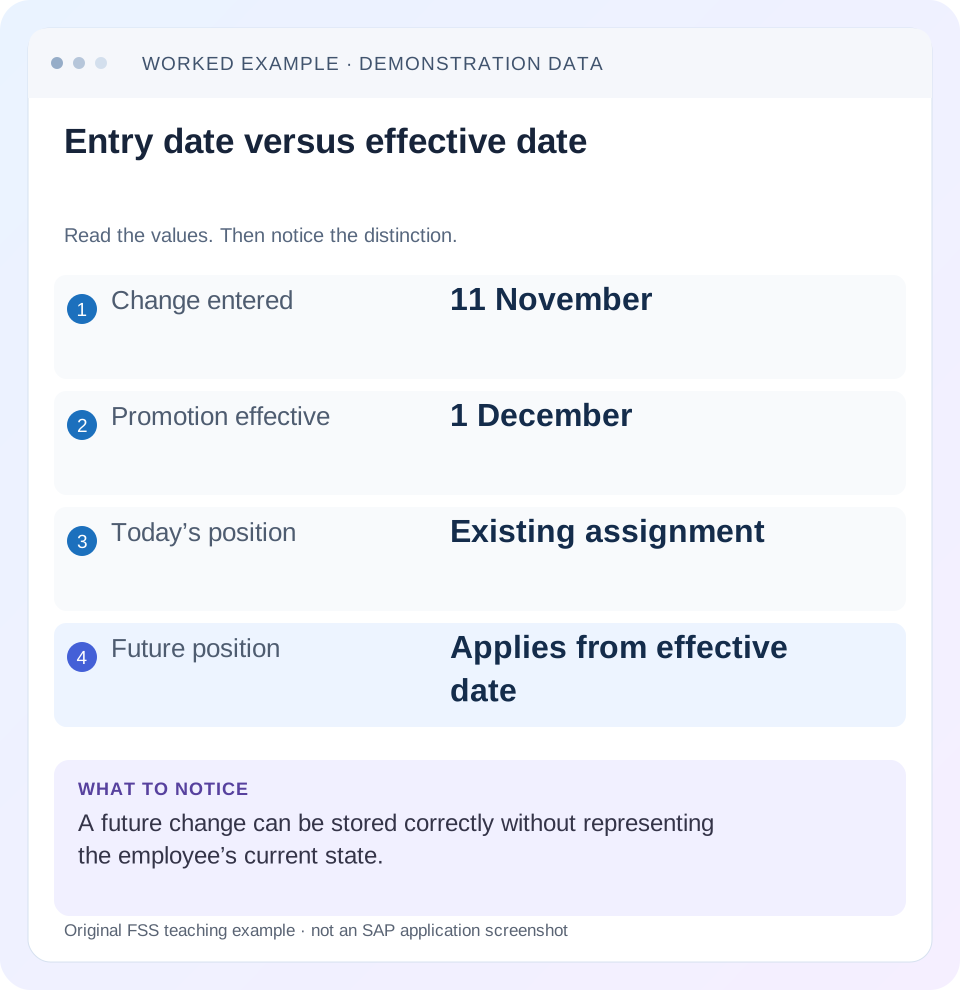
Read the example values
- Change entered
- 11 November
- Promotion effective
- 1 December
- Today’s position
- Existing assignment
- Future position
- Applies from effective date
Words you’ll meet in this guide
- Employee record
- Stored information about a person’s employment.
- Validity
- The dates during which a record applies.
- Payroll
- The process that calculates an employee’s pay.
- OData
- A standard for reading and updating data through a web API.
- API
- A defined interface through which programs exchange data or request actions.
Preview the practical steps
SEE THE CONNECTION
See it in a simple example.
A small example to make the idea concrete.
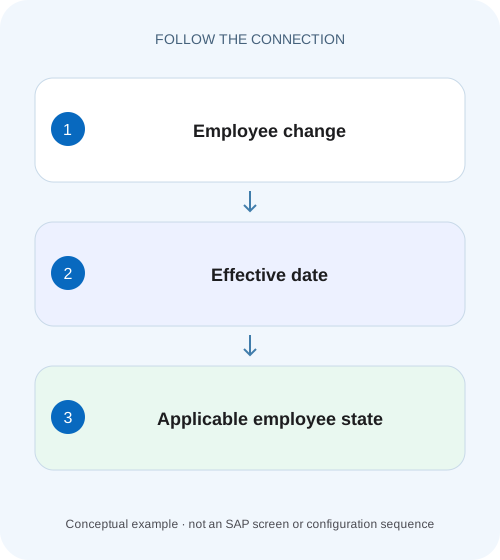
Explain a future plant-team transfer
A manufacturer enters a factory employee's future department change while today's employee view should still reflect the current assignment.
A stored future record is not today’s employee state
Effective dating describes when information applies, independently of when it was entered or last changed.
Separate effective time from modification time
The effective interval answers “When does this business fact apply?” A creation or last-modified timestamp answers “When did the system record or change it?” These are different axes.
Identify entity keys and date semantics before querying
Use the tenant’s OData API Data Dictionary or metadata and the entity documentation to identify business keys, effective fields, navigation properties and supported operations.
Explain a future plant-team transfer
A manufacturer enters a factory employee's future department change while today's employee view should still reflect the current assignment.
Compare effective dates and evaluation context before interpreting a future record as an immediately active change.
| Reader | Business question | Evidence to carry forward |
|---|---|---|
| Plant HR, time and payroll application teams | Explain a future plant-team transfer | Compare effective dates and evaluation context before interpreting a future record as an immediately active change. |
01 A stored future record is not today’s employee state
Effective dating describes when information applies, independently of when it was entered or last changed. In SuccessFactors, a future job change can be stored correctly while today’s effective job remains unchanged. A consumer must choose the entity, business identity and temporal question before selecting a record. [1] [2]
This tutorial is for Employee Central administrators and integration developers using the SuccessFactors OData V2 API. It distinguishes Employee Central effective-dated entities from MDF composite-child exceptions rather than claiming one query rule fits every entity. You need authorized API/documentation and permitted test data. Requests and records below are illustrative, were not sent to a tenant and contain no real employee information.
02 Separate effective time from modification time
The effective interval answers “When does this business fact apply?” A creation or last-modified timestamp answers “When did the system record or change it?” These are different axes. Sorting by last modification can pick a corrected historical record rather than today’s job; sorting by effective start descending can pick a future promotion. [2]
For a daily current-state integration, define its effective date explicitly and retain modification information only for the separate change-detection requirement. For a historical audit, preserve both the effective interval and change evidence available under the actual process. Neither timestamp alone reconstructs every version of a corrected record. SAP’s date-handling guide treats effective dating, multiple changes per day and last-modified behavior as separate concepts.
03 Identify entity keys and date semantics before querying
Use the tenant’s OData API Data Dictionary or metadata and the entity documentation to identify business keys, effective fields, navigation properties and supported operations. Job Information EmpJob supports multiple changes per day, so user identity and start date alone may be insufficient to distinguish all its records. Do not impose the keys of an MDF object or another Employee Central entity. [3]
For an incident, record entity name, exact request parameters, authenticated API identity, employee/employment identifier and the returned effective interval. “API gave the wrong department” lacks enough context to decide whether the query, authorization, source history or consumer selection is wrong. Preserve a sanitized request and minimal relevant response fields.
04 Worked case: a December department change entered in November
Fictional user E100 has Job Information department DEPT_A effective through 30 November 2026 and DEPT_B from 1 December 2026. The future change was entered on 13 November. Assume those are the relevant highest-effective states for this simplified case and the API user is authorized to read them.
A current-state read on 14 November should identify DEPT_A under the declared history. A1 December as-of read should identify DEPT_B. A range query spanning November–December can return both relevant intervals. Publishing DEPT_B on 14 November because it is the newest start date would apply a valid future fact too early.
| Question | Expected department | Reason |
|---|---|---|
| As of 14 November | DEPT_A | Current interval |
| As of 30 November | DEPT_A | Last declared day before change |
| As of 1 December | DEPT_B | New interval begins |
| History spanning November–December | Both relevant intervals | Range is not a single current-state answer |
| Most recently entered row | Insufficient rule | Entry timestamp does not establish applicability |
05 Use asOfDate for an explicit point-in-time question
SAP’s OData V2 guide documents asOfDate for effective state at a specified date and fromDate/toDate for range queries. Without either date mode, its documented default is today’s as-of context. The date parameters use YYYY-MM-DD and are global Employee Central parameters without a leading dollar sign; standard OData options such as $filter still use that prefix. [1]
The example requests are read-only illustrations for EmpJob. Check metadata, tenant host, API permissions and actual field availability before use. Filtering to E100 is essential if the requirement concerns one user; an as-of parameter does not mean the entire entity set contains only one employee.
GET https://<api-server>/odata/v2/EmpJob?$filter=userId%20eq%20'E100'&$select=userId,startDate,endDate,seqNumber,department&asOfDate=2026-11-14

GET https://<api-server>/odata/v2/EmpJob?$filter=userId%20eq%20'E100'&$select=userId,startDate,endDate,seqNumber,department&asOfDate=2026-12-01
06 Use a range query when the requirement is history
A date-range read asks for records effective within the specified interval. Do not reduce its result to the first or last row unless the business contract explicitly defines that reduction. A record that started before the range can still overlap it, so filtering only startDate inside the range is not a general replacement for effective-date parameters. [1]
For E100, a November–December range supports reviewing the transition from DEPT_A to DEPT_B. Retain each interval and complete key. Do not mix asOfDate and the range mode in one request; the documented guide says to choose one. Handle all result pages according to the API response if the dataset is larger, rather than treating an incomplete page as the entire history.
GET https://<api-server>/odata/v2/EmpJob?$filter=userId%20eq%20'E100'&$select=userId,startDate,endDate,seqNumber,department&fromDate=2026-11-01&toDate=2026-12-3107 Multiple changes on one day require entity-specific handling
EmpJob’s documentation describes sequence numbers and the effectiveLatestChange boolean for selecting the latest effective job information for each day in a range. It also states that omitting that filter from a range can return all relevant same-day records. Decide whether the consumer needs every change or only each day’s effective result. [3]
For a separate illustrative variation, E100 has two changes dated 1 December with sequence 1 and 2. A history extract intended to retain all changes should not deduplicate them solely by user/start date. A daily-state extract should follow the documented EmpJob behavior and verify the effective record. Do not generalize an MDF parameter example to every Employee Central range query.
08 Expanded and composite entities need another date check
Navigation and $expand can apply temporal semantics to associated entities, and MDF composite children have a documented special case. SAP’s composite-child guidance says ordinary date parameters are ignored on those child queries unless the supported filterParentDate=true context is supplied. This is an MDF composite-association rule, not a parameter to add blindly to EmpJob. [4]
If a parent job date looks correct but an associated label or child history looks wrong, inspect each entity’s effective-dating type and documented navigation behavior. First reproduce a small direct read where supported. A large expanded response can hide that the parent and child are being evaluated under different rules. Record the complete path rather than assuming the root as-of date explains every returned field.
09 A practical date-query investigation
Write the temporal contract in one sentence before changing the integration: current as-of state, state on a business date or history over a range.
Confirm source history
Read E100’s authorized dated Job Information and relevant keys.
Expected observation: A through 30 November and B from 1 December are actually present in the training dataset.
Capture the real request
Record entity, identity/filter, date mode, selected fields and API identity.
Expected observation: The request can be reproduced without exposing credentials.
Compare explicit as-of reads
Query or review14 November and 1 December using the supported entity semantics.
Expected observation: Each response matches the intended interval.
Inspect sequence/navigation branches
Check MCPD, effectiveLatestChange and any expanded/composite path where relevant.
Expected observation: Extra or missing records have an entity-specific explanation.
Verify consumer selection
Trace which returned key the downstream system publishes and when.
Expected observation: A future record is not selected merely because it sorts last.
10 Troubleshoot source, query and consumer mistakes separately
A correct API response can be misused by a consumer, while a correct consumer can receive the wrong source history. Identify the first layer that differs from the temporal contract.
| Observation | Inspect | Likely branch |
|---|---|---|
| Future department published early | Consumer selection and date mode | Latest start is not current state |
| Historical correction selected as current | Modification sorting | Modified time differs from effective time |
| Multiple rows for same start date | Entity key/sequence | MCPD history may be intentional |
| Past row absent in current read | As-of versus range | Current snapshot excludes unrelated history |
| Child ignores date parameter | MDF composite association | Check documented filterParentDate scope |
| No row returned | Identity, interval, permissions and filters | Absence does not identify one universal cause |
11 Verify positive, negative and boundary results
A positive test checks E100 on 14 November and 1 December and compares the returned intervals and department values. A negative test deliberately sorts the entire history by newest start and demonstrates why DEPT_B is an invalid 14 November state. Another removes explicit dates and records the documented today-default dependency.
A boundary test evaluates 30 November and 1 December separately, then introduces a supported same-day sequence variation. A range test confirms whether the requirement needs every MCPD change or latest-per-day records. Where a composite MDF child is involved, test the documented parent-date option separately. These are proposed tenant-training checks; no query execution or production result is claimed.
12 Preserve time context in downstream records
If an integration exports only employee and department, the receiving system may lose when the value applies. Include the necessary effective interval/key and the request’s as-of or range contract in its design. Keep extract time separate from effective time so a later reviewer can explain a stored future fact.
For a current-state feed, document when it reevaluates a scheduled future change and how it handles corrections and missed runs under the actual integration design. A13 November delta detecting the 1 December record is not permission to activate it early. Change detection and effective activation are separate responsibilities, and both need concrete verification.
13 Keep expected response identity with the test
Record the returned business key, effective interval and sequence alongside the department assertion. Two responses can both contain DEPT_A but represent different employees or historical records. A test that checks only the text value can pass while the integration selects the wrong identity. For E100, verify identity and 14 November interval first, then the value. This makes the current-state contract stronger than a simple string comparison.
14 Frequently asked questions
Is the newest record always current? No; compare effective interval and requested date. Does asOfDate return one row for the whole tenant? The effective-state semantics apply within the entity/business population; use the required identity filters. Do all SuccessFactors entities share keys and date behavior? No.
Can lastModifiedDateTime replace effective-date selection? It answers a different change-detection question; review the entity’s documented combined behavior. Use the import lesson for preserving history during mass changes and RBP target-population guidance when the correct dated record exists but the API or user cannot access it.
Related services and next steps
Primary sources
Found this useful?
Share this guide with your network, or leave a like.
Your like is saved in this browser.