Employee Central imports: Choose Incremental Load or Full Purge deliberately
A manufacturer imports a future workforce change and must preserve the relevant history of factory employees.

Source review:
START HERE · NO PRIOR TOPIC KNOWLEDGE NEEDED
What it is. Why it matters.
An import loads employee data into SuccessFactors Employee Central. Incremental Load and Full Purge have different effects on existing records, so the import mode must match the intended change.
Completely new to SAP?
Manufacturers use SAP to connect work such as buying components, recording inventory, planning production, shipping equipment and accounting for costs. SAP S/4HANA is an enterprise resource planning system: it connects these activities through shared business data.
SAP HR applications manage employee-related records and processes. A record’s subject, validity dates and access permissions all matter before it is read or changed.
A transaction code, or t-code, is a shortcut to a task in classic SAP GUI. Fiori apps provide another way to work. Names and screens depend on the product and release; you do not need a live system to learn the concepts in this guide.

Scope and source-review notes
Scope and evidence
Source review by FAST SAP SOLUTIONS® editorial. This badge describes our editorial review; it does not represent SAP certification or independent endorsement.
SuccessFactors Employee Central Import Employee Data and documented mass-import behavior. Actual purge scope, keys, partial-import support, rule behavior and sequence depend on the selected entity, use case and tenant release.
Reviewed relevant official SAP indexed documentation excerpts on 14 November 2026. Examples, identifiers, amounts and expected observations are illustrative; no customer SAP execution was performed. Transaction availability, labels and results depend on the installed release, deployment and local configuration.
A MANUFACTURING EXAMPLE
Preserve history during a plant workforce import
Add a change or replace history?
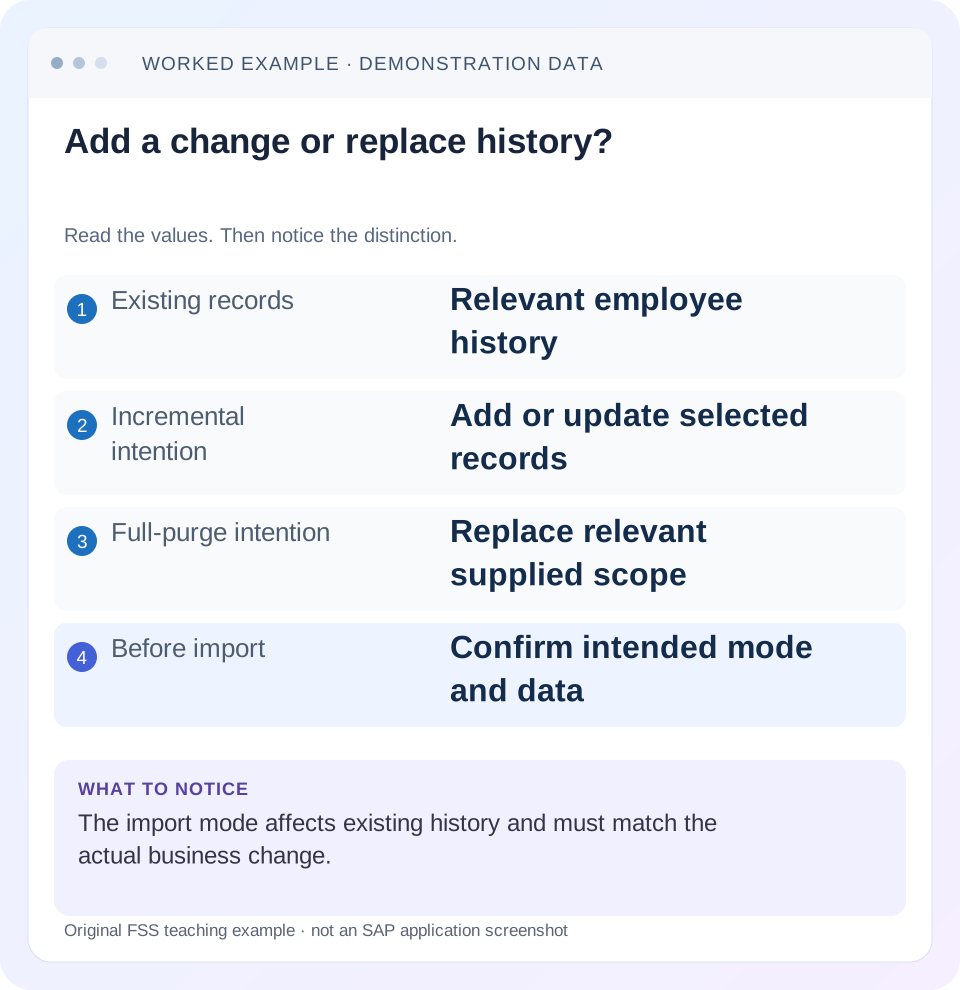
Read the example values
- Existing records
- Relevant employee history
- Incremental intention
- Add or update selected records
- Full-purge intention
- Replace relevant supplied scope
- Before import
- Confirm intended mode and data
Words you’ll meet in this guide
- Employee record
- Stored information about a person’s employment.
- Validity
- The dates during which a record applies.
- Payroll
- The process that calculates an employee’s pay.
- API
- A defined interface through which programs exchange data or request actions.
Preview the practical steps
SEE THE CONNECTION
See it in a simple example.
A small example to make the idea concrete.
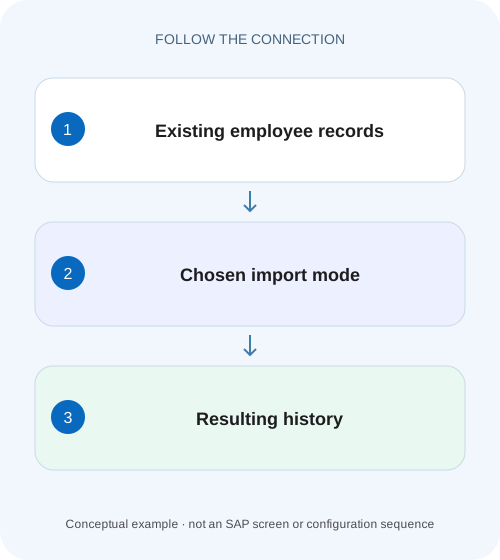
Preserve history during a plant workforce import
A manufacturer imports a future workforce change and must preserve the relevant history of factory employees.
Match the import mode to update versus replacement intent
Incremental Load and Full Purge express different operations on existing Employee Central data.
Define the entity and actual replacement scope
Before preparing a file, identify the exact entity, employee/employment keys, effective-date and sequence requirements, and the documented scope affected by the chosen mode.
Use a current template, not a remembered spreadsheet
Download the supported template for the actual entity and tenant configuration.
Preserve history during a plant workforce import
A manufacturer imports a future workforce change and must preserve the relevant history of factory employees.
Compare the supported import mode and affected record scope before choosing a load that could replace historical records.
| Reader | Business question | Evidence to carry forward |
|---|---|---|
| Plant HR, time and payroll application teams | Preserve history during a plant workforce import | Compare the supported import mode and affected record scope before choosing a load that could replace historical records. |
01 Match the import mode to update versus replacement intent
Incremental Load and Full Purge express different operations on existing Employee Central data. Incremental loading supports targeted additions/updates under the entity’s key and field rules. Full Purge can remove existing relevant entity history and replace it with the supplied dataset. A file containing one corrected row is not automatically a complete replacement file. [1] [2]
This tutorial is for Employee Central data administrators and integration/migration teams. It covers Import Employee Data and documented mass-import concepts, not every MDF import or API upsert. Mode availability, keys, blank-value handling, rules and dependencies vary by entity/release. Use authorized templates and fictional test identities. No employee import, deletion or tenant change was executed for this article.
02 Define the entity and actual replacement scope
Before preparing a file, identify the exact entity, employee/employment keys, effective-date and sequence requirements, and the documented scope affected by the chosen mode. Do not describe Full Purge as either “delete the whole tenant” or “change only this cell.” Its relevant scope must be established for the selected import and included identities.
Write an explicit before-and-after contract. For example: “Add a1 December Job Information change for E100 while preserving its January and July history.” That requirement calls for preserving existing history and is not satisfied merely because the upload job accepts a row. The expected record set is the acceptance criterion.
03 Use a current template, not a remembered spreadsheet
Download the supported template for the actual entity and tenant configuration. Retain its header/technical fields, keys, formatting and applicable required values. SAP’s mass-import guidance describes base HRIS-element configuration taking precedence over some country/person-type variations in the documented import context, so UI-required fields do not always predict import validation exactly. [1] [3]
Do not invent a CSV header from an API entity or rename columns to make them friendlier. Distinguish user identity, person identity and employment identity as required by the actual template. A row’s business meaning depends on these keys and effective fields. The conceptual tables below are worksheets, not upload-ready templates.
04 Worked case: preserve two historical records and add one future change
Fictional E100 has Job Information records starting 1 January and 1 July 2026. The approved change adds a new department from 1 December 2026. Assume the current supported template and required business keys/sequence are complete, and that the selected incremental operation adds the intended future record rather than matching another key.
The desired result contains three relevant dated records: January history, July history and December change. A file containing only the December row is a delta describing the new event. Treating that same one-row file as a replacement of the relevant entity history can lose history within the actual Full Purge scope. Validate the entity-specific outcome in nonproduction before applying any replacement.
| Effective record | Before | Delta file | Expected after targeted addition |
|---|---|---|---|
| 1 January 2026 | Exists | Not included | Preserved |
| 1 July 2026 | Exists | Not included | Preserved |
| 1 December 2026 | Absent | New approved row | Added |
| Relevant count | 2 | 1 delta row | 3 dated records under declared keys |
| Replacement question | History exists | Delta is incomplete | Do not assume one row represents full history |
05 Incremental does not mean every omitted or blank field is harmless
The documented composite-import guidance supports partial import behavior for relevant entities and describes the &&NO_OVERWRITE&& marker for fields that should remain unchanged. It also notes that blank-field handling depends on partial-import support. Therefore “Incremental” is not a universal promise that every blank preserves its old value. [1]
For a correction to one department field, decide which other fields must remain unchanged and how the actual template expresses that intention. A blank can mean null or another supported behavior rather than “keep it.” Check business keys separately: a no-overwrite marker cannot replace a required identity. Use the entity documentation and a representative existing-history test rather than guessing from spreadsheet appearance.
06 Full Purge requires a complete reviewed replacement dataset
If the approved intention truly is replacing the relevant entity history, collect the complete required dataset for its actual scope, including historical and future records that must survive. Reconcile its keys, dates and field values against the source of truth. Preserve an authorized recovery/export baseline and a concrete restoration approach appropriate to the process.
The point of that review is practical: the December-only delta in the example cannot reconstruct January and July if replacement removes them. A success message means the chosen operation processed its inputs, not that the file expressed the business intention. Do not switch to Full Purge merely because an incremental row failed validation; diagnose the key, required field or dependency error first.
07 Import sequence and dependencies differ by use case
SAP’s Employee Data Import Process documents a recommended sequence for adding employees and alignment of initial hire dates across relevant entities. Existing-data modifications, terminations and rehires have their own documented paths. Do not apply the new-hire sequence or one composite ZIP order to every corrective import. [2] [3]
For new employees, confirm that required manager/HR-reference data exists and the relevant Employment Details and initial Job Information hire date agree. For E100’s existing-history change, verify the target employment and referenced department/manager values instead. A dependency error is a source/data-sequence question; changing purge mode does not create a missing referenced person or make inconsistent hire dates valid.
08 Validate a representative existing-history sample
Use the supported validation option and an authorized nonproduction sample containing existing history, not only a new blank employee. Include the record-set expectations and important field-preservation checks. A first-time load can pass while the same operation against existing history behaves differently.
For E100, capture the two old records and intended December row before the test. After processing, inspect all three intervals, sequence/key identity and fields omitted from the delta. Also inspect rejected rows and actual job completion status. An accepted file or started asynchronous job is not evidence that every row succeeded or that the final history is correct.
09 A practical import preparation and verification sequence
Keep mode, template, payload and expected outcome together in the review record.
Define the change contract
State entity, included identities and preserved/replaced history. For E100, preserve January/July and add December.
Expected observation: The intended final dataset is explicit.
Read template and mode semantics
Use current technical headers/keys, field handling and supported mode for this entity.
Expected observation: The file is not inferred from another entity or API.
Reconcile dependencies
Check referenced people/objects and use-case-specific date/sequence requirements.
Expected observation: Validation errors have a data/process explanation.
Validate and test representative history
Run the permitted validation/nonproduction process and review complete job/row outcomes.
Expected observation: Successful processing is separated from correct history.
Verify final and downstream states
Compare all expected records and preserved fields, then inspect relevant replication/calculation separately.
Expected observation: The actual change and its consumers are verified.
10 Troubleshoot the first failed contract
Classify an error as file structure, key identity, field value, dependency, mode scope or execution status. Avoid changing multiple dimensions at once.
| Observation | Inspect | Useful next decision |
|---|---|---|
| Existing history disappears | Mode and actual replacement scope | Was a delta used as replacement? |
| One field becomes blank | Partial-import support/marker | Did blank mean null rather than preserve? |
| New record overwrites another | Effective/business keys and sequence | Did rows identify the same record? |
| Reference rejected | Manager/HR/object prerequisite | Load or correct dependency through supported process |
| Hire date inconsistent | Employment/initial Job Information | Use the correct new-hire/rehire contract |
| Job started, data incomplete | Async job and row results | Do not equate initiation with completion |
11 Separate preparation locale from business meaning
File encoding and locale can influence representation of dates, numbers and picklist values in the documented import process. Use the selected template and locale rather than assuming an operator’s UI language controls every CSV value. A date such as 01/12 is ambiguous without a defined format. [1] [4]
For the example, preserve the intended1 December date in the supported representation and verify its saved result. Also inspect leading zeroes and identifier strings after spreadsheet editing: a person or department key should not be silently converted to a numeric value or scientific notation. File-format correctness is a separate check from whether the employee’s actual department change is approved.
12 Verify positive, negative and boundary cases
The positive sample uses the December delta with the supported incremental semantics and verifies three intended records and preserved old fields. A negative sample uses the same incomplete dataset as a replacement only in a controlled test and demonstrates why it fails the preserve-history requirement; no destructive production experiment is needed to understand that contract.
A boundary sample includes an existing future record with the same effective date and tests the documented sequence/key behavior. Another uses a field that must remain unchanged and checks the supported no-overwrite representation versus blank. A new-hire sample verifies required cross-entity hire-date alignment. These are proposed learning checks, not executed tenant imports.
13 Record a concrete completion receipt
A useful receipt names tenant context, entity/template version, import mode, included identity scope, file checksum or approved artifact reference, job identifier, row outcomes and before/after record expectations. Store employee data only in the authorized location; a broad ticket can retain sanitized counts and references.
For E100, state that January and July were preserved and December added under the verified key/field behavior. If replication remains pending, say so. If some rows failed, identify the affected scope and reconcile already-applied rows before retrying. A blind rerun can repeat changes or produce a different sequence outcome depending on the entity.
14 Frequently asked questions
Is Full Purge a stronger way to fix any import error? No; it changes replacement semantics. Does Incremental guarantee every blank is ignored? No; inspect partial-import support and template rules. Can one file be used for all entities? Use entity-specific templates, keys and documented sequence.
Does a completed import prove payroll or downstream systems updated? Verify those separately. Use effective-dating guidance to inspect current/history outcomes and RBP guidance when an authorized administrator’s view differs from another user after a correct import.
Related services and next steps
Primary sources
Found this useful?
Share this guide with your network, or leave a like.
Your like is saved in this browser.