SAP PA03 payroll control record: Understand period and processing status
A manufacturer's payroll team needs to understand the active period and processing status for a group of plant employees.

Source review:
START HERE · NO PRIOR TOPIC KNOWLEDGE NEEDED
What it is. Why it matters.
A payroll control record governs the processing state and payroll period of a payroll area. PA03 is a classic maintenance entry point for this control.
Completely new to SAP?
Manufacturers use SAP to connect work such as buying components, recording inventory, planning production, shipping equipment and accounting for costs. SAP S/4HANA is an enterprise resource planning system: it connects these activities through shared business data.
SAP HR applications manage employee-related records and processes. A record’s subject, validity dates and access permissions all matter before it is read or changed.
A transaction code, or t-code, is a shortcut to a task in classic SAP GUI. Fiori apps provide another way to work. Names and screens depend on the product and release; you do not need a live system to learn the concepts in this guide.

Scope and source-review notes
Scope and evidence
Source review by FAST SAP SOLUTIONS® editorial. This badge describes our editorial review; it does not represent SAP certification or independent endorsement.
Classic HCM payroll control-record concepts and explicitly distinguished Employee Central Payroll point-to-point replication behavior. Country payroll, PCC orchestration and local correction/recovery processes require installed-version review.
Reviewed relevant official SAP indexed documentation excerpts on 14 November 2026. Examples, identifiers, amounts and expected observations are illustrative; no customer SAP execution was performed. Transaction availability, labels and results depend on the installed release, deployment and local configuration.
A MANUFACTURING EXAMPLE
Explain the factory payroll processing state
Read period and status together
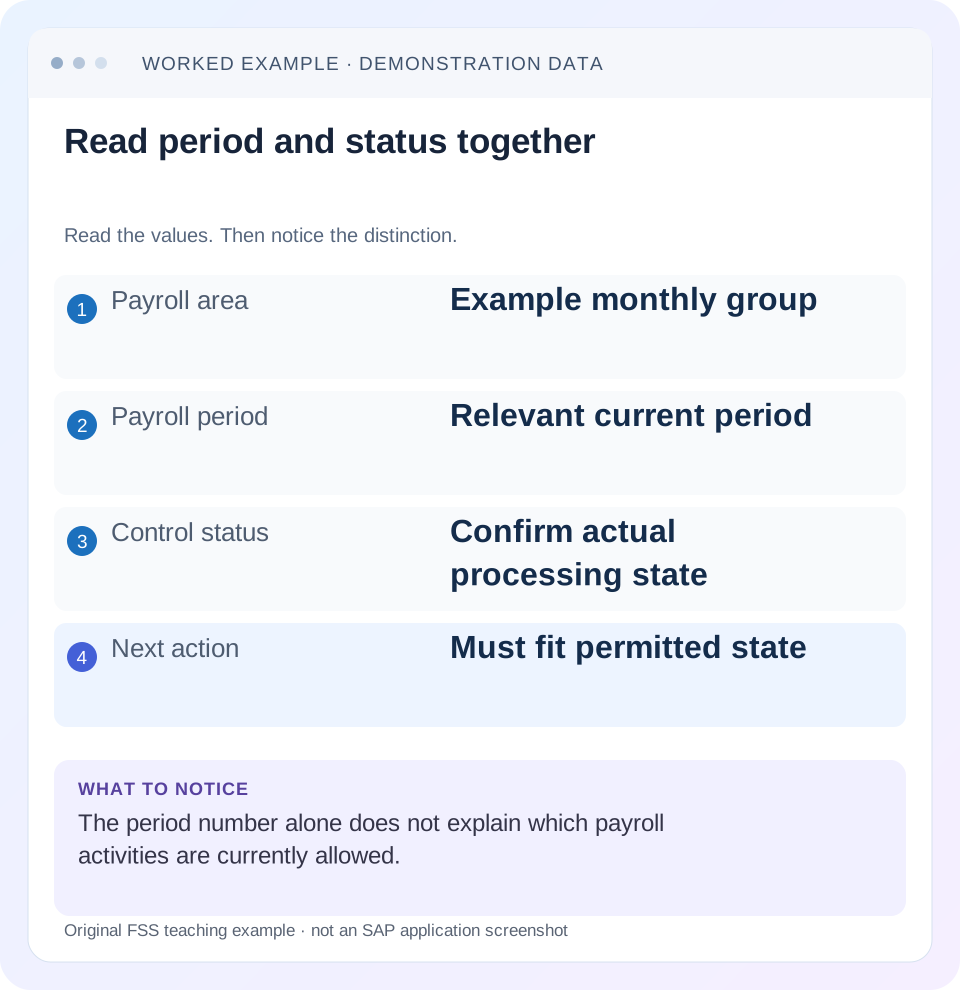
Read the example values
- Payroll area
- Example monthly group
- Payroll period
- Relevant current period
- Control status
- Confirm actual processing state
- Next action
- Must fit permitted state
Words you’ll meet in this guide
- Employee record
- Stored information about a person’s employment.
- Validity
- The dates during which a record applies.
- Payroll
- The process that calculates an employee’s pay.
- HCM
- Human Capital Management: SAP software for employee-related information and processes.
Preview the practical steps
SEE THE CONNECTION
See it in a simple example.
A small example to make the idea concrete.
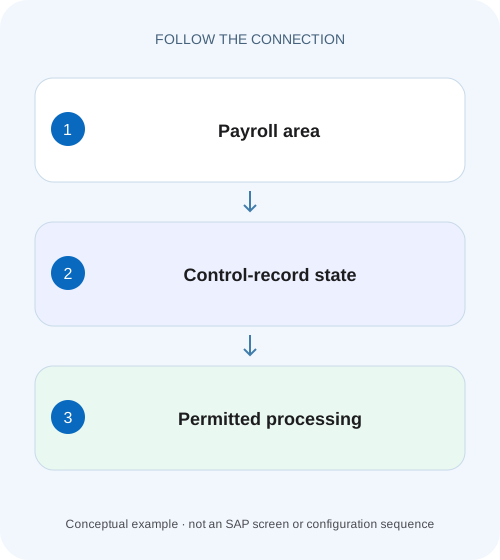
Explain the factory payroll processing state
A manufacturer's payroll team needs to understand the active period and processing status for a group of plant employees.
Read payroll area, period and status together
The payroll control record governs the processing period and stage for a payroll area.
Understand what the control record controls
SAP documents the current payroll period, status and earliest retroactive-accounting context in the control record.
Map the process rather than memorizing status names
A typical documented correction cycle releases payroll, calculates, checks results, opens corrections when needed, corrects data, releases again, recalculates the affected population and exits when the required checks are complete.
Explain the factory payroll processing state
A manufacturer's payroll team needs to understand the active period and processing status for a group of plant employees.
Read the payroll-area control context before treating a period label as permission for every personnel-data change.
| Reader | Business question | Evidence to carry forward |
|---|---|---|
| Plant HR, time and payroll application teams | Explain the factory payroll processing state | Read the payroll-area control context before treating a period label as permission for every personnel-data change. |
01 Read payroll area, period and status together
The payroll control record governs the processing period and stage for a payroll area. PA03 is a classic entry point to inspect or maintain that control. A label such as Released for Payroll or Exit Payroll means something only with the correct area, period and process context. It does not by itself prove that every employee has a correct result or that a bank payment completed. [1] [2]
This tutorial is for payroll administrators and HCM/ECP support analysts using classic HCM payroll or Employee Central Payroll. Direct maintenance and Employee Central replication have different rules. You need authorized control-record, employee-status and payroll-result/log display. All employee labels and run outcomes below are illustrative; no payroll calculation, control change or payment was executed for this article.
02 Understand what the control record controls
SAP documents the current payroll period, status and earliest retroactive-accounting context in the control record. Releasing regular payroll locks relevant past/current master data against changes in the documented process, while the correction stage allows the approved correction cycle. Future changes can have a different treatment. The scope is the payroll area’s processing, not one isolated employee. [1] [2]
This is why changing the control state to remove one error is a wider process decision. Other administrators may be reviewing results or entering planned changes for that same area. Establish the active processing stage and responsible payroll owner before maintenance, then use the supported transition rather than deleting and recreating the record as a routine troubleshooting technique.
03 Map the process rather than memorizing status names
A typical documented correction cycle releases payroll, calculates, checks results, opens corrections when needed, corrects data, releases again, recalculates the affected population and exits when the required checks are complete. The control state supports this sequence; it is not a replacement for result validation. [2]
Starting the payroll driver can leave the control status Released for Payroll while actual employee outcomes differ. Some personnel numbers can calculate successfully and others have errors. Inspect the actual log, selected population and results for the relevant run. A single green job status cannot establish that every intended employee was processed correctly.
04 Worked case: November payroll with one correction
Fictional monthly payroll area M1 is processing the declared period 11/2026,1–30 November. The training population contains P100, P200 and P300. An illustrative first calculation produces valid reviewable results for P100/P300 and a missing-data error for P200. These are example states, not observed customer results or a prescribed country payroll schema.
The payroll owner follows the supported correction cycle for M1. The relevant data defect for P200 is corrected through its approved source/process, then the affected payroll is recalculated and reviewed. The intended final state is that all three have the required validated period results before the period is exited. The control label alone cannot supply that evidence.
| Stage | Area/period | Employee evidence needed |
|---|---|---|
| Released for Payroll | M1;11/2026 | Correct selection and calculation log |
| Initial review | Same period | P100/P300 results; P200 error |
| Corrections | Same period | Approved data correction and source ownership |
| Released and recalculated | Same period | P200 correction result and remaining exceptions |
| Exit Payroll | Period completed under process | Validated final population; post-payroll steps remain separate |
05 Read the employee population and error evidence
The documented PA03 learning example provides access to personnel-number lists and incorrect/locked contexts. Use the available supported evidence to identify who belongs to the area and which employees require attention. A control-record problem and an individual lock or error are different branches. [2]
For P200, retain the relevant personnel reference, failed period, error text, correction indicator where applicable and source data interval. Do not send complete payslips or unrelated employee details to diagnose one missing assignment. If P200 was never selected, correcting a payroll formula will not solve selection. If P200 was rejected by master-data validation, rerunning without a data change is unlikely to explain a different result.
06 Distinguish correction access from replication eligibility
Employee Central Payroll point-to-point documentation states that standard replication of payroll-specific changes is permitted at Exit Payroll but restricted in Released for Payroll and Released for Correction, with documented exceptions for future or non-payroll-relevant changes in correction status. This integration rule is not identical to direct correction maintenance in the payroll system. [1]
The same documentation describes controlled correction-phase replication through Data Replication Monitor Send Data or configured behavior such as ONGO. Those options require the appropriate integration design and payroll decision; they are not a universal instruction to enable a switch whenever a record is rejected. Identify whether P200’s data is mastered in Employee Central, maintained directly or entered through a supported mash-up.
07 Understand the separate retroactive-accounting limits
The area’s earliest retroactive limit is one input, not the only employee-level boundary. SAP documents using area limit, personal limit in Payroll Status 0003 and hiring date to determine the most recent applicable boundary. Changing an area limit cannot legitimately create payroll history before an employee’s employment began. [3]
For an original worksheet example, assume area limit 1 January, personal limit 1 April and hire date 1 June 2026. The latest of those is 1 June. A requested May correction therefore needs investigation of the underlying employment and supported process, not a speculative PA03 backdate. Also distinguish a limit from the earliest master-data-change trigger: they describe how far processing may go and what change requires consideration.
08 Investigate a blocked change or run in sequence
Capture the state before attempting another transition. The goal is to explain the first incompatible operation.
Confirm payroll identity
Read M1, current period/year, generated period dates and status in the authorized control display.
Expected observation: The incident concerns11/2026 rather than today’s calendar month alone.
Identify the attempted operation
Separate direct maintenance, replication, regular calculation, correction calculation and exit.
Expected observation: The relevant rule set is known.
Inspect employee/result evidence
For P200, trace selection, actual error and relevant0003/source state.
Expected observation: Area control is separated from an individual defect.
Review permitted correction path
Use the payroll owner’s supported state transition and source/integration process.
Expected observation: The correction does not bypass the active area-wide stage.
Verify both process and data
Reinspect control state, employee result, exceptions and any replication response.
Expected observation: The intended correction is proven separately from the status label.
09 Do not recreate a live control record to jump periods
SAP’s Best Practices control-record setup explicitly distinguishes initial implementation from ongoing processing and warns that the production record should advance through the payroll process. Some test scripts contain delete/recreate instructions for initial setup or testing; those are not a routine production recovery recipe. [4]
If the visible period is unexpected, determine the actual last completed process and any attempted transition. Preserve run/result evidence before further changes. Resetting the control to a desired number without reconciling results can detach process state from the actual payroll history. The correct recovery depends on the installed payroll process, not on which period someone expected to see.
10 Troubleshoot state, date and employee problems separately
Use the exact message and source route to choose the branch. “Payroll locked” is too broad to prescribe a fix.
| Observation | Inspect | Question to answer |
|---|---|---|
| Current/past data change rejected | Area status and payroll relevance | Is correction permitted in this stage? |
| PA30 correction allowed; replication blocked | Integration-specific rule | Is controlled correction-phase replication required? |
| One employee absent from result | Selection, assignment and individual state | Was the employee selected and calculated? |
| Retro date rejected | Area/personal/hire boundaries | Which latest limit applies? |
| Period advanced unexpectedly | Release/exit transition history | Was the supported process already advanced? |
| Exit shown; no bank confirmation | Post-payroll execution evidence | Calculation completion does not prove payment |
11 Verify positive, negative and boundary cases
The positive training check follows M1’s three-person correction example and verifies final result evidence for each intended employee, including P200’s resolved error, before interpreting the exited state. Check the actual period/year and currency/result context of any financial value reviewed.
A negative test attempts a prohibited current payroll-relevant change while the area is released and observes the actual supported rejection. Another compares standard replication in correction status with the documented controlled path instead of assuming direct-maintenance rules apply. A boundary test asks for a date before the latest area/personal/hire limit and explains why PA03 alone cannot authorize it. These are proposed exercises, not performed payroll operations.
12 Separate exit from posting, payment and reporting completion
Exit Payroll closes the relevant regular calculation stage under the supported process. Subsequent accounting transfer, payment media, bank processing, payslip/report output and statutory activities require their own evidence. A control record is a useful process indicator but not a complete checklist of all those outcomes.
For the example, the final report can state “M1 period 11/2026 calculation reviewed for P100/P200/P300; control exited under the approved process.” It should not say employees received cash unless the payment outcome is independently established. If posting to accounting fails later, investigate that artifact and source result rather than reopening or rerunning payroll without understanding the failure.
13 Reconcile each correction with a result reference
For P200, record the original error, corrected data interval, recalculation selection and the resulting payroll-period evidence. If the result is still absent, determine whether the employee was selected and processed before assuming the formula remains wrong. A later run number does not independently prove that P200 was included.
Compare unaffected P100/P300 as controls where authorized. The correction should resolve P200’s documented defect without unintentionally changing their expected basis. Use actual result references and reviewed differences rather than inventing an expected net-pay amount. This keeps process verification concrete without assuming a country-specific payroll formula.
14 Frequently asked questions
Can I infer the payroll period from the current month? No; read area, calendar and control context. Does correction status allow every integration update? No; the documented ECP replication path has its own restrictions and exceptions. Does Exit Payroll prove every downstream step is finished? No.
What belongs in a useful handover? System/client, payroll area, period/year/dates, status, attempted operation, employee exception reference and the actual expected next step. Use the payroll-area lesson for population/calendar reasoning and PA20/PA30 or time-evaluation guidance when the underlying defect is employee data rather than control state.
Related services and next steps
Primary sources
Found this useful?
Share this guide with your network, or leave a like.
Your like is saved in this browser.