SAP payroll areas: Grouping employees for payroll processing
A manufacturer has plant employees whose payroll processing groups do not necessarily mirror the physical factory structure.

Source review:
START HERE · NO PRIOR TOPIC KNOWLEDGE NEEDED
What it is. Why it matters.
A payroll area groups employees for payroll processing according to relevant timing rules. It is a processing grouping, rather than simply another department label.
Completely new to SAP?
Manufacturers use SAP to connect work such as buying components, recording inventory, planning production, shipping equipment and accounting for costs. SAP S/4HANA is an enterprise resource planning system: it connects these activities through shared business data.
SAP HR applications manage employee-related records and processes. A record’s subject, validity dates and access permissions all matter before it is read or changed.
A transaction code, or t-code, is a shortcut to a task in classic SAP GUI. Fiori apps provide another way to work. Names and screens depend on the product and release; you do not need a live system to learn the concepts in this guide.

Scope and source-review notes
Scope and evidence
Source review by FAST SAP SOLUTIONS® editorial. This badge describes our editorial review; it does not represent SAP certification or independent endorsement.
Classic SAP HCM/Employee Central Payroll area, periodicity, date-modifier and control-record concepts. Delivered country codes/calendars are examples; actual assignment transitions and payroll rules are product/country specific.
Reviewed relevant official SAP indexed documentation excerpts on 14 November 2026. Examples, identifiers, amounts and expected observations are illustrative; no customer SAP execution was performed. Transaction availability, labels and results depend on the installed release, deployment and local configuration.
A MANUFACTURING EXAMPLE
Understand payroll grouping across plants
Group by payroll processing
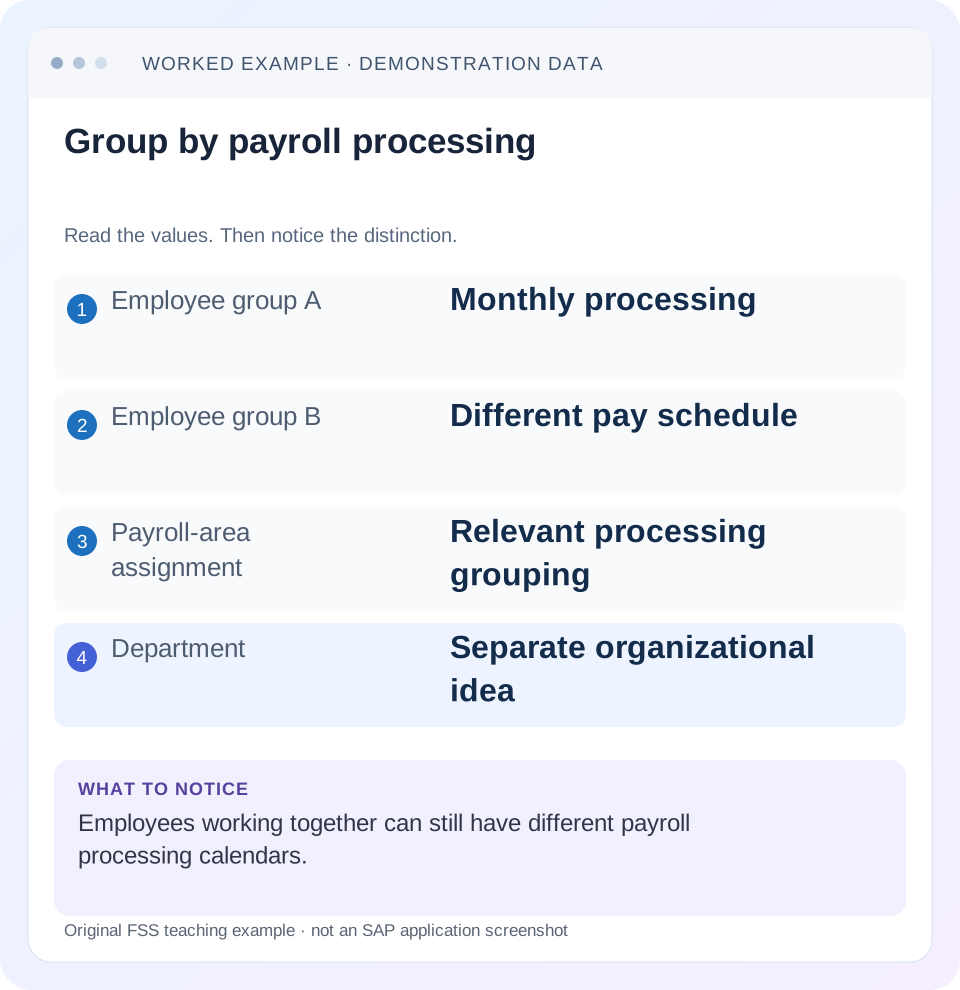
Read the example values
- Employee group A
- Monthly processing
- Employee group B
- Different pay schedule
- Payroll-area assignment
- Relevant processing grouping
- Department
- Separate organizational idea
Words you’ll meet in this guide
- Employee record
- Stored information about a person’s employment.
- Validity
- The dates during which a record applies.
- Payroll
- The process that calculates an employee’s pay.
- HCM
- Human Capital Management: SAP software for employee-related information and processes.
Preview the practical steps
SEE THE CONNECTION
See it in a simple example.
A small example to make the idea concrete.
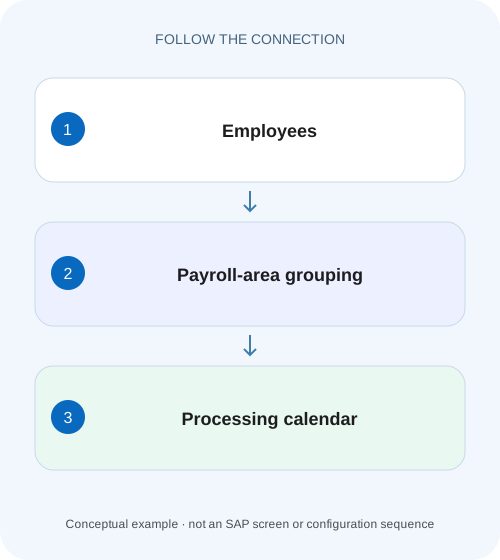
Understand payroll grouping across plants
A manufacturer has plant employees whose payroll processing groups do not necessarily mirror the physical factory structure.
A payroll area groups processing, not physical location
A payroll area groups employees for payroll processing and supplies the relevant period/calendar context through its configuration and control record.
Read population and calendar as two linked questions
SAP describes payroll area as helping determine which employees should be selected and which exact period dates apply.
Understand period parameters and generated periods
The period parameter defines periodicity, such as monthly or weekly, in the documented classic payroll model.
Understand payroll grouping across plants
A manufacturer has plant employees whose payroll processing groups do not necessarily mirror the physical factory structure.
Check the actual payroll-area assignment and processing context before assuming everyone at one site belongs to one payroll run.
| Reader | Business question | Evidence to carry forward |
|---|---|---|
| Plant HR, time and payroll application teams | Understand payroll grouping across plants | Check the actual payroll-area assignment and processing context before assuming everyone at one site belongs to one payroll run. |
01 A payroll area groups processing, not physical location
A payroll area groups employees for payroll processing and supplies the relevant period/calendar context through its configuration and control record. It is not another name for a personnel area, department or office. People working together can require different payroll cycles, while a management department can contain employees processed in several payroll areas. [1] [2]
This guide is for payroll administrators, HR analysts and integration/support teams in classic SAP HCM or Employee Central Payroll. It explains general grouping/calendar mechanisms using ERP and current documentation, while keeping country-specific delivered codes illustrative. You need authorized Organizational Assignment 0001, payroll-area/calendar and control-record display. Example schedules and employee counts are fictional, not country employment rules or a live payroll design.
02 Read population and calendar as two linked questions
SAP describes payroll area as helping determine which employees should be selected and which exact period dates apply. The employee assignment is stored in Organizational Assignment 0001 in the documented classic model. The calendar and control record provide another layer of context. Knowing that an employee is assigned to M1 does not by itself identify the current processing dates. [1]
For a support investigation, ask separately: “Was this person assigned to the selected area for the relevant context?” and “Which period is that area processing?” A correct assignment can coexist with a wrong run selection. A correct run period can coexist with an incorrectly assigned employee. Fixing one layer without checking the other can move the problem rather than resolve it.
03 Understand period parameters and generated periods
The period parameter defines periodicity, such as monthly or weekly, in the documented classic payroll model. Generated payroll periods provide concrete start/end dates and pay dates. SAP documents generation using RPUCTP00 for the relevant period-parameter/date-modifier combinations. A code labelled Monthly is not a substitute for checking the actual generated calendar. [2] [3]
Inspect the year and specific period number in the calendar used by the selected area. Weekly or biweekly period numbers do not map directly to month numbers. Period11 in a weekly calendar and period 11 in a monthly calendar answer different time questions. Do not compare their payroll results as if the shared numeric label established equal dates.
04 Date modifiers can distinguish schedules with the same frequency
SAP describes the date modifier as a way to distinguish dates such as paydays for groups with the same payroll periodicity. Two monthly payroll areas can therefore have different payment-date rules even when both cover a monthly pattern. Inspect the actual period-parameter/modifier relationship and generated dates. [3]
For an original illustration, M1 and M2 are monthly groups with declared paydays 25 November and 30 November respectively. Those dates are teaching inputs, not delivered SAP values. A question about when a payment is planned needs the actual calendar and payment execution evidence, not just the word Monthly. The payroll area informs scheduling; it does not prove that money was sent on the planned date.
05 Worked case: one site, two processing calendars
Fictional personnel area PA10 contains 100 employees assigned to monthly area M1 and 20 assigned to weekly area W1. Assume the relevant monthly training period is 1–30 November 2026 and a weekly training period is 9–15 November 2026. All assignments and dates are declared for this exercise; no delivered period number is inferred for W1.
A site headcount report for PA10 can show 120 people, while the M1 regular payroll selection contains only its 100 assigned employees under the declared selection conditions. The missing 20 are not automatically payroll errors; they may belong to the W1 process. A valid analysis preserves both the site and processing dimensions.
| Selection | Population | Date meaning |
|---|---|---|
| PA10 site view | 120 employees | Organizational/report date must be stated |
| M1 monthly process | 100 assigned employees | Declared1–30 November period |
| W1 weekly process | 20 assigned employees | Declared9–15 November period |
| M1 plus W1 by raw period number | Not a valid time comparison | Use actual start/end dates |
| Payment outcome | Separate evidence | Calendar is planned processing context |
06 Each area has its own current control context
SAP documents a payroll control record for each payroll area. M1 can be released for its monthly calculation while W1 is at another stage in its weekly cycle. An administrator observing one area’s Exit Payroll state cannot infer the state of all employees at PA10. [1] [4]
When data maintenance is restricted, identify the employee’s actual area and that area’s period/status. Do not move an employee into another area simply to avoid a lock. That changes processing assignment and can have calendar, selection and historical consequences. The correct branch may be the approved correction cycle or source integration process for the current area.
07 Effective assignment changes need a supported boundary
The reviewed classic administrative-structure documentation restricts payroll-area changes to an appropriate period boundary and illustrates a monthly change beginning with the next month. Country and payroll-process rules can add requirements. Establish the installed supported transition rather than assuming any effective date is acceptable. [1] [5]
If P100 moves from W1 to M1, compare the last old-area period, first new-area period, pay dates, existing results and the approved organizational change. A transition can create overlapping or missing processing if calendars are not aligned. Do not change the area’s period parameter after payroll history exists simply to make P100’s assignment look convenient; the referenced country guidance explicitly warns against changing used periodicity/date-modifier settings.
08 A practical payroll-area investigation
Begin with one employee and one expected result, then expand to the population once the mechanism is clear.
Confirm organizational and payroll identities
Display P100’s relevant0001 interval, personnel area/subarea and payroll area.
Expected observation: The site label is distinguished from M1/W1 processing assignment.
Read configured calendar inputs
Identify the period parameter and date modifier and inspect actual generated dates.
Expected observation: The period covers a known date range.
Read the control record
Inspect the selected area’s period/year/status and relevant retro context.
Expected observation: The current process stage is explicit.
Inspect run selection and outcome
Compare the driver/process selection with the assigned population and actual logs/results.
Expected observation: Missing employees are separated from calculation failures.
Review any transition
For a proposed area change, reconcile old/new calendars and existing results through the supported process.
Expected observation: No unexamined overlap or gap is introduced.
09 Non-payroll groups are a separate design choice
SAP’s documented payroll-area structures include a payroll-relevance/run indicator, and some Best Practices examples include an area for people not processed by that payroll system. These are configuration examples, not proof that every customer must use a specific code or that every person in such an area has no compensation relationship anywhere. [5] [6]
If an employee is not expected in the local payroll, inspect the approved system-of-record and assignment design. If they should be processed, investigate the actual indicator and area assignment. Do not enable payroll or copy a delivered country area merely because a report omits the person. Establish the intended employer, payroll system and processing requirement first.
10 Troubleshoot missing people or unexpected dates
A payroll-area incident should identify the employee/date question and the selected process. A department-level headcount alone does not define the payroll population.
| Observation | Inspect | Interpretation to test |
|---|---|---|
| Site has 120; M1 selects100 | Payroll assignments | 20 may belong to W1 |
| Period11 dates surprise users | Periodicity and generated calendar | Number is not a universal month |
| Monthly groups have different payday | Date modifier and calendar | Frequency can agree while dates differ |
| One person cannot be changed | Their area/control state | Site-wide status assumptions may be wrong |
| Area change creates duplicate coverage | Old/new period boundaries/results | Transition requires calendar reconciliation |
| Person excluded from local payroll | Payroll relevance/system assignment | Non-payroll design or wrong assignment |
11 Verify population, dates and processing separately
The positive worksheet check reconciles PA10’s120 people to 100 in M1 and 20 in W1 on the declared organizational basis, then reads each process’s actual date range. In an authorized training run, verify selected, processed and exception counts separately rather than treating selection as success.
A negative test compares M1 and W1 only by a shared period number and rejects it as a like-for-like time comparison. A boundary test proposes a transfer between areas and checks the last/first periods and existing results before accepting the date. Another tests two monthly date modifiers and observes the generated dates without claiming payment. These are proposed learning checks; no calendar generation or payroll run was executed for this lesson.
12 Keep calendar maintenance separate from routine support
Generating or changing payroll periods is a configuration/data activity with a defined scope. SAP’s setup guidance provides a check process before carrying out table changes. For an incident, display and compare the existing calendar first. A missing future year may require a planned supported generation step, while a wrong employee assignment requires a different correction. [4]
Retain the period-parameter/modifier/year combination, approved dates and verification evidence for any authorized calendar maintenance. Recheck all payroll areas sharing the affected combination. A fix for one group can otherwise alter dates expected by another. Test the actual year boundary and payday rules relevant to the installed country process rather than copying another year’s dates manually.
13 Count personnel assignments on the requested date
A headcount comparison needs an explicit personnel-assignment and date basis. A person moving from W1 to M1 can appear in history for both areas without belonging to both current selections under the declared single-assignment example. Do not add historical area-membership counts and call them current headcount.
For a transition worksheet, list P100’s old interval, new interval and the exact report key date. Reconcile membership before comparing selected payroll counts. Concurrent employment and multiple assignments require their own supported identity model; a personal name is not sufficient to deduplicate the payroll population. This is a selection question before it is a calculation question.
14 Frequently asked questions
Is payroll area the same as personnel area? No; personnel structure and payroll processing answer different questions. Can two monthly areas have different paydays? The documented date-modifier mechanism supports differentiated dates; inspect actual configuration. Does the current area period always equal today’s month? Read the control/calendar context.
Can I change a used area’s frequency as a quick fix? Follow supported configuration and employee-transition processes; do not overwrite historical assumptions. Use PA03 guidance for status/retro restrictions, personnel-area guidance for HR groupings and PA20/PA30 guidance to inspect the relevant effective assignment.
Related services and next steps
Primary sources
Found this useful?
Share this guide with your network, or leave a like.
Your like is saved in this browser.