SAP business events: Inspect the payload before designing the consumer
A manufacturer's consumer receives an order-created event whose payload may carry identity rather than the full business document.

Source review:
START HERE · NO PRIOR TOPIC KNOWLEDGE NEEDED
What it is. Why it matters.
A business event announces that something happened, such as an order being created. Its payload may identify the event without containing every detail another application needs.
Completely new to SAP?
Manufacturers use SAP to connect work such as buying components, recording inventory, planning production, shipping equipment and accounting for costs. SAP S/4HANA is an enterprise resource planning system: it connects these activities through shared business data.
Integration connects applications so they can exchange information. A delivered message still needs the receiving application to understand and accept its business meaning.
A transaction code, or t-code, is a shortcut to a task in classic SAP GUI. Fiori apps provide another way to work. Names and screens depend on the product and release; you do not need a live system to learn the concepts in this guide.

Scope and source-review notes
Scope and evidence
Source review by FAST SAP SOLUTIONS® editorial. This badge describes our editorial review; it does not represent SAP certification or independent endorsement.
Business-event payload and consumer design across supported SAP eventing scenarios, with CloudEvents context references and a fictional key-only order event. Released event/schema, source edition and follow-up API determine actual behavior.
Documentation review on 14 November 2026 using official SAP sources and indexed official excerpts where full Help text was unavailable. Scope and service or release differences are explained in the lesson. All datasets, requests and checks are illustrative; no customer SAP runtime execution or measured results are claimed.
A MANUFACTURING EXAMPLE
Interpret an order event before starting follow-up
An event may contain a reference
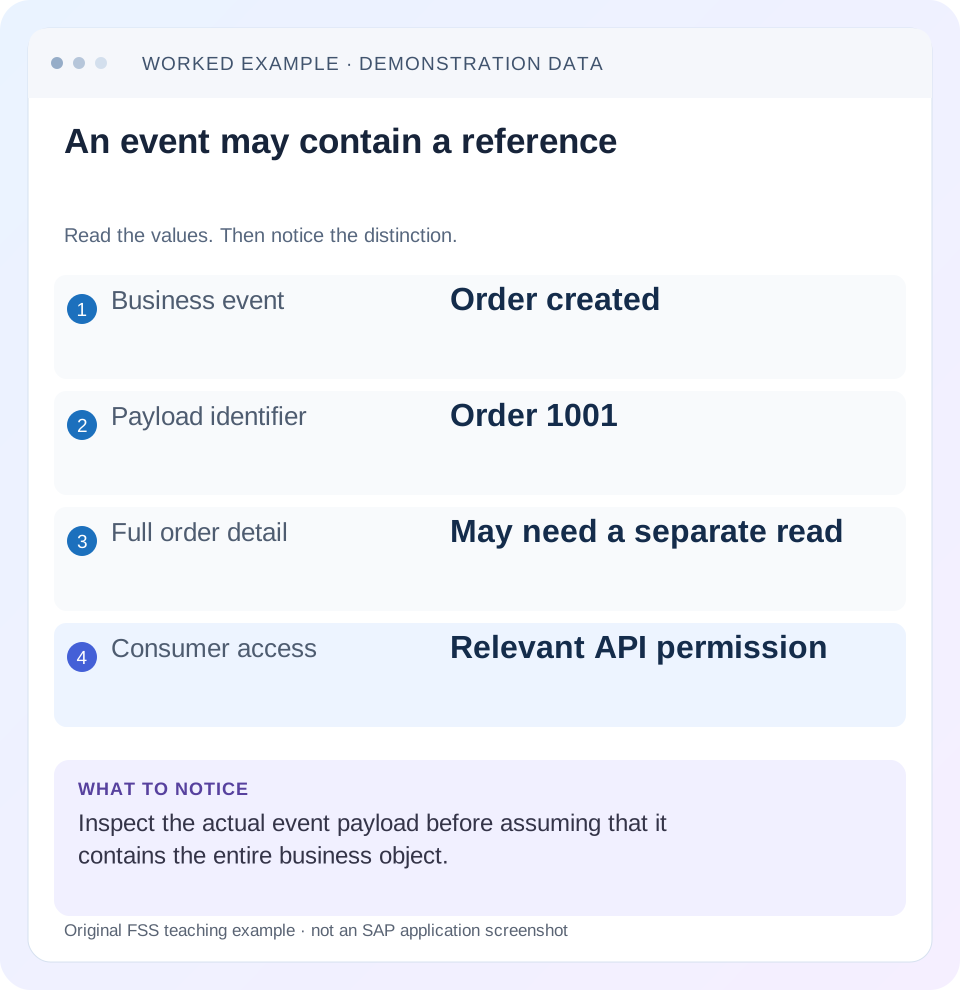
Read the example values
- Business event
- Order created
- Payload identifier
- Order 1001
- Full order detail
- May need a separate read
- Consumer access
- Relevant API permission
Words you’ll meet in this guide
- Message
- A package of information sent between systems.
- Payload
- The business content carried in a request or message.
- API
- A defined interface for another program to use.
- Receiver
- The system to which a message or request is sent.
- ABAP
- SAP’s programming language for business applications.
- HANA
- SAP’s database platform.
Preview the practical steps
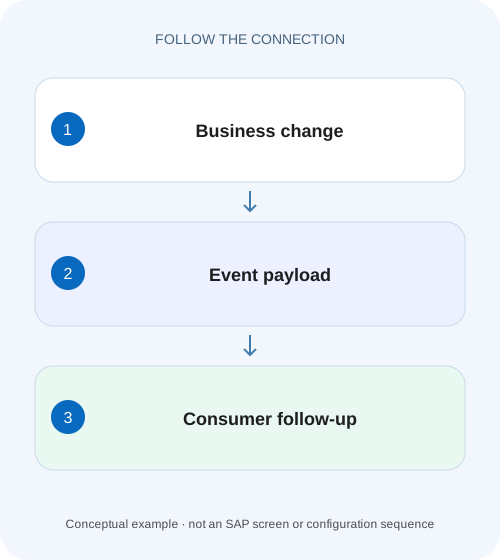
SEE THE CONNECTION
See it in a simple example.
A small example to make the idea concrete.
Interpret an order event before starting follow-up
A manufacturer's consumer receives an order-created event whose payload may carry identity rather than the full business document.
Inspect the event contract before designing its consumer
A business event announces that something happened under the provider’s contract.
Separate the envelope from business data
CloudEvents-based contracts describe context attributes such as source, id, type and specification version separately from data.
Worked case: a key-only order-created notification
Imagine receiving the authored event below for order 1001.
Interpret an order event before starting follow-up
A manufacturer's consumer receives an order-created event whose payload may carry identity rather than the full business document.
Inspect the documented event contract and required follow-up read before making a production or purchasing decision from assumed payload fields.
| Reader | Business question | Evidence to carry forward |
|---|---|---|
| SAP developers and application teams supporting manufacturers | Interpret an order event before starting follow-up | Inspect the documented event contract and required follow-up read before making a production or purchasing decision from assumed payload fields. |
01 Inspect the event contract before designing its consumer
A business event announces that something happened under the provider’s contract. Its payload can be a notification containing business keys, a richer data representation or another documented shape. Inspect the released event type/version and actual payload before assuming it contains a full object snapshot. Delivery also does not prove that a consumer’s follow-up API call or business action completed. [1] [2]
This tutorial is for developers consuming SAP business events through a supported eventing setup. You need the provider’s product/release, event catalog or AsyncAPI resources, sample envelope, subscription context and permitted follow-up API. S/4HANA Public Edition, Private Edition and ABAP environment event enablement differ. The authored order payload below uses a fictional event type and is not a released SAP order-event schema. [3]
02 Separate the envelope from business data
CloudEvents-based contracts describe context attributes such as source, id, type and specification version separately from data. The CloudEvents specversion describes the envelope standard, not the business object’s schema version. An event type can carry its own version identity. Changing one version does not necessarily change the other. [2]
SAP’s event documentation describes the data payload as optional in its CloudEvents context. That reinforces the need to read the specific event resource rather than infer completeness from the presence of a data object. A JSON object containing Order is not evidence that amount, customer or items are also supplied. [1] [2]
03 Worked case: a key-only order-created notification
Imagine receiving the authored event below for order 1001. It provides an event identity and the business key, but no amount, currency or line items. A consumer that needs to display those details must use an authorized supported read or another agreed data source. It should not fill missing values with invented defaults.
The source identifies the event context and helps distinguish identical object keys from different systems. Event evt-7001 and order 1001 have different roles: one identifies this occurrence, the other the business object. A later changed event for order 1001 can be legitimate new work even though the object key is the same.
{"specversion":"1.0","id":"evt-7001","source":"/example/ERP100","type":"com.example.order.created.v1","time":"2026-11-14T10:00:00Z","datacontenttype":"application/json","data":{"Order":"1001"}}04 Use released event resources as the schema authority
SAP publishes business-event resources on SAP Business Accelerator Hub and documents AsyncAPI catalogs for supported consumption models. Find the exact event for the actual source edition and release. Check field definitions, required keys, type/version, topic/channel expectations and stated semantics. A similarly named event from another product is not a compatible substitute. [1] [3]
Compare the actual sanitized message with that resource. If a field is absent, determine whether it is optional, belongs to another version or was lost in an intermediate transformation. Do not infer a missing complete order payload from a tutorial screenshot. Record the schema/resource version with the consumer release so later event evolution can be reviewed.
05 Design follow-up reads around the meaning of current state
In the fixture, the created event occurs at 10:00 when order 1001 has an illustrative amount of 100 EUR. The order is changed to 120 EUR at 10:02. If the consumer reads current order details at 10:05, it can see 120 EUR. That read is useful current state; it is not automatically a reconstruction of the object exactly as it existed at event time.
Decide whether the use case wants current state, an immutable event-time fact or a version-specific object. A dashboard refresh can often use current state. An audit or accounting derivation may require stronger historical semantics. If the notification contains only a key and the API exposes only current data, do not claim the consumer can reconstruct every intermediate state.
Extend the fixture with a deletion at 10:03. A key-only created notification processed at 10:05 can lead to a current-state API read that reports no object because it has since been removed. That does not retroactively mean the created event was false. The consumer must distinguish event-time occurrence from current availability.
If the use case merely maintains a current projection, the supported deletion/current-state policy may be sufficient. If it triggers an irreversible action based on creation, a delayed key-only read may lack the historical facts needed for that decision. Document that limitation and obtain an appropriate event or history contract rather than treating repeated not-found responses as a generic network outage. Preserve the original event identity and all follow-up outcomes for reconciliation.
| Time | Observation | Meaning |
|---|---|---|
| 10:00 | Created event for order 1001 | Occurrence notification |
| 10:02 | Order amount changed to 120 EUR | Later business state |
| 10:05 | Consumer reads current order | May observe 120 EUR |
| Consumer requirement | Show current order or preserve original fact? | Must be decided explicitly |
06 Check API authorization independently of event subscription
Permission to receive an event does not automatically grant permission to read every related business object or field. Configure the follow-up API through its supported authentication and authorization mechanism. Verify the source system/client or tenant and organizational context along with the key.
If the read returns 403, investigate the intended identity and rights rather than treating the event key as invalid. If it returns not found, inspect key formatting, source context and any documented timing behavior. Some designs may need bounded retry for a temporarily unavailable read, but do not promise universal immediate visibility or use unbounded polling. Preserve the exact response and the event correlation.
07 Distinguish event identity from business-operation identity
The CloudEvents specification defines event identity using source plus id. Use the provider’s documented identity and delivery behavior when recognizing repeated delivery. A repeated evt-7001 is different from evt-7002 announcing another change to order 1001. Deduplicating solely by order number can suppress all later legitimate updates. [4]
If an event triggers a create in another system, define the downstream business-operation identity separately. A consumer can receive one event twice or receive multiple different events that should update the same target projection. Choose keys and result records for the intended effect rather than assuming the envelope ID alone solves every business duplicate problem.
08 Plan ordering and concurrency from the actual contract
Do not infer processing order from the order messages appear in one log. Delivery, retry and concurrent consumers can affect completion order. Check the event provider, broker and subscription guarantees applicable to the chosen setup. A timestamp by itself is not proof that every prior change has been processed.
For a current-state projection, a consumer can deliberately re-read and upsert the latest authorized object under its contract. For a versioned business process, it may need a documented version or sequence rule. Do not invent a version field that the actual event does not provide. If the contract cannot support the required ordering semantics, change the design or obtain an appropriate data source before relying on it.
09 Monitor publication, delivery and consumer effects separately
SAP’s Enterprise Event Enablement monitoring tools expose event status and payload context in supported editions. Use the monitor applicable to the source product and release; do not assume an app or transaction from another edition is available. Preserve type, source, event identity, timestamp and business key without exposing confidential payloads broadly. [5]
Then inspect broker/subscription and consumer evidence under their respective tools. A source event published successfully does not establish consumer acknowledgment or a downstream business document. A consumer acknowledgment can also precede an external effect unless the implementation’s transaction design ties them together. Record each boundary the investigation actually verified.
10 Troubleshoot the first failed contract boundary
Choose the next check from the missing evidence rather than repeatedly republishing. Re-emission can produce additional legitimate event identities and make business reconciliation harder if the original outcome is uncertain.
| Observation | Question | Next evidence |
|---|---|---|
| Payload has key but no details | Is it a notification contract? | Released event schema and follow-up API |
| Follow-up read denied | Does consumer have separate API rights? | Effective identity and API authorization |
| Read shows later value | Is current state acceptable? | Event time, later changes and history requirement |
| Same event triggers twice | Is delivery deduplicated correctly? | Source/id and downstream operation key |
| Later updates ignored | Was deduplication keyed only by object? | Event identity versus business object key |
| Source monitor successful, target absent | Which later boundary failed? | Subscription, consumer and receiver result |
11 Verify payload, duplicate and version boundaries
For the positive fixture, consume evt-7001, read the permitted current details for order 1001 and verify the intended projection or action. Record whether the test asserts current state or event-time state. If the latter is required, use only a data source that actually supports it.
For a duplicate fixture, deliver the same source/id twice and verify the intended single business effect. Then deliver a distinct changed event for the same order and verify it is not suppressed merely because the order was seen before. For a boundary fixture, use an unsupported event version or missing required key and confirm an owned, diagnosable failure path.
Also test a temporary follow-up API failure and a consumer failure after the downstream effect but before acknowledgment. Reconcile the receiver before replay where the outcome is uncertain. An event queue is durable transport, not automatic protection against duplicate external effects. Keep unexecuted exercises clearly labeled as proposed.
12 Make event evolution and recovery reviewable
Validate known required fields while deciding deliberately how to handle unknown optional fields. A consumer that rejects every added field can be brittle, while one that ignores a changed meaning can be wrong. Follow the provider’s compatibility contract and retain schema/version information in the release review.
What closes the design? Exact released event resource, envelope and data interpretation, source/business identities, follow-up access, current-versus-historical-state decision, duplicate/ordering behavior and consumer-result evidence. The related idempotency and asynchronous-success lessons explain the later boundaries. An event announces a fact under its contract; your consumer must still prove its own work.
Related services and next steps
Primary sources
Found this useful?
Share this guide with your network, or leave a like.
Your like is saved in this browser.