SAP ATC versus Code Inspector: Read static-check findings in context
A manufacturer's ABAP team checks a component purchasing report before deployment and must explain why two static-check runs return different findings.

Source review:
START HERE · NO PRIOR TOPIC KNOWLEDGE NEEDED
What it is. Why it matters.
ABAP is SAP’s programming language. ATC and Code Inspector inspect programs for possible problems without running the business task; a check variant is the chosen set of rules.
Completely new to SAP?
Manufacturers use SAP to connect work such as buying components, recording inventory, planning production, shipping equipment and accounting for costs. SAP S/4HANA is an enterprise resource planning system: it connects these activities through shared business data.
ABAP is SAP’s programming language for business applications. A program reads data, applies rules and produces a result. Start with the objects involved before investigating code.
A transaction code, or t-code, is a shortcut to a task in classic SAP GUI. Fiori apps provide another way to work. Names and screens depend on the product and release; you do not need a live system to learn the concepts in this guide.

Scope and source-review notes
Scope and evidence
Source review by FAST SAP SOLUTIONS® editorial. This badge describes our editorial review; it does not represent SAP certification or independent endorsement.
ABAP ATC and Code Inspector in classic ABAP/ADT landscapes; central, remote and target-release workflows vary by installed version.
Primary documentation reviewed on 14 November 2026 using readable full text and official indexed excerpts. Documentation review only; authored examples were not compiled or executed in an SAP system.
A MANUFACTURING EXAMPLE
Check a plant purchasing extension before release
Compare the check setup
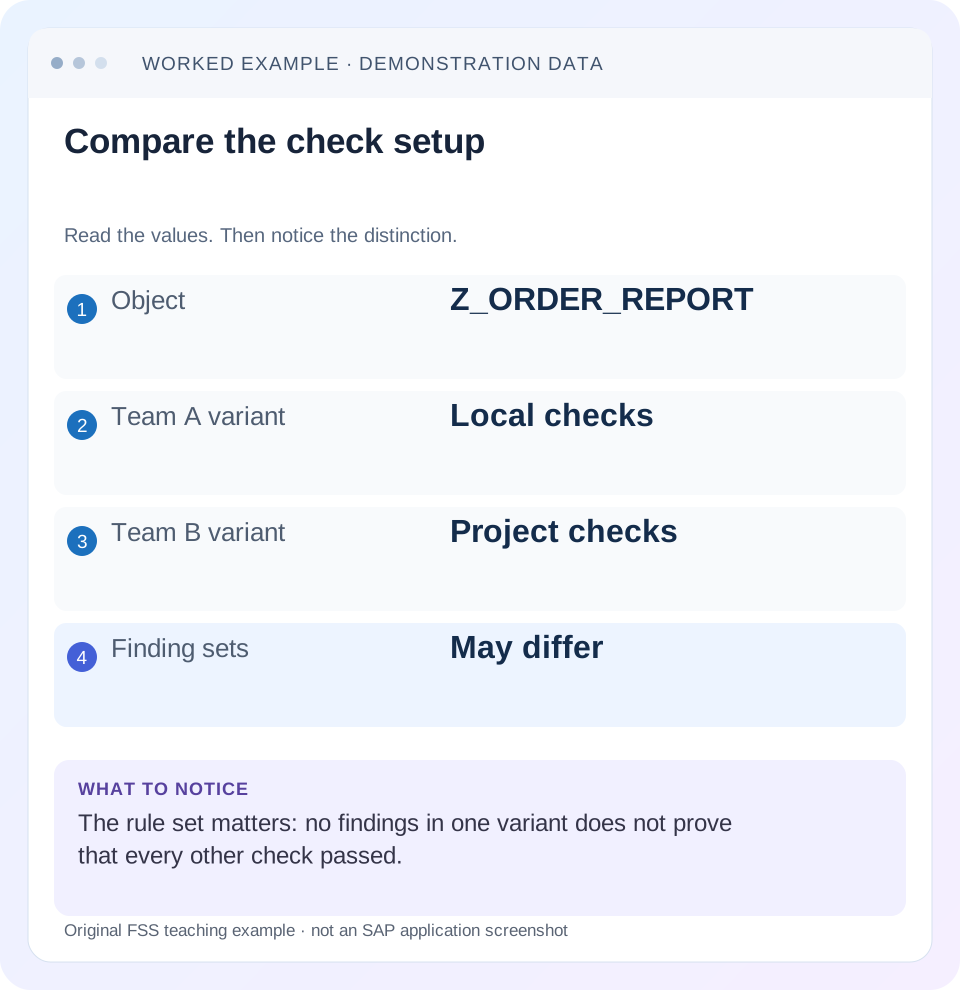
Read the example values
- Object
- Z_ORDER_REPORT
- Team A variant
- Local checks
- Team B variant
- Project checks
- Finding sets
- May differ
Words you’ll meet in this guide
- Program
- A set of instructions executed by a computer.
- Class
- A reusable unit that groups data with operations called methods.
- Database
- Organized information kept beyond one program execution.
- Internal table
- A list of rows held temporarily in an ABAP program’s memory.
- Key
- One or more fields used to identify or find a record.
- ABAP
- SAP’s programming language for business applications.
- API
- A defined interface through which programs exchange data or request actions.
- ADT
- ABAP Development Tools: SAP tools for ABAP development in Eclipse and, on supported systems, Visual Studio Code.
Preview the practical steps
SEE THE CONNECTION
See it in a simple example.
A small example to make the idea concrete.
Check a plant purchasing extension before release
A manufacturer's ABAP team checks a component purchasing report before deployment and must explain why two static-check runs return different findings.
A clean result is meaningful only with its check context
Use Code Inspector to understand and run a selected collection of static checks; use ABAP Test Cockpit, or ATC, to work with quality-check runs and their findings in the workflow supported by your landscape.
Audience, access and release boundaries
This guide is for developers and reviewers who can display repository objects and run permitted local quality checks.
Separate objects, rules and result records
An object set answers what is inspected: a particular class, program, package or supported selection.
Check a plant purchasing extension before release
A manufacturer's ABAP team checks a component purchasing report before deployment and must explain why two static-check runs return different findings.
Compare the source revision and check variants before treating one clean result as proof of every required check.
| Reader | Business question | Evidence to carry forward |
|---|---|---|
| SAP developers and application teams supporting manufacturers | Check a plant purchasing extension before release | Compare the source revision and check variants before treating one clean result as proof of every required check. |
01 A clean result is meaningful only with its check context
Use Code Inspector to understand and run a selected collection of static checks; use ABAP Test Cockpit, or ATC, to work with quality-check runs and their findings in the workflow supported by your landscape. The names describe related tooling rather than two independent guarantees of code quality. In the documented setup, an ATC run applies checks selected by a Code Inspector variant to a defined object set. [1]
When one developer reports zero findings and another reports eight, compare those inputs before changing the program. A result means “these checks reported these findings for these objects in this run.” It does not mean the program is functionally correct, fast for every dataset or ready for an unrelated target release. This tutorial shows how to turn a disagreement between runs into a reproducible review.
02 Audience, access and release boundaries
This guide is for developers and reviewers who can display repository objects and run permitted local quality checks. It covers classic ABAP Workbench and ADT concepts, including the relationship to Code Inspector, commonly entered through SCI. Central check systems, remote checks, transport gates and exemption interfaces depend on the installed ABAP release and organizational configuration.
Collect the development-system release, the intended deployment target and the development object's ABAP language version. A local syntax-oriented variant is not automatically equivalent to a central migration-readiness variant. If your system uses remote ATC checks, identify both the checked system and the system providing the checks. Keep this information alongside the result so that a later comparison does not silently cross a release boundary.
03 Separate objects, rules and result records
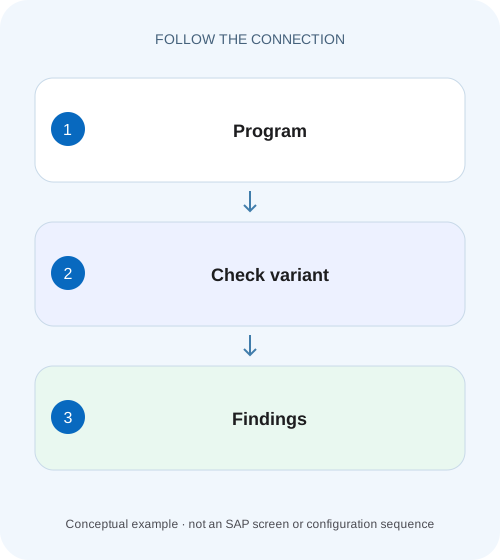
An object set answers what is inspected: a particular class, program, package or supported selection. A check variant answers which analyses run and how they are configured. The result records what those analyses found. Treat these as three separate artifacts. Adding a class to a package may change the object population even when the variant name remains unchanged.
A finding generally provides a check identity, priority, affected object and location, plus explanatory information. Open that explanation before interpreting the short message. The documented priority conveys severity, while the organization determines the correction policy. A count of priority-one findings is useful operationally, but it cannot explain whether a particular finding concerns security, compatibility or a possible performance issue. [1]
04 Worked case: two checks of an order report
Consider fictional report Z_ORDER_REPORT and helper class ZCL_ORDER_READER. Team A checks only the report with a local variant called Z_LOCAL_DEV. Team B checks the package containing both objects with project variant Z_RELEASE_GATE. These are illustrative customer names, not SAP-delivered variants. Team A sees zero findings; Team B sees a problematic database access in the helper and an API-usage finding in the report.
The first difference is coverage: the helper was absent from Team A's object selection. The second may be rule selection: the API-usage check may not be enabled in Z_LOCAL_DEV. Neither difference proves the tools disagree. Before touching source code, rerun the same objects with the same effective variant and compare the individual check identities. A variant name alone is insufficient if its definition changed between the two runs.
| Input | Team A | Team B |
|---|---|---|
| Object selection | Z_ORDER_REPORT only | Report and helper package |
| Variant | Z_LOCAL_DEV | Z_RELEASE_GATE |
| Check provider | Local system | Project check environment |
| Reported findings | 0 | 2 |
| Fair comparison | Not yet established | Align objects and checks first |
05 Reproduce the difference without changing the quality gate
Start from the result with the unexplained finding. Record the run reference and object location, then display the variant or its effective configuration using the supported tooling. When you cannot inspect a centrally owned variant, obtain its relevant check definition through the quality process; do not substitute an assumed local equivalent.
Reproduce the smallest meaningful object selection. If the finding belongs to a helper class, checking only its caller may not reproduce the same result. If the relevant analysis depends on a target-release configuration, retain that target. The experiment is to isolate the reason for the finding, so change one input at a time and preserve the original result for comparison.
Align the source version
Confirm that both runs inspect the same active source or documented checked version. A recent transport or activation can explain apparently inconsistent messages.
Expected observation: The compared code is identified.
Align selection and variant
Include the report and helper, and use the same approved check configuration where available.
Expected observation: Coverage differences become visible.
Open the finding details
Read the check explanation, affected statement and applicability before proposing a change.
Expected observation: The suspected defect is expressed as a specific code condition.
06 Turn a finding into a behavioral hypothesis
Suppose the database finding points to a SELECT inside an item loop. The useful hypothesis is that one database request occurs for every item, causing unnecessary repeated work for larger orders. Inspect the code path and data cardinality. The static result has identified a suspicious structure; it has not measured the contribution of that structure to a user's slow response.
For the API finding, inspect the referenced object's release status and the intended language-version context. The hypothesis may concern an unsupported dependency rather than a current runtime failure. These require different evidence: a runtime trace can support the repeated-read explanation, whereas API metadata and the applicable release contract support the dependency decision. Keep both findings in the same review without treating them as the same problem.
07 Correct the cause and preserve the business contract
For the repeated-read example, consider gathering the required keys and reading a set of data once, or introducing a correctly keyed in-memory lookup. Preserve authorization filtering, missing-row behavior and document identity. A faster query that returns another company's records is a failed correction even if the static warning disappears.
For an unsupported dependency, find a released object that satisfies the actual business requirement or change the extension design. Do not merely wrap the same unreleased call in another customer class and claim the dependency is resolved. After changing source, inspect the exact replacement path and verify that exception handling, units and transaction behavior remain appropriate. Static cleanliness is one review result alongside functional correctness.
08 Exemptions and suppressions need an explanation
SAP documents an exemption process for findings that cannot be corrected, with approval by the responsible quality manager or ATC administrator. The supported workflow and eligible checks vary by environment. An exemption records an accepted, bounded situation; it should explain why the particular finding is acceptable and when that reasoning must be reviewed again. [1]
A suppression recognized by a specific check is also part of source behavior and review. Use only documented mechanisms accepted by your project. An arbitrary comment does not necessarily suppress anything, and a valid suppression can conceal a real defect if copied without its reasoning. Do not weaken a shared variant to avoid explaining one object. That changes what every subsequent “pass” means.
09 Troubleshooting disagreements and persistent findings
Choose the next observation from the actual discrepancy. Repeating the same run without aligning source, objects and configuration usually adds noise rather than evidence. Preserve enough context that a reviewer can distinguish an unresolved finding from a stale result view.
| Observation | Likely investigation | Useful next step |
|---|---|---|
| Local clean; central findings | Selection, check provider or target differs | Compare effective check inputs |
| Finding remains after edit | Wrong version, wrong object or incomplete correction | Navigate from finding to checked source |
| Message points to generated code | Generation ownership and check scope | Correct the generator or follow documented handling |
| Warning concerns performance | Possible expensive access pattern | Measure representative runtime separately |
| API usage fails a rule | Release contract or language version | Inspect the referenced object metadata |
| Exemption not reflected | Approval, validity or finding identity | Inspect supported exemption state |
10 Verification: test the change as well as the rule
Run the relevant approved variant again against the same object set after activation. Confirm that the intended finding is gone and that no new material findings appear. Retain the run reference, variant and checked version. A screenshot saying “no findings” without these inputs is difficult to compare with the original evidence.
For the order reader, propose a small functional fixture: one order with two items sharing a lookup key, an order with an unknown lookup key and an empty item list. Compare returned identities and missing-value behavior before and after the change. For the performance hypothesis, measure the number of relevant database calls under a representative item population. Label these as planned checks until someone actually executes them in the development system.
11 A useful review record and practice exercise
Write the review around the finding's mechanism: “ZCL_ORDER_READER previously requested lookup data for each item. The replacement reads distinct required keys and preserves item-level mapping. The same project variant no longer reports this finding; functional and runtime checks are recorded separately.” Replace that illustrative statement with actual evidence and avoid claiming execution based on this article.
As a learning exercise, draw a matrix with two object selections and two variants. Predict which finding should appear in each cell, then compare authorized local runs. Introduce a deliberate missing helper object to see why a clean result can be incomplete. This exercise teaches result interpretation without requiring a production defect or a lowered project quality standard.
12 Questions reviewers usually ask
Does ATC replace functional tests? No. Static analysis inspects code and repository properties; a functional fixture verifies behavior for selected inputs. Use both where a correction changes data handling.
Can I compare total counts across releases? Only with care. Check implementations, selection and configuration can change. Compare finding identities and coverage before interpreting a lower number as an improvement.
Should every warning be fixed immediately? Apply the organization's policy and understand applicability. A well-supported correction or approved exception is more useful than an unexplained edit made solely to reduce a counter.
Where should I go next? Use the related released-API lesson for dependency findings, ST05 for repeated database work and SAT or the ABAP Profiler for expensive application paths. Each adds evidence that a static-check result alone cannot provide.
Related services and next steps
Primary sources
Found this useful?
Share this guide with your network, or leave a like.
Your like is saved in this browser.