ABAP BINARY SEARCH misses a row? Check the sort order first
A custom manufacturing report searches an internal list of purchasing items, but its sort sequence and lookup key may answer different questions.

Source review:
START HERE · NO PRIOR TOPIC KNOWLEDGE NEEDED
What it is. Why it matters.
An internal table is a list held in a running ABAP program. Binary search finds an entry by repeatedly dividing a correctly sorted list, rather than checking every row.
Completely new to SAP?
Manufacturers use SAP to connect work such as buying components, recording inventory, planning production, shipping equipment and accounting for costs. SAP S/4HANA is an enterprise resource planning system: it connects these activities through shared business data.
ABAP is SAP’s programming language for business applications. A program reads data, applies rules and produces a result. Start with the objects involved before investigating code.
A transaction code, or t-code, is a shortcut to a task in classic SAP GUI. Fiori apps provide another way to work. Names and screens depend on the product and release; you do not need a live system to learn the concepts in this guide.

Scope and source-review notes
Scope and evidence
Source review by FAST SAP SOLUTIONS® editorial. This badge describes our editorial review; it does not represent SAP certification or independent endorsement.
Classic ABAP standard-table READ TABLE with BINARY SEARCH. Confirm syntax and key behavior for the installed release; sorted and hashed tables follow their declared access rules.
Reviewed official SAP binary-search and internal-table access documentation and available indexed excerpts on 14 November 2026. The local dataset, program and expected tests are original teaching examples, not customer-system execution. Check the installed ABAP syntax and table-key rules.
A MANUFACTURING EXAMPLE
Find the intended component-order row
Match the composite key
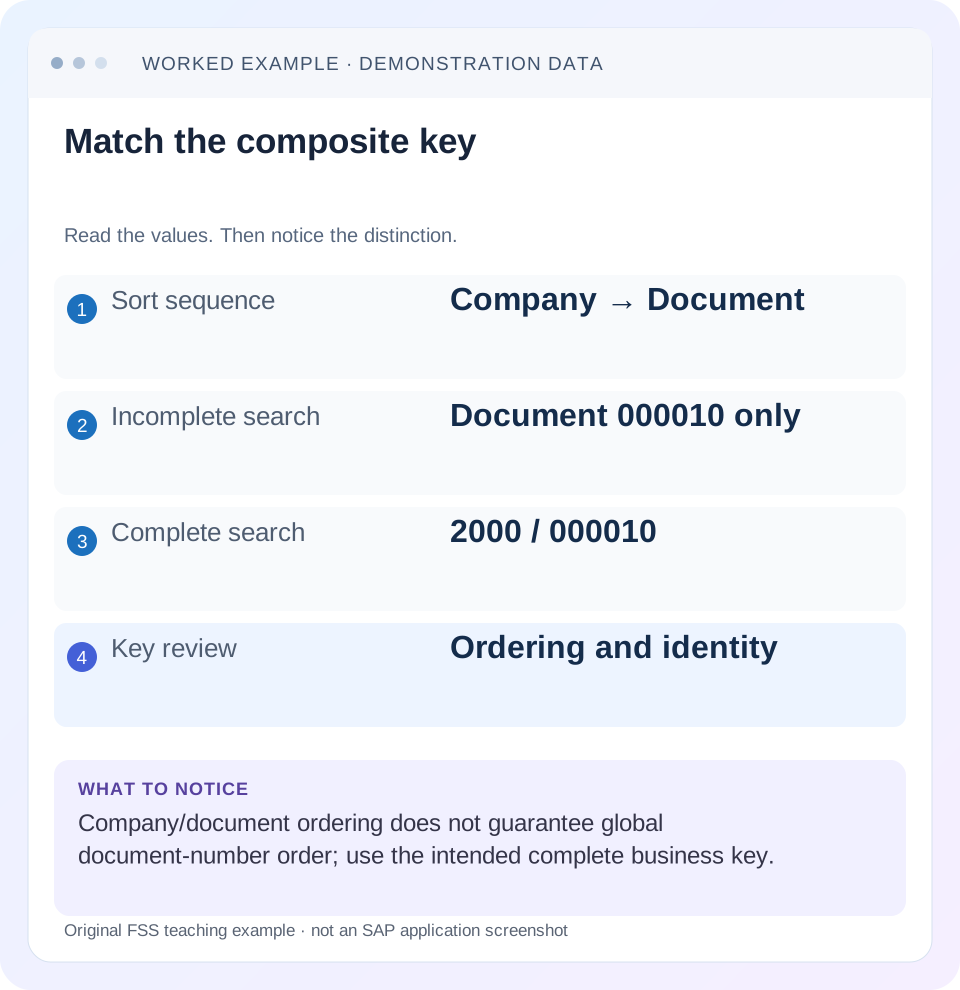
Read the example values
- Sort sequence
- Company → Document
- Incomplete search
- Document 000010 only
- Complete search
- 2000 / 000010
- Key review
- Ordering and identity
Words you’ll meet in this guide
- Program
- A set of instructions executed by a computer.
- Class
- A reusable unit that groups data with operations called methods.
- Database
- Organized information kept beyond one program execution.
- Internal table
- A list of rows held temporarily in an ABAP program’s memory.
- Key
- One or more fields used to identify or find a record.
- ABAP
- SAP’s programming language for business applications.
Preview the practical steps
SEE THE CONNECTION
See it in a simple example.
A small example to make the idea concrete.
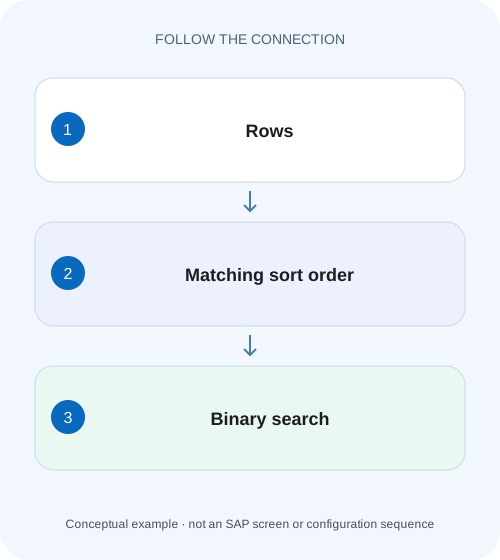
Find the intended component-order row
A custom manufacturing report searches an internal list of purchasing items, but its sort sequence and lookup key may answer different questions.
The short answer: the order must match the lookup
For a classic standard-table READ TABLE with BINARY SEARCH, establish the required ascending sort arrangement for the search key at the moment of the read.
Prerequisites and the example’s boundaries
This tutorial assumes you can inspect a local ABAP internal table, understand a structured row and distinguish standard, sorted and hashed table categories.
Understand composite ordering before changing the code
An ascending sort by company followed by document groups the rows first by company.
Find the intended component-order row
A custom manufacturing report searches an internal list of purchasing items, but its sort sequence and lookup key may answer different questions.
Keep the actual sort order, lookup fields and expected row together when verifying the search.
| Reader | Business question | Evidence to carry forward |
|---|---|---|
| SAP developers and application teams supporting manufacturers | Find the intended component-order row | Keep the actual sort order, lookup fields and expected row together when verifying the search. |
01 The short answer: the order must match the lookup
For a classic standard-table READ TABLE with BINARY SEARCH, establish the required ascending sort arrangement for the search key at the moment of the read. A table that looks sorted in a debugger is not necessarily sorted for this lookup. An earlier SORT is also insufficient if an intervening append, modification or reordering invalidates the arrangement. [1]
Treat a failed lookup as a correctness problem before tuning performance. Identify the exact sought key, the row you expect to find and the order immediately before READ TABLE. Then decide whether the code maintains that order for every path, or whether a declared sorted or hashed table key would express the requirement more reliably.
02 Prerequisites and the example’s boundaries
This tutorial assumes you can inspect a local ABAP internal table, understand a structured row and distinguish standard, sorted and hashed table categories. The code uses modern constructor and host-language syntax; check compatibility with the installed ABAP language version. The sorting principle is not a reason to add BINARY SEARCH to every READ TABLE.
The example uses fictional company and document identifiers in a self-contained internal table. No database read or business posting is needed. The expected outcomes are teaching expectations, not a report of execution in a customer system. If you adapt the example to financial documents, remember that the real document identity may include additional context such as fiscal year.
03 Understand composite ordering before changing the code
An ascending sort by company followed by document groups the rows first by company. Within one company, document values rise. Across the entire table, document values can start again when the company changes. The resulting sequence is ordered by the pair; it need not be globally ordered by document alone.
Consider 1000/000020, 1000/000030 and 2000/000010. This is a valid ascending company/document sequence, but the document sequence is 000020, 000030, 000010. A document-only binary lookup relies on an ordering relationship that this table does not provide. A linear scan might still find the row, which can make the problem look intermittent when the underlying contract is already wrong.
The teaching lesson is to compare the key components in order, not merely to check that every component appears somewhere in SORT. If the intended search is for one document across every company, the result may also be ambiguous. Fixing the algorithm does not decide which business document the caller intended.
04 Worked dataset: one order, two different questions
The table below deliberately repeats a document value across companies. Searching for company 2000 and document 000010 asks for one pair. Searching for document 000010 alone asks a broader question and can match multiple companies. Decide whether the latter should return all matches, one explicitly ranked match or an ambiguity response.
Do not let a non-unique lookup quietly choose a business object. If a caller actually knows the company, pass it into the lookup. If the caller intentionally needs a range of documents, choose an access design that supports that range and returns the required set.
| Position | Company | Document |
|---|---|---|
| 1 | 1000 | 000010 |
| 2 | 1000 | 000030 |
| 3 | 2000 | 000010 |
| 4 | 2000 | 000020 |
05 Corrected example: keep SORT and READ together
For this illustration, the intended key is the complete company/document pair. The source initially contains unordered rows, so the explicit SORT establishes the required order immediately before READ TABLE. A successful branch consumes the found row; a failed branch must not process whichever value previously occupied the work area.
Keep the example’s limited guarantee clear. It demonstrates a maintained ordering contract over a small local collection. It does not establish that sorting before every lookup is efficient, or that this pair is the complete key of a real SAP application object.
TYPES: BEGIN OF ty_document,
         company TYPE c LENGTH 4,
         document TYPE c LENGTH 6,
       END OF ty_document.
DATA lt_documents TYPE STANDARD TABLE OF ty_document WITH EMPTY KEY.
DATA ls_found TYPE ty_document.
lt_documents = VALUE #(
  ( company = '2000' document = '000010' )
  ( company = '1000' document = '000030' )
  ( company = '1000' document = '000010' )
  ( company = '2000' document = '000020' ) ).

SORT lt_documents BY company document.
READ TABLE lt_documents INTO ls_found
  WITH KEY company = '2000' document = '000010'
  BINARY SEARCH.
IF sy-subrc = 0.
  " Consume ls_found only in the successful branch.
ELSE.
  " Return an explicit not-found result.
ENDIF.
06 Debugging sequence: find where the contract breaks
When the corrected local fixture behaves as expected but the application still misses a row, inspect the application’s actual execution path. A typed value, a mutation or a different table instance can invalidate a conclusion drawn from the example.
Compare the sought value with the stored value
Inspect actual component types and content. Compare company and document separately, including leading zeros and conversion performed before the read. A formatted screen label is weaker evidence than the typed row.
Expected observation: The expected row really matches every component supplied to READ TABLE.
Inspect the live ordering
Set a breakpoint immediately before the read and inspect neighboring keys. Trace the last SORT and every append, insert, modification or additional sort between it and the read.
Expected observation: The actual table at this point maintains the ascending search-key arrangement.
Check the result branch
Inspect sy-subrc immediately after READ TABLE, before another statement can replace it. Confirm that later logic uses the found row only for a successful read and treats an absent key explicitly.
Expected observation: A not-found outcome cannot turn into processing an older work-area value.
07 Common failure patterns and the next useful check
A missed row is an observation, not a diagnosis. Avoid “fixes” that assign sy-subrc manually or make the program accept a stale result. The following branches help distinguish an algorithm assumption from a genuine absent key or an unrelated consumer defect.
| Symptom | Question to resolve | Useful next check |
|---|---|---|
| Known key sometimes missed | Does another path change the order? | Compare the table immediately before each read, including post-append calls. |
| Only one company behaves incorrectly | Is document treated as globally ordered or unique? | Compare the full composite sort and caller key. |
| Return code is nonzero but a row is displayed | Is an older work area being reused? | Trace the success/failure branch and UI assignment. |
| Lookup succeeds but returns an unwanted row | Does the key uniquely identify the intended result? | Add the missing business context or define a multiple-match contract. |
| Fix sorts the table repeatedly | Is correctness being bought with repeated sorting? | Measure the collection lifecycle and consider a declared access key. |
08 When a sorted or hashed table is a better design
A declared key can make the access pattern visible in the table definition. A sorted table maintains its declared ordering, which can fit ordered and suitable key-prefix access. A hashed table is designed for its hash-key access and requires the appropriate complete key. These are different contracts, rather than cosmetic replacements for a standard table. [2]
Start with the caller’s needs: exact complete-key lookup, duplicate keys, ordered iteration, range access, insertion pattern and collection size. If several reads depend on the same order, a declared key may reduce reliance on a comment that says “this table was sorted earlier.” If the collection is primarily built and traversed once, the tradeoff can differ.
Do not promise a measured improvement from the category name alone. Compare representative build, mutation and read operations after the behavior is correct. Include memory and secondary-key maintenance where relevant to the actual design. The linked SAP access-mode reference provides background, but the installed language documentation remains the authority for the syntax you use.
09 A regression matrix for key and mutation boundaries
Build a fixture whose first, middle and last identities are easy to inspect. Include a missing key between existing values and one beyond the range. Then repeat the relevant checks after the mutation that caused the original incident. A test that runs only before the append will not verify the repaired application lifecycle.
Assert the identity returned as well as success. For a non-unique search, document what multiple matches mean rather than writing a test that accidentally blesses an unspecified business choice.
| Case | Expected behavior | Why it matters |
|---|---|---|
| First and last full-key hits | Return the specified pair | Covers boundaries of the ordered fixture. |
| Missing pair between rows | Explicit not found | Rejects a nearby row as a substitute. |
| Same document in two companies | Complete key selects the intended company | Detects incomplete business identity. |
| Lookup after an append | Declared ordering contract still holds | Exercises the real mutation path. |
| Prior hit followed by a miss | No earlier row is consumed | Catches stale result handling. |
10 Frequently asked questions
Can I just remove BINARY SEARCH? A supported linear read can remove the binary-order assumption for a standard table, but you still need the right key and a correct not-found branch. Review workload impact rather than assuming the performance difference is irrelevant.
Is a descending display sort safe? Do not infer safety from a sorted-looking display. The documented binary-search contract for this classic standard-table use requires the appropriate ascending arrangement. A user-facing sort and a lookup key can be different concerns.
Why does the program work with one dataset? A small or coincidentally ordered collection can hide an invalid assumption. Use rows that restart document numbering across companies and test the actual mutation path. Reproducing the ordering contract matters more than repeating the same successful key.
What belongs in the fix description? Name the required key, explain how its ordering is maintained, show what happens after mutation and define the absent-key result. That explanation should remain true when another developer adds a new execution path.
Related services and next steps
Primary sources
Found this useful?
Share this guide with your network, or leave a like.
Your like is saved in this browser.