ABAP FOR ALL ENTRIES returns too much data? Check the empty driver table
A manufacturer's ABAP report reads details for selected component-order keys, then receives another request with no selected keys.

Source review:
START HERE · NO PRIOR TOPIC KNOWLEDGE NEEDED
What it is. Why it matters.
FOR ALL ENTRIES uses values from an internal table to select matching database records. That driving list must be checked because an empty list changes the selection’s meaning.
Completely new to SAP?
Manufacturers use SAP to connect work such as buying components, recording inventory, planning production, shipping equipment and accounting for costs. SAP S/4HANA is an enterprise resource planning system: it connects these activities through shared business data.
ABAP is SAP’s programming language for business applications. A program reads data, applies rules and produces a result. Start with the objects involved before investigating code.
A transaction code, or t-code, is a shortcut to a task in classic SAP GUI. Fiori apps provide another way to work. Names and screens depend on the product and release; you do not need a live system to learn the concepts in this guide.

Scope and source-review notes
Scope and evidence
Source review by FAST SAP SOLUTIONS® editorial. This badge describes our editorial review; it does not represent SAP certification or independent endorsement.
Classic ABAP SQL FOR ALL ENTRIES. Check your release-specific keyword documentation; this guide does not assume that this construct is permitted in every ABAP language version.
Reviewed the linked official SAP empty-driver and duplicate-result documentation on 14 November 2026. The fixture, sample program and acceptance tests are original illustrative teaching material; the ABAP example was not compiled or executed in a customer SAP system. Check the installed language version and the availability of the classic SPFLI demo table.
A MANUFACTURING EXAMPLE
Keep a component lookup scoped to its request
Guard the current component-order lookup
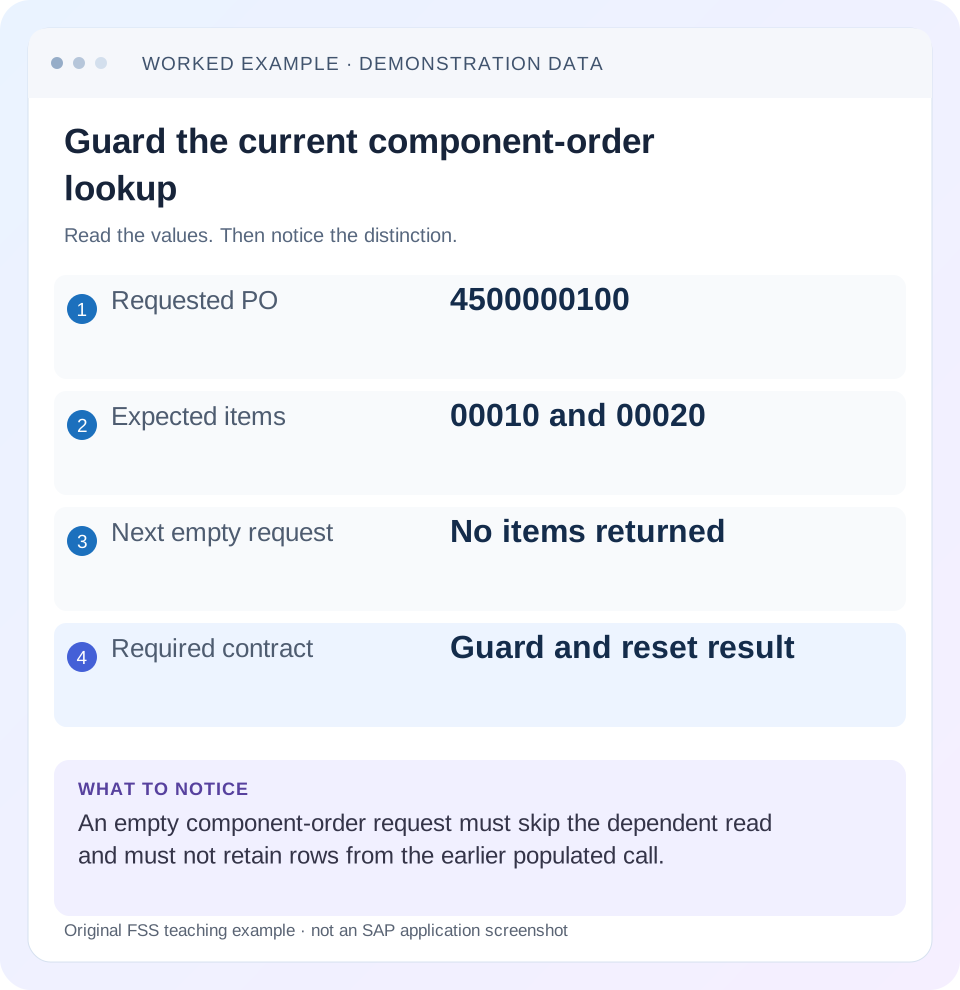
Read the example values
- Requested PO
- 4500000100
- Expected items
- 00010 and 00020
- Next empty request
- No items returned
- Required contract
- Guard and reset result
Words you’ll meet in this guide
- Program
- A set of instructions executed by a computer.
- Class
- A reusable unit that groups data with operations called methods.
- Database
- Organized information kept beyond one program execution.
- Internal table
- A list of rows held temporarily in an ABAP program’s memory.
- Key
- One or more fields used to identify or find a record.
- ABAP
- SAP’s programming language for business applications.
- API
- A defined interface through which programs exchange data or request actions.
- SQL
- A language used to read and work with database data.
Preview the practical steps
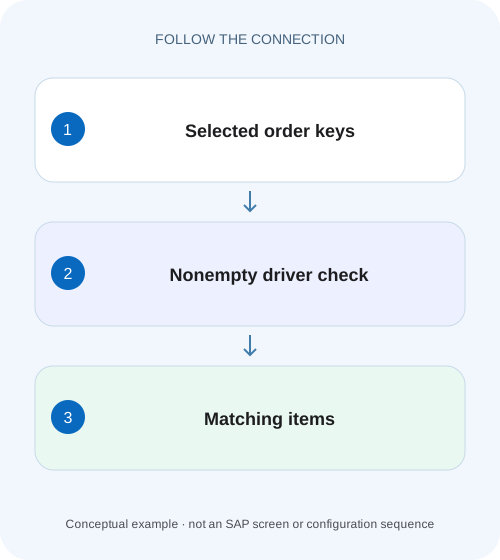
SEE THE CONNECTION
See it in a simple example.
A small example to make the idea concrete.
Keep a component lookup scoped to its request
A manufacturer's ABAP report reads details for selected component-order keys, then receives another request with no selected keys.
The short answer: guard the driver and reset the result
When a classic ABAP SQL SELECT uses FOR ALL ENTRIES with an empty driver internal table, the documented empty-table rule ignores the WHERE condition.
Prerequisites and the scope of this tutorial
This guide is for an ABAP developer maintaining a classic dependent lookup.
Why the query behaves differently from an empty IN list
Think of FOR ALL ENTRIES as forming a set of rows that match the relevant driver entries.
Keep a component lookup scoped to its request
A manufacturer's ABAP report reads details for selected component-order keys, then receives another request with no selected keys.
Guard the current driver list and reset the current result so the empty request cannot expose unrelated or stale rows.
| Reader | Business question | Evidence to carry forward |
|---|---|---|
| SAP developers and application teams supporting manufacturers | Keep a component lookup scoped to its request | Guard the current driver list and reset the current result so the empty request cannot expose unrelated or stale rows. |
01 The short answer: guard the driver and reset the result
When a classic ABAP SQL SELECT uses FOR ALL ENTRIES with an empty driver internal table, the documented empty-table rule ignores the WHERE condition. A report that should read the details for selected keys can therefore retrieve far more rows than the user intended. Establish the input at the SELECT itself; the values on the selection screen are only an earlier stage of the program. [1]
For a dependent lookup whose business meaning is “no requested keys means no detail rows,” reset the result and execute the query only when the driver contains keys. These are two responsibilities. Guarding the database read prevents the unintended broad selection; resetting the result prevents a later empty call from displaying the previous call’s documents. If your application intentionally supports an all-document search, give that requirement its own explicit path.
02 Prerequisites and the scope of this tutorial
This guide is for an ABAP developer maintaining a classic dependent lookup. You should be comfortable with an internal table, a SELECT statement, a typed business key and the distinction between a local result and a database table. Use an authorized development system or a code-review fixture. You do not need to demonstrate the defect with an unrestricted production read.
The sample uses modern Open SQL host-variable syntax and assumes an illustrative custom table ZPO_ITEM_DEMO with EBELN (10-character purchase-order key) and EBELP (5-character item key). This is a teaching schema, not a supplied SAP table or released API. Use an approved data source for the installed release and development model. The key-to-item exercise can also be followed on paper without creating a table.
03 Why the query behaves differently from an empty IN list
Think of FOR ALL ENTRIES as forming a set of rows that match the relevant driver entries. The documented behavior includes elimination of duplicate result rows. Do not interpret it as an unrestricted sequence of independent business requests whose duplicates must survive in the output. The selected columns help define whether two result rows are distinguishable. [1]
The empty-driver rule is a special boundary. It is unsafe to reason that zero driver entries must automatically produce zero database rows. In this construct, SAP documents the opposite risk. This is why an apparently narrow condition elsewhere in the same WHERE clause should not be your empty-driver safeguard. Put the business decision before executing the statement. [1]
Now separate three counts: the number of requested keys, the number of matching source records and the number of selected result rows. They need not agree. A driver can contain repeated keys, a key can have several detail records, and the selected projection can collapse distinguishable source records into duplicate result rows. A good test compares the resulting identities and fields, not just the size of the table.
04 A small worked example: request keys, not every record
Imagine a report that receives purchase-order keys after a business selection. Its fictional source fixture contains two items for PO 4500000100 and one for 4500000200. A request for 4500000100 should retrieve the two 4500000100 items. A request for a purchase order with no items should produce an empty result, and a request with no purchase-order keys should not execute this dependent lookup at all.
Suppose the report is called twice in one session. The first call requests 4500000100 and populates the result. The next call has an empty driver. A developer adds an IF guard but leaves the old result untouched. The second call can still display the two 4500000100 items even though no database read occurred. That second defect is caused by variable lifecycle, rather than by the empty-driver SQL rule.
Write both expected outcomes before changing the code. “No query runs” is one acceptance condition; “the result for this request contains no rows” is another. This distinction is especially useful for reusable classes, repeated UI requests and helper methods that reuse an output table.
| Purchase order | Item | Expected for request 4500000100 |
|---|---|---|
| 4500000100 | 00010 | Included |
| 4500000100 | 00020 | Included |
| 4500000200 | 00010 | Excluded |
05 Implement a guarded SELECT with an explicit result lifecycle
The following example expresses the no-keys/no-details requirement directly. It declares a structured driver and a result containing both purchase-order and item identity. Clearing the result before the branch makes the empty invocation explicit. In a real method, adapt that choice to the API contract: a helper that deliberately accumulates results needs a different, documented lifecycle.
The example is authored teaching code, not a claim of execution in your SAP system. Populate lt_keys from an approved selection before the branch. Keep the relevant identity columns in the projection; if you remove ebelp, multiple items for a PO are no longer distinguishable in this result shape.
TYPES: BEGIN OF ty_key,
         ebeln TYPE zpo_item_demo-ebeln,
       END OF ty_key,
       BEGIN OF ty_result,
         ebeln TYPE zpo_item_demo-ebeln,
         ebelp TYPE zpo_item_demo-ebelp,
       END OF ty_result.
DATA lt_keys TYPE STANDARD TABLE OF ty_key WITH EMPTY KEY.
DATA lt_result TYPE STANDARD TABLE OF ty_result WITH EMPTY KEY.

" Fill lt_keys from the current approved request.
CLEAR lt_result.
IF lt_keys IS NOT INITIAL.
  SELECT ebeln, ebelp
    FROM zpo_item_demo
    FOR ALL ENTRIES IN @lt_keys
    WHERE ebeln = @lt_keys-ebeln
    INTO TABLE @lt_result.
ENDIF.
06 Debug the real path from the selection to the SELECT
An emptiness guard fixes only the branch it actually protects. Trace how the application constructs the driver: an earlier authorization filter, a join, a failed lookup or a conversion can leave it empty even when the user entered selection values. Review the data at the failing boundary rather than assuming the upstream selection was successfully translated.
Inspect the driver immediately before the read
Record its row count and one representative typed key in the debugger. Compare the component used by WHERE with the populated component, including leading zeros and the relevant business context.
Expected observation: The driver for the current request contains exactly the intended key values, or is intentionally empty.
Trace the branch and target table
Follow both the empty and populated paths. Check where the result is initialized, whether the method is reused and whether downstream code reads a cached or earlier result.
Expected observation: An empty invocation cannot expose an earlier invocation’s detail rows.
Inspect the selected projection
Compare the source identity with the actual SELECT list. If the business expects individual items or line items, retain fields that distinguish them and verify duplicate-result semantics against the installed documentation.
Expected observation: Each expected result row can be identified and unexpected collapsing is explained.
07 Troubleshooting: what each observation means
Use the observation to choose the next investigation. Adding the same guard repeatedly will not resolve a wrong key, a stale UI model or an intentionally different projection. The useful question is where the expected identity first diverges from the actual identity.
| Observation | Likely question | Next check |
|---|---|---|
| Driver empty, many rows returned | Did this SELECT execute without the guard? | Inspect the exact runtime branch; do not rely on an earlier check. |
| Driver empty, old rows visible | Does the result or UI retain prior contents? | Check target initialization, caching and the consumer binding. |
| One key, fewer rows than expected | Were result rows collapsed by the projection? | Compare selected columns with the detail identity. |
| One key, wrong records returned | Are typed key values and business context correct? | Compare the populated driver component with the WHERE expression. |
| Correct identities, slow response | Is the populated query doing expensive work? | Measure the database calls and representative volume separately. |
08 Regression tests that catch both defects
Build the fixture so the expected result can be named before the run. The empty-input case should check the query branch and the returned state. The repeated-call case is what catches a fix that simply skips SELECT while leaving a previous result behind. For duplicate driver entries, distinguish a repeated request from a requirement to duplicate every returned detail.
Record these as proposed acceptance tests until they are actually run in your development environment. Check identity as well as count: two returned rows can still be the wrong two rows. Keep the fixture small enough for another developer to inspect without access to sensitive business data.
| Test input | Expected result | Defect it can expose |
|---|---|---|
| Empty driver on a fresh call | Empty result; dependent query skipped | Missing emptiness guard |
| 4500000100 once | Items 00010 and 00020 | Wrong key or projection |
| 4500000100 twice | Same distinct detail set for this contract | Incorrect assumption about duplicate requests |
| Unknown purchase order | Empty result | Fallback to broad data or stale values |
| 4500000100 call followed by empty call | Second call returns no 4500000100 rows | Uncleared result lifecycle |
09 Performance: establish correctness before changing the design
Once the result is correct, measure a representative populated-input workload. Record driver cardinality, selected rows, database time and repeat executions. A query that is cheap for one key can behave differently for thousands. Conversely, an expensive report may spend its time in repeated calls or subsequent ABAP processing rather than in this statement.
A join, a different query shape or a declared table key may be appropriate for a particular access pattern, but replacing syntax alone is not a universal optimization. Preserve authorization behavior, result identity and empty-input semantics while comparing alternatives. Use ST05 for the relevant database evidence and an ABAP runtime profiler when the surrounding processing is suspect.
10 Frequently asked questions
Should I delete duplicate driver keys? Only if doing so preserves the business meaning of the request. Reducing repeated lookup keys can simplify a fixture or query input, but it does not replace the empty-driver guard. Explain whether the application wants a set of details or a separate result per request item.
Does an additional restrictive WHERE condition make the empty case safe? Do not use that assumption for classic FOR ALL ENTRIES. The cited empty-table rule concerns the WHERE condition; make the no-keys decision before execution and verify your release-specific documentation.
Why is the SQL fixed but the screen still wrong? Inspect the returned table, any cache and the UI binding separately. If the current result is empty but an earlier model still holds rows, the remaining defect is in state propagation. The database fix cannot clear unrelated consumer state.
What should the code-review explanation say? Name the failing empty input, the intended no-details contract, the target-reset behavior and the regression cases. A reviewer should be able to explain why both broad reads and stale results are prevented without reproducing a production incident.
Related services and next steps
Primary sources
Found this useful?
Share this guide with your network, or leave a like.
Your like is saved in this browser.