SAP MB51 versus stock overview: A movement list is not today’s stock balance
Stores and production disagree about why component stock fell after a shift; one team has a movement list and another has a current balance.

Source review:
START HERE · NO PRIOR TOPIC KNOWLEDGE NEEDED
What it is. Why it matters.
MB51 lists material-document movements in relevant systems. A movement history explains changes over a period; a stock overview answers how much stock exists in a selected current context.
Completely new to SAP?
Manufacturers use SAP to connect work such as buying components, recording inventory, planning production, shipping equipment and accounting for costs. SAP S/4HANA is an enterprise resource planning system: it connects these activities through shared business data.
Materials Management supports purchasing and inventory. A request, order, goods receipt and supplier invoice describe separate events, each with its own record and status.
A transaction code, or t-code, is a shortcut to a task in classic SAP GUI. Fiori apps provide another way to work. Names and screens depend on the product and release; you do not need a live system to learn the concepts in this guide.

Scope and source-review notes
Scope and evidence
Source review by FAST SAP SOLUTIONS® editorial. This badge describes our editorial review; it does not represent SAP certification or independent endorsement.
Classic material-document-list reporting in ERP and supported S/4HANA; transaction availability, fields, signs, storage and app alternatives vary. The worked reconciliation is explicitly bounded and is not an availability algorithm.
Reviewed the cited official SAP indexed documentation excerpts on 14 November 2026. Direct Help Portal opens did not consistently expose readable page text. This is documentation-based teaching, not customer-system execution. All document identifiers, quantities and outcomes in the worked case are illustrative; installed release, edition, configuration and authorizations require local verification.
A MANUFACTURING EXAMPLE
Explain a component stock change
History versus today’s balance
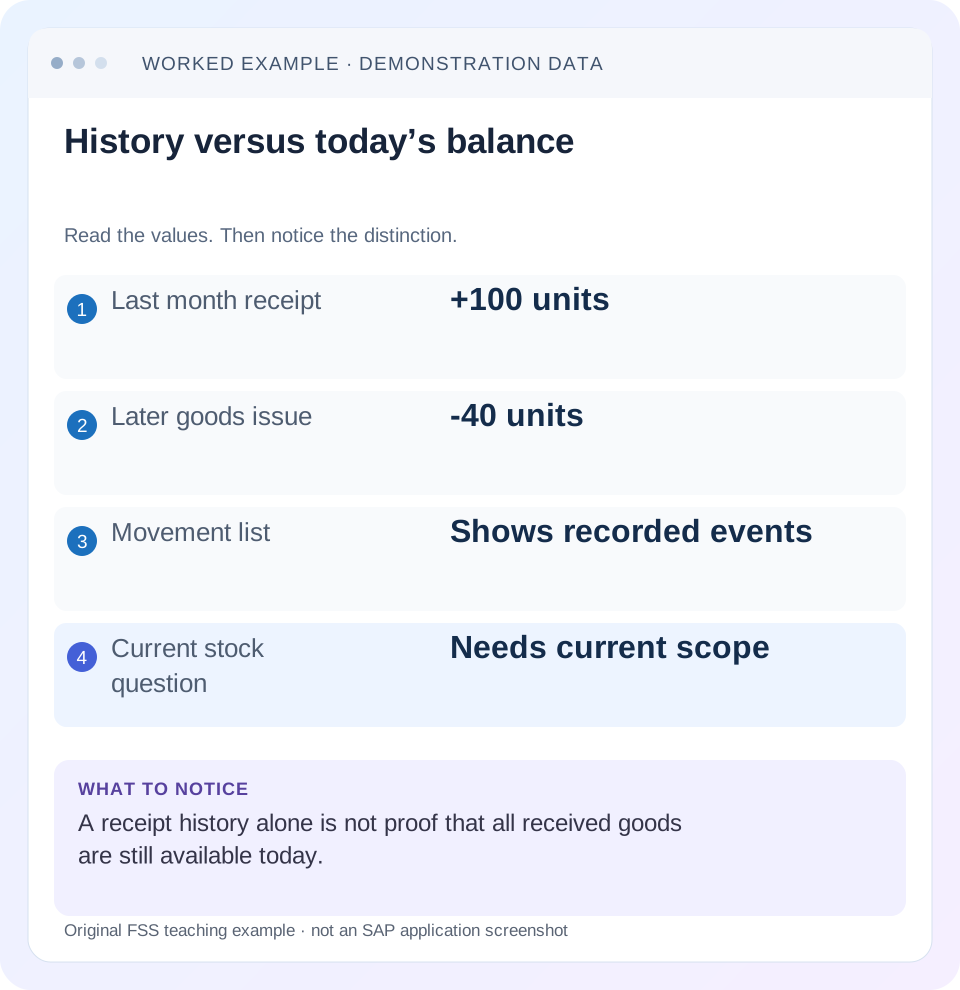
Read the example values
- Last month receipt
- +100 units
- Later goods issue
- -40 units
- Movement list
- Shows recorded events
- Current stock question
- Needs current scope
Words you’ll meet in this guide
- Material
- A product or supply item managed in SAP.
- Plant
- An organizational unit for relevant logistics operations.
- Goods receipt
- A recorded receipt of goods in a business process.
- Purchase order
- A purchasing document requesting goods or services from a supplier or supplying plant.
- Invoice
- A supplier’s bill for goods or services.
- HANA
- SAP’s database platform.
Preview the practical steps
SEE THE CONNECTION
See it in a simple example.
A small example to make the idea concrete.
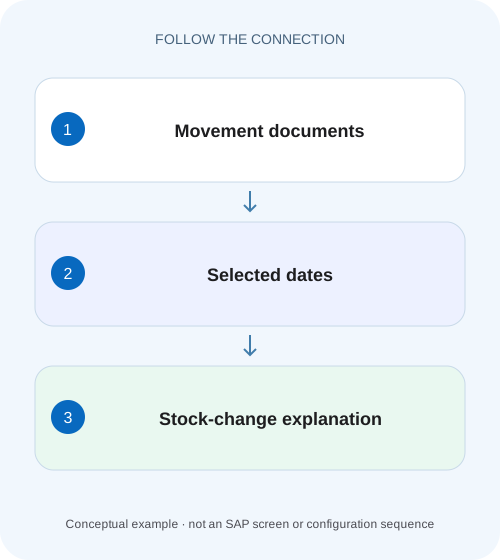
Explain a component stock change
Stores and production disagree about why component stock fell after a shift; one team has a movement list and another has a current balance.
A movement list explains events, not a complete stock position
MB51 lists material-document movements in relevant classic SAP systems.
Scope, access and date boundaries
The guide concerns classic material-document reporting and supported ERP/S/4HANA document displays.
Work at document-item and stock-context level
A material document can contain several items with different quantity effects and contexts.
Explain a component stock change
Stores and production disagree about why component stock fell after a shift; one team has a movement list and another has a current balance.
Reconcile opening stock, relevant receipts, issues and reversals in one plant, storage location and unit before comparing with today's balance.
| Reader | Business question | Evidence to carry forward |
|---|---|---|
| Plant stores, warehouse and materials teams | Explain a component stock change | Reconcile opening stock, relevant receipts, issues and reversals in one plant, storage location and unit before comparing with today's balance. |
01 A movement list explains events, not a complete stock position
MB51 lists material-document movements in relevant classic SAP systems. MMBE provides a stock overview. A list of last month’s receipts therefore cannot be interpreted as today’s available stock: opening quantities, issues, transfers, corrections and the precise stock context can all matter. [1]
Use MB51 when you need to identify which recorded events explain a change or trace a specific receipt/issue. Use a stock display when the question concerns the observed position. Reconciliation connects the two only after defining a common boundary and including all relevant effects. This tutorial builds that connection with a small, explicit movement fixture.
02 Scope, access and date boundaries
The guide concerns classic material-document reporting and supported ERP/S/4HANA document displays. S/4HANA editions can provide different applications and may restrict or replace classic transactions; confirm availability in the installed product. Database storage implementation is not prescribed by this tutorial.
Obtain material, plant, storage location, stock/ownership category, unit and the time boundary being compared. Display access to MB51 or its supported equivalent, material documents and the stock overview is needed. For a live investigation, record observation time because later postings can legitimately change both results.
Define whether the period uses posting date, document date or another timestamp. A movement physically performed on 30 November and posted on 1 December can land in a different accounting/reporting period from the warehouse’s operational diary.
03 Work at document-item and stock-context level
A material document can contain several items with different quantity effects and contexts. Retain the document number/year and item alongside movement purpose, quantity and unit. A header reference alone may not identify the row that changes the selected storage location.
Do not assign a universal positive or negative meaning solely from a displayed raw number. Understand the goods-movement direction and the report’s sign representation. Transfers can contain source and destination effects that cancel at one organizational level while changing another.
Ownership and special stock also matter. Supplier consignment, project stock and ordinary company-owned stock are different reconciliation scopes. An extract that drops those fields can combine quantities that should remain separate.
04 Worked case: opening forty and three movement effects
The fictional scope is material PART-H, plant P100, storage location S100, ordinary company-owned stock in a single stated category, measured in PC. At the opening boundary the quantity is forty. During the selected period GR-A adds 100, GI-A removes forty and REV-A reverses ten from the receipt. There are no other relevant events in this deliberately closed fixture.
The resulting quantity is 40 + 100 − 40 − 10 = 90 PC. The gross receipt row of 100 is only one term. The period’s net change is fifty, and the closing quantity is ninety because the opening forty must also be included.
These numbers do not establish a universal available-stock formula. They describe a complete, simplified physical/document reconciliation for a defined scope. Availability can depend on reservations, quality, warehouse allocations and process rules not represented in this fixture.
| Reference | Business event | Scope effect |
|---|---|---|
| Opening boundary | Observed starting quantity | 40 PC |
| GR-A / item 1 | Receipt | +100 PC |
| GI-A / item 1 | Issue | −40 PC |
| REV-A → GR-A | Partial receipt reversal | −10 PC |
| Closing boundary | 40 + 100 − 40 − 10 | 90 PC |
05 Build the initial selection narrowly
Start with the known material and plant, the relevant posting-date interval and any supported storage-location or movement context. Capture the selection variant and active result filters. A saved variant can contain restrictions that are easy to overlook when a report title looks familiar.
Find one known document from receiving or issuing and verify whether it appears. If it is absent, compare its actual posting date, item scope and report criteria before broadening the search. A missing row may be a selection issue rather than a missing SAP posting.
Use a controlled broader authorized selection only to test a specific hypothesis. Exporting every plant’s movements for years rarely makes a single-item discrepancy easier to explain and can obscure the document that matters.
06 Trace documents and corrections in sequence
The following sequence makes the reconciliation reproducible. It deliberately postpones totals until identity and scope are clear.
Name the boundary
Record PART-H/P100/S100, category, PC, period and opening/closing observation basis.
Expected observation: Both sides answer the same quantity question.
Locate the known events
Find GR-A, GI-A and REV-A, retaining document/year/item, dates and movement purpose.
Expected observation: The three expected events are present or a specific omission is identified.
Inspect underlying documents
Use supported material-document display to verify the source reference and reversal relationship.
Expected observation: A negative effect is explained by its actual business event.
Reconcile and state exclusions
Calculate the fixture’s fifty-unit net change and ninety closing quantity, then compare the supported stock view.
Expected observation: Any remaining difference has a defined missing-event or scope question.
07 Transfers explain organizational differences
Suppose an additional twenty-piece transfer moves goods from S100 to S200 within P100. For S100, the relevant effect is minus twenty; for S200, plus twenty. At the plant’s combined level, the same transfer may leave total physical quantity unchanged, under the stated simple assumptions.
If the analyst compares S100 history with plant-wide stock, a twenty-unit discrepancy can therefore be manufactured by inconsistent scope. Read source/destination context and define the organizational aggregation before totaling.
Two-step transfers and stock in transit add timing states. The issue event can be posted before the receiving event. Use the actual process and intermediate stock context rather than assuming every transfer immediately produces both sides in the same selection period.
For a concrete transfer variation, move twenty from S100 to S200 after the original ninety-piece closing fixture. S100 then has seventy and S200 twenty under the no-other-events assumption, while the combined plant quantity remains ninety. A list restricted to S100 must include the outgoing effect; a plant-wide reconciliation must understand both endpoints. If the receiving endpoint is posted later in a two-step process, retain the intermediate context instead of assuming an instantaneous destination receipt. This exercise shows why the organizational level and event timing must be defined before an analyst labels a difference as loss.
08 Account-assignment columns can answer different questions
A report field that sounds like “project” can refer to an account-assignment object or a stock context, and those are not automatically the same. SAP’s MB51 support guidance discusses distinct WBS-related meanings. Choose the field matching the actual question instead of assuming an empty column proves missing project data. [2]
For example, project-stock ownership/context and an expense charged to a project are different business relationships. Inspect the underlying material-document item and supported field definition. Do not change reporting configuration before establishing whether the desired information is absent, filtered or represented by another field.
When handing an extract to another team, retain field labels and definitions for ambiguous columns. A technically correct export can still be misread if recipients assume the wrong semantic meaning.
09 Troubleshooting decisions
Use the first point where the fixture diverges to select the next check. The report itself is not a stock-correction tool.
| Observation | Question | Next evidence |
|---|---|---|
| Known receipt absent | Wrong date/context/filter? | Material document posting date and active selection |
| Receipts exceed current stock | Were opening, issues and corrections included? | Complete defined-boundary movement set |
| Plant agrees, storage location differs | Was a transfer omitted or scope mixed? | Source/destination items |
| Negative row unexplained | Is it a reversal, return or issue? | Underlying reference relationship |
| Project column empty | Which project meaning does the field carry? | Field definition and document item |
| Totals change between users | Same variant, filter, role and observation time? | Reproducible selections and timestamp |
10 Common mistakes in movement extracts
Do not add receipts and invoice quantities together. They are different events and invoice rows in purchasing history are not inventory receipts. Likewise, provisional 103 and later 105 stages should not be counted as separate physical arrivals.
Do not ignore reversal documents because the original positive receipt is easier to recognize. Preserve both references and their net effect. A reversal is evidence, not a record to delete from the explanation.
Do not compare quantities without units or combine stock categories merely to make an arithmetic total. The resulting number may be calculable but unsuitable for the business question. A correct reconciliation includes the identities and context that make its terms comparable.
11 Verification exercises
For the positive worksheet check, independently calculate the fifty-piece period change and ninety-piece closing position. Trace each term to its fictional document. In an authorized training system, compare actual report sign representation and document relationships with the intended fixture.
For the negative check, omit GI-A. The calculated closing quantity becomes 130 instead of ninety, demonstrating why a receipt-only list overstates the position. Then omit the opening forty and observe that the net movement fifty is not the closing stock.
For boundary checks, move REV-A to the next posting period, add a storage-location transfer and express one receipt in BOX with a known conversion. Each variation should change only the relevant boundary or basis. Verify the same scope and timestamp when comparing the actual stock display.
12 Questions and a useful reconciliation result
Can MB51 alone tell me what is available to promise? No. It provides movement evidence; process-specific availability requires its own current context and rules. Does an absent row prove no posting? Not until filters, dates, identity and authorization scope are checked.
Can a spreadsheet reconstruct stock? It can reconcile a complete defined fixture with an established opening balance and correct movement semantics. A partial extract does not become complete simply because its sum is precise.
A useful handover says: “For PART-H/P100/S100 in PC, opening forty plus GR-A 100 less GI-A forty and REV-A ten explains closing ninety at the stated boundary. Availability and other categories were not inferred.” Continue with stock overview, movement types and transfer-process lessons to inspect the next layer.
Related services and next steps
Primary sources
Found this useful?
Share this guide with your network, or leave a like.
Your like is saved in this browser.