SAP ME53N: Read a purchase requisition before creating another one
A maintenance buyer receives another request for spares even though an earlier requisition may already be partly covered by a purchase order.

Source review:
START HERE · NO PRIOR TOPIC KNOWLEDGE NEEDED
What it is. Why it matters.
A purchase requisition is an internal request to buy something. ME53N displays its details and status in classic SAP, helping distinguish an existing request from a completed supplier order.
Completely new to SAP?
Manufacturers use SAP to connect work such as buying components, recording inventory, planning production, shipping equipment and accounting for costs. SAP S/4HANA is an enterprise resource planning system: it connects these activities through shared business data.
Materials Management supports purchasing and inventory. A request, order, goods receipt and supplier invoice describe separate events, each with its own record and status.
A transaction code, or t-code, is a shortcut to a task in classic SAP GUI. Fiori apps provide another way to work. Names and screens depend on the product and release; you do not need a live system to learn the concepts in this guide.

Scope and source-review notes
Scope and evidence
Source review by FAST SAP SOLUTIONS® editorial. This badge describes our editorial review; it does not represent SAP certification or independent endorsement.
Classic ME53N requisition display and supported S/4HANA document relationships. Approval models, item controls, source assignment, partial processing and available references depend on release/configuration.
Reviewed the cited official SAP indexed documentation excerpts on 14 November 2026. Direct Help Portal opens did not consistently expose readable page text. This is documentation-based teaching, not customer-system execution. All document identifiers, quantities and outcomes in the worked case are illustrative; installed release, edition, configuration and authorizations require local verification.
A MANUFACTURING EXAMPLE
Check a maintenance-spares request
Check the existing request
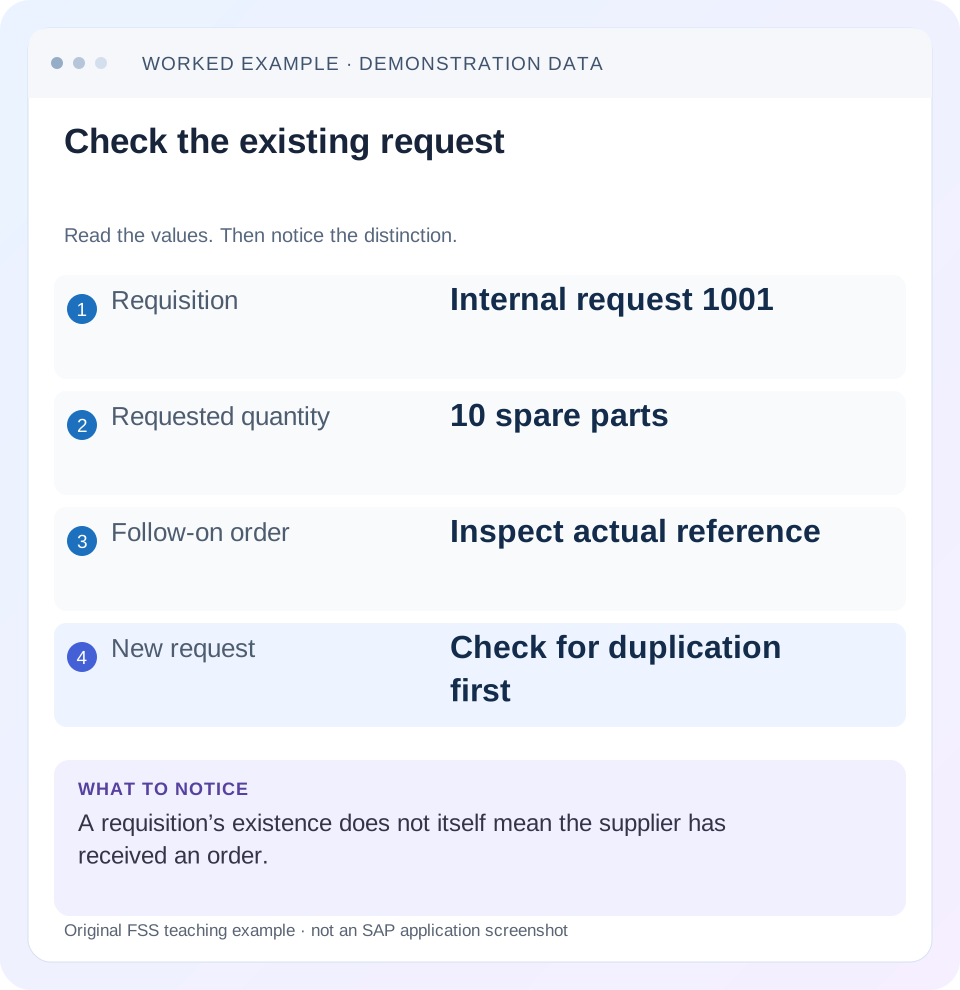
Read the example values
- Requisition
- Internal request 1001
- Requested quantity
- 10 spare parts
- Follow-on order
- Inspect actual reference
- New request
- Check for duplication first
A REAL SCREEN TO RECOGNIZE
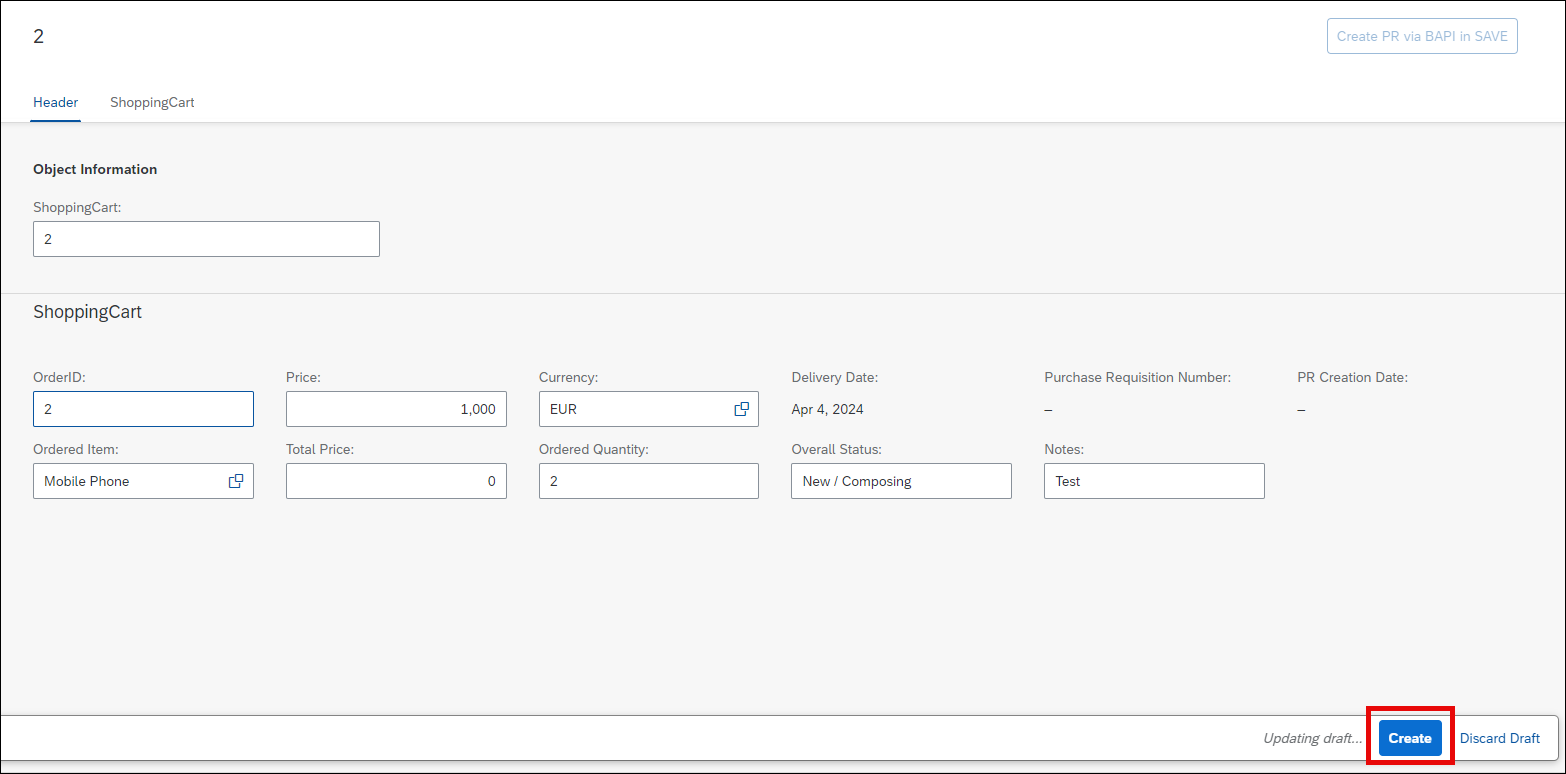
SAP’s RAP workshop shopping-cart application illustrates requests for purchasing. This is a custom workshop app, not the classic ME53N screen. Recognize the requested items and actions; creating a request and creating a supplier order are separate business stages.
© 2025 SAP SE or an SAP affiliate company and abap-platform-rap110 contributors. Apache-2.0 (repository REUSE annotation). Reproduced unchanged for educational commentary. This is a source example, not a capture of your system.Words you’ll meet in this guide
- Material
- A product or supply item managed in SAP.
- Plant
- An organizational unit for relevant logistics operations.
- Goods receipt
- A recorded receipt of goods in a business process.
- Purchase order
- A purchasing document requesting goods or services from a supplier or supplying plant.
- Invoice
- A supplier’s bill for goods or services.
- HANA
- SAP’s database platform.
Preview the practical steps
SEE THE CONNECTION
See it in a simple example.
A small example to make the idea concrete.
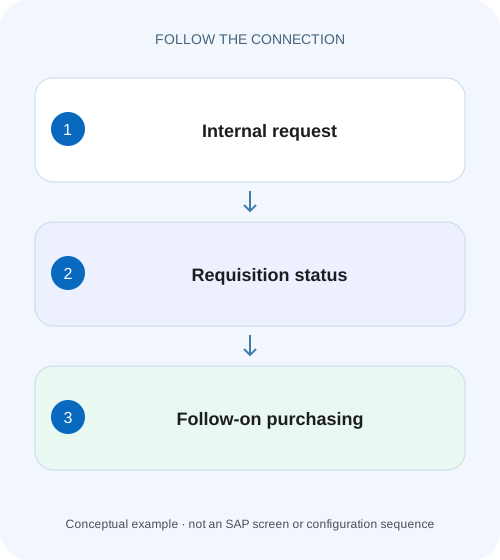
Check a maintenance-spares request
A maintenance buyer receives another request for spares even though an earlier requisition may already be partly covered by a purchase order.
Read the existing demand before requesting it again
ME53N displays a purchase requisition in relevant classic SAP purchasing processes.
Scope and prerequisites
The scope is classic ME53N and the cited ERP/S/4HANA purchase-requisition single-screen documentation.
Understand the item’s separate states
A requisition item expresses what is needed and when.
Check a maintenance-spares request
A maintenance buyer receives another request for spares even though an earlier requisition may already be partly covered by a purchase order.
Read the requisition item, quantity, account context and follow-on documents before creating duplicate supply.
| Reader | Business question | Evidence to carry forward |
|---|---|---|
| Manufacturing buyers and purchasing managers | Check a maintenance-spares request | Read the requisition item, quantity, account context and follow-on documents before creating duplicate supply. |
01 Read the existing demand before requesting it again
ME53N displays a purchase requisition in relevant classic SAP purchasing processes. A requisition is internal demand; it is not proof that a supplier order was created, approved or sent. When a requester cannot find a PO, the first useful step is to inspect the existing requisition and its item-level progress. [1]
This tutorial follows a request for ten spare parts that is partly covered by an order. It shows how to distinguish the demand, account assignment, approval, source assignment and follow-on document. The intended result is a precise next action and a justified remaining requirement, rather than another requisition that might duplicate supply.
02 Scope and prerequisites
The scope is classic ME53N and the cited ERP/S/4HANA purchase-requisition single-screen documentation. Fields and tabs vary with item/process and installed release. Classic release-strategy displays and S/4HANA flexible workflow are different approval models; identify which applies rather than assuming the same screen proves both.
Obtain the requisition number/item, requester, material or service description, plant, quantity/unit, delivery date and account-assignment purpose. Display access to requisitions, related purchasing documents and relevant history is needed. Changes and conversion tests require a training system or approved operational process.
If the request originated from planning, maintenance or another application, retain that originating reference. It helps distinguish a manually duplicated request from automatically generated demand that may reappear when its underlying requirement remains unresolved.
03 Understand the item’s separate states
A requisition item expresses what is needed and when. Source assignment identifies the intended supply context. Approval establishes the relevant internal authorization. Purchasing processing creates or references an external procurement document. Supplier communication and goods receipt happen later in their own processes. [1]
These states can legitimately be out of step. An approved requisition can still await buyer processing. An order can exist while output is pending. Goods may physically arrive before the expected receiving posting is visible. Asking “Is the PR done?” hides these distinctions.
SAP documents item-level status/history information and references to purchasing documents in the single-screen requisition. Use those references to follow the real chain. A user’s email saying that purchasing handled the request is useful context, but it should be reconciled to the actual document.
04 Worked case: ten requested, six covered by an order
Fictional requisition PR-1001 item 10 requests ten pieces of spare part PART-R for plant P100 on 25 November. The intended account assignment is the approved maintenance recipient. A referenced PO-A item 10 covers six pieces. Four are not covered by that order in this simplified case.
The requester reports “nothing arrived” and proposes a replacement requisition for ten. Before agreeing, inspect PO-A’s state and history. If six are already ordered and still expected, a fresh ten-piece request can create sixteen pieces of external supply against the original ten-piece need when both are processed.
This arithmetic is an illustrative demand-coverage worksheet, not a universal SAP open-requisition formula. Item completion/deletion indicators, changes, additional follow-on documents and process controls must be inspected. The practical point is to establish existing coverage and business need before creating more demand.
| Evidence | Quantity | Question |
|---|---|---|
| PR-1001 / 10 | 10 PC requested | Is the need still valid? |
| PO-A / 10 | 6 PC ordered | Is it active, approved and communicated? |
| Uncovered arithmetic difference | 4 PC | Does another document or closure apply? |
| Proposed duplicate request | 10 PC | Would later processing overbuy? |
| Possible combined orders | 16 PC if both processed as stated | Exceeds original ten-piece need |
05 Confirm identity, quantity and dates first
Match the displayed requisition to the requester’s need. Similar descriptions can conceal different plants, required dates or recipients. Check the full item identity and material/service context before using a total from another line.
Record the unit. Ten boxes and ten pieces can represent very different demand. If PO-A uses an alternative unit, establish the actual conversion before comparing coverage. Likewise, a changed delivery date can explain why the buyer’s worklist places the item in another period.
Review current quantity alongside relevant change evidence when available. The original request may have been reduced after an approved decision. A screenshot of the first version should not be treated as proof that the current item is wrong without understanding its lifecycle.
06 Read account assignment as business purpose
A stock requirement differs from direct consumption assigned to a cost center, asset, order or project in the supported process. Inspect the category and actual recipient fields. The same spare-part description can be used in both replenishment and task-specific procurement, so description alone does not decide the assignment.
For PR-1001, confirm the approved maintenance recipient and organizational validity. If it is missing or wrong, identify the actual validation or approval boundary. Do not enter an unrelated object to make the request appear complete.
When a PO adopts the requisition, inspect the resulting account assignment and any approved changes. A reference relationship does not guarantee every field remained identical. Follow the account-assignment lesson to reconcile a split or partial-document allocation.
07 Follow approval and purchasing progress in sequence
The steps below produce a concise support explanation while keeping the existing demand visible.
Read PR-1001/item 10
Confirm ten PC, P100, required date, material and intended maintenance assignment.
Expected observation: The displayed request is the need being investigated.
Identify the approval model and state
Read the applicable status/evidence for classic release or the supported workflow path. Note the specific pending action, if any.
Expected observation: Approved is distinguished from still awaiting authorization.
Inspect source and follow-on references
Find PO-A/item 10 and any other relevant purchasing documents. Reconcile quantities and current item controls.
Expected observation: The six-piece coverage is document-supported.
Follow PO-A into communication and receipt
Review its approval/output state and receipt history through supported displays.
Expected observation: The missing stage is named: buyer action, output, delivery or receiving.
State the remaining business requirement
Confirm whether four pieces remain needed after all active coverage and closure decisions.
Expected observation: A new or changed request is based on justified demand.
08 When an approved requisition has no order
Approval can mean the internal request is authorized while purchasing still needs to assign a source, consolidate demand or create a follow-on document. Identify which stage is actually pending. A completed approval alone should not be represented as a supplier commitment.
If source determination failed, inspect material/plant/date and relevant supplier/agreement context rather than creating the same request again. The second request may fail for the same reason and later be processed in addition to the first.
If the item is no longer required, use the supported closure/change process with the business owner. Preserve why the need changed. A hidden or deleted display row is not a substitute for confirming that active purchasing documents will not still produce supply.
In the ten-piece case, record whether the buyer expects to order the remaining four separately, revise the existing order or close the residual need. These are alternative business outcomes, and the requester should not infer one from the six-piece reference alone.
09 Troubleshooting decisions
Use the document chain to choose the owner and next action. “Create a new PR” is a possible business decision only after duplication and existing coverage are understood.
| Observation | Question | Next evidence |
|---|---|---|
| PR exists, no supplier order | Has authorization/source/buyer processing finished? | Actual approval and follow-on references |
| Approved PR, supplier unaware | Was an order created and sent? | PO and output evidence |
| Only six of ten ordered | Is the rest still needed or already covered? | All follow-on items and closure controls |
| Quantity differs by a factor | Are units aligned? | PR/PO units and conversion |
| Wrong cost recipient | Which assignment was intended and adopted? | Category, recipient and approved changes |
| Request reappears after cancellation | Does an upstream application still require it? | Originating planning/maintenance requirement |
10 Common mistakes in requester support
Do not assume an absent PO number in an email means no PO exists. Use the requisition’s actual references and an authorized controlled search. A buyer may have combined several demands into one order while preserving item-level relationships.
Do not copy the original ten-piece quantity into a new request without accounting for the existing six-piece order. Quantity duplication can remain invisible until both documents are received.
Do not interpret a classic release tab as proof that every flexible-workflow requirement is satisfied. Establish the active model and its supported status evidence. Similarly, a selected supplier is not proof of approval or communication. Keep each conclusion tied to its own document state.
11 Verification exercises
For a positive worksheet check, reconstruct PR-1001 ten and PO-A six and identify the four-piece arithmetic difference under the stated assumptions. Follow the actual PO to determine whether its six are still expected, received or canceled.
For a negative check, create a hypothetical replacement request for ten while retaining the active six-piece order. Explain the sixteen-piece risk and identify which evidence should have been checked first. Then compare a similar request at P200 and explain why it cannot resolve P100’s need.
For boundary checks, inspect a fully covered requisition, multiple partial follow-on documents, a completed item with a historical difference and an automatically generated requirement. In training, record current status and actual links. Do not assume a simple ten-minus-six equation replaces the installed item-status logic.
12 Questions and a useful handover
Does ME53N create an order? It is the display entry point in this tutorial; follow-on processing is a separate authorized action. Does approved mean the supplier has received an instruction? No. Verify the PO and communication stage.
Can one requisition be partly covered? Use the actual permitted process and references; the tutorial’s partial case demonstrates why coverage must be investigated rather than assumed. Should the requester always wait? The next action depends on the named missing stage and business urgency, supported by evidence.
For this example, hand over PR-1001/10, ten PC, P100, required date, current approval, PO-A/10 for six and the verified remaining requirement. Continue with PR-versus-PO, source selection and PO history to explain the next part of the chain.
Related services and next steps
Primary sources
Found this useful?
Share this guide with your network, or leave a like.
Your like is saved in this browser.