Equipment versus functional location: Asset identity and installation context
A factory moves a machine between installation positions and needs maintenance history that distinguishes the equipment identity from its location.

Source review:
START HERE · NO PRIOR TOPIC KNOWLEDGE NEEDED
What it is. Why it matters.
Equipment identifies an individual technical asset. A functional location identifies a place or function in a technical structure, so an asset’s identity can survive a change of installation.
Completely new to SAP?
Manufacturers use SAP to connect work such as buying components, recording inventory, planning production, shipping equipment and accounting for costs. SAP S/4HANA is an enterprise resource planning system: it connects these activities through shared business data.
Plant Maintenance organizes care of technical assets. A notification reports a need; an order plans work; recorded execution and costs explain what was actually done.
A transaction code, or t-code, is a shortcut to a task in classic SAP GUI. Fiori apps provide another way to work. Names and screens depend on the product and release; you do not need a live system to learn the concepts in this guide.

Scope and source-review notes
Scope and evidence
Source review by FAST SAP SOLUTIONS® editorial. This badge describes our editorial review; it does not represent SAP certification or independent endorsement.
SAP ERP and S/4HANA technical-object master data:equipment,functional locations and installation history. Exact inheritance,installation controls and display applications depend on release and configuration.
Documentation review on 14 November 2026 used the official SAP sources listed below, including indexed excerpts where full text was unavailable. Scope and availability depend on the stated product, release and configuration. All document references, quantities, dates and outcomes in worked cases are illustrative; no customer SAP system or tenant was accessed and the proposed exercises were not executed.
A MANUFACTURING EXAMPLE
Identify a machine and its installation
The asset survives a move
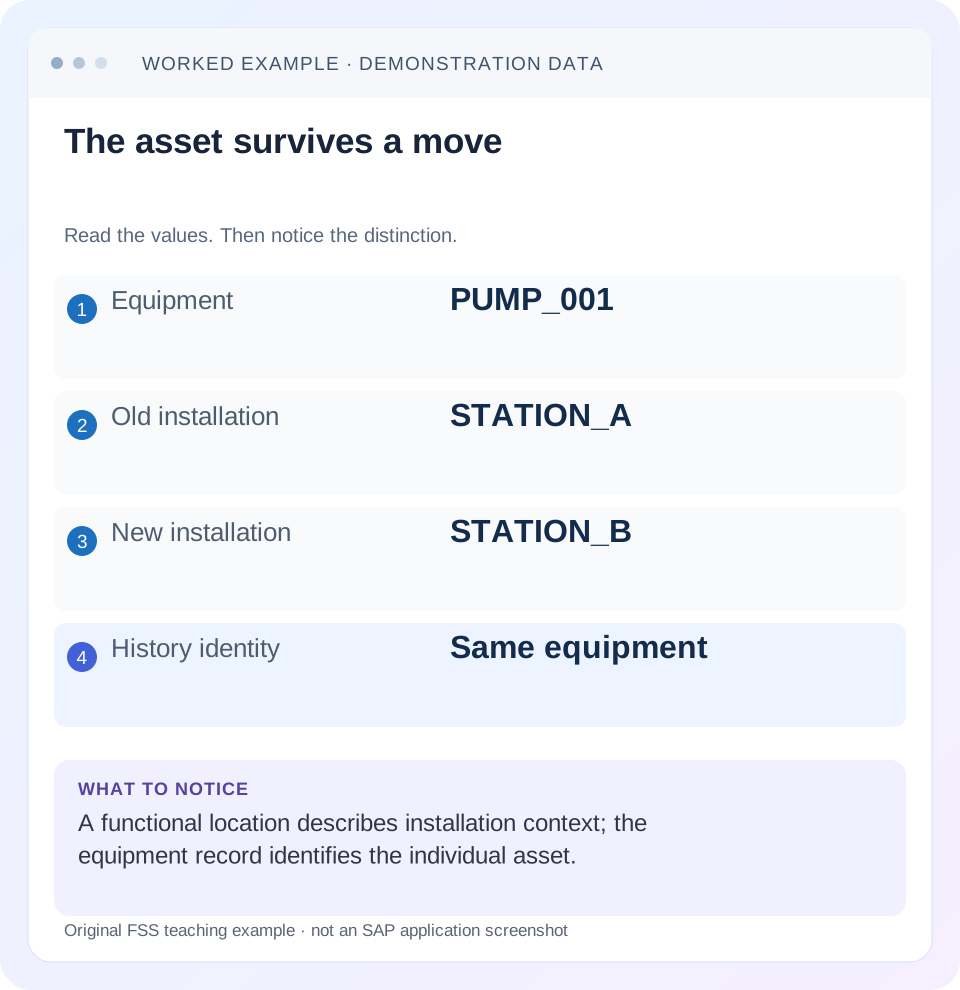
Read the example values
- Equipment
- PUMP_001
- Old installation
- STATION_A
- New installation
- STATION_B
- History identity
- Same equipment
Words you’ll meet in this guide
- Technical object
- An asset or location maintained in the system.
- Notification
- A report of an issue or maintenance need.
- Settlement
- Transfer of collected costs under accounting rules.
Preview the practical steps
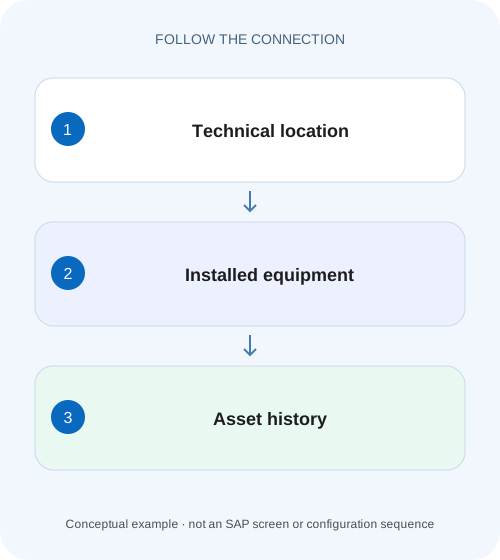
SEE THE CONNECTION
See it in a simple example.
A small example to make the idea concrete.
Identify a machine and its installation
A factory moves a machine between installation positions and needs maintenance history that distinguishes the equipment identity from its location.
Model the asset and its role as different identities
Equipment identifies an individual technical object maintained independently.
Understand the equipment lifecycle
SAP defines equipment as an object maintained and managed independently, with individual data, tasks and long-term evaluation.
Understand the functional-location lifecycle
SAP describes functional locations as hierarchical technical-structure elements organized by functional, process-related or spatial criteria.
Identify a machine and its installation
A factory moves a machine between installation positions and needs maintenance history that distinguishes the equipment identity from its location.
Use equipment and functional-location evidence for their separate purposes before combining histories or changing master data.
| Reader | Business question | Evidence to carry forward |
|---|---|---|
| Factory quality and maintenance teams | Identify a machine and its installation | Use equipment and functional-location evidence for their separate purposes before combining histories or changing master data. |
01 Model the asset and its role as different identities
Equipment identifies an individual technical object maintained independently. A functional location represents an element of the operational technical structure. A pump can move between positions while remaining the same individual pump; the pumping position can receive a replacement pump while retaining its role in the process. Choosing the correct identity is essential for meaningful maintenance history.
This guide is for maintenance master-data owners, planners and analysts investigating asset history. You need the physical asset identification, technical hierarchy and installation dates. The example is an illustrative pump swap. It explains record relationships rather than prescribing a physical maintenance intervention or assuming that every equipment category uses the same installation checks.
02 Understand the equipment lifecycle
SAP defines equipment as an object maintained and managed independently, with individual data, tasks and long-term evaluation. Equipment can be installed and dismantled at functional locations, and its usage times there are documented. This supports tracking one asset through different installations rather than creating a new equipment identity whenever its position changes. [1]
For an individual pump, serial identity, manufacturer data, warranty and repair history may belong to equipment. The fact that two pumps have the same material/model does not make them the same individual object. A material identifies a product kind; equipment identifies the particular maintained object in the relevant design. Preserve that distinction when analyzing repeated failures.
03 Understand the functional-location lifecycle
SAP describes functional locations as hierarchical technical-structure elements organized by functional, process-related or spatial criteria. They can have their own maintenance data and history. A functional location is therefore more than an address field on equipment; it can represent a stable position or system function that remains meaningful across equipment replacements. [2]
For a process line, the hierarchy may identify plant, water-treatment system, station and duty-pump position. Design it around questions the maintenance team needs to answer. Excessively detailed location levels can become difficult to maintain; an overly broad location can merge unrelated positions and obscure recurring installation problems. The appropriate structure follows the operational function, not a universal naming convention.
04 Work through a pump swap
Use equipment PUMP_001 at functional location STATION_A until 10 November. On that date, it is dismantled for workshop repair and PUMP_002 is installed. On 20 November, PUMP_001 returns to service at STATION_B. The equipment history should continue with PUMP_001, and STATION_A should show successive occupants without being renamed to whichever serial number is currently installed.
If a leak notification was reported on 9 November, it concerns the then-installed PUMP_001 at STATION_A. Reading only today's installation can incorrectly attribute that event to PUMP_002. Use historical installation dates and original document references when reconstructing an incident. The current master assignment is not a time machine.
| Period/event | Individual equipment | Installation context |
|---|---|---|
| Before 10 November | PUMP_001 | STATION_A |
| 10 November replacement | PUMP_002 | STATION_A |
| 10–19 November | PUMP_001 | Workshop/uninstalled context under design |
| From 20 November | PUMP_001 | STATION_B |
| STATION_A history | PUMP_001 then PUMP_002 | Same functional position |
05 Decide where a maintenance observation belongs
A seal failure specific to PUMP_001 supports equipment-level history. Recurring vibration at STATION_A across multiple pumps may point toward the installation context. Preserve both identities when the process permits them, so later analysis can ask whether the failure follows the asset or stays with the position.
Do not force every notification to the highest hierarchy level for convenience. That can make location reporting easy while losing individual asset evidence. Conversely, recording everything only against equipment can make a recurring structural problem difficult to see after pumps move. Define the reference-object policy with actual reliability questions and document the intended analytical grain.
06 Inspect a suspected history mismatch
Start with the event date and physical identity, then inspect the technical relationship. If the physical tag and system equipment number disagree, resolve that mapping before changing an installation record. A correct system relationship attached to the wrong physical pump is still wrong evidence.
Identify the physical object
Compare the maintained asset tag/serial identity with the equipment record.
Expected observation: PUMP_001 is an individual asset, not simply a position label.
Identify the functional position
Inspect the functional hierarchy and purpose of STATION_A.
Expected observation: The location remains meaningful after replacement.
Reconstruct the event-time installation
Compare installation/dismantling dates with the 9 November notification.
Expected observation: PUMP_001 is linked to the historical event context.
Trace maintenance documents
Read equipment/location references on the relevant notification and order.
Expected observation: History can be reconciled without reassigning old events to today's occupant.
07 Consider inherited and direct data separately
Technical objects can carry organizational, location and account-assignment data under configuration-specific inheritance and transfer behavior. Do not assume an equipment move automatically creates the exact cost-center, planner or responsibility change the business intends. Inspect the actual resulting master data and document rules.
For the case, STATION_B may belong to another responsible team. Before confirming the master-data change, review what should follow the asset and what should follow the position. Warranty history can remain with the individual pump while operational responsibility changes. This is a data-governance question as well as an installation transaction.
08 Troubleshoot identity and assignment problems
A missing equipment row can mean an uninstalled asset, wrong hierarchy selection, another technical category or an authorization issue. Avoid solving a display problem by creating a duplicate equipment record. First search the established identity and its historical usage.
| Observation | Distinction | Next evidence |
|---|---|---|
| Same serial has two records | Duplicate versus intentional object model | Equipment identity and creation context |
| Failure seems assigned to new pump | Current versus event-time installation | Notification date and installation history |
| Position history disappears after swap | Location renamed as asset | Functional-location definition and references |
| Move leaves wrong responsibility | Inheritance versus direct data | Organizational/account-assignment fields |
| Pump in workshop absent from location list | Installed population versus all equipment | Equipment identity and installation state |
| Repeated failures across different pumps | Asset defect versus position issue | Location history with successive occupants |
09 Verify positive, negative and time-boundary cases
The positive case moves PUMP_001 to STATION_B while preserving its equipment number and earlier repair history. The negative case confirms that PUMP_002 does not acquire PUMP_001's earlier individual failures simply because it now occupies STATION_A. A location-level report may intentionally show both occupants' events, but it must label that population correctly.
For a boundary check, inspect a document just before and just after the swap's effective time under your supported history model. Record any limitations in time resolution. Also verify that a report of uninstalled equipment still finds PUMP_001 during workshop repair. These are proposed master-data checks, not claims that the fictional swap was executed.
10 Design reports around the right question
“Which pump is unreliable?” needs individual equipment history. “Which station repeatedly needs repair?” needs functional-location context over time. “Who owns next week's work?” may need current responsibility. Combining all three into one current-location join can silently restate historical events under today's organization.
Build report specifications that name the time basis: current assignment, event-time assignment or another documented rule. If data is extracted to BW, preserve enough relationship information to answer the chosen question. A dashboard total is only useful when its identities and time context are clear.
11 Use the documented display transactions to compare identities
SAP's transaction reference identifies IE03 for equipment display and IL03 for functional-location display. Open both relevant records in the installed environment and compare their identities rather than editing the technical hierarchy during diagnosis. For PUMP_001, record the individual asset/serial context; for STATION_A, record the functional role and hierarchy. The two records should answer different questions even when one screen also displays the current installation relationship. [3]
Create an event ledger with columns event date, equipment, functional position, notification, order and confirmed finding. For the 9 November leak, use PUMP_001/STATION_A. For a 12 November problem on the replacement, use PUMP_002/STATION_A. The location has two events across occupants; the original pump has only the earlier event unless its own later workshop/installation history adds another. This explicit ledger prevents a current-assignment join from moving both events onto one asset.
12 Calculate asset-following and position-following failure views
Add an illustrative 25 November leak on PUMP_001 at STATION_B. Equipment-based analysis now finds two leak events for PUMP_001 across two positions. STATION_A-based analysis finds its 9 and 12 November events across two pumps. Those patterns motivate different investigation questions: does a failure follow the asset, or does it recur at the position? Neither count alone proves cause, but both preserve the evidence needed for reliability analysis.
Use counts as observations, not exposure-adjusted reliability rates. PUMP_001 may have operated different hours at each position, and STATION_A may have run continuously. To compare failure frequency meaningfully, define the exposure period and usage basis, then connect the appropriate measurement/counter evidence. Two events over ten operating hours and two over ten thousand hours are not equivalent.
For a reporting test, retain the same three events and generate both ledgers. The equipment view should follow PUMP_001 across A and B; the location view should retain A's occupants. If changing today's installation changes historical attribution unexpectedly, the report's time-basis rule needs review before any master-data repair.
13 Use both ledgers to review an installation correction
After correcting an erroneous installation date in an authorized fixture, rebuild the three-event equipment and location ledgers. Verify the intended event moved to the correct historical position without changing its equipment identity. Also confirm that the other two events retained their original references. This makes the correction observable at the business-history level rather than relying only on a changed master-data field.
14 Questions and related practice
Is a functional location always a building? No, it can reflect function, process or spatial structure. Is every equipment record required to be installed? Equipment can be managed independently; follow the relevant category and process. Does replacing a pump mean replacing the functional location? Usually the function persists, but the actual technical design decides whether the position itself changed.
A useful handover records equipment IDs, functional positions, effective installation dates and linked maintenance documents. Continue with notification versus order for document roles, measuring points/counters for asset observations, and maintenance items for preventive scope linked to technical objects.
Related services and next steps
Primary sources
Found this useful?
Share this guide with your network, or leave a like.
Your like is saved in this browser.