SAP maintenance notification versus order: Turn a reported issue into planned work
An operator reports an equipment fault, while maintenance needs a separate work scope, responsibility and execution record.

Source review:
START HERE · NO PRIOR TOPIC KNOWLEDGE NEEDED
What it is. Why it matters.
A maintenance notification describes a fault or need. A maintenance order plans and controls work, resources and related costs, so reporting a fault and authorizing repair are distinct stages.
Completely new to SAP?
Manufacturers use SAP to connect work such as buying components, recording inventory, planning production, shipping equipment and accounting for costs. SAP S/4HANA is an enterprise resource planning system: it connects these activities through shared business data.
Plant Maintenance organizes care of technical assets. A notification reports a need; an order plans work; recorded execution and costs explain what was actually done.
A transaction code, or t-code, is a shortcut to a task in classic SAP GUI. Fiori apps provide another way to work. Names and screens depend on the product and release; you do not need a live system to learn the concepts in this guide.

Scope and source-review notes
Scope and evidence
Source review by FAST SAP SOLUTIONS® editorial. This badge describes our editorial review; it does not represent SAP certification or independent endorsement.
SAP ERP/S/4HANA maintenance-notification and maintenance-order roles. Uses current Process Maintenance Order and notification-app references;screening,approval and phase-based workflows vary by order type and edition.
Documentation review on 14 November 2026 used the official SAP sources listed below, including indexed excerpts where full text was unavailable. Scope and availability depend on the stated product, release and configuration. All document references, quantities, dates and outcomes in worked cases are illustrative; no customer SAP system or tenant was accessed and the proposed exercises were not executed.
A MANUFACTURING EXAMPLE
Turn a machine fault into planned work
From reported issue to planned work
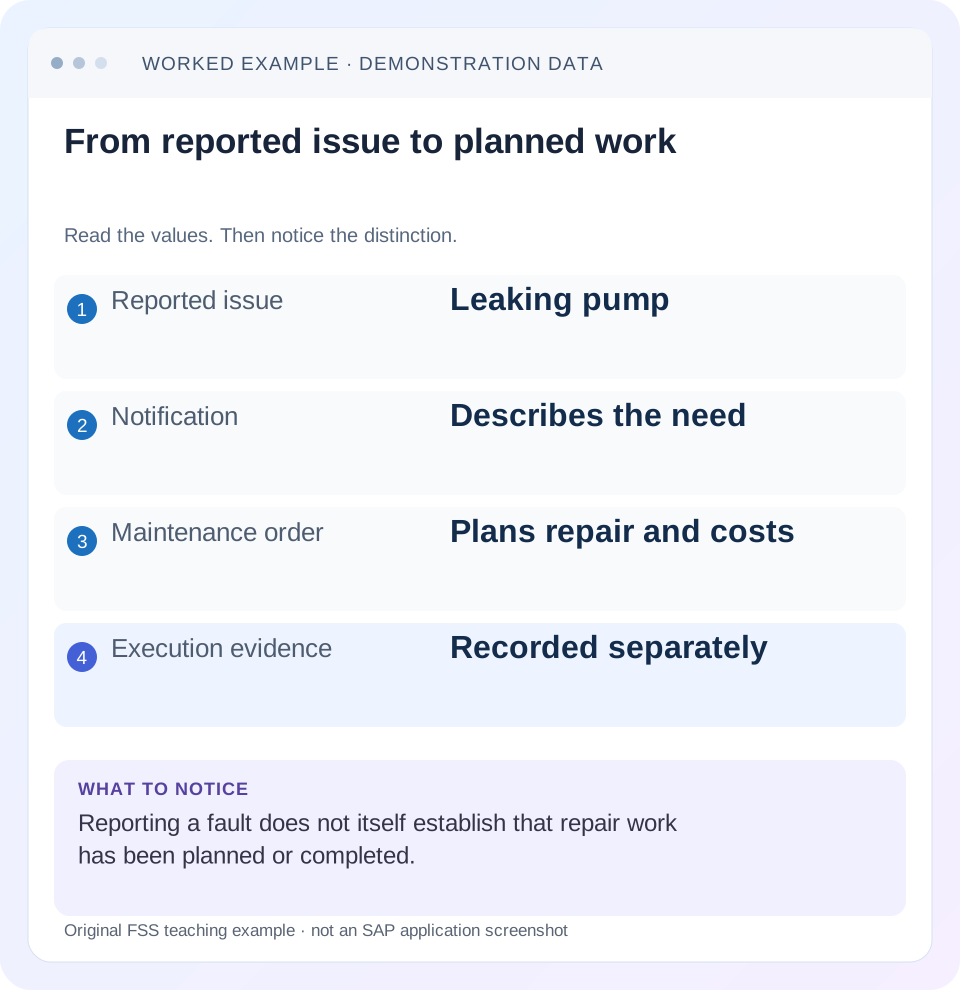
Read the example values
- Reported issue
- Leaking pump
- Notification
- Describes the need
- Maintenance order
- Plans repair and costs
- Execution evidence
- Recorded separately
Words you’ll meet in this guide
- Technical object
- An asset or location maintained in the system.
- Notification
- A report of an issue or maintenance need.
- Settlement
- Transfer of collected costs under accounting rules.
- Fiori
- SAP’s approach to business application design.
Preview the practical steps
SEE THE CONNECTION
See it in a simple example.
A small example to make the idea concrete.
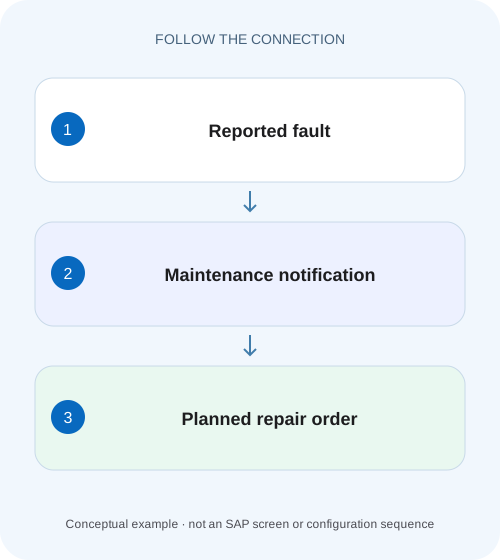
Turn a machine fault into planned work
An operator reports an equipment fault, while maintenance needs a separate work scope, responsibility and execution record.
Report the need, then plan the work
A maintenance notification records a reported issue or need.
Preserve observations without turning guesses into facts
A useful notification says what was observed, where and when.
Use the order for detailed work planning
SAP's Process Maintenance Order documentation describes creating an order for a notification or directly, and assigning existing task lists and notifications.
Turn a machine fault into planned work
An operator reports an equipment fault, while maintenance needs a separate work scope, responsibility and execution record.
Trace the notification and order relationship rather than treating a reported issue as proof that repair work has been planned or completed.
| Reader | Business question | Evidence to carry forward |
|---|---|---|
| Factory quality and maintenance teams | Turn a machine fault into planned work | Trace the notification and order relationship rather than treating a reported issue as proof that repair work has been planned or completed. |
01 Report the need, then plan the work
A maintenance notification records a reported issue or need. A maintenance order organizes the approved work, resources, dates and costs. They are connected business records with different purposes. A detailed fault report does not establish that a repair has been planned, and a created order does not prove that the asset's problem was resolved.
This guide is for requesters, maintenance planners and support analysts tracing a reactive repair. You need the technical object, symptom, event time, impact and any existing document references. The case is a fictional leaking pump; it teaches information flow rather than prescribing a physical repair or certifying equipment safety.
02 Preserve observations without turning guesses into facts
A useful notification says what was observed, where and when. “Liquid visible below seal area at 09: 10 on PUMP_001; operator stopped the pump”is stronger than an unsupported diagnosis such as “bearing destroyed.” Record the reported symptom and operational impact, then distinguish confirmed findings when investigation adds them.
Technical-object identity matters. If the pump was swapped recently, confirm the individual equipment and installation context at the event time. A notification against the wrong current occupant can distort reliability analysis. Use the original observation and historical assignment rather than silently rewriting the event to match today's master data.
03 Use the order for detailed work planning
SAP's Process Maintenance Order documentation describes creating an order for a notification or directly, and assigning existing task lists and notifications. It identifies planning information including dates, location, materials and resources/tools. The order therefore supplies the execution structure that a symptom report alone does not provide. [1]
For the pump case, the planner can define investigation, approved repair scope, required technician effort and spare-parts needs through the applicable process. A planned quantity of one seal kit is not an actual goods issue, and planned labor is not a confirmation. Keep planned and actual evidence separate as work progresses.
04 Work a linked repair case
Suppose notification N500 reports the leak on PUMP_001 at STATION_A. Planner review identifies existing order O600 for the same approved shutdown scope. A second notification N501 reports related vibration. The planner determines whether its scope belongs in O600 rather than automatically creating another order.
The example does not require all related reports to share one order. Combining unrelated assets, approval responsibilities or shutdown windows can obscure scope. The practical question is whether one execution package can legitimately address the linked findings while preserving their identities and remaining work.
| Stage | Document/evidence | Meaning |
|---|---|---|
| Reported leak | N500 / PUMP_001 /09: 10 | Observation preserved |
| Scope review | Existing O600 assessed | Avoid duplicate work |
| Planning | O600 operations, parts, dates | Intended execution defined |
| Execution | Confirmations and material documents | Work/resources actually recorded |
| Outcome review | Findings and verified condition | Original issue assessed |
| Financial follow-up | Actual costs and settlement | Separate accounting evidence |
05 Check existing work before creating another order
Search using the technical object, reported date and relevant status scope. Inspect document links and actual scope, not merely similar short text. A closed historical order is not necessarily the current repair package, and a current order may be hidden by a narrow worklist filter.
SAP provides notification applications for finding/displaying maintenance notifications, and current editions distinguish display-only variants from action-capable apps. Use the application and role available in the actual landscape. Do not infer change authority from being able to view a notification or assume that every release offers identical assignment actions. [2]
06 Follow the handoff from requester to planner
A notification should make the planning decision easier, while the order should make execution unambiguous. Include enough context to connect the two without duplicating unsupported conclusions. Retain the original request when scope changes after inspection.
Confirm the reported object and event
Check equipment/location, time, symptom and impact in N500.
Expected observation: The issue is identifiable without a guessed root cause.
Review existing linked work
Inspect O600's current scope, dates, status and related findings.
Expected observation: Duplicate or unrelated work is distinguished.
Plan the approved operations
Define tasks, parts, resources and required workflow approvals in the order.
Expected observation: Technicians receive a specific execution reference.
Capture actuals and findings
Record performed work, materials and confirmed cause under the process.
Expected observation: Planned values are not mistaken for execution.
Review both documents
Assess notification and order completion requirements separately.
Expected observation: The original issue and work package have traceable outcomes.
07 Keep planned quantities and actual usage distinct
Suppose O600 plans one seal kit at 200 EUR and four labor hours. Actual execution uses one kit and three hours at the illustrative internal rate 80 EUR/hour. The simplified actual cost is 440 EUR: 200 plus 240. A planned cost estimate of 520 EUR does not prove that 520 was incurred, and three confirmed hours do not by themselves prove the stock issue occurred.
Follow the actual material and labor evidence. If the seal kit was reserved but never issued, the inventory/cost chain differs from a completed consumption. If additional work is discovered, record the approved scope adjustment rather than hiding it in a completion comment. Use the order's relevant documents to explain each resource effect.
08 Diagnose missing links and conflicting states
A notification can be in process while its order is waiting for materials. An order can be technically complete while notification coding remains outstanding. Financial settlement can remain after the physical work is finished. These differences need investigation, but they are not automatically errors merely because labels do not match.
| Observation | Main distinction | Next evidence |
|---|---|---|
| Fault reported, no work plan | Notification versus order | Planning decision and assignment |
| Order exists, technician cannot execute | State/approval/resources | Order status, operations and message |
| Two orders for same symptom | Duplicate versus separate scope | Linked notifications, dates and operations |
| Order complete, issue persists | Recorded work versus verified outcome | Findings and follow-up observation |
| Parts planned, stock unchanged | Reservation versus actual issue | Material-document evidence |
| Repair finished, cost balance remains | Operational versus financial completion | Settlement rule and run |
09 Verify the document flow
The positive check traces N500 to the intended O600 operations and actual 440-EUR simplified resource evidence. The negative check verifies that an unrelated notification for another asset is not silently included in the same repair scope. A boundary check adds a second finding after work starts and tests the approved scope-change process.
Also verify a reported issue resolved without the expected order path, if that is a supported business process. Do not create an order solely to satisfy a training diagram. The article describes typical document responsibilities; the actual maintenance design determines required steps and approvals. Record what happened and why instead of forcing every incident into one document pattern.
10 Write a closure that separates claim from evidence
A useful closure states what was reported, what work was performed, what parts/labor were recorded and what outcome was observed. “N500 leak; O600 seal work; one kit and three hours; post-work observation recorded”is more informative than “fixed.” Any unresolved vibration finding should remain explicit rather than disappearing into the leak repair's completion.
Keep accounting follow-up visible without implying the asset remains physically broken. Conversely, financial settlement does not prove functional restoration. Different owners may close different parts of the flow, but their references should remain connected so later support can reconstruct the incident.
11 Use display references to preserve the original report and work package
SAP's backend transaction reference names IW23 for notification display and IW33 for order display. Where available, open the two documents separately and compare technical object, reported event, planning scope and status. A notification's symptom text should remain recognizable even after the order adds confirmed findings and repair operations. Current Fiori equivalents can provide the same investigation through their documented object links. [3]
For N500, record reported leak,09: 10, event-time PUMP_001/STATION_A and operational impact. For O600, record planned operations, parts, dates, responsibility and linked notification references. This two-object field sheet lets the planner show what was known at reporting and what was subsequently authorized for execution. It avoids rewriting the requester's initial observation as though it already contained the technician's later diagnosis.
12 Reconcile a new finding without silently closing the original need
After seal work, the technician finds that the vibration reported in N501 remains. O600's completed seal operation can be valid while the vibration needs another assessment or approved scope extension. Preserve that remaining issue explicitly. Closing both notifications merely because they share one order would discard a real unresolved observation.
Compare planned 520 EUR with actual 440 in the fixture: the 80-EUR reduction comes from one fewer labor hour at 80 EUR/hour, assuming the same 200-EUR kit and no other costs. If a second kit was actually issued, the material cost becomes 400 and the simplified actual total 640. A final status does not explain either cost result; material and labor documents do.
For verification, use one notification fully addressed by O600 and one related finding deliberately left outstanding. Confirm that users can identify the remaining work without creating duplicate seal repair. Then compare the actual resource ledger with planned values. These controls show that document linkage improves traceability without forcing every linked issue to reach the same outcome.
If a new order is needed for the vibration, retain the relationship to the finding and distinguish its scope from O600. The new execution package should not be described as proof that the original seal repair failed unless evidence supports that conclusion. Reporting, planning, execution and outcome review each contribute different facts to the maintenance history.
13 Questions and related lessons
Must every notification create a new order? No, review existing scope and the applicable process. Can an order be created without a notification? SAP documents direct creation in applicable order processing. Does notification completion prove repair completion? Check the linked execution and outcome evidence separately.
Continue with equipment/location for event-time identity, worklists for locating reported and planned workload, and maintenance-order settlement for cost allocation. A good document flow preserves the original need while making the actual work and remaining follow-up clear.
Related services and next steps
Primary sources
Found this useful?
Share this guide with your network, or leave a like.
Your like is saved in this browser.