IW28, IW29, IW38 and IW39: Choose notification or order worklists
A maintenance supervisor needs to distinguish reported machine issues from orders that plan and record the work.

Source review:
START HERE · NO PRIOR TOPIC KNOWLEDGE NEEDED
What it is. Why it matters.
A maintenance notification describes an issue; an order organizes the work to address it. Classic notification and order worklists offer different display or processing purposes.
Completely new to SAP?
Manufacturers use SAP to connect work such as buying components, recording inventory, planning production, shipping equipment and accounting for costs. SAP S/4HANA is an enterprise resource planning system: it connects these activities through shared business data.
Plant Maintenance organizes care of technical assets. A notification reports a need; an order plans work; recorded execution and costs explain what was actually done.
A transaction code, or t-code, is a shortcut to a task in classic SAP GUI. Fiori apps provide another way to work. Names and screens depend on the product and release; you do not need a live system to learn the concepts in this guide.

Scope and source-review notes
Scope and evidence
Source review by FAST SAP SOLUTIONS® editorial. This badge describes our editorial review; it does not represent SAP certification or independent endorsement.
Classic SAP ERP/S/4HANA SAP GUI worklists IW28/IW29 and IW38/IW39. Available columns,actions and authorization checks depend on release,layout and customer configuration.
Documentation review on 14 November 2026 used the official SAP sources listed below, including indexed excerpts where full text was unavailable. Scope and availability depend on the stated product, release and configuration. All document references, quantities, dates and outcomes in worked cases are illustrative; no customer SAP system or tenant was accessed and the proposed exercises were not executed.
A MANUFACTURING EXAMPLE
Route factory maintenance follow-up
Issue list or work-order list?
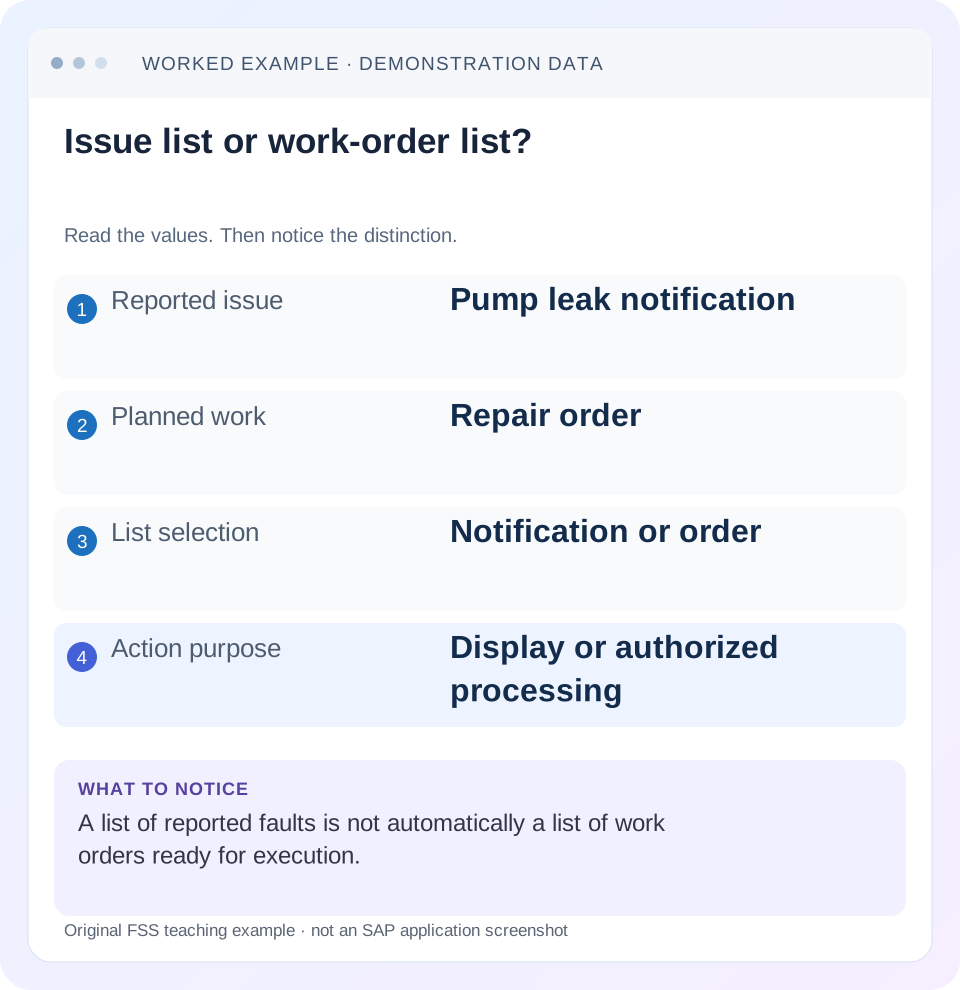
Read the example values
- Reported issue
- Pump leak notification
- Planned work
- Repair order
- List selection
- Notification or order
- Action purpose
- Display or authorized processing
Words you’ll meet in this guide
- Technical object
- An asset or location maintained in the system.
- Notification
- A report of an issue or maintenance need.
- Settlement
- Transfer of collected costs under accounting rules.
Preview the practical steps
SEE THE CONNECTION
See it in a simple example.
A small example to make the idea concrete.
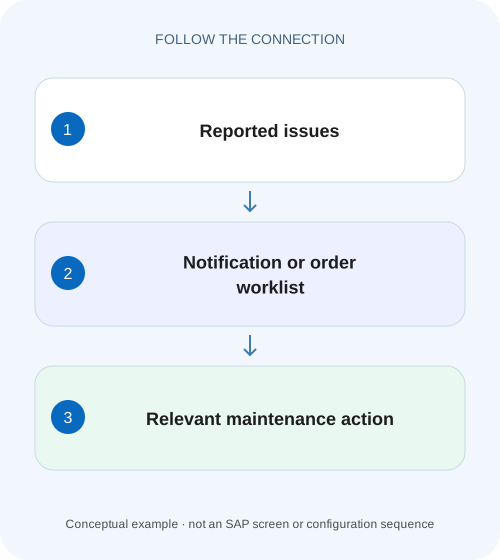
Route factory maintenance follow-up
A maintenance supervisor needs to distinguish reported machine issues from orders that plan and record the work.
Choose the business object before the transaction
IW28 and IW29 concern maintenance notifications; IW38 and IW39 concern maintenance orders.
Understand what a notification list can tell you
A notification records a reported maintenance need, observation or finding.
Understand what an order list can tell you
An order supports planning and execution: work scope, operations, resources, dates, components and costs.
Route factory maintenance follow-up
A maintenance supervisor needs to distinguish reported machine issues from orders that plan and record the work.
Choose the notification or order worklist appropriate to the question before assigning responsibility or counting backlog.
| Reader | Business question | Evidence to carry forward |
|---|---|---|
| Factory quality and maintenance teams | Route factory maintenance follow-up | Choose the notification or order worklist appropriate to the question before assigning responsibility or counting backlog. |
01 Choose the business object before the transaction
IW28 and IW29 concern maintenance notifications; IW38 and IW39 concern maintenance orders. In the usual classic split, IW28/IW38 provide processing-capable lists and IW29/IW39 provide display-oriented lists. Choose notification versus order first, then the permitted action. Four similar transaction names do not make their populations interchangeable.
This tutorial is for maintenance planners and support analysts building a daily queue. You need an agreed question, plant/planning context, date basis and status scope. Use display access for an investigation that only needs reading. The examples use fictional pump faults and repair orders; actual actions depend on assigned roles and the installed list-processing functions.
02 Understand what a notification list can tell you
A notification records a reported maintenance need, observation or finding. Its dates, technical object, priority and processing state help triage reported issues. A notification can exist without a repair order, and an order can relate to several reported findings under the maintenance design. Counting notifications is therefore not the same as counting executable work packages.
SAP release documentation groups IW28/IW29 as notification list transactions and IW38/IW39 as maintenance-order list transactions. Keep the document identity in exports and handovers. A spreadsheet titled “maintenance backlog” is ambiguous unless it states whether rows are notifications, orders or another grain. [1]
03 Understand what an order list can tell you
An order supports planning and execution: work scope, operations, resources, dates, components and costs. Its lifecycle differs from the notification's reporting lifecycle. An order can be awaiting release, ready for execution, in progress or operationally complete while financial follow-up remains.
Do not infer that a completed notification proves its linked order is finished and settled. Likewise, an order's technical completion does not necessarily close every related notification under every process. Read each object's actual status and the applicable relationship. A useful worklist exposes the next action rather than using one label to imply every stage is complete.
04 Build a small linked workload
Suppose three fictional notifications describe pump issues. N101 reports a leak and links to released repair order O201. N102 reports noise and has no order yet. N103 reports another observation that the planner assigned to O201 after confirming the same repair scope. The notification list has three rows; the corresponding execution workload has one existing order plus one unplanned issue.
Adding three notification rows to one order row and reporting four jobs double counts unlike objects. Define the counting grain before presenting backlog metrics. For operational planning, you may need separate counts of unplanned reported issues and released orders, rather than one total that merges both.
| Notification | Observation | Assigned order | Next question |
|---|---|---|---|
| N101 | Pump leak | O201 | Is planned repair ready? |
| N102 | Abnormal noise | None | Does planning require an order? |
| N103 | Related seal observation | O201 | Is scope included in O201? |
| Order view | O201 | Two linked findings | One execution package, not two |
05 Select the population with explicit date meaning
Choose the date field that matches the question. Notification creation, malfunction occurrence, required work dates and order execution dates can select different populations. A fault reported yesterday about a problem that began last week may appear under one date filter and not another.
Record planning plant, maintenance plant, technical object, status and date range used. Distinguish an intentionally narrow open-work queue from a historical review. A saved variant can conceal an unexpected restriction, so inspect it when another user obtains different results. Layout columns determine what you see; selection criteria determine which records enter the list.
06 Investigate one missing row methodically
Start with a known document number and display it directly through the permitted route. Confirm its object type and actual fields, then compare those values with the list selection. This locates the exclusion without making changes to a business document simply to force it into a queue.
Name the object and question
Decide whether you need reported issues or planned orders, and reading or processing.
Expected observation: IW29/IW39 can serve display questions in the classic split.
Establish a reference document
Use N102 or O201 and capture actual plant, date and status.
Expected observation: At least one expected included row is known.
Compare selection and variant
Inspect date basis, status exclusions and plant scope.
Expected observation: The first mismatch explains the missing row.
Follow the link
From N101, inspect O201 rather than creating another repair order.
Expected observation: Notification and execution evidence remain connected.
07 Treat processing worklists as operational tools
SAP documents mass-change functions in notification/order list processing. Selecting rows and applying an action can therefore change business data, not simply reorganize a report. Before a permitted batch change, define the target population and intended fields, then inspect the actual result and any failed objects. [2]
The cited mass-change guidance describes refreshing the list after background changes and checking the application log in SLG1 for that background operation. Use that evidence where the documented function applies. A disappearing row after a change is not by itself proof that every selected object was processed successfully; the new status may merely exclude it from the current selection. [2]
08 Troubleshoot common queue disagreements
A count difference between two users may come from different variants, authorizations, object grains or observation times. Reconcile one known row before comparing hundreds of totals. Keep the original filters attached to every export.
| Observation | Distinction | Next check |
|---|---|---|
| Notification absent from order list | Different business object | Notification-to-order assignment |
| Order exists but open list empty | Status/date exclusion | Actual status and selection |
| Three notifications, one order | Many reports to one scope | Linked document identities |
| Two users see different counts | Scope or authorization | Same variant and known document |
| Mass change partly succeeds | Object-specific failure | Processing log and failed IDs |
| Row disappears after action | Selection changed by new state | Direct display and result log |
09 Verify a variant before relying on it daily
The positive test includes N101, N102 and N103 under the agreed notification scope. The negative test excludes a document from another plant deliberately. A boundary test includes one completed notification and checks whether the open-work variant excludes it for the intended reason. Repeat analogous checks for order dates and statuses.
After an approved batch change, test one changed and one intentionally unchanged document directly. If the list is refreshed and shrinks, confirm the resulting states rather than reporting that the queue was “cleared.” These are proposed training checks; no batch maintenance was executed for this article.
10 Keep workload and cost questions separate
A repair order ready for execution is an operational queue item. An order requiring settlement is a financial follow-up item. They may be the same document at different stages, but the selection and owner differ. Do not reopen execution merely because the financial queue contains a balance, or close an issue to reduce an operational count.
For the pump case, the planner's handover could state:“N102 needs scope assessment; O201 covers N101 and N103; materials/operations under review.” That is more actionable than “three faults outstanding” because it avoids implying three separate repair orders.
11 Create separate issue and execution metrics from the same documents
Using N101, N102, N103 and O201, define an issue metric of three notifications and an execution metric of one existing order. Add a planning-gap metric of one notification without an assigned order: N102. Those three figures are useful together because they answer different questions. Summing them into five units of backlog would be meaningless.
If N103 is later resolved as a duplicate report while N101 remains relevant, the notification count can fall without reducing the number of repair orders. Conversely, creating O202 for N102 can increase the execution-order count while reducing the unplanned-issue count. A manager should understand which workload changed rather than interpreting every larger number as deterioration.
12 Review a batch change with included and excluded controls
Suppose a planner has an approved change of planner responsibility for O201 and O202, while O203 must remain unchanged. First select the intended order population and inspect the actual two IDs. Then review the specific field/value change. The ability to select three visible rows is not evidence that all three belong in the approved batch.
After processing, inspect O201 and O202 directly and retain any object-specific failure messages. If O202 failed because of its processing state, the successful O201 change does not prove the batch is complete. Reconcile requested two, successful one, failed one, and preserve O203 as the unchanged control. This record supports a narrow retry after the demonstrated cause is resolved.
The documented background mass-change flow requires refreshing list evidence and reviewing the relevant application log. A stale list can still show the old responsibility even when the order changed; an active list filter can also hide a changed order. Verify the actual document and processing log together before rerunning the whole batch.
For a recurring queue, store the selection purpose and a small known included/excluded test set with the variant definition. Recheck after changes to plant responsibility, status policy or authorization. A variant can remain technically executable while its business meaning drifts, so the most useful regression compares known document membership and next-action interpretation rather than only total row count.
13 Keep a controlled variant change observable
When changing a shared selection variant, retain the old criteria and compare known documents before replacing the recurring queue. A date-field change can alter membership even if the displayed dates look similar. Confirm that the new queue still directs the same responsible users to the intended maintenance action; then document any deliberate population change.
14 Questions and related lessons
Which transaction should show a fault without an order? Start with the notification list. Can a display list authorize a repair? Reading a row is not execution approval. Why do counts differ after changing a variant? The selected population may have changed; compare criteria and known rows before treating it as data loss.
Continue with notification versus order for document roles, system/user status for blocked actions, and maintenance-order settlement when the queue concerns collected costs rather than unfinished physical work. A clear worklist names its grain, selection and next action.
Related services and next steps
Primary sources
Found this useful?
Share this guide with your network, or leave a like.
Your like is saved in this browser.