Maintenance plan versus maintenance item: Scheduling and work scope
A manufacturer services several machines and needs to explain which record controls scheduling and which identifies the maintained work scope.

Source review:
START HERE · NO PRIOR TOPIC KNOWLEDGE NEEDED
What it is. Why it matters.
A maintenance plan controls recurring scheduling. A maintenance item describes the associated object and work scope, helping connect a timetable with the maintenance that is actually needed.
Completely new to SAP?
Manufacturers use SAP to connect work such as buying components, recording inventory, planning production, shipping equipment and accounting for costs. SAP S/4HANA is an enterprise resource planning system: it connects these activities through shared business data.
Plant Maintenance organizes care of technical assets. A notification reports a need; an order plans work; recorded execution and costs explain what was actually done.
A transaction code, or t-code, is a shortcut to a task in classic SAP GUI. Fiori apps provide another way to work. Names and screens depend on the product and release; you do not need a live system to learn the concepts in this guide.

Scope and source-review notes
Scope and evidence
Source review by FAST SAP SOLUTIONS® editorial. This badge describes our editorial review; it does not represent SAP certification or independent endorsement.
SAP ERP/S/4HANA preventive-maintenance plan and item concepts,with current Display Maintenance Item/Manage Maintenance Plans references. Call-object behavior depends on plan category,strategy and application.
Documentation review on 14 November 2026 used the official SAP sources listed below, including indexed excerpts where full text was unavailable. Scope and availability depend on the stated product, release and configuration. All document references, quantities, dates and outcomes in worked cases are illustrative; no customer SAP system or tenant was accessed and the proposed exercises were not executed.
A MANUFACTURING EXAMPLE
Separate maintenance timing from work scope
Schedule and scope are separate
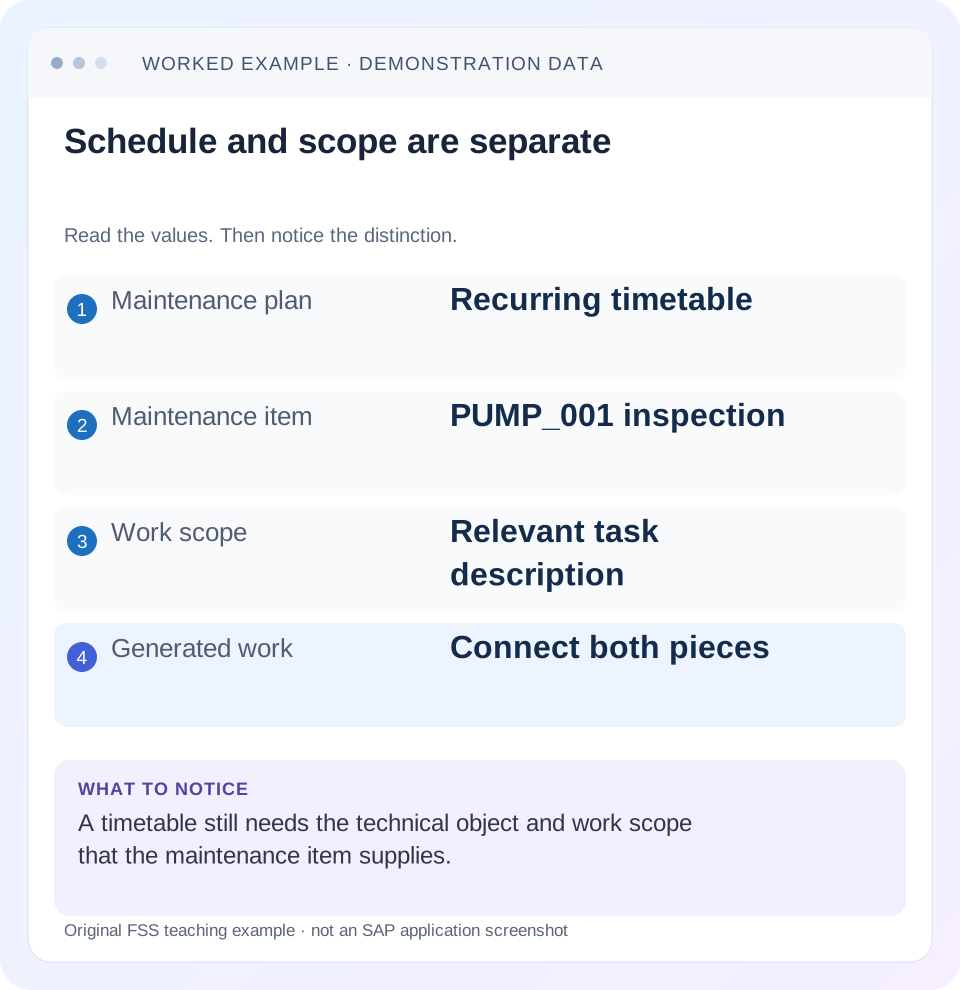
Read the example values
- Maintenance plan
- Recurring timetable
- Maintenance item
- PUMP_001 inspection
- Work scope
- Relevant task description
- Generated work
- Connect both pieces
Words you’ll meet in this guide
- Technical object
- An asset or location maintained in the system.
- Notification
- A report of an issue or maintenance need.
- Settlement
- Transfer of collected costs under accounting rules.
- Fiori
- SAP’s approach to business application design.
Preview the practical steps
SEE THE CONNECTION
See it in a simple example.
A small example to make the idea concrete.
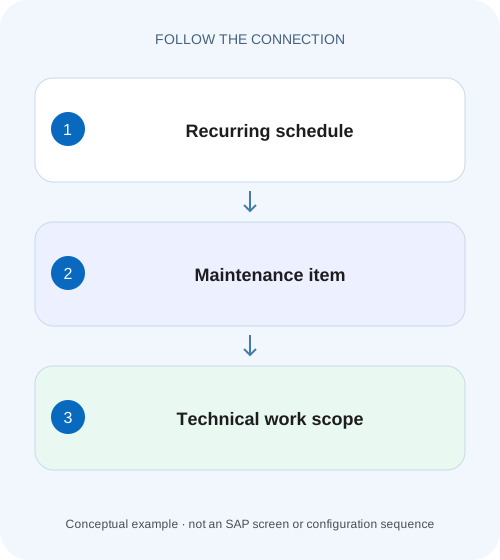
Separate maintenance timing from work scope
A manufacturer services several machines and needs to explain which record controls scheduling and which identifies the maintained work scope.
A timetable needs a defined work scope
A maintenance plan provides recurring scheduling context.
Read the item as more than short text
SAP's Display Maintenance Item documentation lists technical-object information, maintenance strategy, plan relationship, planning plant, order/notification type, location/account assignment and task-list access.
Understand the relationship to scheduling
SAP's plan-management guidance distinguishes cycles and scheduling information from item task-list assignments.
Separate maintenance timing from work scope
A manufacturer services several machines and needs to explain which record controls scheduling and which identifies the maintained work scope.
Read the plan and item relationship before copying a service interval or changing the linked maintenance objects.
| Reader | Business question | Evidence to carry forward |
|---|---|---|
| Factory quality and maintenance teams | Separate maintenance timing from work scope | Read the plan and item relationship before copying a service interval or changing the linked maintenance objects. |
01 A timetable needs a defined work scope
A maintenance plan provides recurring scheduling context. A maintenance item describes preventive work for a technical object or group of objects and connects that scope to planning data and, where assigned, a task list. Neither record alone proves that a call object has been generated or that work was performed.
This guide is for maintenance planners setting up or diagnosing preventive work. You need the technical object, required maintenance scope, cycle/strategy and intended call-object type. The example uses two fictional pumps on one recurring planning concept. It does not assume that every plan category creates one identical order per item or that unrelated assets should share one timetable.
02 Read the item as more than short text
SAP's Display Maintenance Item documentation lists technical-object information, maintenance strategy, plan relationship, planning plant, order/notification type, location/account assignment and task-list access. Those fields explain who and what the recurring work concerns. A descriptive label such as “monthly pump check” cannot substitute for the actual object and planning assignments. [1]
A task list specifies work steps and relevant resources such as spare parts, tools and completion time in the documented process. The item links that reusable work definition to the preventive context. Keep the technical object and work definition separate: the same kind of inspection can apply to several assets without making those assets one equipment identity.
03 Understand the relationship to scheduling
SAP's plan-management guidance distinguishes cycles and scheduling information from item task-list assignments. In a strategy plan, the strategy supplies maintenance cycles; in a performance-based plan, counter inputs are relevant. The item does not independently schedule itself simply because its tasks are complete and valid. [2]
A missing order can therefore be a plan-scheduling issue even when the item is correct. Conversely, a perfectly timed call can generate the wrong scope if the item references the wrong equipment or task list. Diagnose timetable and scope separately, then follow their relationship into the generated document.
04 Work a two-pump planning case
Suppose plan PLAN_P has a 30-day cycle and two illustrative items: I10 for PUMP_001 with task list TL_A, and I20 for PUMP_002 with task list TL_B. TL_A includes seal inspection; TL_B includes a different lubrication check. The business wants coordinated preventive timing while preserving the two asset scopes.
If a generated document contains the lubrication task for PUMP_001, the first investigation is the item/task-list relationship and copied work scope. Moving the plan's next date cannot repair the wrong task assignment. If neither item has a generated object yet, inspect scheduling eligibility and call history before duplicating PLAN_P.
| Object | Scheduling/work role | Value |
|---|---|---|
| PLAN_P | Recurring timetable | 30-day cycle |
| I10 | Technical work scope | PUMP_001 / TL_A |
| I20 | Technical work scope | PUMP_002 / TL_B |
| Next call | Scheduled occurrence | Derived from plan controls |
| Generated document | Execution evidence | Verify actual item/object references |
05 Inspect the item through documented applications
Display Maintenance Item lets the planner view the assigned plan, technical object and task list, including quickviews in the documented application. Use those links to compare the actual relationships. Record item and plan identifiers rather than navigating by similar short texts alone. [1]
For classic maintenance-plan maintenance, SAP documents creating items within the plan or assigning eligible existing items. The presence of an unassigned item is therefore a different state from an item included in the active schedule. Verify assignment explicitly when a well-defined preventive scope never appears in call processing.
06 Follow one item from master data to execution
Select I10 and establish its intended technical object and tasks before discussing scheduling. Then trace one known call to the generated document. This creates a stable chain of evidence and reveals the first incorrect relationship.
Review the item
Compare equipment, planning plant, type, account assignment and task list with the approved scope.
Expected observation: I10 means PUMP_001 seal inspection.
Review the assigned plan
Confirm cycle/strategy, call horizon and current scheduling history.
Expected observation: The timetable is explicit.
Inspect the relevant call
Record planned date, status and generated-object reference.
Expected observation: Scope is tied to one occurrence.
Inspect generated work
Compare object, operations and referenced preventive context.
Expected observation: The execution document matches I10 rather than I20.
07 Consider an object list deliberately
SAP's classic item-creation guidance allows assigning further technical objects through the Object List where required. An object list can support an appropriate grouped scope, but it should not become a way to hide unrelated maintenance behind one vague item. State how technicians will identify the actual objects and record findings. [3]
For a pump inspection route, grouping may be useful when tasks and operational handling genuinely belong together. For independent shutdown-critical repairs, separate scope may be necessary. The article does not prescribe the grouping policy; it supplies the questions: shared timing, task applicability, execution responsibility and historical traceability.
08 Diagnose scope versus timing errors
The same symptom,“preventive work missing,”can mean no call exists, the call exists without its expected object, the object exists but is filtered out, or the generated scope is wrong. Name the stage before making a master-data change.
| Observation | Likely branch | Next evidence |
|---|---|---|
| Item exists, never called | Assignment/scheduling | Assigned plan and call history |
| Call date correct, wrong equipment | Item/object scope | Item reference and generated document |
| Correct equipment, wrong operations | Task-list assignment/version | Task list and copied operations |
| One item absent from expected work | Item-specific planning/type | Item data and actual call-object handling |
| Repeated duplicate work | Duplicate plan/item or manual order | References across existing documents |
| Timing wrong for both items | Plan scheduling | Cycle, horizon and completion controls |
09 Handle changes with historical context
Changing today's task list does not prove that an earlier generated order should already contain the new instructions. Establish which work definition was used when that document was created and whether the installed process supports a deliberate refresh. Do not silently rewrite execution history to resemble current master data.
For I10, record the effective scope change and verify the next representative call. If an existing open order also needs adjustment, use the approved order-change process and retain the reason. A master-data correction and an execution-document correction are related but distinct actions.
10 Verify positive, negative and boundary cases
The positive check follows I10 to work for PUMP_001 with TL_A's intended operations. The negative check confirms that TL_B's lubrication step is not substituted merely because I20 shares the plan. The boundary check examines the first call after a dated task-list change and compares it with an earlier already generated document.
Also verify an intentionally unassigned item: it should not be assumed to participate in PLAN_P's active schedule. Confirm the actual behavior and messages in an authorized fixture. These checks demonstrate relationship correctness; they do not certify that physical maintenance was completed or that the chosen cycle is technically sufficient.
11 Read the item and plan through their own display contexts
SAP's app reference names Display Maintenance Plan IP03 and Display Maintenance Item IP06, alongside IP10 scheduling. Where those classic interfaces are available, use the item display to inspect technical/work scope and the plan display to inspect its scheduling relationship. Current Fiori Display Maintenance Item also exposes links/quickviews to the plan, technical object and task list in its documented scope. Choose the interface implemented in your edition rather than treating the transaction names as new cloud prerequisites. [4] [1]
For I10, create a field sheet with item ID, assigned plan, technical object, planning plant, order/notification type, task-list identity and location/account assignment. For PLAN_P, record cycle/strategy, horizon and call history separately. This makes a wrong equipment assignment visibly different from a correct item whose plan has not reached call eligibility.
12 Test a work-scope revision without changing the timetable
Suppose TL_A changes from seal visual inspection to seal inspection plus an approved leakage measurement. The recurring 30-day timing remains appropriate. The intended master-data change belongs to the work definition and its applicability, not a new duplicate plan. Record which item uses TL_A and whether other items share it before changing the reusable tasks.
Compare a previously generated November object with a future December call. The earlier object may retain its original copied work instructions; the future one should use the intended applicable scope under the installed process. Verify both rather than assuming that changing the task list retroactively refreshes every execution document.
Add I30 for a third pump as a separate controlled variant. Before assigning it to PLAN_P, confirm that it shares the intended schedule and task policy. After assignment, inspect the next representative call's actual handling and generated scope. Do not prescribe one document per item without checking the plan category, but ensure each intended technical scope remains identifiable.
For acceptance, compare three outcomes: the original I10 still references PUMP_001, the revised applicable task definition is selected for new work, and I20 still carries its separate TL_B scope. If I20 unexpectedly acquires the new leakage measurement, review shared task-list/reference assumptions. A successful plan save does not establish those work-content outcomes.
13 Verify account assignment as well as task content
For the new I30 scope, compare location and account-assignment information with the responsible technical object and planning organization. A correct inspection task on the wrong financial/responsibility context can still generate misleading work and cost follow-up. Include one known item whose assignments should remain unchanged when testing a shared plan adjustment, and inspect the resulting execution document rather than assuming every field copied as intended.
14 Questions and handover
Can a plan contain more than one item? The documented planning concepts support multiple items, but actual call-object handling must be checked for the plan category. Does an item require its own timetable? Scheduling belongs to its assigned plan. Does a task-list assignment prove an order was created? No, follow the call and object reference.
Record plan, item, technical object, task list, call, date and generated document in the handover. Continue with call horizon for eligibility, IP24/IP10 for scheduling evidence, and equipment versus functional location for the identity used in the preventive scope.
Related services and next steps
Primary sources
Found this useful?
Share this guide with your network, or leave a like.
Your like is saved in this browser.