SAP IP24 versus IP10: Review maintenance calls before rescheduling a plan
A plant planner wants to adjust a machine maintenance plan but first needs to understand existing calls and scheduling evidence.

Source review:
START HERE · NO PRIOR TOPIC KNOWLEDGE NEEDED
What it is. Why it matters.
A maintenance call represents scheduled maintenance work. IP24 provides a scheduling overview in relevant systems, while IP10 supports plan scheduling activities.
Completely new to SAP?
Manufacturers use SAP to connect work such as buying components, recording inventory, planning production, shipping equipment and accounting for costs. SAP S/4HANA is an enterprise resource planning system: it connects these activities through shared business data.
Plant Maintenance organizes care of technical assets. A notification reports a need; an order plans work; recorded execution and costs explain what was actually done.
A transaction code, or t-code, is a shortcut to a task in classic SAP GUI. Fiori apps provide another way to work. Names and screens depend on the product and release; you do not need a live system to learn the concepts in this guide.

Scope and source-review notes
Scope and evidence
Source review by FAST SAP SOLUTIONS® editorial. This badge describes our editorial review; it does not represent SAP certification or independent endorsement.
Classic SAP GUI IP24 scheduling overview and IP10 individual maintenance-plan scheduling in SAP ERP/S/4HANA. Enhanced end-date/counter limits require applicable release/business-function support.
Documentation review on 14 November 2026 used the official SAP sources listed below, including indexed excerpts where full text was unavailable. Scope and availability depend on the stated product, release and configuration. All document references, quantities, dates and outcomes in worked cases are illustrative; no customer SAP system or tenant was accessed and the proposed exercises were not executed.
A MANUFACTURING EXAMPLE
Review maintenance calls before rescheduling
Review calls before rescheduling
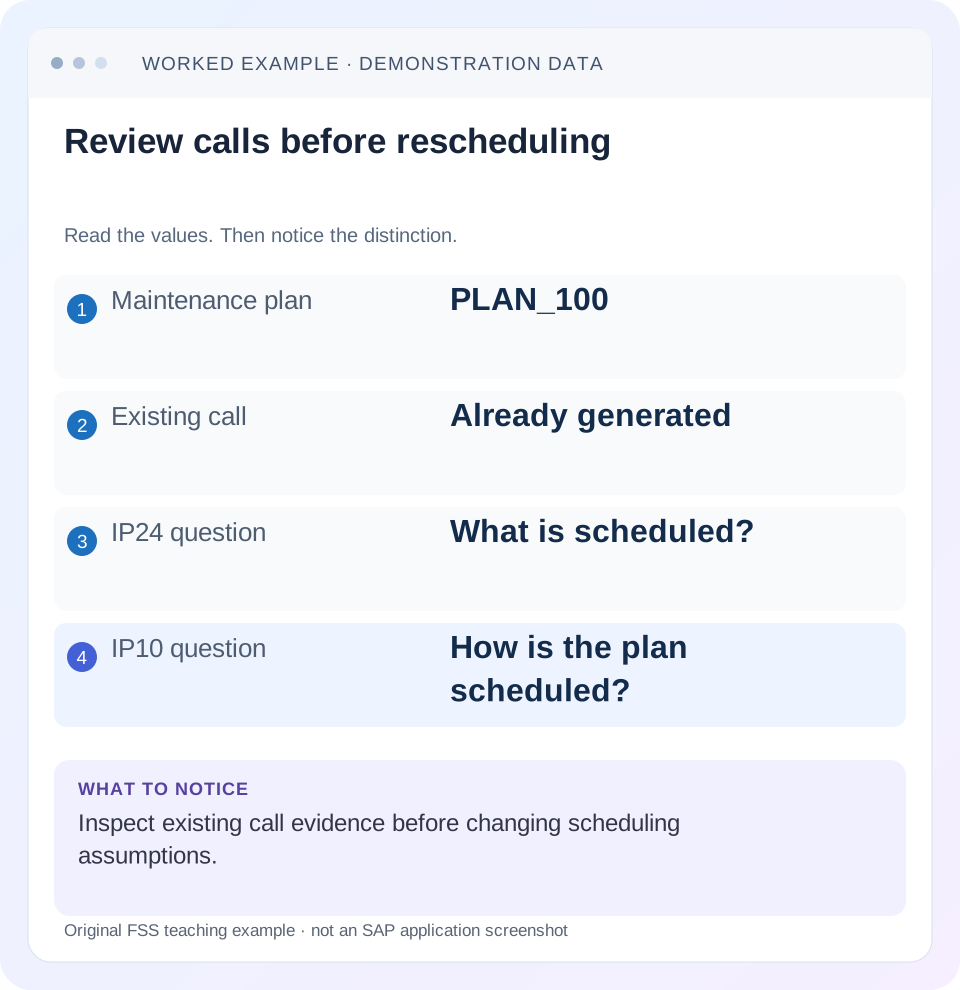
Read the example values
- Maintenance plan
- PLAN_100
- Existing call
- Already generated
- IP24 question
- What is scheduled?
- IP10 question
- How is the plan scheduled?
Words you’ll meet in this guide
- Technical object
- An asset or location maintained in the system.
- Notification
- A report of an issue or maintenance need.
- Settlement
- Transfer of collected costs under accounting rules.
- Fiori
- SAP’s approach to business application design.
- GUI
- Graphical user interface. SAP GUI is a desktop interface used for many classic SAP tasks.
Preview the practical steps
SEE THE CONNECTION
See it in a simple example.
A small example to make the idea concrete.
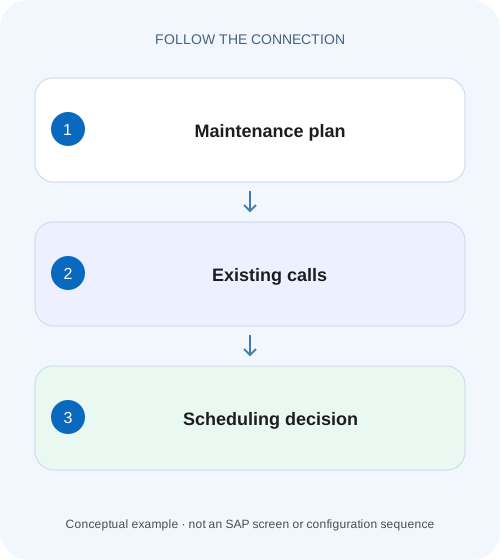
Review maintenance calls before rescheduling
A plant planner wants to adjust a machine maintenance plan but first needs to understand existing calls and scheduling evidence.
Inspect the call before running scheduling again
IP24 helps review maintenance scheduling information; IP10 supports individual-plan scheduling.
Understand plan, call and call object
A maintenance plan carries scheduling logic.
Work through three calls on one plan
Suppose fictional plan PLAN_100 services PUMP_001 every 30 days.
Review maintenance calls before rescheduling
A plant planner wants to adjust a machine maintenance plan but first needs to understand existing calls and scheduling evidence.
Use the scheduling overview and plan context before starting another scheduling action that may change the call situation.
| Reader | Business question | Evidence to carry forward |
|---|---|---|
| Factory quality and maintenance teams | Review maintenance calls before rescheduling | Use the scheduling overview and plan context before starting another scheduling action that may change the call situation. |
01 Inspect the call before running scheduling again
IP24 helps review maintenance scheduling information; IP10 supports individual-plan scheduling. Start with the overview when the question is “what already exists?” Starting scheduling again before tracing the current call can obscure whether an order is missing, not yet eligible, held or already generated under an unexpected worklist filter.
This guide is for preventive-maintenance planners with display access to the plan, call history and generated order or notification. You need the expected technical object, plan/item and maintenance date. It concerns classic SAP GUI transactions where available. A Fiori app or public-cloud process may expose equivalent information through another supported interface rather than the same transaction.
02 Understand plan, call and call object
A maintenance plan carries scheduling logic. A maintenance item supplies the preventive work context. A call represents a scheduled occurrence, and the call object is the generated business document, such as a maintenance order under the selected plan category. A future scheduled occurrence and an existing execution document are different states.
SAP's maintenance-plan scheduling reference names Scheduling Overview IP24, and SAP scheduling documentation identifies IP10 for individual-plan scheduling. Use those roles to orient the investigation. Do not infer that a visible planned date means an order must already be present; call horizon and processing conditions still govern generation. [1]
03 Work through three calls on one plan
Suppose fictional plan PLAN_100 services PUMP_001 every 30 days. Call 1 has a planned date of 1 November and generated order O100. Call 2 is planned for 1 December and has not yet generated an object under the current horizon. Call 3 falls beyond the current scheduling scope. A user searches an order list for December and finds nothing.
The correct next action depends on which call the user means. Rescheduling cannot make the 1 November order appear in a December-only list. Manually creating an order for call 2 can duplicate future work if the plan later generates its normal object. First establish the call identity and expected lifecycle.
| Call | Planned date | Observed evidence | Interpretation |
|---|---|---|---|
| 1 | 1 November | Order O100 exists | Trace the existing document |
| 2 | 1 December | Future call, no object | Check horizon and call conditions |
| 3 | Later cycle | Outside current scope | Check scheduling period before expecting a row |
| Order list | December filter | No matching row | Does not establish plan failure |
04 Select a useful overview population
Use the narrowest known plan or technical-object context and a date range that includes the disputed call. Inspect plant/planning context and any status selection. Record the variant if one is used; another planner may have a saved selection that hides generated or completed calls.
Do not widen every field simultaneously and then guess which row is relevant. Begin with a known plan reference, confirm one expected included call, and expand the range deliberately if needed. The objective is a reproducible overview that another planner can run and interpret, not the largest possible list.
05 Read dates, statuses and object links together
For each relevant call, capture its planned date, call-related date/status and generated object reference where present. Follow the object reference rather than searching only by short text. An order can have dates, plant or status that differ from the filter the user originally chose.
If the call points to O100, inspect O100's actual lifecycle. A completed or technically completed order may be excluded from an open-order list while the maintenance call still correctly preserves its history. The disappearance of a row from one queue does not erase the generated work. Keep scheduling history and order execution status separate.
06 Decide whether IP10 is needed
Use IP10 when an authorized individual-plan scheduling action is required after reviewing the plan's current state. Inspect the scheduling parameters and existing call history before selecting a function that changes dates or generates work. Starting, restarting and other scheduling actions can have different effects; use the installed release's documented action for the actual case.
Capture the expected call
Record PLAN_100, item, PUMP_001 and intended maintenance date.
Expected observation: The request refers to one occurrence.
Review in the overview
Compare calls, statuses and generated-object references within the correct date scope.
Expected observation: Existing O100 is identified.
Explain missing generation
Check horizon, previous completion conditions, scheduling period and holds.
Expected observation: Future call 2 has a specific reason for no object.
Apply only the needed scheduling action
Use individual scheduling after confirming inputs and consequences.
Expected observation: The resulting call/object can be reconciled to the original plan.
07 Check end-date and counter limits only where supported
SAP documents enhanced end-date and end-counter controls that are considered by IP10 and automatic scheduling. In the documented scenario, the final call can remain on Hold so no further call objects are created. The feature has stated prerequisites and exceptions, so do not present it as a universal setting every plan must contain. [2]
If the installed functionality is active, compare the plan's end limit with the disputed future occurrence. A plan deliberately ending after November should not be “repaired” to generate December work without a business decision. If the feature is absent, investigate ordinary scheduling scope and call controls instead of searching for an unavailable field.
08 Troubleshoot the observed gap
Separate an omitted overview row, an ungenerated object and an execution problem. They are different stages and should not be corrected through the same action.
| Observation | Main question | Next evidence |
|---|---|---|
| Known plan absent | Selection or authorization? | Plan ID, plant, date and variant |
| Future date visible, no order | Eligible and processed? | Horizon and scheduling history |
| Call has order reference, list empty | Order-list filters? | Direct object display and status |
| Last call held | End limit or call control? | Hold reason and applicable parameters |
| Dates changed unexpectedly | Which scheduling action/reference? | Before/after history and completion inputs |
| Two orders seem to cover same work | Duplicate manual/planned scope? | Plan/item/call references and document creation |
09 Verify one call end to end
The positive test locates call 1 and follows it to O100. The negative test excludes 1 November deliberately and confirms why that row disappears without assuming deletion. For a boundary test, place the date range around 1 December and compare call visibility with generation eligibility; they are distinct checks.
After an authorized scheduling correction, verify the exact call and generated object, its dates and reference to the intended preventive scope. Confirm that an existing order was not duplicated. If the expected object is a notification rather than an order, check the plan category and actual outcome instead of declaring failure because no order exists.
10 Keep the scheduling handover precise
Record plan, item, call, planned date, status, object reference and the reason an action was or was not required. For the illustration:“call 1 links O100; call 2 is future and not eligible under current horizon; no duplicate order created.” That explains the result better than “IP10 completed.”
Include the original selection variant or criteria so another operator can reproduce the overview. If a background scheduling issue remains, record the responsible processing scope and run evidence separately. An individual manual success can demonstrate one plan's behavior without proving that the recurring job covers every required plan.
11 Reconcile a missing December order with an existing November call
Write the incident expectation as a specific occurrence: PLAN_100 item I10, planned 1 December, expected order before that date. Then compare the call history with the plan's actual horizon and last processed time. If call 2 is visible but future, the overview has already answered a useful question: the schedule recognizes the occurrence, while generation is a later state. Do not describe this as a missing maintenance plan.
If call 2 already links O101, open that reference and compare its actual order dates/status with the original order-list variant. For example, a variant restricted to currently released orders can omit O101 if it is still in another legitimate processing state. Scheduling again cannot repair that selection mismatch. If call 2 has no object and is eligible, inspect the processing evidence/messages and call controls before deciding the individual scheduling action.
12 Use before-and-after evidence for a scheduling change
Before an approved change, capture the plan's existing calls, planned dates, statuses and object references. Afterward, compare the same call identities and note which dates or objects changed. A result that merely says “the next date is correct”can miss an earlier call moved unexpectedly or a previously generated order still carrying its original scope.
For the 30-day fixture, suppose an approved reference-date change shifts the next planned occurrence by 5 days. Do not assume the generated November order also shifts by 5 days. Read its actual dates and the plan/call relationship. Master scheduling changes and already created execution documents can require different follow-up under the installed process.
Create a bounded test with one future ungenerated call and one generated call. Predict which is intended to change, then observe the actual behavior and messages for the specific IP10 function. If the function's documented outcome differs from the business request, stop the configuration experiment and choose the appropriate supported action instead of layering repeated restarts.
For recurring automatic scheduling, also check a second representative plan inside the background job's scope. A manual individual-plan success demonstrates the plan can be processed in that context; it does not prove that the job's plant/date/selection covers it. Preserve both references in the handover so operations can fix recurring coverage rather than depending on daily manual intervention.
13 Questions planners commonly ask
Can IP24 create every missing order? Its purpose here is overview; follow the applicable scheduling process for generation. Should a missing order always lead to restart? No, first inspect the call and its eligibility. Does a held call mean corrupt data? It can represent configured control, such as the documented end-limit case; read the reason.
Continue with call horizon for timing calculations, maintenance plan versus item for work scope, and notification/order worklists for locating the generated business object under the right filters.
Related services and next steps
Primary sources
Found this useful?
Share this guide with your network, or leave a like.
Your like is saved in this browser.