SAP maintenance plan call horizon: Why a due date is not the call date
A maintenance planner sees a machine service due date and needs to explain why its call is generated earlier or later than expected.

Source review:
START HERE · NO PRIOR TOPIC KNOWLEDGE NEEDED
What it is. Why it matters.
A maintenance plan schedules recurring work. Its call horizon influences when a maintenance call is generated relative to the planned due point, allowing work to be prepared in advance.
Completely new to SAP?
Manufacturers use SAP to connect work such as buying components, recording inventory, planning production, shipping equipment and accounting for costs. SAP S/4HANA is an enterprise resource planning system: it connects these activities through shared business data.
Plant Maintenance organizes care of technical assets. A notification reports a need; an order plans work; recorded execution and costs explain what was actually done.
A transaction code, or t-code, is a shortcut to a task in classic SAP GUI. Fiori apps provide another way to work. Names and screens depend on the product and release; you do not need a live system to learn the concepts in this guide.

Scope and source-review notes
Scope and evidence
Source review by FAST SAP SOLUTIONS® editorial. This badge describes our editorial review; it does not represent SAP certification or independent endorsement.
Time-based maintenance-plan call-horizon concepts in SAP ERP/S/4HANA. Percentage example assumes a simple fixed day cycle; strategy,performance-based,factory-calendar and enhanced horizon options need release-specific calculation checks.
Documentation review on 14 November 2026 used the official SAP sources listed below, including indexed excerpts where full text was unavailable. Scope and availability depend on the stated product, release and configuration. All document references, quantities, dates and outcomes in worked cases are illustrative; no customer SAP system or tenant was accessed and the proposed exercises were not executed.
A MANUFACTURING EXAMPLE
Explain when a machine maintenance call appears
Call before the due point
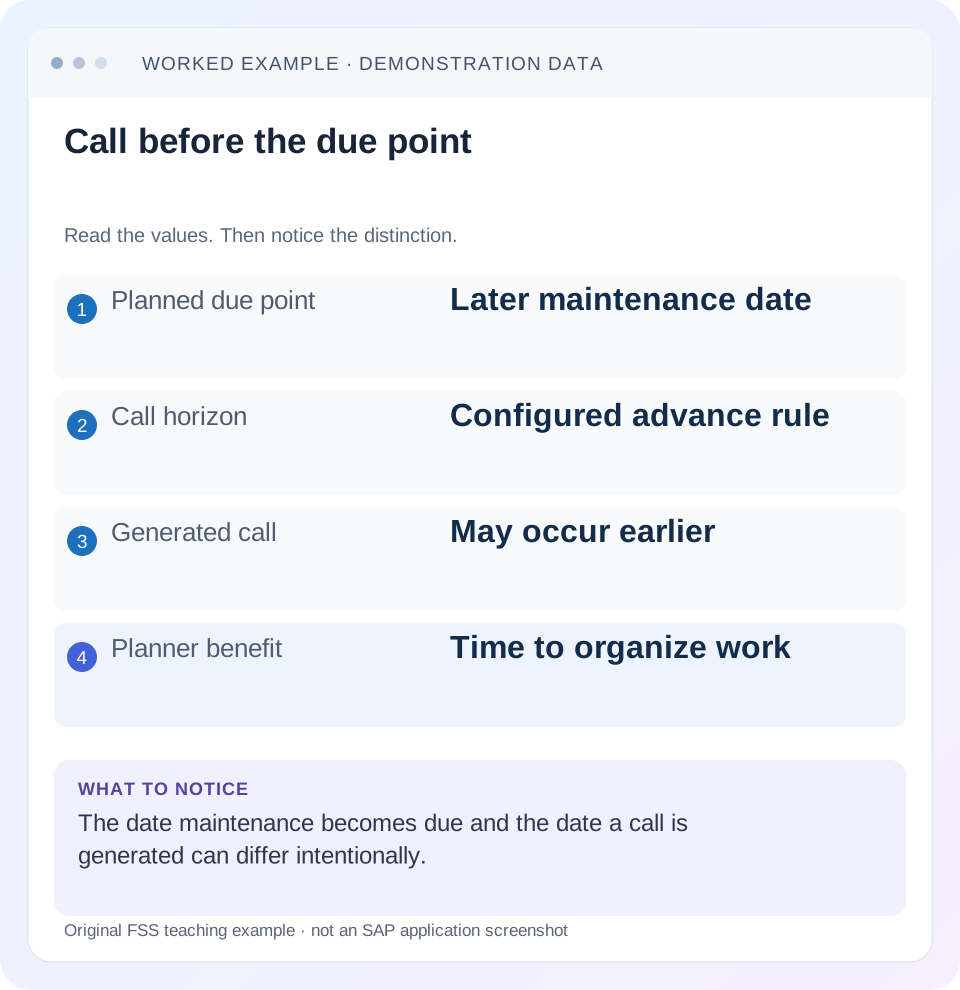
Read the example values
- Planned due point
- Later maintenance date
- Call horizon
- Configured advance rule
- Generated call
- May occur earlier
- Planner benefit
- Time to organize work
Words you’ll meet in this guide
- Technical object
- An asset or location maintained in the system.
- Notification
- A report of an issue or maintenance need.
- Settlement
- Transfer of collected costs under accounting rules.
Preview the practical steps
SEE THE CONNECTION
See it in a simple example.
A small example to make the idea concrete.
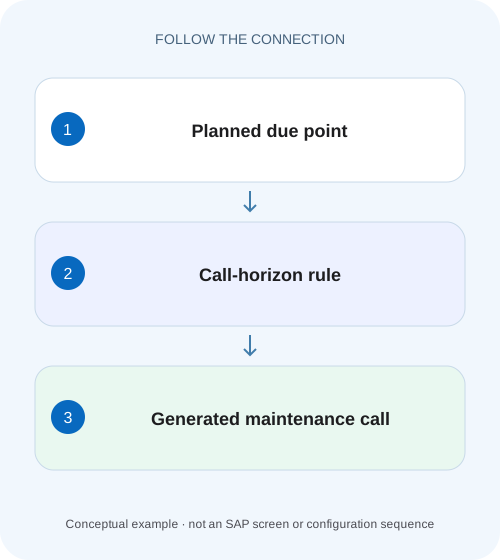
Explain when a machine maintenance call appears
A maintenance planner sees a machine service due date and needs to explain why its call is generated earlier or later than expected.
A maintenance due date is not necessarily the order-creation date
The planned maintenance date says when work is due.
Understand the percentage mechanism
SAP's classic call-horizon documentation defines a percentage of the interval between the relevant start/confirmation date and next planned date at which a maintenance call object should be created.
Work a simple 100-day cycle
Use day 0 as the relevant cycle reference and day 100 as the planned maintenance date.
Explain when a machine maintenance call appears
A maintenance planner sees a machine service due date and needs to explain why its call is generated earlier or later than expected.
Read the call horizon and scheduling context before treating a due date as the date the order must already exist.
| Reader | Business question | Evidence to carry forward |
|---|---|---|
| Factory quality and maintenance teams | Explain when a machine maintenance call appears | Read the call horizon and scheduling context before treating a due date as the date the order must already exist. |
01 A maintenance due date is not necessarily the order-creation date
The planned maintenance date says when work is due. The call horizon determines when the plan should call the work in advance of that date under its scheduling design. Actual call-object creation also depends on scheduling execution and other applicable conditions. An order missing today can therefore be correct even though a future due date is visible.
This guide is for preventive-maintenance planners investigating early or late orders. You need the maintenance plan, item, cycle, start or confirmation reference, call horizon and call history. The arithmetic uses an explicitly simplified day-based plan. It does not prescribe a horizon suitable for every asset or bypass the organization's maintenance approval process.
02 Understand the percentage mechanism
SAP's classic call-horizon documentation defines a percentage of the interval between the relevant start/confirmation date and next planned date at which a maintenance call object should be created. In the simple percentage model,90% means 90% of that interval has elapsed. It does not mean “create the order 90 days before maintenance” or “leave 90% of the cycle for preparation.” [1]
The remaining fraction is the preparation lead time. A90% horizon on a 100-day interval leaves 10 days; the same percentage on a 30-day interval leaves 3 days. Translate percentages into the business lead time before deciding that a setting is too early or too late. Material procurement and shutdown preparation may require different lead times even when assets share a maintenance frequency.
03 Work a simple 100-day cycle
Use day 0 as the relevant cycle reference and day 100 as the planned maintenance date. Set the percentage call horizon to 90. The calculated horizon point is day 90, and the theoretical lead time is 10 days. Assume scheduling runs daily and no completion requirement or other hold prevents the call. Under those assumptions, a call object is expected when the run processes the eligible call.
These are arithmetic examples, not product defaults. For a real calendar date, use the plan's own calculated dates instead of adding an arbitrary number of calendar days. Months, factory calendars, packages, completion shifts and performance forecasts can make the actual interval differ from a simplified day count. The plan's scheduling evidence is the primary comparison.
| Setting | Elapsed part of 100-day interval | Lead time before day 100 |
|---|---|---|
| 0% | 0 days | 100 days |
| 80% | 80 days | 20 days |
| 90% | 90 days | 10 days |
| 100% | 100 days | 0 days |
04 Separate eligibility from actual scheduling execution
If a plan reaches its horizon on day 90 but automatic scheduling next runs on day 93, the object may first be created on day 93. A90% setting did not itself schedule a background job for day 90. Investigate both the eligibility calculation and whether an appropriate scheduling run processed the plan.
For the illustrative case, an order created on day 93 leaves 7 days before the planned date. Increasing the percentage to 95 would move eligibility later, not earlier. If the real problem is a missing scheduling run, changing the horizon can hide the operational issue while making future timing less appropriate. Identify the stage that introduced the delay.
05 Inspect the plan and its existing call
Use the scheduling overview and the relevant individual-plan scheduling display to locate the exact call. Record planned date, call date/status and any existing object reference. Do not rely only on an order worklist filtered by a different start date or maintenance plant.
Capture the calculation inputs
Record plan, item, cycle/reference date, horizon unit/value and calculated planned date.
Expected observation: A90% setting is interpreted against the actual interval.
Read call history
Find the relevant call and any generated order/notification reference.
Expected observation: A missing worklist row is separated from an ungenerated call.
Compare scheduling execution
Check when the plan was processed after horizon eligibility.
Expected observation: A day 93 run explains a day 93 object creation.
Check other call controls
Inspect completion requirements, holds and applicable scheduling limits.
Expected observation: Horizon is not blamed for an independent block.
06 Check completion and shift effects separately
A plan can use completion-related controls and shift behavior that influence later dates or whether the next call is generated. Distinguish “previous work has not reached the required completion state” from “the horizon has not been reached.” The same absent order can result from either, but the correction is different.
If a late completion shifts the next planned date in the configured design, recalculate the interval from the applicable reference rather than reusing an old spreadsheet date. Preserve the prior and current call history so the shift can be explained. A planner should be able to state which actual completion fact and configured factor caused the changed schedule.
07 Use the right horizon unit for the installed feature set
Current SAP maintenance-plan interfaces distinguish percentage horizon data, and SAP release documentation describes expanded horizon options beyond the older percentage-only approach. Consequently, a field value of 10 must be interpreted with its unit and installed functionality. Ten percent and 10 days have different meanings. [2]
Before copying settings between plans, compare plan type, cycle unit and feature availability. A horizon designed around a time interval should not be applied mechanically to a counter-based plan with fluctuating usage. The maintenance strategy and scheduling forecast determine the relevant comparison; use the documentation for that exact plan type.
08 Troubleshoot timing with a decision table
Keep planned date, eligibility date and actual creation timestamp in separate columns. That simple structure prevents a common support mistake: calling every difference from the due date a scheduling failure.
| Observation | Question | Next check |
|---|---|---|
| Due date visible, no order | Has horizon been reached? | Actual interval and horizon unit |
| Horizon passed, no object | Did scheduling process the plan? | Run evidence and call status |
| Order already exists but list empty | Wrong worklist scope? | Call-object reference and order filters |
| Next date shifted | Completion-based scheduling effect? | Completion date and shift settings |
| Lead time too short across many plans | Percentage versus absolute lead time? | Cycle length and business preparation need |
| Last call held | Scheduling limit or completion control? | End date/counter and call messages |
09 Verify positive, negative and boundary cases
In a training fixture, observe the simple 100-day plan before day 90 and after an eligible scheduling run. Before eligibility, the absence of an order is the expected negative case. After the run, the positive check is one call linked to its generated object with the intended planned date. Verify object identity, not just that some order was created.
For a boundary test, compare 89%,90% and 100% on the same 100-day fixture and predict the changed eligibility before observing the results. Separately delay the scheduling run to day 93 without changing the horizon. The exercise shows the difference between a calculation parameter and operational processing. Do not use those training values as an unreviewed asset policy.
10 Correct the cause without creating duplicate work
If the call already generated an order, resolve the order-display or assignment issue before scheduling another object manually. If the plan was not processed, repair the scheduling coverage. If the calculated lead time is genuinely unsuitable, change the plan under the preventive-maintenance design process and verify representative calls.
Retain the original call and any changed dates in the handover. A useful resolution reads:“planned day 100, horizon 90%, eligible day 90, first processing day 93, order linked at day 93.” It explains why the object appeared then and points to the operational improvement. “Changed horizon and order appeared” does not establish causation.
11 Derive a horizon from preparation lead time on comparable plans
Suppose the planner wants 20 days of preparation on a 100-day interval. In the simple percentage fixture, the call should become eligible after 80 elapsed days, so the illustrative horizon is 80%. On a 50-day interval, the same 20-day lead time corresponds to 60% elapsed. Copying 80% to the 50-day plan leaves only 10 days. This calculation helps explain why identical percentages across different cycles can fail a shared preparation requirement.
Use these equations only for the explicitly simple interval: elapsed fraction=(cycle minus intended lead time)/cycle. Then compare with the actual plan dates and supported horizon unit. If the result is negative because preparation exceeds the interval, the planning design needs review rather than a negative percentage entered by guesswork. Strategy packages, calendar rules and performance-based plans require their own documented calculation.
12 Distinguish an unprocessed eligible call from an order filtered by its dates
Build a three-column worksheet for the actual call: planned maintenance day 100, eligibility day 80, and observed object creation day 83. Add the scheduling-run reference that processed the plan onday 83. This shows a 3-day processing delay after eligibility while preserving 17 days before the maintenance date. If the business required 20 preparation days, the immediate investigation is scheduling coverage, not a defect in the 80% arithmetic.
Now compare an order list using start-date day 90 onward. An existing order created day 83 can be omitted even though its planned maintenance is day 100. Follow the plan call's object reference directly and inspect the actual date fields. That control distinguishes “no generated order”from “generated order outside this worklist.”
For acceptance, retain one eligible call processed on time, one deliberately future call, and one previously generated object hidden by a restrictive worklist. Each must be explained through dates and references. The same screenshot cannot prove all three states because eligibility, generation and list selection occur at different stages.
13 Questions planners should answer
Does 90% mean 90 days early? Only accidentally for an unrelated interval; the percentage refers to elapsed cycle proportion. Does a due date prove an order exists? No, follow the call/object relationship. Is increasing the percentage an earlier call? In the simple percentage model, it is later. Can every system use day-based horizon options? Confirm the installed feature and plan type.
Continue with IP24 versus IP10 to inspect scheduling evidence, maintenance plan versus item to separate timetable and work scope, and counters for usage-based scheduling inputs. Together those lessons help identify whether the timing issue belongs to calculation, processing or technical-object data.
Related services and next steps
Primary sources
Found this useful?
Share this guide with your network, or leave a like.
Your like is saved in this browser.