SAP COOIS: Build a production-order worklist with the right list type
A production manager needs a worklist for delayed assemblies, but a component list and an order-header list answer different questions.

Source review:
START HERE · NO PRIOR TOPIC KNOWLEDGE NEEDED
What it is. Why it matters.
COOIS is a production-order information system in relevant SAP environments. Its list type and filters determine whether you are reviewing orders, operations, components or another perspective.
Completely new to SAP?
Manufacturers use SAP to connect work such as buying components, recording inventory, planning production, shipping equipment and accounting for costs. SAP S/4HANA is an enterprise resource planning system: it connects these activities through shared business data.
Production Planning determines what to make or procure and when. Product definitions, supply proposals and execution orders connect demand with factory work.
A transaction code, or t-code, is a shortcut to a task in classic SAP GUI. Fiori apps provide another way to work. Names and screens depend on the product and release; you do not need a live system to learn the concepts in this guide.

Scope and source-review notes
Scope and evidence
Source review by FAST SAP SOLUTIONS® editorial. This badge describes our editorial review; it does not represent SAP certification or independent endorsement.
SAP ERP/S/4HANA Production Order Information System COOIS,including current Monitor Production/Planned Orders documentation. Planned-order coverage,selection behavior and available fields depend on release and object type.
Documentation review on 14 November 2026 used the official SAP sources listed below, including indexed excerpts where full text was unavailable. Scope and availability depend on the stated product, release and configuration. All document references, quantities, dates and outcomes in worked cases are illustrative; no customer SAP system or tenant was accessed and the proposed exercises were not executed.
A MANUFACTURING EXAMPLE
Build an assembly-order follow-up list
Pick the right list type
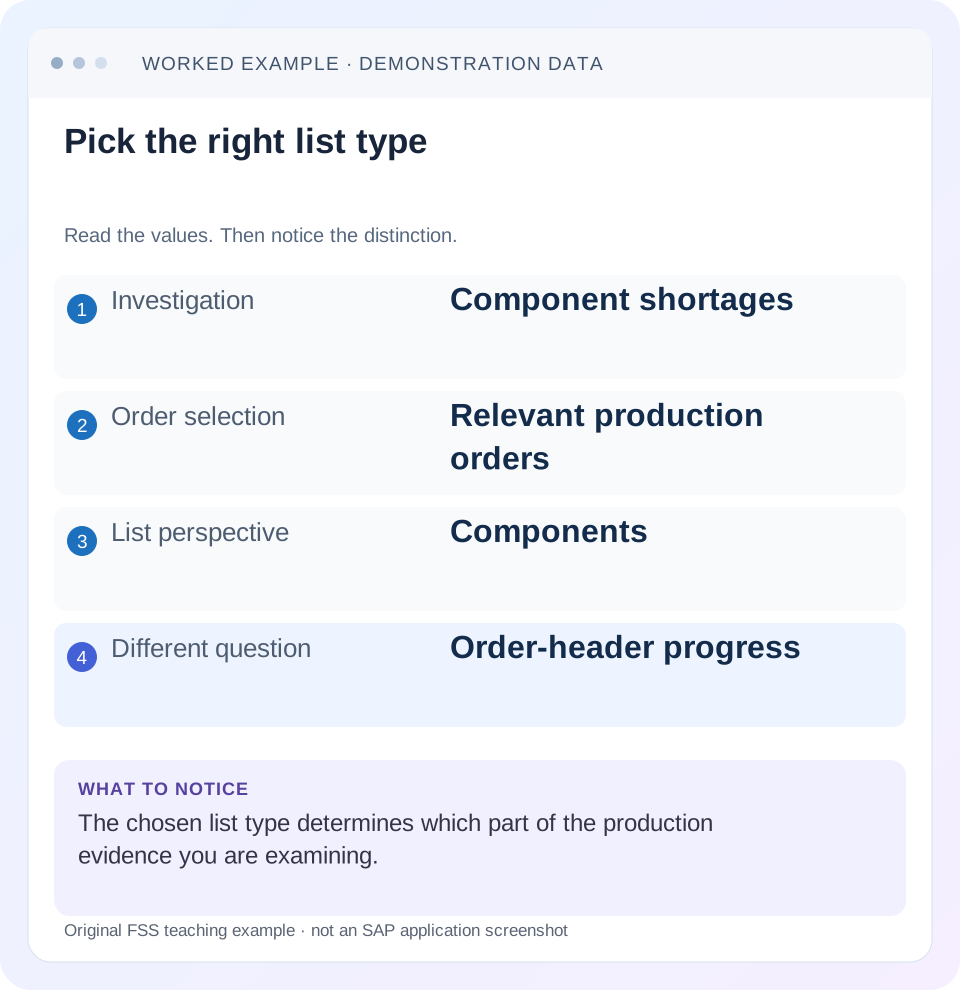
Read the example values
- Investigation
- Component shortages
- Order selection
- Relevant production orders
- List perspective
- Components
- Different question
- Order-header progress
Words you’ll meet in this guide
- BOM
- Bill of materials, the components needed for a product.
- Routing
- A description of manufacturing work operations.
- MRP
- Material requirements planning, which compares demand and supply.
- Confirmation
- A record of relevant production progress or completed work.
Preview the practical steps
SEE THE CONNECTION
See it in a simple example.
A small example to make the idea concrete.
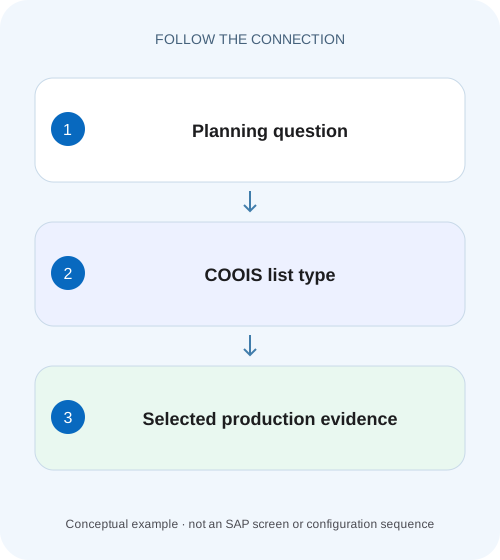
Build an assembly-order follow-up list
A production manager needs a worklist for delayed assemblies, but a component list and an order-header list answer different questions.
Select the object you intend to count
COOIS can report production-order headers, operations, components and other supported objects.
Understand individual lists and object overview
SAP documents individual object lists, whose structure can be defined by a layout, and an object overview showing orders with subordinate objects hierarchically under an overall profile.
Work a small production population
Suppose order P1 has operations 0010 and 0020 and components C1, C2, C3.
Build an assembly-order follow-up list
A production manager needs a worklist for delayed assemblies, but a component list and an order-header list answer different questions.
Choose the list type and selection scope that support the follow-up question before counting affected orders.
| Reader | Business question | Evidence to carry forward |
|---|---|---|
| Production planners and shop-floor application teams | Build an assembly-order follow-up list | Choose the list type and selection scope that support the follow-up question before counting affected orders. |
01 Select the object you intend to count
COOIS can report production-order headers, operations, components and other supported objects. Choose the list type around the business question. One row per order and one row per component are different datasets; switching lists can legitimately multiply row counts without creating duplicate orders.
This guide is for production planners and support analysts building a repeatable worklist. You need plant/material/date scope, order versus planned-order purpose and one known reference order. Use the available display functions under your role. The fixture has two orders and explicitly stated subordinate objects so counts can be predicted before running a report.
02 Understand individual lists and object overview
SAP documents individual object lists, whose structure can be defined by a layout, and an object overview showing orders with subordinate objects hierarchically under an overall profile. Use an individual list for a focused queue; use the hierarchy when relationships between order, operation and component explain the issue. [1]
A layout controls columns and presentation; selection controls which records are read into the population. Hiding a component column does not transform component rows into unique orders. Likewise, a saved layout does not necessarily reproduce another user's selection. Record both when sharing a worklist definition.
03 Work a small production population
Suppose order P1 has operations 0010 and 0020 and components C1, C2, C3. Order P2 has operation 0010 and components C1, C4. Under a simplified fixture with no extra subordinate rows, an order-header list contains 2 rows, an operation list 3, and a component list 5.
Counting five component rows as five production orders overstates workload. Deduplicating only by material loses the fact that C1 is required by two different orders. Define the identity required by the decision before exporting or aggregating. A component-item identifier may also be needed when the same material appears more than once in one order.
| List purpose | Expected rows | Identity to retain |
|---|---|---|
| Order headers | 2 | Order number |
| Operations | 3 | Order +operation |
| Components | 5 | Order +component-item identity |
| Unique component materials | 4 | C1, C2, C3, C4 |
| Occurrences of C1 | 2 | One in each order |
04 Choose dates and statuses explicitly
A header basic date, operation execution date and component requirement date answer different questions. A material needed tomorrow can belong to an order starting today and finishing next week. A component queue selected using the wrong date basis can miss precisely the shortages the planner wants to see.
SAP support documentation describes header-level and operation/component-level selections and absolute/relative dates. Review the actual selection fields in the installed system. A relative “today”variant changes population over time, so retain observation time when comparing exports. Do not interpret yesterday's row count as a fixed audit snapshot. [2]
05 Separate production and planned orders
Current Monitor Production/Planned Orders documentation identifies the relevant production/planned-order selection. A planned order is a planning proposal, not a released execution order. Combining both without a clear category can inflate apparent shop-floor work or confuse conversion progress. [1]
SAP's support content notes restricted production-relevant planned-order coverage in its documented scenario. Therefore, a planned order missing from COOIS is not automatically nonexistent or corrupt. Check its type and the installed app's supported scope, then use the appropriate planned-order display if required. [2]
06 Build the worklist in sequence
Start small with P1/P2, then expand scope after the row grain is understood. Include enough identity columns to reconcile each row. A beautifully sorted list without order/item identity is difficult to investigate.
Define the question
For missing components, choose a component-oriented list rather than counting headers.
Expected observation: The row grain matches the action.
Select a known population
Enter the appropriate plant, orders/materials, date and status scope.
Expected observation: P1/P2 are intentionally included.
Review layout/profile
Retain order, subordinate identity, quantity, unit, date and relevant status fields.
Expected observation: Every row can be traced to its parent.
Validate against detail
Open a representative order in CO03 and compare components/operations.
Expected observation: Five component rows reconcile to two orders.
07 Use hierarchy for relationship questions
SAP's object-overview documentation explains hierarchical relationships such as component assignment to operations and confirmations to an order header. Use that structure when a flat export hides why a component belongs to a particular step. Verify which objects the overall profile reads and displays. [3]
For P1, C3 may belong to 0020 while C1/C2 belong to 0010. A missing issue after 0010 confirmation may be expected for C3 depending on actual allocation and backflush design. Flattening all components under the header can hide that timing distinction and lead to an unnecessary inventory correction.
08 Diagnose omissions and unexpected counts
Check selection, object type, maximum-result limits and layout before concluding data is missing. A result limit can truncate the visible population; an ALV filter can hide rows after selection. Preserve those conditions in the investigation.
| Observation | Main question | Next evidence |
|---|---|---|
| Five rows but two orders expected | Component/operation grain? | Selected list type and identity |
| Known order absent | Scope, status or date? | Direct order display and selection |
| Known planned order absent | Supported planned-order type? | Category and release scope |
| Fields missing | Layout/profile or unsupported field? | Available field catalog and profile |
| Different users see different totals | Variant, ALV filter or access? | Same selection/layout and reference order |
| Export appears duplicated | Repeated parent values? | Subordinate keys, not only order number |
09 Verify positive, negative and boundary selections
The positive test gives 2 headers,3 operations and 5 component rows for the fixture. The negative test excludes P2 deliberately and predicts 1 header,2 operations and 3 components. A boundary test moves one component requirement across the date cutoff while keeping the header date unchanged; inspect which list selection should include it.
Also compare a relative-date variant on two observation dates and document why its count changes. These are proposed checks, not executed COOIS results. Verify quantities and units in addition to counts: five component rows can still be the wrong five rows if filters or identities are wrong.
10 Keep exports usable for follow-up
Export object category, order number, subordinate identity, material/plant, date, unit and the actual selected values. Retain the variant/layout names and observation time alongside the file. Do not send a column of material descriptions and expect another analyst to reconstruct order relationships.
For recurring queues, state the next action: component shortage review, operation confirmation follow-up or order completion assessment. A broad“all production data”list can be useful exploration, but it is a weak operational queue when nobody knows what each row requires.
11 Reconcile component quantities without repeating header output
Add order quantities 100 PC for P1 and 50 PC for P2 to the fixture. A component list can repeat 100 on each of P1's three rows and 50 on each of P2's two rows. Summing that repeated header field gives 400, while actual order scope is 150. The list contains valid parent information repeated at a lower grain; the aggregate is wrong because the analyst ignored that grain.
For a component-shortage metric, retain component-item quantity and unit instead. If C1 appears in both orders, aggregate its genuine requirements only after confirming compatible units and nonoverlapping item identities. Do not deduplicate by material globally, which would drop one order's requirement. When order-scope totals are needed, use a header-grain dataset or an explicit unique-order aggregation with a defined quantity field.
Inspect one exported row from each parent and compare it with CO03. This catches layout choices that expose a convenient header quantity but omit the subordinate requirement the planner actually needs. A field label such as“quantity”without object context is insufficient for a reusable operational export.
12 Use the documented feature comparison to choose the next application
SAP's current production-app comparison distinguishes COOIS reporting/navigation from change and execution functions in other applications. It documents display of confirmations, inspection lots and recorded goods movements, while actions such as release or technical completion belong to applicable processing apps. Use that distinction when a user expects a report row selection to authorize or perform execution.
For P1's missing component issue, use COOIS to locate the order/component population and follow actual material evidence. If a failed movement must be reprocessed, open the appropriate error-processing application rather than changing the report layout. If the question is a capacity exception, select operation/resource context and use the relevant capacity tool. One information system can route several investigations without replacing their specialist processing.
For regression, retain a header variant, a component variant and an object-overview profile for the same two-order fixture. Confirm 2/5/hierarchy relationships and compare their date/status selections. Then add an ALV result filter that deliberately hides P2 and document why the displayed count changes without any backend order deletion.
Keep the exported selection time and any result limits with the dataset. A truncated worklist cannot support a claim about the entire plant even if its displayed subtotal is internally correct. Verify one known order near the selection boundary when validating a broad recurring report.
13 Check missing historical objects through their own lifecycle
The cited current COOIS documentation includes orders with deletion flags/indicators but excludes archived orders. A missing historical order therefore needs lifecycle context as well as filters. Do not create a substitute order or remove a deletion flag solely to populate a report. Establish whether the question requires current worklist access or the organization's supported historical/archive display, and retain that scope in the handover.
14 Questions and related lessons
Does more rows mean more orders? Only for a defined header grain. Can layout changes fix a wrong selection? No, they alter presentation rather than the underlying business scope. Are archived orders included? The cited current app documentation excludes archived orders; verify historical access separately.
Continue with CO03 for individual evidence, BOM/routing for component allocation, and planned versus production order for conversion states. A reliable COOIS list lets another planner reproduce the population and trace every selected row.
Related services and next steps
Primary sources
Found this useful?
Share this guide with your network, or leave a like.
Your like is saved in this browser.