SAP production versions: Connect the right BOM and task list
A machinery manufacturer can make the same assembly with different valid production structures and needs to explain which combination was selected.

Source review:
START HERE · NO PRIOR TOPIC KNOWLEDGE NEEDED
What it is. Why it matters.
A production version connects a product with an appropriate BOM and task list under defined validity and quantity conditions. It helps select a consistent way to manufacture the product.
Completely new to SAP?
Manufacturers use SAP to connect work such as buying components, recording inventory, planning production, shipping equipment and accounting for costs. SAP S/4HANA is an enterprise resource planning system: it connects these activities through shared business data.
Production Planning determines what to make or procure and when. Product definitions, supply proposals and execution orders connect demand with factory work.
A transaction code, or t-code, is a shortcut to a task in classic SAP GUI. Fiori apps provide another way to work. Names and screens depend on the product and release; you do not need a live system to learn the concepts in this guide.

Scope and source-review notes
Scope and evidence
Source review by FAST SAP SOLUTIONS® editorial. This badge describes our editorial review; it does not represent SAP certification or independent endorsement.
SAP ERP/S/4HANA production-version concepts for discrete/process manufacturing. This tutorial uses discrete BOM/routing examples;co-products,recipes,PEO version control and release-specific selection priorities need their own guidance.
Documentation review on 14 November 2026 used the official SAP sources listed below, including indexed excerpts where full text was unavailable. Scope and availability depend on the stated product, release and configuration. All document references, quantities, dates and outcomes in worked cases are illustrative; no customer SAP system or tenant was accessed and the proposed exercises were not executed.
A MANUFACTURING EXAMPLE
Select the intended assembly method
Select a consistent production method
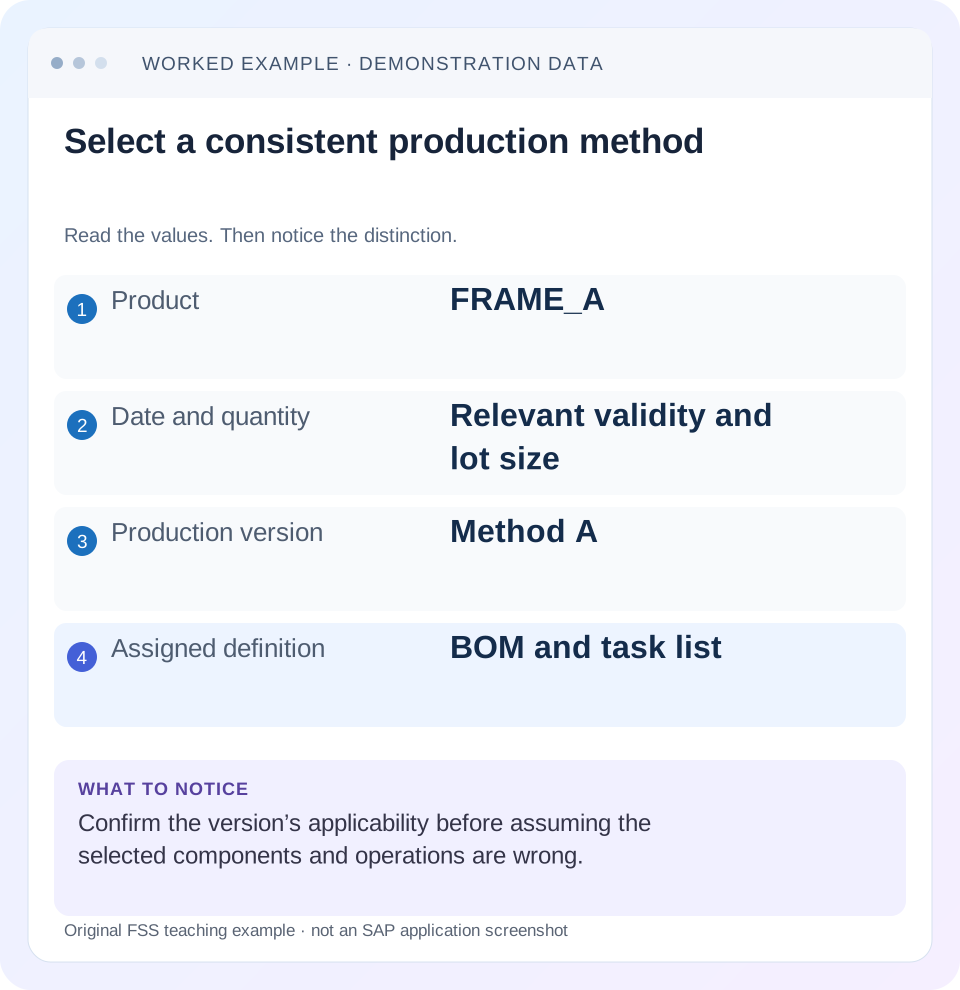
Read the example values
- Product
- FRAME_A
- Date and quantity
- Relevant validity and lot size
- Production version
- Method A
- Assigned definition
- BOM and task list
Words you’ll meet in this guide
- BOM
- Bill of materials, the components needed for a product.
- Routing
- A description of manufacturing work operations.
- MRP
- Material requirements planning, which compares demand and supply.
- Confirmation
- A record of relevant production progress or completed work.
Preview the practical steps
SEE THE CONNECTION
See it in a simple example.
A small example to make the idea concrete.
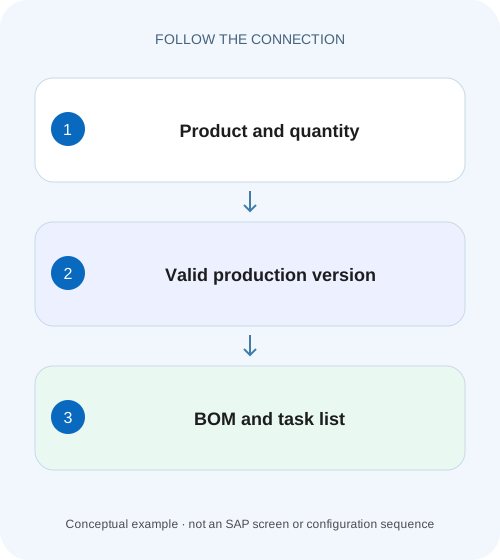
Select the intended assembly method
A machinery manufacturer can make the same assembly with different valid production structures and needs to explain which combination was selected.
A production version identifies an applicable manufacturing method
A production version connects an alternative BOM with a task list or master recipe for a material in a plant.
Understand the method relationship
SAP defines production versions through the alternative BOM/task-list or recipe combination and supports several versions for different validity periods and lot-size ranges.
Work a quantity-based selection case
Suppose FRAME_A at plant 1000 has version V_SMALL valid 1 November–31 December for 1–99 PC, linking BOM1 and routing R1.
Select the intended assembly method
A machinery manufacturer can make the same assembly with different valid production structures and needs to explain which combination was selected.
Check the production version, BOM and task-list relationship in the actual date and quantity context.
| Reader | Business question | Evidence to carry forward |
|---|---|---|
| Production planners and shop-floor application teams | Select the intended assembly method | Check the production version, BOM and task-list relationship in the actual date and quantity context. |
01 A production version identifies an applicable manufacturing method
A production version connects an alternative BOM with a task list or master recipe for a material in a plant. Its validity and lot-size range help establish when that method applies. The newest-looking version ID is not automatically the right method, and a valid version header does not prove its linked objects are consistent over the whole range.
This guide is for production master-data owners and planners investigating unexpected components or operations. You need material, plant, quantity, date, version identity, BOM alternative and task-list group/counter. The illustrative material has small- and large-batch methods; it is not a universal recommendation to maintain multiple versions.
02 Understand the method relationship
SAP defines production versions through the alternative BOM/task-list or recipe combination and supports several versions for different validity periods and lot-size ranges. Read the version as a coordinated choice. Changing a component in an unrelated alternative does not repair a selection that chose another method. [1]
For discrete production, the BOM supplies composition and the routing supplies operations/resources. A version can preserve their intended pairing. For process manufacturing, the recipe and material-list context differ. Do not borrow a recipe-specific screen or co-product rule and present it as a mandatory discrete-routing step.
03 Work a quantity-based selection case
Suppose FRAME_A at plant 1000 has version V_SMALL valid 1 November–31 December for 1–99 PC, linking BOM1 and routing R1. V_LARGE covers 100–500 PC for the same dates, linking BOM2 and routing R2. The small method uses manual assembly; the large method uses another approved resource arrangement.
These nonoverlapping intervals make the intended selection transparent. If the real system has overlaps, other selection rules determine the actual result. Do not claim that the lowest or newest version always wins. Capture which version the planning/order process actually used and explain that process's supported selection logic.
| Order context | Eligible method under fixture | Linked objects |
|---|---|---|
| 25 PC on 14 November | V_SMALL | BOM1 /R1 |
| 99 PC on 14 November | V_SMALL | BOM1 /R1 |
| 100 PC on 14 November | V_LARGE | BOM2 /R2 |
| 500 PC on 14 November | V_LARGE | BOM2 /R2 |
| 501 PC or date outside range | No coverage in this fixture | Review gap, do not guess |
04 Check linked-object validity across the complete interval
SAP's consistency-check documentation examines whether the assigned BOM/task list exists continuously through the version validity and whether its lot-size range covers the version's range. It reports warnings/errors and summarized check status. A version valid through 31 December can therefore be inconsistent if its routing ends 30 November. [2]
For V_LARGE, suppose R2 covers only 100–300 PC while the version claims 100–500. A 250-PC test can pass while a 400-PC context reveals the gap. Checking only a convenient representative quantity is insufficient for a broad applicability claim. Compare range endpoints and date coverage explicitly.
05 Interpret check status as evidence with a timestamp
A stored check status reflects the check performed against the then-current objects. Record when it was last reviewed and whether later master-data changes occurred. A green icon without context should not replace reading the linked identities and range/date coverage.
The cited classic consistency documentation also warns that a negative result does not automatically lock a version for every usage. Do not treat the check as a universal enforcement guarantee. Review the actual lock/selection behavior for the installed process and resolve inconsistent master data deliberately. [2]
06 Inspect method selection in sequence
Start from the affected order or proposal and work back to its version. Beginning with today's preferred version can bias the investigation toward the desired answer instead of the selected method.
Capture order/proposal context
Record FRAME_A, plant 1000, quantity, date and actual selected version.
Expected observation: A 25-PC case is distinguished from a 100-PC case.
Read applicability
Compare version validity and lot-size bounds with that context.
Expected observation: The selected method is eligible or a gap is identified.
Read linked objects
Inspect BOM alternative/usage and task-list type/group/counter.
Expected observation: Composition and operations are the intended pair.
Review consistency
Check coverage, warnings/errors and last check state through the available tool.
Expected observation: V_LARGE's routing gap is visible.
Verify resulting order data
Compare actual components/operations with the selected method.
Expected observation: Correct header selection leads to correct copied scope.
07 Keep selection and execution changes separate
A valid version may be selected correctly while an order later receives an approved manual component or operation change. Conversely, a wrong selected version can generate perfectly consistent data for the wrong method. Compare the actual order copy and change history before changing either master data or execution data.
A version correction for future orders does not establish that every existing order is updated. Identify which open orders require review under the supported process, especially when components are already staged or consumed. Retain old/new method references so technicians and planners use the same definition.
08 Troubleshoot gaps, overlaps and wrong combinations
Use quantity, date and linked identities to select the branch. A version label alone is too weak to explain method selection.
| Observation | Main question | Next evidence |
|---|---|---|
| Wrong components and operations together | Different method selected? | Actual version and linked objects |
| No eligible version | Date/quantity gap? | Range and validity coverage |
| Two versions eligible | Which selection rule applied? | Actual process/configuration |
| Version valid, routing rejected | Linked coverage inconsistent? | Routing date/lot-size range |
| Check green but order differs | Later changes/order-specific data? | Check date and order history |
| Small batch uses large-line method | Boundary or selection input? | Quantity unit, date and selected version |
09 Avoid compensating edits
Do not alter BOM2 to behave like BOM1 merely because a 25-PC order wrongly selected V_LARGE. That can break legitimate large-batch orders. Correct the selection/applicability cause and verify both methods. Likewise, changing every version's date to today's date can create historical gaps rather than resolve them.
Document the business rationale for ranges and validity. A method transition can need coordinated changes to BOM, routing, costing and operational readiness. A version is the connection among those objects, so treat its maintenance as method governance rather than a naming exercise.
10 Verify dates and lot-size boundaries
The positive checks use 25 and 250 PC within valid dates. The negative checks use 501 PC and a date outside the fixture's range, where no method is covered. Boundary checks use 99 and 100 PC and confirm the intended switch without overlap or gap.
Add a 400-PC consistency test after restricting R2 to 300. A properly investigated result should explain why the version's claimed range exceeds its linked routing. Restore consistency through the approved master-data process and retest both endpoints. These are proposed checks, not execution evidence or an assertion of one universal error message.
11 Make the consistency check result reproducible
For each version, record material, plant, version ID, validity start/end, minimum/maximum quantity, BOM usage/alternative and task-list type/group/counter. Then retain the individual BOM and task-list check messages. A summarized red icon tells you that something is inconsistent, but the object-level result explains whether the gap is date coverage, quantity coverage, assignment or another documented condition. [2]
For V_LARGE 100–500 linked to R2 covering 100–300, the failed range is 301–500 in the illustrative integer-PC fixture. A 250-PC order does not test that gap. Review 100,300,301 and 500 with the same date/context. If quantities can be fractional under another unit, the boundary test must follow that unit precision rather than assuming whole pieces.
Also test a date gap: version through 31 December with R2 ending 30 November. A14 November example can pass while 1 December fails. Preserve both the valid and invalid contexts so the correction addresses the full declared range instead of only the first reported order.
12 Review overlapping methods without treating IDs as priorities
Suppose the planner extends V_SMALL through 120 PC while V_LARGE still starts 100. Quantities 100–120 now have overlapping applicability. That may be deliberate for alternative approved methods, but the actual planning/order selection rule must determine the chosen version. Sorting IDs in a spreadsheet does not establish the SAP selection priority.
For an illustrative 110-PC case, compare the selected method and resulting components/operations. If V_SMALL is chosen but the business expected the large line, inspect selection settings and source-of-supply/method context applicable to that process. Do not rewrite both BOMs to make them look alike; that destroys the meaningful alternative.
If the overlap is unintended, review a nonoverlapping boundary and test 99/100/120/121 after the approved change. Keep existing orders'actual selected versions in the comparison. A future selection correction does not automatically transfer already started work between resources or substitute already consumed components.
The same principle applies to a method change effective 1 December. Align version applicability with the approved BOM and routing definitions and verify both the last old-context order and first new-context order. If one linked object is not ready, the version should not be treated as a magic wrapper that makes the entire method valid.
For handover, include a small applicability map and two representative order outcomes: one inside each intended method plus one deliberate gap/overlap control. This gives the reviewer an operational answer to“which method will be used for this quantity on this date?”and a concrete reason for any remaining exception.
13 Verify whether the check status was only displayed or saved
SAP's consistency-check guidance distinguishes displaying a mass-check result from transferring its check status to the production version. Record the option used and inspect the resulting saved state where applicable. A correct report viewed once does not prove that another application reading stored check information sees an updated result. Keep the displayed messages and saved-version evidence together when closing a consistency incident. [2]
14 Questions and related lessons
Does a production version replace the BOM/routing? It connects them; their own validity and content still matter. Can the header be valid while linked data is not? Yes, consistency checks address that relationship. Is the highest version number always preferred? Selection is process-specific, so inspect actual rules.
Close with material, plant, quantity, date, selected version, linked objects and check evidence. Continue with CS03/CA03 for historical validity, BOM/routing for quantity/resource calculations, and planned-order conversion for how selected data reaches execution.
Related services and next steps
Primary sources
Found this useful?
Share this guide with your network, or leave a like.
Your like is saved in this browser.