CS03 and CA03: Check BOM and routing validity for the date that matters
An equipment factory reviews an older order against today's BOM and routing and finds a different component or operation structure.

Source review:
START HERE · NO PRIOR TOPIC KNOWLEDGE NEEDED
What it is. Why it matters.
CS03 displays a bill of materials and CA03 a routing in relevant classic systems. Their validity dates matter because a product’s components or instructions can change over time.
Completely new to SAP?
Manufacturers use SAP to connect work such as buying components, recording inventory, planning production, shipping equipment and accounting for costs. SAP S/4HANA is an enterprise resource planning system: it connects these activities through shared business data.
Production Planning determines what to make or procure and when. Product definitions, supply proposals and execution orders connect demand with factory work.
A transaction code, or t-code, is a shortcut to a task in classic SAP GUI. Fiori apps provide another way to work. Names and screens depend on the product and release; you do not need a live system to learn the concepts in this guide.

Scope and source-review notes
Scope and evidence
Source review by FAST SAP SOLUTIONS® editorial. This badge describes our editorial review; it does not represent SAP certification or independent endorsement.
Classic SAP GUI CS03 material-BOM display and CA03 routing display in SAP ERP/S/4HANA. Date effectivity is central;parameter effectivity,change-number rules and specialized PEO/recipe models need their own documentation.
Documentation review on 14 November 2026 used the official SAP sources listed below, including indexed excerpts where full text was unavailable. Scope and availability depend on the stated product, release and configuration. All document references, quantities, dates and outcomes in worked cases are illustrative; no customer SAP system or tenant was accessed and the proposed exercises were not executed.
A MANUFACTURING EXAMPLE
Check the production structure for its date
Use the relevant production date
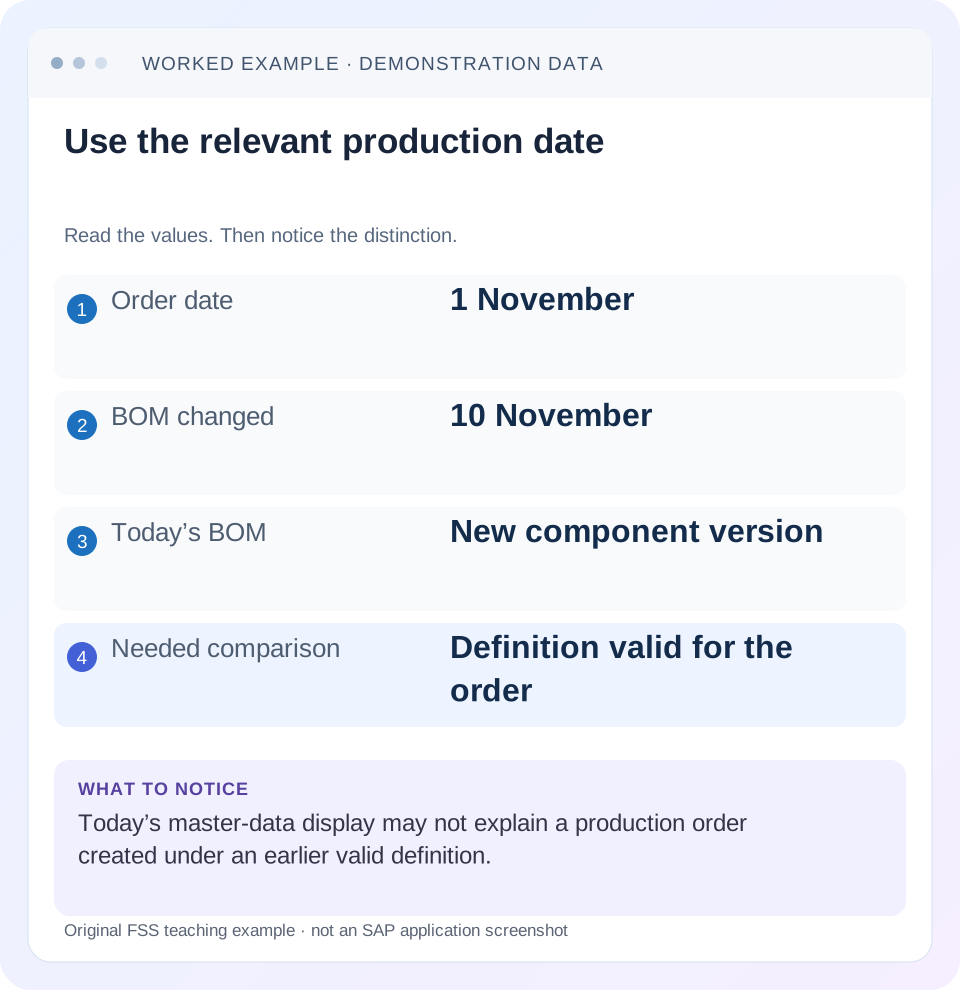
Read the example values
- Order date
- 1 November
- BOM changed
- 10 November
- Today’s BOM
- New component version
- Needed comparison
- Definition valid for the order
Words you’ll meet in this guide
- BOM
- Bill of materials, the components needed for a product.
- Routing
- A description of manufacturing work operations.
- MRP
- Material requirements planning, which compares demand and supply.
- Confirmation
- A record of relevant production progress or completed work.
Preview the practical steps
SEE THE CONNECTION
See it in a simple example.
A small example to make the idea concrete.
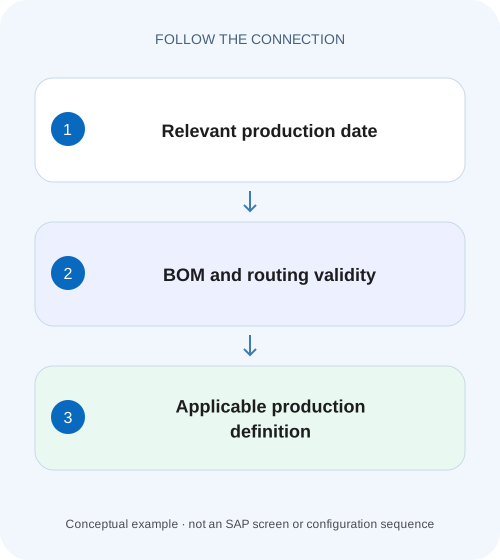
Check the production structure for its date
An equipment factory reviews an older order against today's BOM and routing and finds a different component or operation structure.
Ask which definition applied at the business event
CS03 and CA03 display master data in a selection context.
Identify the BOM precisely in CS03
SAP's material-BOM display procedure names CS03 and asks for material, plant, BOM usage, alternative where relevant and a validity period.
Identify the routing precisely in CA03
SAP's Routing Display reference names CA03 for routing display and distinguishes other task-list types.
Check the production structure for its date
An equipment factory reviews an older order against today's BOM and routing and finds a different component or operation structure.
Compare the relevant validity date and selection context before diagnosing a master-data error.
| Reader | Business question | Evidence to carry forward |
|---|---|---|
| Production planners and shop-floor application teams | Check the production structure for its date | Compare the relevant validity date and selection context before diagnosing a master-data error. |
01 Ask which definition applied at the business event
CS03 and CA03 display master data in a selection context. A production order can legitimately differ from today's BOM or routing because it used another valid date, alternative or production method, or because its copied execution data was later changed deliberately. Establish those facts before editing master data to match an old order.
This guide is for production support analysts and master-data planners. You need material, plant, order quantity, selected production version, BOM identity, routing group/counter and relevant selection dates. It focuses on ordinary date effectivity. It does not assume order creation date is always the exact BOM explosion or routing selection date used by every configured process.
02 Identify the BOM precisely in CS03
SAP's material-BOM display procedure names CS03 and asks for material, plant, BOM usage, alternative where relevant and a validity period. Confirm those inputs explicitly. A default usage or today's date can produce a perfectly valid display that answers a different question from the incident. [1]
Record base quantity and component item identities as well as material descriptions. Two alternatives can contain similar-looking items with different quantities. A group BOM also has different plant-selection context from a plant-specific BOM. Preserve the actual display inputs in evidence so another analyst can reproduce the result.
03 Identify the routing precisely in CA03
SAP's Routing Display reference names CA03 for routing display and distinguishes other task-list types. Use the actual material/plant and group/counter context required in the installed application. Inspect usage, status, validity and operations instead of selecting the first familiar description. [2]
A routing can be displayable without being eligible for the intended order context. Its linked work center or other referenced data can also have relevant validity. Read the dependency named by an error rather than assuming that a visible operation text proves the whole method was valid. Keep task-list selection distinct from BOM alternative selection.
04 Work a dated component and operation change
Suppose FRAME_A has an approved change effective 10 November. Before that date it uses screw OLD at 8 PC per mounting frame and assembly standard value 6 minutes per mounting frame. From 10 November it uses screw NEW at 6 PC and assembly 7 minutes. Assume a 25-frame order selected the earlier definition for its applicable 8 November context.
The difference is explained only if the selected dates and method identities match those assumptions. If the order actually used a later selection date or another version, investigate that branch. Do not use the table to declare every old-order difference legitimate; it is a hypothesis to verify against the actual order history.
| Selection context | Screw requirement for 25 mounting frames | Assembly processing value |
|---|---|---|
| 8 November | OLD: 25×8=200 PC | 25×6=150 min |
| 10 November | NEW: 25×6=150 PC | 25×7=175 min |
| 14 November current display | NEW: 150 PC | 175 min |
| Earlier order actual copy | Inspect 200 OLD and 150 min | Not automatically revised by current display |
05 Compare both sides of the effective-date boundary
Display the same BOM identity for 9 November and 10 November, then inspect the equivalent routing context. Write the expected item/operation changes before comparing. This isolates effectivity from alternative selection and makes the boundary understandable.
If the new component does not appear on 10 November, check the actual change status, validity and selection criteria. If it appears on 9 November, check whether a different alternative or change context was selected. Keep engineering-change evidence with the investigation where applicable. The date written in a change request is not sufficient proof that every master-data object was updated consistently.
06 Trace the definition copied into the order
Open the order in CO03 and compare components and operations with the selected master-data versions. Record any order-specific quantities, allocations or work-center changes. An existing order is an execution object, not a live mirror of whichever master data is current today.
Establish the event context
Record order quantity, dates, version and actual selection/explosion context available in the order.
Expected observation: 8 November is justified rather than assumed.
Display the BOM with explicit validity
Compare material, plant, usage, alternative and component items before/after 10 November.
Expected observation: OLD200 versus NEW150 is reproducible.
Display the routing context
Compare group/counter, status, usage and operations for the relevant date.
Expected observation: 150 versus 175 processing minutes is explained.
Reconcile the order copy
Identify copied values and any supported later reread/manual change.
Expected observation: The old order's state has a traceable reason.
07 Check the production version as the connecting method
SAP describes a production version as connecting an alternative BOM with a task list or master recipe for validity periods and lot-size ranges. An unexpected component plus unexpected routing may therefore indicate selection of a different production version rather than two independent master-data defects. [3]
For 25 mounting frames, confirm that the selected version covers both quantity and date and references the intended objects. If versions overlap, inspect the actual selection rule rather than choosing the newest identifier. If the version is valid but a linked BOM/routing is not, resolve the consistency gap rather than editing the order to conceal it.
08 Troubleshoot by the first mismatch
Separate missing master data, wrong selected identity, wrong date and different copied order state. These branches have different owners and corrective actions.
| Observation | Question | Next evidence |
|---|---|---|
| Today looks correct, old order differs | Historical selection? | Relevant date and copied order data |
| Correct date, wrong component | Alternative/usage/version? | Exact BOM identity |
| Correct BOM, wrong operation | Routing group/counter? | Selected task list and status |
| Version valid, selection fails | Linked object validity gap? | BOM/routing coverage |
| Only one order differs | Order-specific change/reread? | Order change history |
| Difference exactly at 10 November | Effectivity boundary? | 9/10 November displays and change reference |
09 Avoid retroactive cosmetic fixes
Changing an earlier order merely to resemble today's method can invalidate its relationship to already staged or consumed material. Before altering execution data, review the actual work, stock movements and quality implications under the approved change process. A master-data correction and an open-order correction are separate decisions.
Likewise, do not backdate a master-data change just to make a historical display look consistent. Establish what the business approved and when. Historical explanation should preserve the true sequence, including any erroneous master data and its later correction, rather than rewriting the evidence around the desired outcome.
10 Verify positive, negative and quantity boundaries
The positive check reproduces the before/after 25-frame requirements and processing values. A negative check intentionally selects another plant or usage and confirms that its result is not used as proof about the original order. A date-boundary check compares 9 and 10 November under the same identities.
Add a quantity boundary when the production version or routing has lot-size limits. The same date can select a different method at another quantity. Record observed selections in an authorized fixture; these are proposed checks, not executed SAP results. Verify component IDs and operation identities, not only totals.
11 Use an evidence grid that preserves every selection input
Create one row per display with columns material, plant, BOM usage, alternative, routing group/counter, version, quantity, key date and observed component/operation. For the 8 November fixture, enter OLD200 PC and 150 processing minutes. For 10 November, enter NEW150 PC and 175 minutes. This grid lets another planner distinguish a date change from a simultaneous alternative change.
If the 9 November display unexpectedly shows NEW150, hold the date fixed and compare the BOM identity first. A different usage or alternative can explain the result without any effectivity defect. Next inspect change/effectivity context. Do not conclude that the change was backdated solely because the component description resembles the later definition.
For routing, compare not just the operation number but the work center, standard-value basis and applicable operation state. Operation 0010 can exist in both methods while its resource or time differs. A text-only comparison may therefore miss the actual production change even when the number of operations remains constant.
12 Test an approved change across both master data and open execution
Suppose an open 25-frame order created under the earlier method already consumed 100 of its 200 OLD screws before the new definition becomes effective. Its remaining execution cannot be understood by simply replacing the requirement with 150 NEW in a spreadsheet. Actual OLD consumption, remaining stock, approved substitution and production instructions require their own reviewed transition.
First preserve the existing order's components, withdrawn quantities, operations and material references. Then determine whether the business intends to finish under the old method, adapt the remaining scope, or stop/replan. The selected supported action must preserve what actually happened. A master-data edit for future orders does not erase the 100 OLD screws already consumed.
For a controlled test, create one order for the earlier context and one for the later context, then compare their selected versions and copied data. Add a deliberate order-specific quantity change to only the earlier order. The comparison should explain three sources of difference separately: effectivity, method selection and execution-specific maintenance.
Also test a version that spans the date boundary while one linked routing changes validity. A valid version header is insufficient if the intended BOM/routing combination does not cover the complete interval. Review consistency and range/date coverage rather than widening every validity date until selection succeeds.
The final evidence pack should let a reviewer reproduce both displays and explain the existing order without changing it. Include the approved change reference, observed historical values, actual copied-order state and intended future method. That is a practical completion criterion for a validity investigation: the source of each difference is identified, and any necessary execution change has a defined scope rather than a cosmetic goal.
13 Questions and related lessons
Is order creation date always the correct comparison date? Determine the actual selection context. Does changing the BOM update every open order? Inspect supported reread behavior and actual order state rather than assuming it. Can CS03 alone explain a wrong operation? Routing selection requires its own evidence.
Close with explicit object identities, dates, quantity, version and copied-order comparison. Continue with production versions for applicability, BOM/routing for calculations, and CO03 for execution evidence.
Related services and next steps
Primary sources
Found this useful?
Share this guide with your network, or leave a like.
Your like is saved in this browser.