SAP S/4HANA simplification items: Turn a finding into a scoped action
A manufacturer plans an S/4HANA conversion and needs to turn a simplification finding into a bounded action for its actual processes and master data.

Source review:
START HERE · NO PRIOR TOPIC KNOWLEDGE NEEDED
What it is. Why it matters.
A simplification item explains a relevant change when moving to SAP S/4HANA. Its purpose is to identify affected processes or objects so the business can plan the required adaptation.
Completely new to SAP?
Manufacturers use SAP to connect work such as buying components, recording inventory, planning production, shipping equipment and accounting for costs. SAP S/4HANA is an enterprise resource planning system: it connects these activities through shared business data.
Migration moves business data into a target system. Lifecycle management controls how software or configuration changes move between environments; both need evidence of the target result.
A transaction code, or t-code, is a shortcut to a task in classic SAP GUI. Fiori apps provide another way to work. Names and screens depend on the product and release; you do not need a live system to learn the concepts in this guide.

Scope and source-review notes
Scope and evidence
Source review by FAST SAP SOLUTIONS® editorial. This badge describes our editorial review; it does not represent SAP certification or independent endorsement.
Practical triage of SAP S/4HANA conversion and upgrade simplification findings using October 2026 revisions of the 2025 guides. The worked customer/business-partner case illustrates ERP conversion preparation; SUM timing is scoped to the cited 2.0 SP26 guide. Confirm actual source/target path and current item instructions.
Documentation review on 14 November 2026 using official SAP sources and indexed official excerpts where full Help text was unavailable. Scope and service or release differences are explained in the lesson. All datasets, requests and checks are illustrative; no customer SAP runtime execution or measured results are claimed.
A MANUFACTURING EXAMPLE
Scope a manufacturing conversion finding
Scope a migration finding
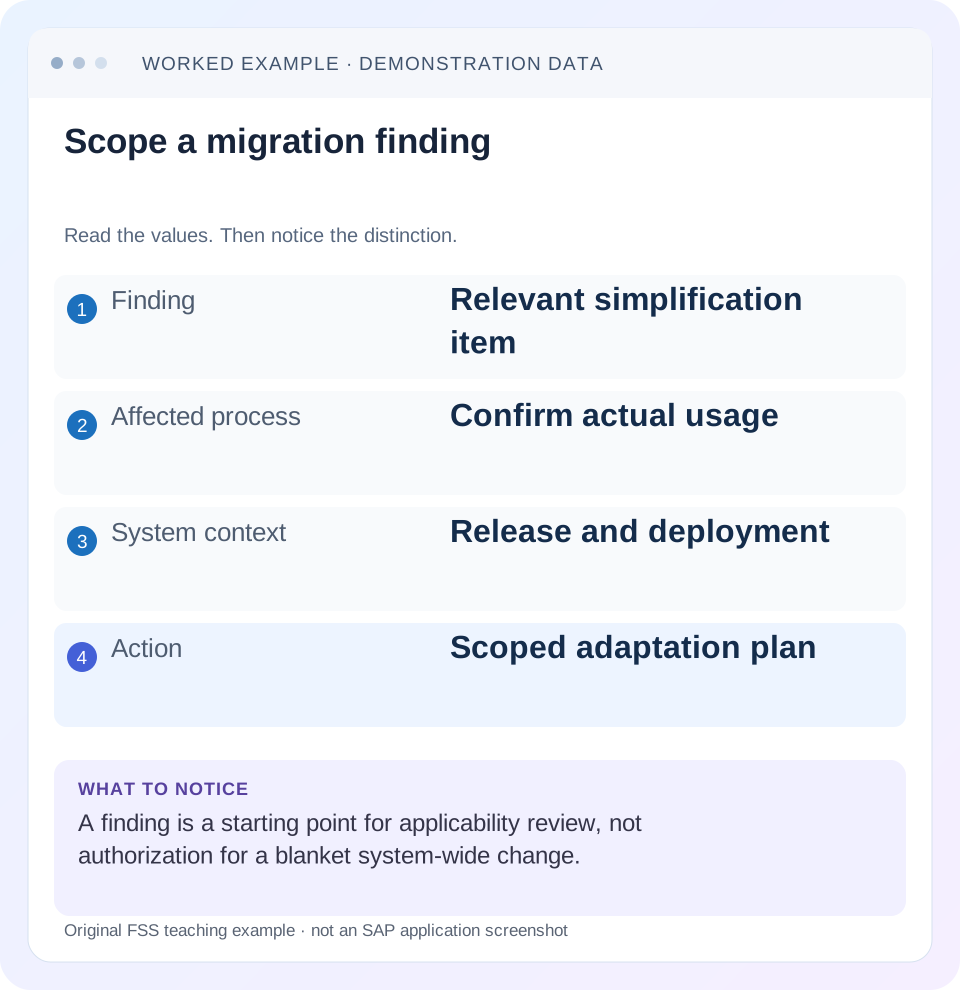
Read the example values
- Finding
- Relevant simplification item
- Affected process
- Confirm actual usage
- System context
- Release and deployment
- Action
- Scoped adaptation plan
Words you’ll meet in this guide
- Source
- The system or dataset information comes from.
- Target
- The destination system or dataset.
- Validation
- A check that information meets required rules.
- HANA
- SAP’s database platform.
Preview the practical steps
SEE THE CONNECTION
See it in a simple example.
A small example to make the idea concrete.
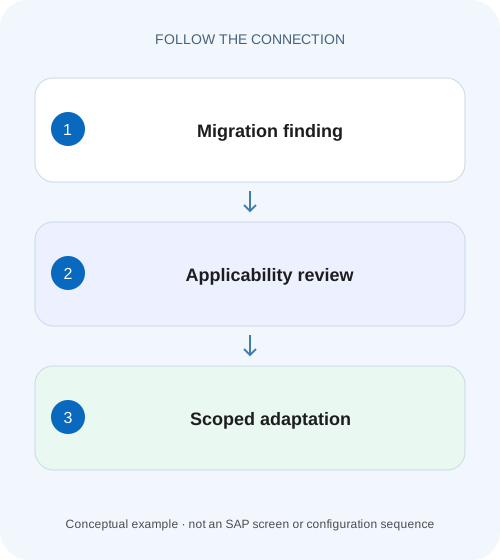
Scope a manufacturing conversion finding
A manufacturer plans an S/4HANA conversion and needs to turn a simplification finding into a bounded action for its actual processes and master data.
Turn the item into an evidence-backed action
A simplification item describes a change relevant to moving between SAP product releases and the customer action associated with that change.
Separate relevance, consistency and business adaptation
Relevance asks whether an item affects the chosen source and target context.
Worked case: 300 source customers and three unresolved identities
Imagine an ERP source with 300 customer master identities in the agreed analysis population.
Scope a manufacturing conversion finding
A manufacturer plans an S/4HANA conversion and needs to turn a simplification finding into a bounded action for its actual processes and master data.
Verify release applicability, affected scope and readiness evidence before treating a named finding as a completed conversion task.
| Reader | Business question | Evidence to carry forward |
|---|---|---|
| SAP developers and application teams supporting manufacturers | Scope a manufacturing conversion finding | Verify release applicability, affected scope and readiness evidence before treating a named finding as a completed conversion task. |
01 Turn the item into an evidence-backed action
A simplification item describes a change relevant to moving between SAP product releases and the customer action associated with that change. Treat a finding as the start of a scoped investigation: identify the release path, determine the affected data or process, read the item’s instructions and define how completion will be proved. A project slide showing the item title is not evidence that the required work was performed. [2]
This tutorial is for SAP S/4HANA conversion or upgrade leads, functional owners and technical teams. The primary guides are the October 2026 revisions for SAP S/4HANA 2025 conversion and SAP S/4HANA Cloud Private Edition 2025 upgrade. The worked example concerns an ERP-to-S/4HANA customer/business-partner preparation issue. It is illustrative triage, not a universal conversion runbook or an actual SAP check result. Public Edition implementation and data migration require their own scope. [1] [2]
02 Separate relevance, consistency and business adaptation
Relevance asks whether an item affects the chosen source and target context. Consistency checks ask whether the system contains conditions that need resolution for that transition. Business adaptation asks whether users, interfaces and custom developments will work with the resulting process. These questions overlap but do not have identical evidence. A technically acceptable check result is not a complete business acceptance test.
The upgrade guide distinguishes the broad planning role of SAP Readiness Check from the operational cleanup role of the Simplification Item-Check, commonly called SI-Check. Some relevant items have no consistency check. Therefore an item can require process work even when no blocking technical inconsistency is reported. Use the actual item instructions to identify that work. [2]
For an upgrade, do not assume every change originally introduced with S/4HANA requires repeating its original conversion steps. For a conversion, do not assume an upgrade-only report covers the source transformation. Record the actual start release, target release and deployment before interpreting relevance.
03 Worked case: 300 source customers and three unresolved identities
Imagine an ERP source with 300 customer master identities in the agreed analysis population. A preliminary customer/business-partner review finds 297 with the expected association, C298 without one, C299 with an association requiring correction, and C300 without one but marked for deletion. These are fictional evidence categories, not SAP status codes or invented simplification-item identifiers. The exact consistency messages must come from the real check and object instructions.
The business team initially wants to exclude C300 because it has not traded recently. The SAP Business Partner approach documentation explicitly includes deletion-flagged customers, suppliers and related contacts in the conversion requirement. A deletion flag is consequently not sufficient evidence that the master is outside the required preparation scope. Investigate its status through the applicable procedure rather than reducing the denominator until the report looks green. [3]
| Group | Count | Observed condition | Required disposition |
|---|---|---|---|
| C001–C297 | 297 | Expected association observed | Validate required consistency and representative business use |
| C298 | 1 | Association absent | Investigate conversion preparation and correct through supported process |
| C299 | 1 | Association needs correction | Preserve exact check detail; apply approved repair |
| C300 | 1 | Deletion flag; association absent | Retain in applicability review; flag alone does not clear it |
04 Build the finding record before choosing a repair
Create one working record per actual item or closely related issue. Include the real item identifier and title, source system/client, start release, target release, check version, run date, relevance result, exact message and affected business keys. Attach the authoritative item or SAP Note reference. Do not substitute an email paraphrase for the message that identifies the inconsistency.
For this example, the action record says “customer/business-partner preparation, source ERP client 100, target S/4HANA 2025, 300 customer identities, C298/C299/C300 unresolved.” It does not invent a numeric item ID. A real project must insert the actual item and message from its report. That precision allows the functional owner to inspect the same records the technical owner saw.
Capture whether the data snapshot is current. A three-week-old result may predate newly created customers or a configuration correction. Preserve the old result as history, then rerun the relevant supported check against the changed state. Otherwise the team cannot distinguish a stale finding from a failed repair.
05 Establish the authoritative check and installation baseline
The conversion guide identifies report /SDF/RC_START_CHECK and SAP Notes 2399707 and 2502552 as part of SI-Check delivery. Those notes cover the report and check-class delivery with prerequisites. Confirm their applicable current versions and the target guide before implementation. A missing or outdated check component is a tooling issue; it is not proof that the associated business data is consistent. [1]
For the supported guide procedure, the authorized operator runs the report through SA38, selects the target S/4HANA version and chooses the suitable online or background mode. Review item relevance and consistency results. These are documented observations, not instructions to install notes blindly in production. Coordinate note implementation and check execution under the landscape’s change process. [1]
Keep the check baseline in the evidence record. If a later check version identifies a new issue, compare both the data change and the checker change. Do not conclude that the earlier team missed an identical finding unless the two runs tested the same conditions.
06 Use the business-partner example to reason about scope
SAP describes the business partner as the leading object for customer or supplier master maintenance in S/4HANA and identifies Customer/Vendor Integration, also termed Customer/Supplier Integration, as a conversion prerequisite. It provides a CVI Cockpit to guide the preparation process and connect its components. Use the applicable documentation for your source release; the cockpit name does not make every action automatic. [3] [5]
For C298, determine whether preparation was never run, failed for that record or omitted it through an incorrect selection. For C299, inspect the actual association and message rather than assuming a missing record. Adding a second business partner merely because a link is wrong can increase the inconsistency. Establish the intended customer/business-partner relationship and perform the supported correction with the data owner.
For C300, determine the documented handling for the deletion-flagged record and related contacts. An inactive business relationship can still leave data relevant to conversion. Also inspect supplier and contact scope when the actual item requires it: our 300-customer fixture is one work package, not a declaration that the entire business-partner population is covered.
07 Assign a repair that has an owner and measurable acceptance
Split the work according to cause. The source master-data owner validates intended identity and content. The CVI or application specialist determines the supported correction. The Basis or conversion team maintains check prerequisites and reruns the technical evidence. The process owner confirms that the resulting customer can support the required business process. One person may hold several roles, but the acceptance questions remain distinct.
An actionable C298 task identifies the source key, observed failure, approved correction procedure and expected result. “Fix CVI” is too broad to verify. For C299, acceptance must prove the correct association, not merely the existence of any associated record. For C300, closure must cite the applicable documented treatment rather than an informal decision to ignore deletion flags.
After approved remediation, reconcile the same original population: 300 accounted for, with no unexplained omissions. If the legitimate scope changes through a supported data-retirement process, preserve that evidence and the new population definition. Do not directly alter database links or delete master records merely to reduce a check count.
08 Rerun the relevant check and preserve both results
An item-specific recheck can provide fast feedback while resolving a particular finding. Keep the before/after run identities, unchanged target context and exact messages. If only C298 was repaired, a remaining C299 finding should stay open. If a shared configuration correction affected many customers, expand the regression scope to include previously accepted representatives and any other affected groups. [2]
For the fixture, an initial count of 297 expected valid associations rises to 300 only after the three records have been handled correctly. That is a useful reconciliation, but it is not the whole consistency proof. Required fields, role information or other item-specific conditions may still fail. Retain the actual check result together with the identity ledger rather than replacing it with a homegrown percentage.
The upgrade guide supports targeted cleanup, but the final transition must follow the complete current conversion or upgrade process. A single item passing does not clear add-on compatibility, custom code, authorization changes, other simplification items or business regression. Report precisely which work package has closed.
09 Understand the technical gate before downtime
The cited SUM 2.0 SP26 documentation describes checks during preparation and again before downtime, with errors at the later stage stopping the process. It also documents a manual-check option whose completion and error-free state remain the operator’s responsibility. Confirm the behavior for your actual SUM version and platform guide; selecting a manual option is not permission to skip consistency evidence. [4]
This matters operationally: postponing all cleanup to the downtime window turns known data work into an outage risk. Run supported checks early enough to assign owners and rehearse corrections. Before the final transition, refresh the evidence against the current source state under the approved plan. A green report from an old sandbox copy does not prove the productive source remained unchanged.
Where the actual check supports an exemption or acknowledgement, follow its documented meaning and prerequisites. Distinguish that controlled action from repairing inconsistent data. Record the rationale and business impact; do not use a status change solely to hide an unresolved problem from the project dashboard.
10 Troubleshoot mismatched conclusions
When teams disagree about whether a finding is complete, compare their question, population and evidence date. One may mean the item was read, another that a consistency error disappeared, and a third that the revised business process was tested. Those can all be different states of the same work package.
| Observation | Likely evidence gap | Next action |
|---|---|---|
| Item listed but no affected keys recorded | Relevance known; impact not scoped | Read item instructions and capture actual process/data evidence |
| Readiness overview is green; SI-Check has errors | Different tool role, run time or baseline | Compare releases, input date and detailed check messages |
| Check class missing or run incomplete | Tooling baseline incomplete | Resolve documented prerequisites; do not certify data |
| C300 excluded because deletion flag set | Unsupported applicability assumption | Review documented deletion-flag handling |
| All associations exist but errors remain | Count is weaker than consistency evidence | Read exact remaining condition and inspect affected data |
| One item passes, project declared ready | Work-package closure confused with full transition | Complete remaining technical and business acceptance scope |
11 Test positive, negative and boundary cases
Positive rehearsal: repair the three fictional exceptions through the supported procedure in a representative test environment, rerun the applicable check and reconcile all 300 original customer identities. Then perform a representative customer business-process test appropriate to the target. Check both master-data relationships and the fields needed by that process; do not assume unchanged document counts prove correct identity handling.
Negative rehearsal: retain one known unresolved test record in the controlled source copy and confirm the relevant check or approved complementary control still detects it. Do not introduce corruption into production to test detection. Boundary rehearsal: include a deletion-flagged record and a record with an existing but incorrect relationship. These cases test whether the team wrongly equates “not active” with “not relevant,” or “some link exists” with “correct.”
Also change the target release in a planning-only comparison where supported and review which items differ. That exercise demonstrates why a relevance result belongs to a release path. Do not carry a finding’s disposition into a different target version without rereading its applicability and required actions.
12 Questions to answer at closure
Is every relevant item a technical blocker? No; some drive business adaptation without a consistency check. Does an empty error list prove every process is ready? No; it is evidence for the checks actually executed. Can an item be closed as not applicable? Only with a documented applicability rationale for the actual release and system context, rather than a blanket assumption about an unfamiliar function.
For the customer case, closure includes the real item reference, current check evidence, a complete identity reconciliation, approved handling of the three exceptions and process acceptance. State other populations and items still outside that work package. Continue with migration staging and simulation when the next task is a controlled data load; those activities do not replace conversion consistency and business-adaptation work.
Related services and next steps
Primary sources
- Conversion Guide for SAP S/4HANA 2025, October 2026 revision
- Upgrade Guide for SAP S/4HANA Cloud Private Edition 2025, October 2026 revision
- Business Partner Approach (Customer/Supplier Integration)
- Simplification Item Check | Software Update Manager 2.0 SP26
- Customer Vendor Integration Cockpit | SAP Help Portal
Found this useful?
Share this guide with your network, or leave a like.
Your like is saved in this browser.