SAP migration simulation: Use the result before the productive load
A manufacturer rehearses a migration sample, then finds failures in the broader plant-related dataset.

Source review:
START HERE · NO PRIOR TOPIC KNOWLEDGE NEEDED
What it is. Why it matters.
A migration simulation checks a proposed load without treating it as a completed productive migration. It helps identify data or configuration problems before the real load.
Completely new to SAP?
Manufacturers use SAP to connect work such as buying components, recording inventory, planning production, shipping equipment and accounting for costs. SAP S/4HANA is an enterprise resource planning system: it connects these activities through shared business data.
Migration moves business data into a target system. Lifecycle management controls how software or configuration changes move between environments; both need evidence of the target result.
A transaction code, or t-code, is a shortcut to a task in classic SAP GUI. Fiori apps provide another way to work. Names and screens depend on the product and release; you do not need a live system to learn the concepts in this guide.

Scope and source-review notes
Scope and evidence
Source review by FAST SAP SOLUTIONS® editorial. This badge describes our editorial review; it does not represent SAP certification or independent endorsement.
Practical guide to staging-table simulation in the SAP S/4HANA Migrate Your Data – Migration Cockpit app, using on-premise 2025-family documentation. One monitoring status behavior is explicitly scoped to its older reference. Confirm installed release, object validation limits and selection support.
Documentation review on 14 November 2026 using official SAP sources and indexed official excerpts where full Help text was unavailable. Scope and service or release differences are explained in the lesson. All datasets, requests and checks are illustrative; no customer SAP runtime execution or measured results are claimed.
A MANUFACTURING EXAMPLE
Use a manufacturing data rehearsal deliberately
Find problems before loading
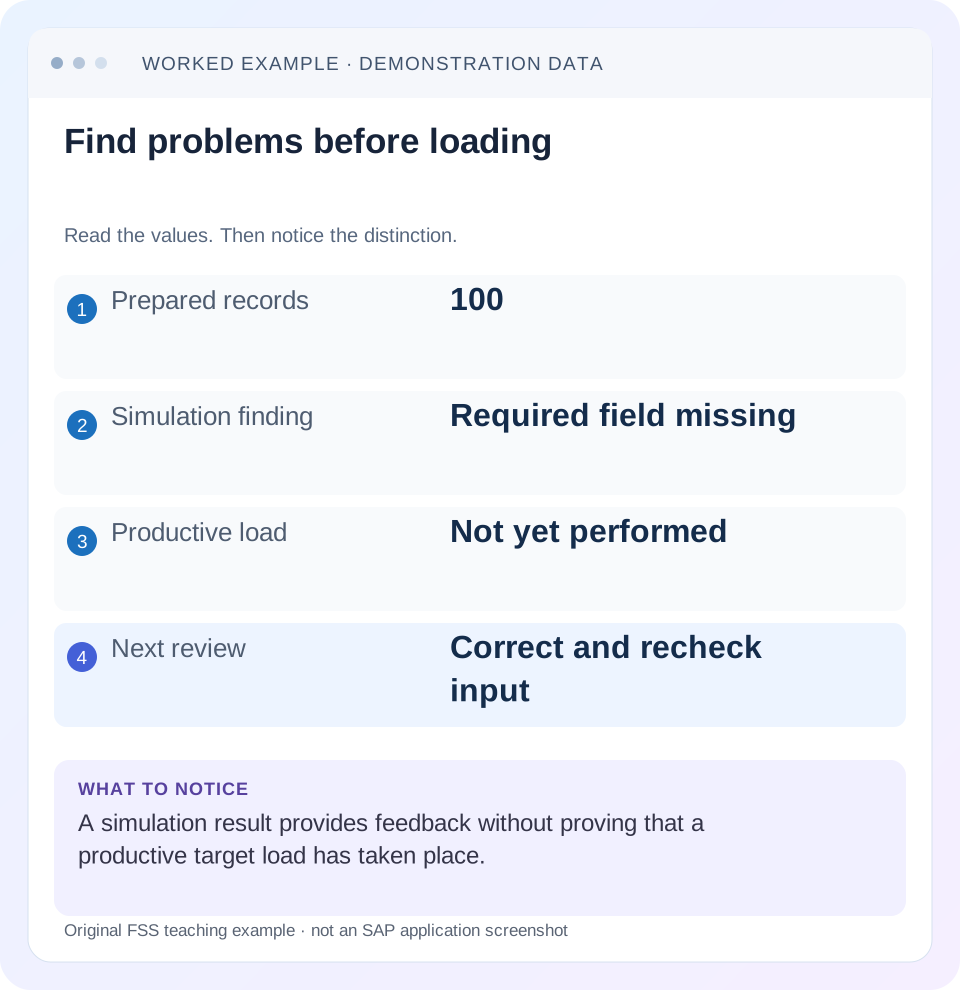
Read the example values
- Prepared records
- 100
- Simulation finding
- Required field missing
- Productive load
- Not yet performed
- Next review
- Correct and recheck input
Words you’ll meet in this guide
- Source
- The system or dataset information comes from.
- Target
- The destination system or dataset.
- Validation
- A check that information meets required rules.
- HANA
- SAP’s database platform.
- API
- A defined interface through which programs exchange data or request actions.
Preview the practical steps
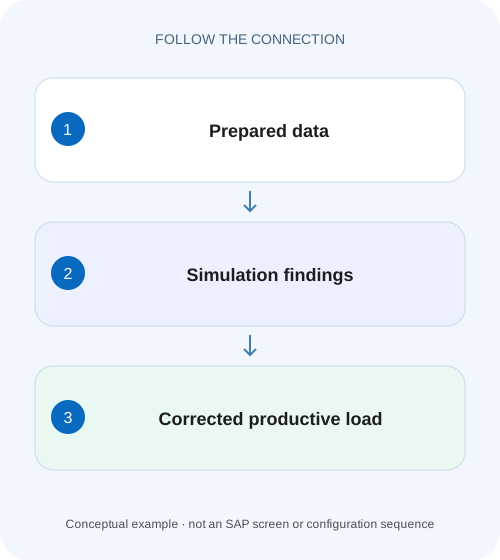
SEE THE CONNECTION
See it in a simple example.
A small example to make the idea concrete.
Use a manufacturing data rehearsal deliberately
A manufacturer rehearses a migration sample, then finds failures in the broader plant-related dataset.
Use simulation as evidence about a particular proposed load
Migration simulation tests a prepared transfer before actual migration.
Know what must exist before the run
The staging process separates preparation, mapping, optional simulation and migration.
Worked case: ten samples pass, then four of one hundred fail
The following fixture is illustrative and does not prescribe SAP message identifiers or technical template fields.
Use a manufacturing data rehearsal deliberately
A manufacturer rehearses a migration sample, then finds failures in the broader plant-related dataset.
Compare sample coverage and actual simulation messages before treating a successful rehearsal as proof that every productive record will load.
| Reader | Business question | Evidence to carry forward |
|---|---|---|
| SAP developers and application teams supporting manufacturers | Use a manufacturing data rehearsal deliberately | Compare sample coverage and actual simulation messages before treating a successful rehearsal as proof that every productive record will load. |
01 Use simulation as evidence about a particular proposed load
Migration simulation tests a prepared transfer before actual migration. In the documented staging-table process, SAP states that no data is written to the target business system during simulation. The useful result is a set of processing messages and instance outcomes for the input you tested. It is not a count of business objects already migrated and it does not reserve a future successful load. [1]
This guide is for data leads and functional or technical migration specialists using the SAP S/4HANA Migrate Your Data – Migration Cockpit app with staging tables. References cover the on-premise 2025 family, with one older monitoring reference explicitly identified. Use your installed release and migration-object documentation for supported checks and procedures. The lesson does not generalize simulation behavior to every SAP upload program, direct-transfer object or custom migration utility. [1] [2] [5]
02 Know what must exist before the run
The staging process separates preparation, mapping, optional simulation and migration. Before simulation, prepare the staging tables and process open tasks for the chosen object. SAP also documents that the first simulation can reveal additional mapping tasks. Those tasks must be processed and simulation repeated before migration can proceed. A first-run interruption at that point is actionable feedback, not necessarily a broken simulation engine. [1] [4]
You need the project and object identity, an input manifest, access to task decisions, activity monitoring and a person who can interpret each business error. Confirm the target prerequisites for the selected object: configuration, organizational scope and any required predecessor objects. A missing prerequisite may affect many instances, so diagnosing one representative error can reveal a shared cause without manually editing every record.
Keep preparation completion separate from semantic completeness. A populated required field can still contain an inappropriate value, while an empty field may be optional for one business scope and mandatory for another. Your object documentation and target configuration determine which interpretation is relevant.
03 Worked case: ten samples pass, then four of one hundred fail
The following fixture is illustrative and does not prescribe SAP message identifiers or technical template fields. Project CUSTOMER_REHEARSAL contains source customer identities C001 through C100. Version V1 has 100 instances. A first smoke test selected C001 through C010 and all ten passed. In the full V1 simulation, 96 pass, C097–C099 lack company data required for this project’s intended use, and C100 refers to an organizational assignment that the agreed target does not support.
The first result was valid for its ten selected instances. It said nothing about C097–C100 because those identities were absent. The full result is 96 successful and four errors, with zero actual migrated customers from these simulation activities. Reporting “110 checked” would double-count C001–C010 across runs. Reporting “96 migrated” would confuse simulation with execution.
| Run | Input and selection | Successful | Errors | Actual target creation |
|---|---|---|---|---|
| SIM_A | V1, C001–C010 | 10 | 0 | None from simulation |
| SIM_B | V1, C001–C100 | 96 | 4 | None from simulation |
| SIM_C | V2, corrected full set | Expected 100 | Expected 0 | None from simulation |
04 Record enough context to make the result reusable
A useful run record includes target system and client, project, migration object, activity identifier, selection, extract version, mapping version, relevant configuration baseline, start and completion times, and the final instance results. These are editorial evidence fields for your migration log, not a proposed SAP API. Save both the summary and the error detail needed to identify the failing source instances.
For SIM_B, the record says “V1, all 100 customer instances, company scope 1710, mapping set M3.” If someone later changes country mapping or replaces the input file, SIM_B remains evidence for V1/M3. It does not automatically certify the new proposal. If an unchanged configuration is important to the conclusion, record how that baseline was controlled rather than relying on two people remembering the same settings.
Where source data contains personal or financial information, preserve identity and traceability using the approved project evidence location. You seldom need a full unredacted payload in every handoff. A source key, relevant field and message context usually provide a more useful investigation trail.
05 Choose a selection that answers the current question
The documented project action can simulate all instances in staging for an object. Specific instances can also be selected on the Migration Object Instances screen in the cited procedure. Use a small selection to diagnose a narrow issue or establish that the basic path works. Use the full intended scope when assessing readiness of that prepared load. [1]
For a smoke test, include more than ten easy records: cover every organizational scope, unusual code mapping, optional child structure and known boundary that matters to the object. In this fixture, a sample including C097 and C100 would expose two distinct failure classes earlier. Sampling improves discovery; it never converts ten accepted identities into proof that the other ninety were checked.
When selecting a corrected subset, retain the scope explicitly. A pass for C097–C100 after repair complements the prior full-run evidence, but changes to shared mappings can also affect the previously accepted 96. Decide whether a full rerun is necessary from the dependency of the change, not from the desire to avoid another activity.
06 Follow the activity and instance outcomes
From the project’s Monitoring function, inspect whether the simulation activity is active or completed. SAP documents successful and erroneous instance counts and navigation through the Simulation count to detailed results. An activity that started is not yet a final result. Do not interpret a partial processed count while work remains active as either total success or data loss. [2]
Open the failing instances and capture the message context. Distinguish a value missing from the input, a missing target prerequisite, an unprocessed mapping task and a technical activity failure. C097–C099 share one input gap; C100 has a different target-scope issue. Grouping by cause makes the repair plan clearer than assigning one generic “migration error” ticket to all four.
If no instances were processed, check the selected scope, preparation/task state and activity failure details before editing the file. If only a subset was selected, compare the processed count with that subset. If counts do not reconcile, preserve the activity evidence and resolve the discrepancy before treating the run as completed.
07 Correct the cause and make a new proposal
For C097–C099, the source owner supplies the approved company data and fixes the extraction rule that omitted it. For C100, the process owner determines whether the organizational assignment should be mapped to an existing target value, established through an approved configuration change or excluded from this transfer. Do not substitute an arbitrary valid-looking value simply to eliminate a message.
SAP supports correction files for simulation or migration errors. The documented file includes staged instances in Error status; generation is monitored and the file becomes downloadable when generation finishes. Follow the object and release instructions for adjustment and upload. Preserve the original error evidence and note which identities the correction file actually covers. [3]
Call the corrected proposal V2. Resolve any new tasks, repeat simulation for the relevant scope and inspect the resulting instance details. A correction changes the proposal; it does not retroactively make SIM_B successful. Keep SIM_B as the baseline demonstrating what was found and SIM_C as the evidence of the corrected result.
08 Decide when old evidence has expired
Input changes invalidate conclusions for the changed fields and instances. Mapping changes can have wider effects: a fixed value or shared value mapping may affect many records that did not originally fail. Target configuration changes can alter validation even when input is byte-for-byte identical. A source snapshot taken before a late business change may also no longer represent the approved cutover population.
For example, if C100 is excluded, the intended load is now 99, not 100. Your manifest, acceptance count and owner approval must change together. If all 100 remain in scope but M3 becomes M4 for a country value used by 40 customers, retest the affected 40 and assess whether a full regression is needed. Counting only the four original errors ignores the actual reach of the correction.
After a rehearsal in a test system, the production target may have different prerequisites or intervening data. Keep the test result as rehearsal evidence and validate the productive proposal under the approved cutover process. Simulation provides a check at a time; it is not a lock on future target state.
09 Use this decision table before pressing the next action
Diagnose what the evidence establishes and what action is still missing. The same green count can mean different things if the activity, input or selection differs. A decision table is useful only when its rows reference the actual run ledger rather than an undated screenshot.
| Observation | Interpretation | Next useful action |
|---|---|---|
| Ten of ten pass; full scope is 100 | Smoke test only | Simulate the prepared full scope or document the limited question |
| 96 pass and four fail | Partial acceptance of V1 | Resolve the two specific cause groups; retain identities |
| New mapping task appears | Further task processing required | Confirm the task and repeat the documented simulation |
| Activity still active | Result incomplete | Follow Monitoring and inspect final outcomes |
| Error filter is empty after status change | Display state may have changed | Inspect original activity and instance evidence |
| 100 simulate successfully | Prepared proposal passed available checks | Perform approved actual migration, then target reconciliation |
10 Do not use administrative status to hide a data problem
The cited older monitoring documentation describes setting an activity to Errors Resolved when its errors can be ignored; doing so removes that activity from the error filter. That is a monitoring classification. It does not repair a missing company assignment, change a target value or establish a successful business load. Confirm whether the option and semantics exist in your release before using it. [5]
If a message is considered acceptable, record why, who owns that interpretation and whether the affected instance remains in the migration scope. For example, deliberately excluding C100 is a scope decision with a revised manifest, not a successful simulation of C100. Review activities without relying exclusively on an error-only filter, especially after administrative status adjustments.
Cancellation likewise means the run was stopped, not that all selected instances passed. Retain completed and incomplete scope separately. Use the supported activity controls rather than killing unrelated jobs or deleting project records to obtain a clean-looking monitor. [1]
11 Verify positive, negative and boundary behavior
Positive exercise: simulate a controlled full V2 set and reconcile exactly 100 successful identities with the approved manifest, assuming the illustrative repairs resolve all reported causes. Check that no target customers have been claimed as created solely from this run. Negative exercise: in an isolated rehearsal, remove a required value from one selected instance and confirm the documented checks or your preprocessing control expose the problem.
Boundary exercise: simulate only C001–C010, then deliberately compare that result with the full 100-instance manifest. The reconciliation should flag 90 untested identities. Repeat after a shared mapping change and confirm that affected previously successful identities return to the regression scope. These exercises validate your evidence controls without assuming a universal list of SAP validations.
For a real migration, follow the separate authorized migration step and reconcile actual target objects and exceptions. If an execution result is uncertain, inspect target state and project history before repeating it. A simulation result is useful diagnostic evidence, but it cannot tell you whether a later interrupted migration already created a particular target object.
12 Questions to settle before the productive load
Can simulation prove that the target business records already exist? No; that requires actual migration and a supported target check. Does a successful small sample certify the full population? No; its scope remains the selected instances. Must every error trigger a field change? No; the cause may be a prerequisite, a task, a technical activity issue or an intentionally changed business scope.
What belongs in the cutover decision? The approved input manifest, mapping and configuration baseline, completed simulation evidence for the relevant scope, resolved exceptions and a clear plan for actual target reconciliation. Keep the staging-table lesson beside this guide when someone equates an upload count with business creation. Use simplification-item triage for conversion requirements that cannot be solved by editing a migration file.
Related services and next steps
Primary sources
Found this useful?
Share this guide with your network, or leave a like.
Your like is saved in this browser.