SAP migration cockpit staging tables: A loading area is not a posted result
A manufacturer prepares business data for a migration object and must distinguish staging rows from successfully created target business objects.

Source review:
START HERE · NO PRIOR TOPIC KNOWLEDGE NEEDED
What it is. Why it matters.
Staging tables hold prepared data before migration into SAP business objects. Loading a staging area is an intermediate step, not evidence that the target records were successfully created.
Completely new to SAP?
Manufacturers use SAP to connect work such as buying components, recording inventory, planning production, shipping equipment and accounting for costs. SAP S/4HANA is an enterprise resource planning system: it connects these activities through shared business data.
Migration moves business data into a target system. Lifecycle management controls how software or configuration changes move between environments; both need evidence of the target result.
A transaction code, or t-code, is a shortcut to a task in classic SAP GUI. Fiori apps provide another way to work. Names and screens depend on the product and release; you do not need a live system to learn the concepts in this guide.

Scope and source-review notes
Scope and evidence
Source review by FAST SAP SOLUTIONS® editorial. This badge describes our editorial review; it does not represent SAP certification or independent endorsement.
Practical tutorial for Migrate Data Using Staging Tables in the SAP S/4HANA Migrate Your Data – Migration Cockpit app, grounded in on-premise 2025-family documentation. Confirm installed release, migration object, template and deployment support; this is not a direct-transfer or legacy transaction procedure.
Documentation review on 14 November 2026 using official SAP sources and indexed official excerpts where full Help text was unavailable. Scope and service or release differences are explained in the lesson. All datasets, requests and checks are illustrative; no customer SAP runtime execution or measured results are claimed.
A MANUFACTURING EXAMPLE
Separate plant migration loading from posted results
Staged is not posted
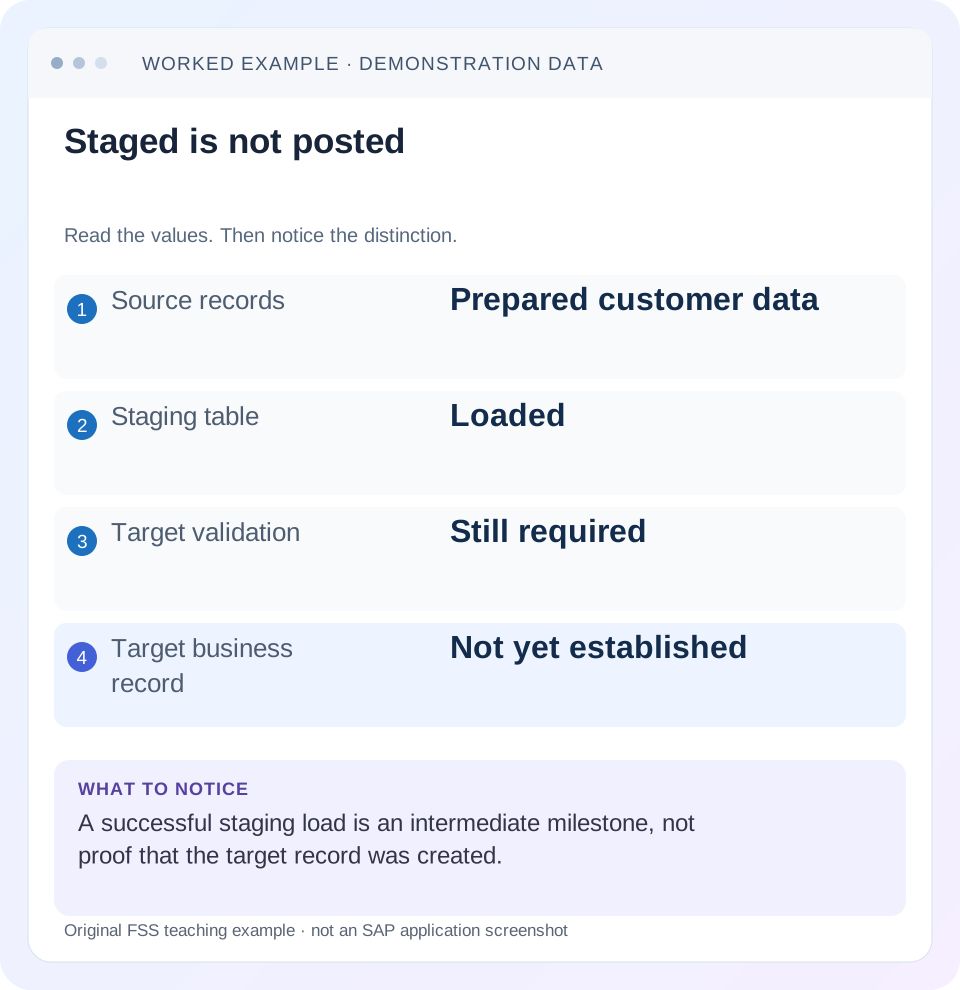
Read the example values
- Source records
- Prepared customer data
- Staging table
- Loaded
- Target validation
- Still required
- Target business record
- Not yet established
Words you’ll meet in this guide
- Source
- The system or dataset information comes from.
- Target
- The destination system or dataset.
- Validation
- A check that information meets required rules.
- HANA
- SAP’s database platform.
- XML
- A format that organizes data into named, nested elements.
Preview the practical steps
SEE THE CONNECTION
See it in a simple example.
A small example to make the idea concrete.
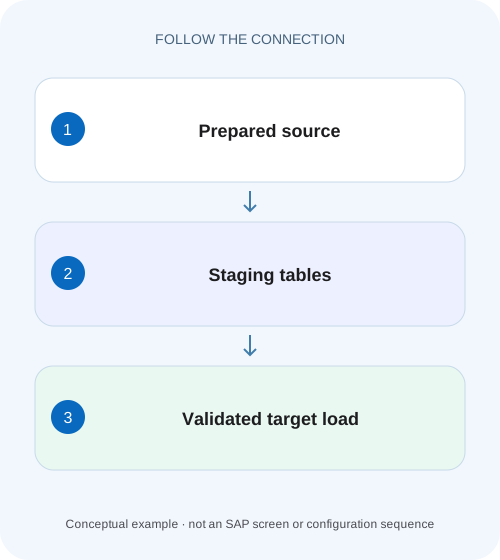
Separate plant migration loading from posted results
A manufacturer prepares business data for a migration object and must distinguish staging rows from successfully created target business objects.
What a successful staging load actually proves
A successful transfer to migration cockpit staging tables proves that data reached an intermediate loading area.
Understand project, object, instance and structure
A migration project groups the migration objects and processing work for a particular transfer.
Worked case: three customers and five conceptual rows
The following is an illustrative reconciliation fixture, not an SAP upload template or a list of actual technical field names.
Separate plant migration loading from posted results
A manufacturer prepares business data for a migration object and must distinguish staging rows from successfully created target business objects.
Trace mapping, validation and processing results before counting loaded rows as completed migration.
| Reader | Business question | Evidence to carry forward |
|---|---|---|
| SAP developers and application teams supporting manufacturers | Separate plant migration loading from posted results | Trace mapping, validation and processing results before counting loaded rows as completed migration. |
01 What a successful staging load actually proves
A successful transfer to migration cockpit staging tables proves that data reached an intermediate loading area. It does not prove that customer, supplier, asset or other target business objects were created. Preparation, mapping, simulation and actual migration remain separate milestones. When someone reports “the customer load is complete,” ask which milestone, which project and which set of source identities the statement covers. [1]
This tutorial follows the Migrate Data Using Staging Tables approach in the SAP S/4HANA Migrate Your Data – Migration Cockpit app. The cited on-premise documentation includes the 2025 release family. Screens, templates and migration-object capabilities vary by release and edition; use the documentation and template delivered for your installed target. Direct transfer from an SAP system and older transaction-based cockpit procedures require their own instructions. [1]
02 Understand project, object, instance and structure
A migration project groups the migration objects and processing work for a particular transfer. A migration object describes the relevant structures and relationships for a business object. An instance is one business object represented by related data, rather than necessarily one physical staging row. SAP uses Bank as an example: several fields together identify and describe one bank instance. [1] [2]
That distinction changes reconciliation. A customer can have general data plus company-code or sales-area records. Counting all populated structure rows can produce five rows for three customers without implying two duplicates. Define the counting unit before comparing source, staging and target. Inspect parent keys and child relationships as well as row totals; an orphaned organization row is a different problem from a missing whole customer.
You need access to the project, object documentation, generated template or supported staging interface, mapping tasks and target business display. A source data owner must be able to explain field meaning and identity. A target process owner must confirm which organizational views are required. Database access alone cannot establish that those business requirements have been met.
03 Worked case: three customers and five conceptual rows
The following is an illustrative reconciliation fixture, not an SAP upload template or a list of actual technical field names. Project CUST_REHEARSAL_02 is intended to create three customers in target company code 1710. Source customer C101 and C102 each have general and company data. C103 has only general data because its company assignment was omitted from the extract. All three require that assignment under the agreed business scope.
The five conceptual rows are three general records plus two company records. If all five are staged, the file transfer may be complete while the intended business scope is incomplete. The target requirement is three usable customers for company 1710, not merely three general identities. Country source code UK also needs an approved interpretation as target GB in this fictional project; this is a business mapping decision, not an automatic universal conversion.
| Source identity | General record | Company 1710 record | Country input | Expected review |
|---|---|---|---|---|
| C101 | Present | Present | DE | Complete for this fixture |
| C102 | Present | Present | UK | Confirm approved UK to GB mapping |
| C103 | Present | Missing | DE | Correct extraction or document exclusion |
04 Freeze a useful source manifest before upload
Create a manifest containing extract version, extraction time, source identity, intended target scope and expected child-record counts. For this fixture, version V1 contains C101, C102 and C103; expected general count is three and expected company count is three. Actual company count is two. That difference is visible before SAP processes anything, so it should not be disguised as an unexplained cockpit failure.
Check required relationships, field lengths, date formats and allowed values against the selected object’s current documentation and template. Preserve leading zeros where identifiers require them. Do not convert identifiers into spreadsheet numbers and then infer their original form. Separate a legitimate empty optional field from a missing required organizational assignment. A default applied to every blank field can produce syntactically acceptable but commercially wrong master data.
When an object requires prerequisite master data or configuration, include its readiness evidence in the manifest. The manifest is an audit and comparison artifact you design; it is not a required SAP file format. Its purpose is to make the transfer repeatable and to reveal which input changed between rehearsals.
05 Use the generated loading contract
SAP describes template files and supported external tools as ways to fill staging tables. With template loading, download the file for the selected migration object, populate its supplied structures and upload it through the cockpit. Follow the release-specific instructions for the actual XML or CSV option offered. Do not assume a workbook from another project or release has the same structure because its object title looks familiar. [1] [3]
For XML templates, distinguish upload messages from transfer into staging. The documented process can require manual transfer after review of messages. Read the exact file state and messages; the presence of a file in the upload list alone is insufficient evidence that its instances are available for preparation. If transfer fails, compare the failing structure and key with the manifest before changing business mappings. [3]
For a supported direct population method, obtain the actual project-generated staging definitions and connection requirements. Do not invent table names, insert into target application tables or reuse an old schema merely because it remains accessible. Establish how your loading tool reports rejected records and how its completed count will be matched to cockpit instances.
06 Inspect staging by identity, then prepare and map
Use the project’s Data instance count to open the Migration Object Instances display where supported by your release. Inspect C101, C102 and C103 and their related records. Three instances confirms an identity count; it does not settle whether C103 has its required company view. Compare a few high-risk fields against the manifest instead of relying exclusively on a green aggregate. [2]
Prepare the staging tables through the documented object action, then process the generated mapping tasks. Value mappings relate source values to target values; fixed-value tasks set specified target values. For C102, confirm that UK represents the intended country and that GB is the approved target value. For C103, a country mapping cannot manufacture its missing company assignment. Correct the data through a supported procedure and retain the reason for the correction. [1]
After correction, version V2 has three general and three company records: six conceptual rows representing three instances. If a new mapping task appears, resolve it against V2. A confirmed task means a particular mapping decision was accepted; it does not certify every required field or prerequisite object.
07 Use simulation to test target acceptance
SAP documents simulation after preparation and open-task processing. It does not write the migrated business data to the target, and the first simulation can expose additional mapping tasks that require processing and another simulation. Keep the activity result tied to the input and mapping version you actually tested. [5]
In V1, suppose C101 passes, C102 waits for the country decision and C103 produces a missing-company-data error under this fixture’s target rules. Those are illustrative outcomes, not guaranteed message texts. After correction, V2 should be simulated again. Record the three source identities and inspect their individual results. The useful conclusion is “V2 accepted by the available simulation checks,” not “three customers created.”
An unchanged staging count after simulation is unsurprising: simulation is a processing activity on the prepared instances. Check the simulation result separately from the Data count. If the activity is still running, a partial count is not a final result. If a job cannot start, investigate activity and authorization or scheduling evidence before repeatedly editing otherwise valid source data.
08 Migrate once, then reconcile the actual target
When the approved data and mapping scope are ready, run actual migration using the supported project action. Preserve the activity identity and messages. Reconcile each source identity to the target identity reported or established by the supported business display. Target numbering can differ from source numbering; retain the cross-reference rather than assuming C101 must become a target customer with exactly the same identifier.
For our fixture, completion requires three target customers with the intended general and company 1710 data. Verify C102’s country interpretation and C103’s previously missing assignment. A target record count of three with C103 in the wrong organizational scope is still a failed business reconciliation. Where the object creates multiple related target entities, verify the required relationship, not only the first record visible in a search.
If two instances migrate and one fails, report two completed, one exception and the exact unresolved identity. Do not rerun the entire original file just to make the summary look complete. Determine the object’s supported correction and restart procedure and reconcile target state before retrying anything that might already exist.
09 Troubleshoot at the failing boundary
A failure at file transfer, staging preparation, mapping, simulation or migration has a different evidence trail. Start with the earliest failed boundary. Later errors can be consequences of a missing earlier instance, so repairing them in isolation can create contradictory workarounds. [3] [4] [5]
| Observation | What to compare | Practical response |
|---|---|---|
| Uploaded file but no staged instances | File transfer status and validation messages | Resolve upload or transfer issue before preparation |
| Duplicate key during staging transfer | Existing staged key versus incoming structure key | Determine repeated input or legitimate child relationship; follow documented handling |
| Three instances but two company records | Manifest by source identity and organizational view | Correct C103 data; total instance count concealed the gap |
| Mapping tasks remain open | Source value, target value and task scope | Obtain the approved mapping and confirm the relevant task |
| Simulation passed but no target customer | Simulation versus migration activity identity | Check whether actual migration was performed |
| Migration result unclear after interruption | Activity messages and supported target search | Reconcile existing target identities before retry |
10 Correct records without losing the transfer history
SAP documents correction files for errors occurring during simulation or migration. The documented correction file contains staged instances in Error status from the relevant source files selected for generation, with generation progress available through Monitoring. Use the procedure supported for your object and release; a correction file is not permission to rewrite unrelated successful records. [6]
For C103, retain V1, the missing-assignment finding, the approved company assignment and the corrected input version. Confirm whether the correction changes an instance already migrated or one that never migrated. Those cases require different target-state reasoning. Do not directly delete staging or application rows to force a repeatable-looking exercise; such changes can invalidate the project’s processing history.
Also fix the upstream extraction rule when the omission is systematic. Correcting C103 manually while the next extract still omits company assignments creates a recurring exception. A practical closure record states both the instance repair and the source-process repair, with a small regression sample showing that newly extracted customers include their intended organization data.
11 Verification exercises and follow-up questions
Positive check: stage V2 in a disposable rehearsal project, confirm three instances with the expected related records, finish mappings, simulate and then reconcile three migrated target customers. Negative check: omit C103’s required company data deliberately in a controlled test and confirm the missing scope is detected by your manifest or supported checks. The objective is to prove the control, not to predict a universal SAP message.
Boundary check: supply an already staged key a second time in a rehearsal and review the documented duplicate-key handling rather than treating it as a new customer. SAP explicitly distinguishes duplicate staging keys from successful new insertion. Separately test a customer with two legitimate organizational records so your reconciliation does not incorrectly reject all repeated parent identities. [4]
Can a full staging table prove cutover readiness? No; it proves an intermediate state. Can a successful simulation replace target reconciliation? No; actual migration is a separate event. Should every raw staging row equal one migrated customer? No; count instances and related records at their own levels. Continue with the migration simulation lesson for evidence validity, or simplification-item triage when the obstacle concerns target conversion requirements rather than loading a prepared object.
Related services and next steps
Primary sources
Found this useful?
Share this guide with your network, or leave a like.
Your like is saved in this browser.