SAP Integration Suite value mapping: Translate business identifiers deliberately
A manufacturer's partner sends one plant code while the receiving system expects another business identifier.

Source review:
START HERE · NO PRIOR TOPIC KNOWLEDGE NEEDED
What it is. Why it matters.
Value mapping translates identifiers used differently by connected systems. It supplies an agreed correspondence, such as one system’s country code to another’s expected code.
Completely new to SAP?
Manufacturers use SAP to connect work such as buying components, recording inventory, planning production, shipping equipment and accounting for costs. SAP S/4HANA is an enterprise resource planning system: it connects these activities through shared business data.
Integration connects applications so they can exchange information. A delivered message still needs the receiving application to understand and accept its business meaning.
A transaction code, or t-code, is a shortcut to a task in classic SAP GUI. Fiori apps provide another way to work. Names and screens depend on the product and release; you do not need a live system to learn the concepts in this guide.

Scope and source-review notes
Scope and evidence
Source review by FAST SAP SOLUTIONS® editorial. This badge describes our editorial review; it does not represent SAP certification or independent endorsement.
SAP Cloud Integration value-mapping artifacts and documented ValueMappingApi/ITApiFactory interfaces. Example agency/identifier/code pairs are fictional; deployed artifact state, runtime support and reverse-default policy require tenant-specific verification.
Documentation review on 14 November 2026 using official SAP sources and indexed official excerpts where full Help text was unavailable. Scope and service or release differences are explained in the lesson. All datasets, requests and checks are illustrative; no customer SAP runtime execution or measured results are claimed.
A MANUFACTURING EXAMPLE
Translate the supplier's plant identifier correctly
Translate the business identifier
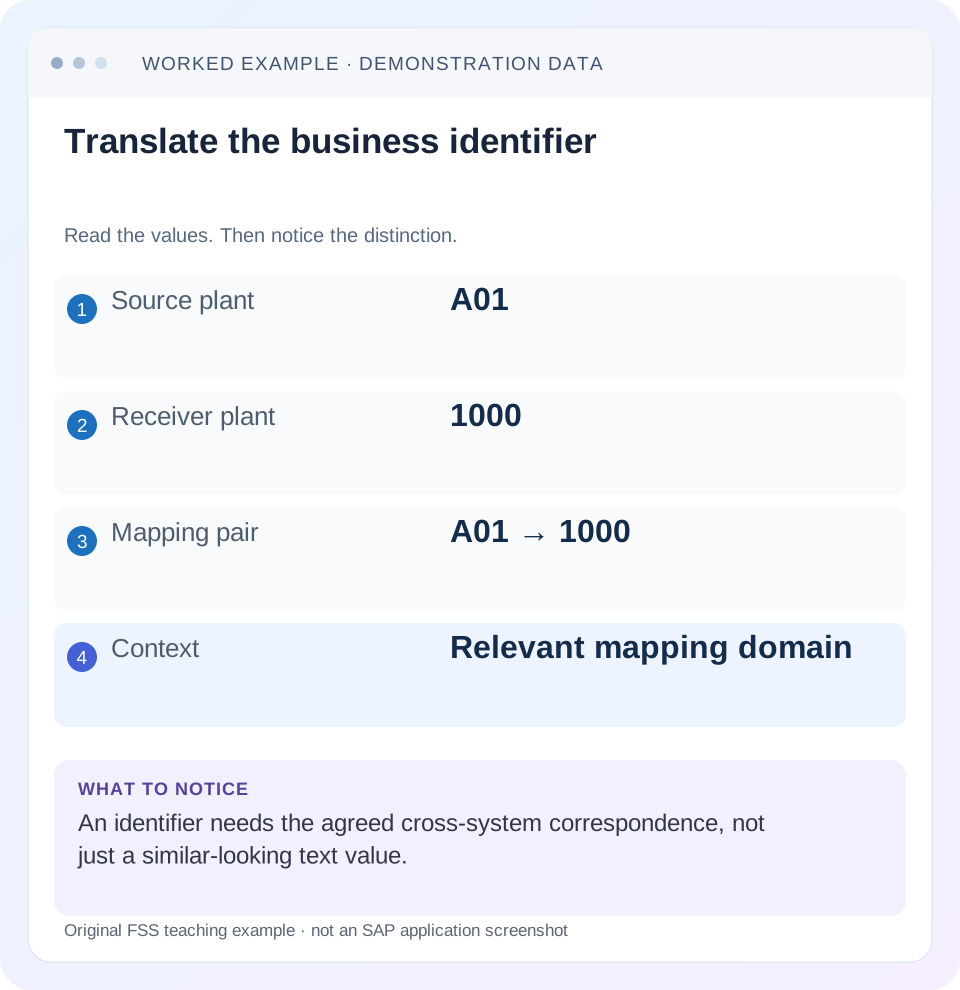
Read the example values
- Source plant
- A01
- Receiver plant
- 1000
- Mapping pair
- A01 → 1000
- Context
- Relevant mapping domain
Words you’ll meet in this guide
- Message
- A package of information sent between systems.
- Payload
- The business content carried in a request or message.
- API
- A defined interface for another program to use.
- Receiver
- The system to which a message or request is sent.
Preview the practical steps
SEE THE CONNECTION
See it in a simple example.
A small example to make the idea concrete.
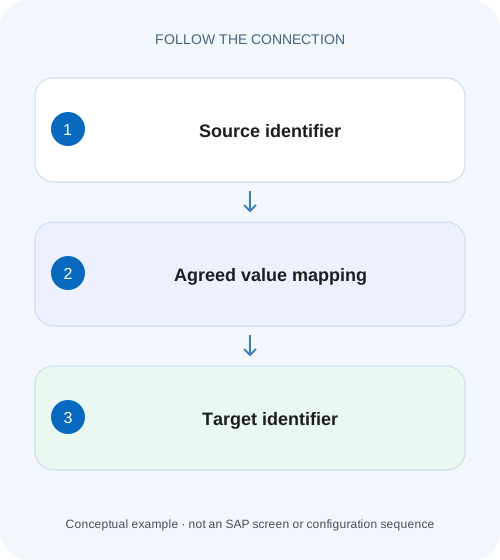
Translate the supplier's plant identifier correctly
A manufacturer's partner sends one plant code while the receiving system expects another business identifier.
Translate an identifier within its business context
Value mapping translates agreed representations of the same business concept across systems.
Understand agency, identifier and value as one lookup contract
The agency names the representation owner/context and the identifier names the kind of identifier in that context.
Worked case: source plant A01 must become receiver plant 1000
Imagine a warehouse interface receiving plant A01 from ERP_A.
Translate the supplier's plant identifier correctly
A manufacturer's partner sends one plant code while the receiving system expects another business identifier.
Check the source and target identifier schemes and mapped value before replacing the code through an unscoped text substitution.
| Reader | Business question | Evidence to carry forward |
|---|---|---|
| SAP developers and application teams supporting manufacturers | Translate the supplier's plant identifier correctly | Check the source and target identifier schemes and mapped value before replacing the code through an unscoped text substitution. |
01 Translate an identifier within its business context
Value mapping translates agreed representations of the same business concept across systems. The lookup is more than the raw source value: source agency, source identifier and target agency/identifier determine its meaning. A code such as 01 can identify a plant in one domain and a status in another. Returning any matching string is insufficient if the context is wrong. [1] [2]
This tutorial is for Cloud Integration developers and mapping-data owners. You need the source/target identifier contract, authorized access to the value-mapping artifact and the consuming flow version. The plant and status codes below are authored examples, not universal SAP code correspondences. The Groovy fragment uses documented public API interfaces and still requires compatibility with the installed runtime.
02 Understand agency, identifier and value as one lookup contract
The agency names the representation owner/context and the identifier names the kind of identifier in that context. The value is the actual code. The target pair says which representation is required. SAP’s ValueMappingApi exposes all five lookup arguments: source agency, source identifier, source value, target agency and target identifier. [2]
Use names that communicate the business domain. Do not let a generic identifier named code stand for plants, statuses and payment terms in the same contract. Also define normalization explicitly. Trimming spaces, uppercasing text or removing leading zeros can change business identity. A code 0010 is not necessarily equivalent to 10.
03 Worked case: source plant A01 must become receiver plant 1000
Imagine a warehouse interface receiving plant A01 from ERP_A. The receiver WMS_B expects plant 1000. The maintained correspondence is ERP_A / Plant / A01 → WMS_B / Plant / 1000. A second source plant A02 maps to 2000. A status value 01 belongs to a separate Status identifier and maps to OPEN.
If the flow asks for ERP_A / Status / A01, the plant mapping is not the requested domain. If it ignores identifier context and looks up raw 01 elsewhere, it can obtain a plausible but wrong result. Make the complete tuple visible in a sanitized diagnostic record and verify the receiving plant’s business meaning.
| Source agency/identifier | Source value | Target agency/identifier | Target value |
|---|---|---|---|
| ERP_A / Plant | A01 | WMS_B / Plant | 1000 |
| ERP_A / Plant | A02 | WMS_B / Plant | 2000 |
| ERP_A / Status | 01 | WMS_B / Status | OPEN |
04 Create, maintain and deploy the intended artifact
SAP documents creating a Value Mapping artifact in an integration package, then maintaining its bidirectional mappings and values. Identify its artifact ID and version, the relevant agency/identifier pair and the actual deployed state. A saved draft row is not proof that a running flow can resolve it. [1] [3]
Before changing A01, inventory consumers of that mapping context. A shared mapping can affect several integration flows, so a correction for one partner must not silently change another partner’s meaning. Keep the approved source-to-target decision with the artifact change. The data owner should explain why plant 1000 is correct, not merely confirm that it exists.
05 Call the documented API with all five arguments
The illustrative script fragment assumes an earlier validated step set exchange property sourcePlant. It resolves the ValueMappingApi service, requests the agreed plant tuple and saves the result as internal property targetPlant. A later payload mapping must explicitly use that property; creating it does not automatically change the outbound business document. [2]
The code deliberately fails when a required result is unusable and lets API exceptions remain failures rather than substituting an arbitrary plant. This is an authored fragment for a compatible Cloud Integration Script step, not standalone Groovy executed here. Check imports and public API availability in the installed runtime. The factory reference documents getService and deprecates the older getApi method. [4]
For the A01 fixture, inspect targetPlant immediately before the payload transformation and then inspect the actual receiver-facing plant field. A stale expression can still read sourcePlant even though the lookup succeeded. That yields a correct internal lookup and an unchanged outbound A01. The acceptance test must therefore cover both lookup resolution and use of its result in the business message.
import com.sap.gateway.ip.core.customdev.util.Message
import com.sap.it.api.ITApiFactory
import com.sap.it.api.mapping.ValueMappingApi

Message processData(Message message) {
    String sourcePlant = message.getProperty("sourcePlant") as String
    if (sourcePlant == null || sourcePlant.trim().isEmpty()) {
        throw new IllegalArgumentException("Required source plant is missing")
    }
    def api = ITApiFactory.getService(ValueMappingApi.class, null)
    if (api == null) {
        throw new IllegalStateException("Value mapping service unavailable")
    }
    String targetPlant = api.getMappedValue(
        "ERP_A", "Plant", sourcePlant, "WMS_B", "Plant")
    if (targetPlant == null || targetPlant.trim().isEmpty()) {
        throw new IllegalArgumentException("Required plant mapping unavailable")
    }
    message.setProperty("targetPlant", targetPlant)
    return message
}
06 Keep translation separate from numeric conversion and master-data creation
A01 → 1000 translates an identifier; it does not create receiver plant 1000 or grant permission to use it. Verify the target’s existence and organizational meaning under the receiving application’s supported process. An API accepting a string does not prove the mapped plant is appropriate for the business transaction.
Likewise, unit-code translation does not automatically convert quantities. If EA and PCE are agreed equivalent piece identifiers, quantity can remain unchanged under that contract. Mapping BOX to PCE requires a separately defined product/context-dependent factor if the quantity must change. A lookup table of labels cannot supply missing numeric business semantics by itself.
07 Design missing and invalid mapping behavior explicitly
Decide which mappings are required and what happens when one cannot be resolved. For a mandatory plant, a diagnosable error is usually more accurate than assigning a generic plant. A fallback is valid only when the business contract defines its meaning and permitted scope. Label fallback use so it cannot masquerade as a normal maintained correspondence.
Distinguish missing source input, unknown source value, wrong agency/identifier, undeployed configuration and API/service failure. They can all appear as “mapping unavailable” to a careless caller. Preserve the full non-secret lookup context and sanitized exception to identify the first failing boundary. Do not assume a particular null-versus-exception response for every runtime and failure type without testing it.
08 Review bidirectional behavior and reverse defaults
Cloud Integration value mapping provides bidirectional lookup, but a many-to-one business correspondence is not automatically a uniquely reversible relationship. SAP’s editing guide describes default selection when different source values share a repeated target value. Review that default as a business decision rather than accepting an automatically assigned value blindly. [3]
For a separate illustrative mapping, A01 and B01 both become target plant 1000. A reverse lookup of 1000 cannot infer which original source plant was intended from that value alone. If the business accepts A01 as a canonical reverse representation, document it. If that loses essential identity, add the required context or avoid using that reverse lookup for the operation.
09 Treat PO migration as a contract comparison
SAP’s migration guide contrasts Process Orchestration value-mapping groups with Cloud Integration’s bidirectional agency/identifier mappings. Imported content can look different while representing the intended correspondences. Compare every required direction and default rather than validating only that the artifact imported. [5]
Create a migration matrix containing source context, target context, representative known values, unknown-value behavior and reverse/default expectations. If a group had several representations, verify all required pairwise relationships after migration. Do not preserve a former arbitrary default simply because it was present; establish whether the actual consuming process relies on it and whether it is still valid.
10 Troubleshoot runtime resolution before editing business data
Use the first mismatch between expected tuple, deployed mapping and actual result. A failing lookup can be a configuration-reference issue rather than an incorrect source plant. Conversely, a lookup returning 1000 can still be semantically wrong for the receiver.
| Observation | Question | Next evidence |
|---|---|---|
| Known plant not found | Is the full tuple correct? | Agency, identifier, value and target pair |
| Draft row works only in design view | Was intended artifact deployed? | Artifact ID/version and runtime state |
| 01 returns a status for a plant field | Was identifier context lost? | Plant versus Status lookup arguments |
| Reverse lookup chooses unexpected plant | Is many-to-one default intentional? | Maintained reverse default and business contract |
| Mapped plant rejected by receiver | Is target prerequisite/meaning correct? | Receiver plant/context and authorization |
| Code logs null or exception | Which boundary failed? | Input presence, deployed data and API error |
11 Verify known, unknown and reverse cases
For the positive fixture, source A01 should resolve to 1000 and A02 to 2000 in the stated Plant context. Verify the actual outbound payload and receiver interpretation, not only the script property. Status 01 should resolve under Status without colliding with Plant.
For a negative fixture, use an unknown source plant and confirm the required-mapping error path preserves the original business reference for correction. It should not silently send an arbitrary plant. For boundaries, test leading zeros, surrounding whitespace and case according to the documented normalization policy; do not change the policy to make one test pass.
Where reverse mapping is used, test both unique and repeated target values with the agreed default. Also compare development and target-tenant artifacts after transport. A code pair copied to another environment can be syntactically intact while its target plant has another business meaning.
12 Keep ownership, deployment and replay evidence together
Assign a mapping-data owner, approval rationale and change history. Record artifact/version and the non-secret tuple used by the consumer. Avoid deploying duplicate overlapping definitions copied from another deployed mapping; SAP’s editing guidance explicitly discourages that pattern. A clear ownership model makes runtime resolution and changes easier to explain.
After correcting a mapping, reconcile previously failed or misrouted business work before replay. Changing A01 from 2000 to 1000 repairs future translation but does not move a document already posted in plant 2000. Keep original and corrected effects accounted for through the receiving application’s supported process.
What closes the change? Correct business correspondence, deployed artifact, positive/negative/default tests and receiver outcome. The related message-mapping lesson explains structural placement of the translated value, and the header/property lesson explains how an internal lookup result reaches the outbound payload deliberately.
Related services and next steps
Primary sources
Found this useful?
Share this guide with your network, or leave a like.
Your like is saved in this browser.