SAP SLG1: Find the application log that belongs to your incident
A manufacturer's support team needs one relevant application log among many operational integration entries.

Source review:
START HERE · NO PRIOR TOPIC KNOWLEDGE NEEDED
What it is. Why it matters.
An application log records messages from a business application or process. SLG1 searches relevant logs using context such as object, time and external identifiers.
Completely new to SAP?
Manufacturers use SAP to connect work such as buying components, recording inventory, planning production, shipping equipment and accounting for costs. SAP S/4HANA is an enterprise resource planning system: it connects these activities through shared business data.
SAP Basis work keeps relevant SAP systems running. Logs, background jobs and connection tools help explain what happened to a task at a particular time.
A transaction code, or t-code, is a shortcut to a task in classic SAP GUI. Fiori apps provide another way to work. Names and screens depend on the product and release; you do not need a live system to learn the concepts in this guide.

Scope and source-review notes
Scope and evidence
Source review by FAST SAP SOLUTIONS® editorial. This badge describes our editorial review; it does not represent SAP certification or independent endorsement.
ABAP application-log analysis through SLG1 for application support and integration analysts. Objects, external IDs, persistence, retention and specialized viewers are application-specific; documented BEL_LOG or /AIF/LOG values are not universal defaults.
Documentation review on 14 November 2026 used the available official SAP indexed excerpts; several SAP Help pages returned no readable full text. The worked case and proposed checks are original illustrative teaching material, not execution evidence from a customer SAP system. Exact fields, permitted actions and behavior must be confirmed against the installed product, release and configuration.
A MANUFACTURING EXAMPLE
Find the log for a supplier-message incident
Find the log for this process
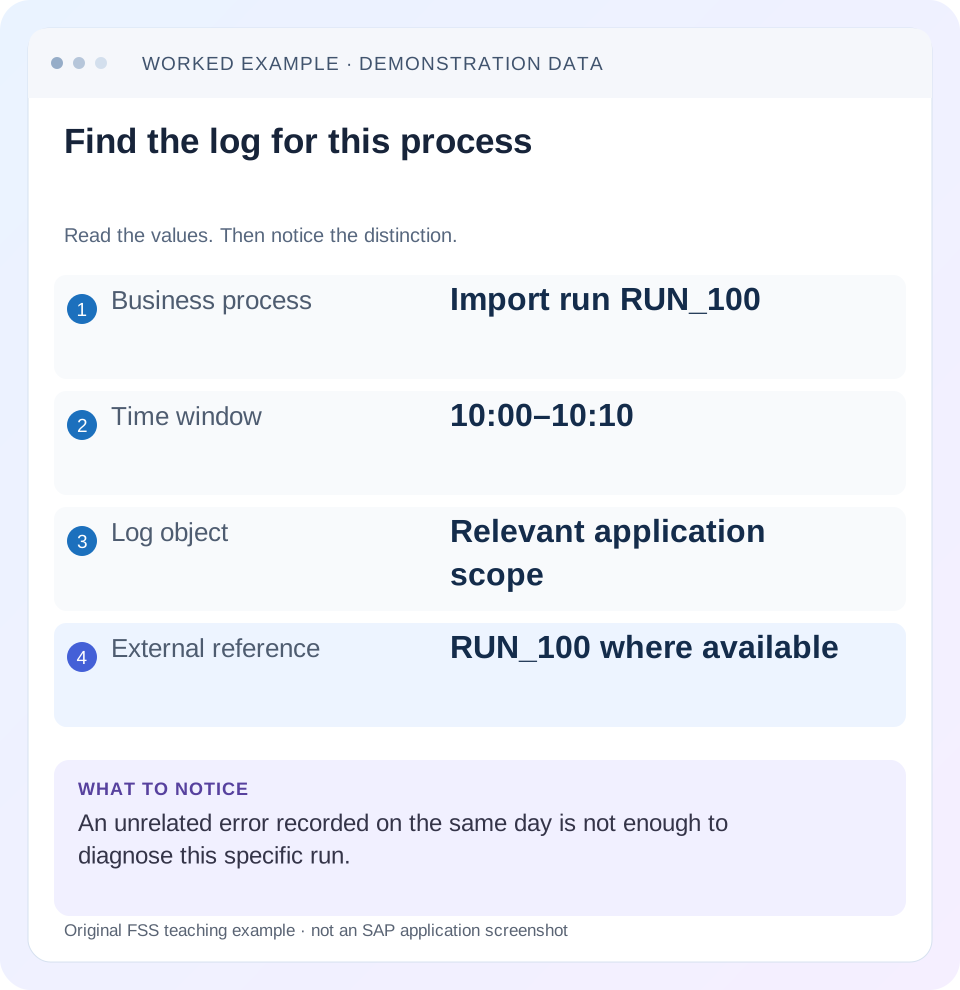
Read the example values
- Business process
- Import run RUN_100
- Time window
- 10:00–10:10
- Log object
- Relevant application scope
- External reference
- RUN_100 where available
Words you’ll meet in this guide
- Instance
- A running SAP application-server environment.
- Client
- A logically separate data and configuration context in an ABAP system.
- Log
- A recorded sequence of events and messages.
Preview the practical steps
SEE THE CONNECTION
See it in a simple example.
A small example to make the idea concrete.
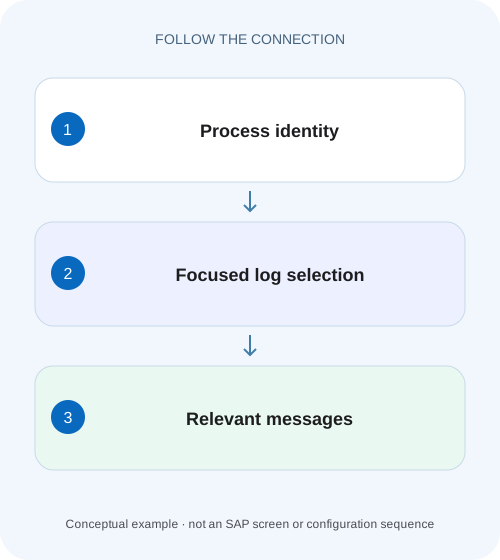
Find the log for a supplier-message incident
A manufacturer's support team needs one relevant application log among many operational integration entries.
Begin with the application that wrote the log
SLG1 analyzes application logs.
Audience and prerequisites
This tutorial is for application-support consultants and integration analysts with permitted log-display access.
Worked case: one message among many inbound logs
In our fictional training interface, inbound shipment updates write object ZSHIP_IN, subobject STATUS and external reference MSG-2026-041.
Find the log for a supplier-message incident
A manufacturer's support team needs one relevant application log among many operational integration entries.
Match object, external reference, time and execution context before using a nearby log as evidence for the incident.
| Reader | Business question | Evidence to carry forward |
|---|---|---|
| SAP developers and application teams supporting manufacturers | Find the log for a supplier-message incident | Match object, external reference, time and execution context before using a nearby log as evidence for the incident. |
01 Begin with the application that wrote the log
SLG1 analyzes application logs. Find the relevant application's documented object and subobject before searching broadly. A log object from an unrelated SAP guide can produce an empty result even though your process wrote a useful log elsewhere.
SAP describes an application log as a header plus messages. Object and subobject identify and classify the writing application; external number, time and creator can narrow selection. Those attributes are correlation clues, not a guarantee that every business error or every request writes an SLG1 log. [1]
02 Audience and prerequisites
This tutorial is for application-support consultants and integration analysts with permitted log-display access. Obtain the system/client, process, incident time with time zone, business or message reference and expected result. Locate the application's operations documentation or supported log navigation to establish its logging convention.
The worked object names are fictional. SAP documentation uses specific values for specific applications, such as BEL_LOG for a documented feature or /AIF/LOG in an AIF view. They demonstrate why the namespace matters; do not copy them into every incident search. Some applications provide a specialized viewer that preselects the relevant object and correlation fields. [2] [3]
03 Worked case: one message among many inbound logs
In our fictional training interface, inbound shipment updates write object ZSHIP_IN, subobject STATUS and external reference MSG-2026-041. Message MSG-2026-041 arrives at 15:00 and should update shipment DEMO-2401 from Planned to Dispatched. At 15:03, the business display still shows Planned.
A broad search returns many logs. The correct investigation finds the log for MSG-2026-041, reads its header and message sequence, then verifies the shipment's actual state. Finding a red message somewhere in the same hour is insufficient. So is finding a later successful log for another shipment.
| Field | Value | Purpose |
|---|---|---|
| Object | ZSHIP_IN | Writing application |
| Subobject | STATUS | Processing category |
| External reference | MSG-2026-041 | Message correlation |
| Business object | DEMO-2401 | Persistence verification |
| Expected transition | Planned → Dispatched | Acceptance condition |
04 Choose a focused selection and record it
In SLG1, use the documented object/subobject and a time interval around the expected processing time. Add external reference and creator where the application populates them reliably. Preserve the selection criteria in the incident so another analyst can repeat the search. [1]
Allow for asynchronous delay. The reception time, processing time and user-observed time can differ. For the worked message, start with a window that includes 15:00–15:03 and a small surrounding margin, then widen only if needed. If the external reference is not actually stored as the external number, inspect the documented correlation mechanism rather than assuming the search field contains every business identifier.
05 Read the header before the message details
Confirm the log belongs to the correct process, time, creator and external reference. Similar message text can appear in many runs. The header identifies the execution context; the detailed messages explain what that context recorded.
If several logs share a reference, compare their creation times and application meaning. They might represent retries, processing phases or separate components. Do not merge them into one chronological success story without evidence. Preserve each log identity and its relationship to the message so the original failure and later recovery remain distinguishable.
06 Reason through the first actionable error
In the illustration, the log sequence says that the message was received, its reference was parsed, shipment DEMO-2401 was found and a transition was rejected because a required business attribute was missing. Later messages say “processing failed” and “message retained.” These invented messages explain cause versus consequence without claiming actual SAP message IDs.
The missing attribute is the actionable branch. The generic failure is a summary, and retention describes a recovery state. Record the specific field/context and the application's supported correction path. If the earliest error instead concerns payload parsing, changing shipment master data would be premature because the request may never have reached business validation.
07 Compare expected persistence with the log narrative
A log message stating “accepted” may mean the interface accepted work, not that the business update is complete. Use the application's document display or supported processing monitor to verify shipment DEMO-2401. Keep message status and business-object status separate.
In the case, Planned remains the actual state, consistent with the logged rejection. If the shipment already shows Dispatched despite a later technical error, investigate the completed step and downstream failure before replaying. A timeout or notification error after persistence can leave the caller uncertain even though the business change occurred.
08 Diagnose a missing log systematically
If no log is found, check environment/client, object/subobject, time convention, external-reference format and creator. Then check whether the application writes a persistent application log for that path and whether retention or authorization limits access. An empty search is not proof that the message was never received.
Use available message-monitor, job or system evidence to locate the stage reached. If the process failed before its log was created or saved, another source may be required. If a specialized application viewer finds the log, compare its preselected object and context with the manual SLG1 selection to explain the mismatch.
| Observation | Check |
|---|---|
| No logs at all | Object, client, time, permission and retention |
| Similar logs, wrong references | Header and external-number convention |
| Specialized viewer finds it | Compare predefined selection context |
| Message received but no persisted log | Earlier processing stage and logging contract |
| Recovery looks green, object unchanged | Actual business result and processing stage |
09 Protect the evidence and avoid destructive cleanup
Application logs can contain personal data, business references or payload fragments. Share a sanitized extract containing the relevant log identity, messages and selection scope. Avoid publishing full unrelated logs or credentials embedded in technical text.
Do not delete records or increase logging indefinitely as a first response. Cleanup can remove correlation evidence, and extra logging can change volume and data exposure. If additional detail is required, define a targeted diagnostic period and restoration step through the owning application's supported procedure. Retain the original failure before the controlled reproduction.
10 Choose recovery from the application's processing model
For MSG-2026-041, suppose the missing attribute is corrected through the approved business process. Determine whether the application supports reprocessing the retained message, requires a corrected replacement message or expects a new business action. SLG1 itself is the evidence viewer, not a universal replay engine.
Before recovery, check whether an earlier attempt already changed DEMO-2401 and how duplicate references are handled. Record the original message and recovery reference. After the supported action, verify both the new log's sequence and the shipment state. A log without errors is incomplete acceptance evidence if the intended object remains Planned.
11 Practical selection and interpretation sequence
First establish the application-specific logging key from documentation or supported navigation. Then apply a focused time/reference selection and confirm the header. Read messages in their processing context, identify the first actionable failure and compare the actual business result. Finally choose the supported recovery path and preserve both original and recovery evidence.
If any step differs from the illustration, follow that difference. For example, a wrong external number calls for correlation repair; a missing business attribute calls for application-data review; a runtime failure before log persistence calls for another diagnostic source. Repeating the same broad search does not resolve those different problems.
12 Positive, negative and boundary checks
A positive paper exercise finds ZSHIP_IN/STATUS/MSG-2026-041 and explains why the shipment remains Planned. A negative exercise substitutes MSG-2026-042, a successful update for another shipment. The analyst should reject it as evidence for DEMO-2401 even if its messages look reassuring.
A boundary exercise keeps the correct reference but moves the interval outside retention or changes the client. The correct conclusion is a selection/evidence limitation, not “no failure.” For a controlled recovery test, verify a new log and the expected Dispatched state while retaining the original rejected attempt. Include a duplicate-message fixture only under the application's documented test contract.
For the worked message, maintain a small reconciliation sheet: received reference MSG-2026-041, selected log identity, first rejection, original shipment status, approved recovery reference and final shipment status. If a later success log has the same external reference, confirm whether it is a retry of the same message or a distinct application phase. The relationship must come from the application model rather than the shared text alone.
Practice the first-error decision with three alternative sequences. In the first, parsing fails before a shipment reference is recognized; inspect the payload contract. In the second, the shipment is found but the transition is rejected; inspect business inputs and state. In the third, the shipment is changed and only notification fails; reconcile persistence before recovery. These sequences can end with the same generic failure summary while requiring different corrective actions.
If MSG-2026-041 is processed asynchronously, record reception, job execution and log creation as separate timestamps. A 15:00 reception and 15:10 processing log can both be correct when work waits before execution. Searching only 15:00–15:03 would then miss the relevant application phase. Correlate the actual job/message identity and widen the window based on that evidence. Do not widen blindly until an unrelated success appears. This timeline also prevents a later successful attempt from being presented as proof that the first rejected attempt succeeded; each log needs its own phase and recovery relationship.
13 Questions and a useful support handover
Does every SAP error appear in SLG1? No; logging is application-owned. Can the object name be guessed from the transaction code? Use documentation or supported navigation instead. Does a green log prove the document is correct? Verify the actual object, quantities/status and intended business result.
A useful handover names system/client, object/subobject, time window, external reference, log identity, first actionable message and verified business state. For the illustration: “MSG-2026-041 rejected for missing attribute; DEMO-2401 remains Planned; approved data correction and retained-message recovery under review.” That statement gives the next owner a precise action boundary without assuming that another submission is safe.
Related services and next steps
Primary sources
Found this useful?
Share this guide with your network, or leave a like.
Your like is saved in this browser.