SAP SM13 update termination: Check persistence before recovery
A receiving user at a manufacturer is uncertain whether a goods receipt completed after an update failure.

Source review:
START HERE · NO PRIOR TOPIC KNOWLEDGE NEEDED
What it is. Why it matters.
SAP update processing persists relevant application changes. SM13 shows update records and failures, so a reported save error needs investigation of what was actually stored.
Completely new to SAP?
Manufacturers use SAP to connect work such as buying components, recording inventory, planning production, shipping equipment and accounting for costs. SAP S/4HANA is an enterprise resource planning system: it connects these activities through shared business data.
SAP Basis work keeps relevant SAP systems running. Logs, background jobs and connection tools help explain what happened to a task at a particular time.
A transaction code, or t-code, is a shortcut to a task in classic SAP GUI. Fiori apps provide another way to work. Names and screens depend on the product and release; you do not need a live system to learn the concepts in this guide.

Scope and source-review notes
Scope and evidence
Source review by FAST SAP SOLUTIONS® editorial. This badge describes our editorial review; it does not represent SAP certification or independent endorsement.
Classic ABAP update management through SM13 for Basis and application owners. Exact statuses, V1/V2 behavior and recovery permissions depend on release and application. No generic repeat/reset/delete command is prescribed.
Documentation review on 14 November 2026 used the available official SAP indexed excerpts; several SAP Help pages returned no readable full text. The worked case and proposed checks are original illustrative teaching material, not execution evidence from a customer SAP system. Exact fields, permitted actions and behavior must be confirmed against the installed product, release and configuration.
A MANUFACTURING EXAMPLE
Check whether a plant receipt really persisted
What was actually persisted?
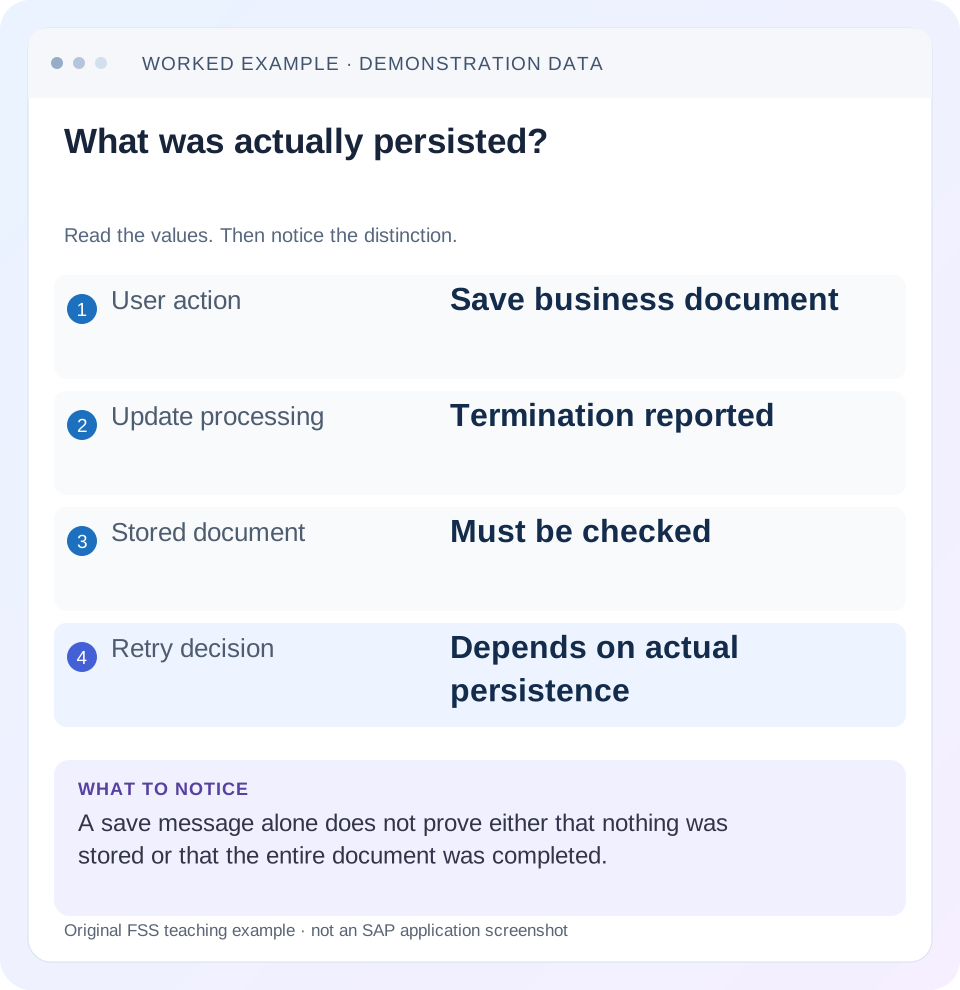
Read the example values
- User action
- Save business document
- Update processing
- Termination reported
- Stored document
- Must be checked
- Retry decision
- Depends on actual persistence
Words you’ll meet in this guide
- Instance
- A running SAP application-server environment.
- Client
- A logically separate data and configuration context in an ABAP system.
- Log
- A recorded sequence of events and messages.
- ABAP
- SAP’s programming language for business applications.
Preview the practical steps
SEE THE CONNECTION
See it in a simple example.
A small example to make the idea concrete.
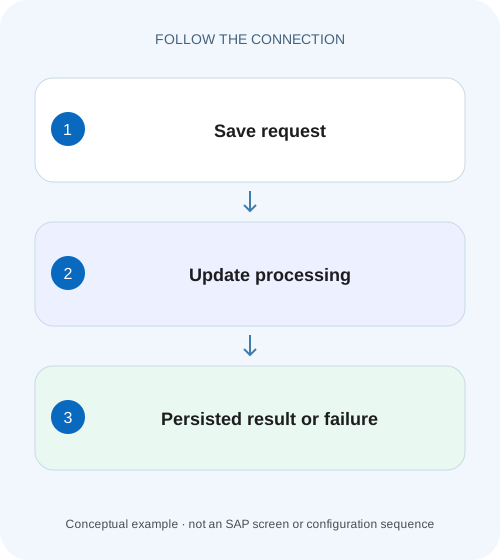
Check whether a plant receipt really persisted
A receiving user at a manufacturer is uncertain whether a goods receipt completed after an update failure.
Check persistence before repeating the business action
An update termination means an update-processing problem needs investigation; it does not give the user enough information to decide whether another submission is safe.
Audience and prerequisites
This tutorial is for Basis operators and the application's functional/development owners.
Mechanism: dialog completion and deferred update work
A business transaction can collect and validate input in dialog, then pass update work for processing.
Check whether a plant receipt really persisted
A receiving user at a manufacturer is uncertain whether a goods receipt completed after an update failure.
Check the relevant persistence and update evidence before repeating the posting and risking a duplicate receipt.
| Reader | Business question | Evidence to carry forward |
|---|---|---|
| SAP developers and application teams supporting manufacturers | Check whether a plant receipt really persisted | Check the relevant persistence and update evidence before repeating the posting and risking a duplicate receipt. |
01 Check persistence before repeating the business action
An update termination means an update-processing problem needs investigation; it does not give the user enough information to decide whether another submission is safe. Identify the intended business transaction and inspect its actual persisted outcome through the application's supported display before choosing recovery.
SM13 provides update-request display and analysis. SAP also documents update-termination evidence in system logs. Use those records to establish the failed request and its stage. A clean monitor after deletion would remove evidence rather than prove that the intended document was posted correctly. [1] [2]
02 Audience and prerequisites
This tutorial is for Basis operators and the application's functional/development owners. Obtain system/client, user, incident time and time zone, intended object/reference, exact message and expected business result. You need permitted update-display and application-display access; administrative recovery belongs to the authorized process.
Classic ABAP update mechanisms and statuses vary by installed release and application. Some business processes also involve remote systems, files or later updates outside the immediate persistence boundary. This article teaches how to define that boundary. It cannot certify that repeating a particular customer update is safe without the application's actual state and recovery rules.
03 Mechanism: dialog completion and deferred update work
A business transaction can collect and validate input in dialog, then pass update work for processing. The user-visible interaction and final database persistence are related but distinct observations. A message or screen transition before an asynchronous failure is not sufficient evidence of the final saved result.
SAP's update documentation distinguishes processing phases and V1/V2-related states. Interpret the actual status using installed documentation rather than assuming every red record represents the same rollback boundary. Important business changes and later follow-up work can have different processing stages, which is why the failed module and phase matter to recovery. [3]
04 Worked case: goods receipt confirmation is uncertain
In our fictional training client 200, user STORE_A attempts a goods receipt for PO item 4500012345/10, quantity 20 PC, at 13:10. The user sees an update-termination message and is unsure whether the receipt exists. They should not immediately post another 20 PC to make the screen proceed.
The investigation compares the PO item's supported history, any material-document reference, the matching SM13 request and the system-log interval. The intended receipt is 20 PC once. If two independent successful receipt postings of 20 PC are later created, the net receipt would be 40 PC before corrections, which would be a new business discrepancy rather than a recovery success.
| Evidence | Expected question |
|---|---|
| PO 4500012345 item 10 | Which item was intended? |
| Attempted 20 PC at 13:10 | What quantity should occur once? |
| Matching update request | Which phase and error occurred? |
| Material document/history | What actually persisted? |
| Recovery result | Is net additional receipt exactly 20 PC? |
05 Establish the business baseline
Record the PO/item, intended quantity and unit, relevant external/reference data and preexisting receipt history. Look for the actual document through supported application display, not a number recalled from a transient message. A reserved or displayed number alone may not establish a completed posting.
If a document exists, inspect its relevant status and follow-on relationships. If it does not, retain that observation with its selection scope and time. Distinguish “not found with these criteria” from a proven absence. The functional owner can identify whether the application has another document state or process-specific persistence path that must be checked.
06 Find the corresponding SM13 request
Use the supported SM13 selections to narrow by client, user and incident interval. Match request details with the attempted operation and preserve the request identity, status, error and failed update context. Do not choose an arbitrary recent termination by the same technical user.
Read the detail and processing phase before considering administrative actions. A pending request, a request already processed in an earlier phase and a terminated request can require different analysis. If the expected request is missing, inspect timing, identity and retention limits, then correlate available system/application evidence. Missing history does not prove that the original update succeeded.
07 Correlate the cause rather than the final symptom
The final “update terminated” message reports an outcome. The underlying failure might involve a database error, application exception, missing prerequisite or another documented cause. Preserve the first specific error and correlate the relevant runtime or system evidence with the same request interval.
For the fictional receipt, suppose the detailed evidence points to an application error in a required update operation. That would call for the application's approved correction and testing, rather than repeated posting attempts. If many unrelated users fail simultaneously, investigate the shared update infrastructure as well. The population of affected requests helps distinguish local business-data conditions from a broader service problem.
08 Understand why phase matters to recovery
A failure in one update phase is not a universal statement that every earlier or later business effect is absent. SAP documents statuses including a V1-processed state associated with later V2 processing. Use that information to ask which supported persistence boundary was reached in the actual application. [3]
Do not generalize the fictional receipt into a claim about all V1/V2 modules or remote effects. The responsible owner should identify the failed module's role, what can be repeated and what must be reconciled separately. This is especially important when external notifications or independent transactions accompany the original operation.
09 Choose one supported recovery route
Once the cause is understood and corrected, decide whether the approved action is update-management recovery, application reprocessing or a new business transaction. These alternatives are not interchangeable. The selected route should state how it handles the original request and prevents duplicate business effects.
Before proceeding, document the verified existing state: no completed receipt found under the relevant criteria, or an existing receipt identified with specific remaining work. If uncertainty remains, resolve it before issuing another write. Repeating the user transaction and also replaying the original update can produce two outcomes where the business intended one.
| Observed state | Decision to resolve |
|---|---|
| No completed business result established | Confirm absence and supported recovery |
| Business document exists | Identify remaining stage; avoid duplicate posting |
| Update still processing | Correlate process/server state |
| Only generic termination text | Read request detail and underlying error |
| Original outcome uncertain | Reconcile before any repeat |
10 Preserve evidence through cleanup and monitoring
SM13 provides administrative functions such as resetting and deleting requests, but tool availability is not a recovery rationale. Retain the original request and diagnostic details according to the incident process before any approved cleanup. Do not reset status merely to make processing look eligible without understanding the actual phase. [1]
If a request remains in a processing state, correlate update-server/process evidence through the supported operational procedure. Age can justify investigation but does not establish that a request is safe to alter. A system restart or cleanup may also change visible records without explaining the original business outcome, so keep persistence verification independent.
11 Verify technical and business completion separately
After a supported recovery, inspect the update outcome and the business document. For the illustrative receipt, confirm that the intended PO item has a net additional receipt of 20 PC, the expected material-document relationship and no unintended second posting. Use the same units and distinguish reversals or other receipts in the history.
Then check relevant follow-on effects within scope, such as the expected accounting relationship or application status under the training process. A successful update status does not itself prove that the business quantity, reference and organizational context are correct. Conversely, a posted receipt does not settle an unrelated later notification failure.
12 Practice positive, negative and boundary recovery decisions
A positive paper fixture contains one terminated request, no completed receipt and a documented approved recovery path. The learner should identify the missing posting and describe verification before proposing action. A negative fixture already contains a completed 20-PC receipt; a new identical posting is not an acceptable default.
A boundary fixture contains a completed primary business document but failed later processing. The learner must identify that narrower remaining stage rather than declaring the whole transaction absent. Another fixture removes retained SM13 history; the correct response is an evidence gap and further correlation, not automatic resubmission. These exercises need no productive update failures.
Create a receipt reconciliation worksheet with separate columns for intended quantity, identified successful receipts, reversals and the proposed recovery effect. If history already shows a 20-PC receipt tied to the intended reference, the remaining question may concern later processing rather than another receipt. If a separate unrelated receipt exists, do not subtract it from this attempt merely because the quantities match.
When testing a supported recovery in a training environment, use a unique permitted external reference and capture the original and resulting document identities. Verify that the original request cannot later be processed independently into a duplicate under the chosen procedure. That check connects the technical recovery decision to the practical business requirement: one intended receipt, fully explained by the resulting document chain.
Keep external effects in a separate recovery column when the application also notifies another system. A 20-PC receipt may be absent locally while an earlier independent notification exists, or the receipt may be posted while its later notification failed. Those hypothetical branches require the application owner’s transaction boundary and supported recovery design. Neither can be settled by deleting the update record or repeating the entire user action automatically. The receipt worksheet should identify which effects share the failed update boundary and which are separately persisted, so the chosen recovery completes the intended process once.
13 Questions and a useful recovery record
Does an update termination always mean nothing was saved? Establish the actual processing and persistence boundary rather than making that blanket claim. Is deleting the request a business correction? It removes a technical record; it does not create the intended business document or reconcile duplicates.
A useful recovery record names intended business key and quantity, original update request, error/phase, cause correction, approved route and verified resulting document. Link the original and recovery references. Continue with PO-history, locking and system-log lessons where those provide the missing state evidence, and keep documentation-only examples separate from actual execution results.
Related services and next steps
Primary sources
Found this useful?
Share this guide with your network, or leave a like.
Your like is saved in this browser.