SAP SM21 system log: Find the right server and incident time
A manufacturing application fails on one server while an analyst reviews a quiet log from another instance.

Source review:
START HERE · NO PRIOR TOPIC KNOWLEDGE NEEDED
What it is. Why it matters.
The system log records important SAP system events. SM21 is a classic tool for reviewing these records, helping operations teams connect a reported problem with events at the same time.
Completely new to SAP?
Manufacturers use SAP to connect work such as buying components, recording inventory, planning production, shipping equipment and accounting for costs. SAP S/4HANA is an enterprise resource planning system: it connects these activities through shared business data.
SAP Basis work keeps relevant SAP systems running. Logs, background jobs and connection tools help explain what happened to a task at a particular time.
A transaction code, or t-code, is a shortcut to a task in classic SAP GUI. Fiori apps provide another way to work. Names and screens depend on the product and release; you do not need a live system to learn the concepts in this guide.

Scope and source-review notes
Scope and evidence
Source review by FAST SAP SOLUTIONS® editorial. This badge describes our editorial review; it does not represent SAP certification or independent endorsement.
AS ABAP system-log investigation for Basis and support analysts. ABAP Platform and post-7.02 central-log concepts are distinguished from older central-file documentation. Access, retention and remote collection depend on the installed landscape.
Documentation review on 14 November 2026 used the available official SAP indexed excerpts; several SAP Help pages returned no readable full text. The worked case and proposed checks are original illustrative teaching material, not execution evidence from a customer SAP system. Exact fields, permitted actions and behavior must be confirmed against the installed product, release and configuration.
A MANUFACTURING EXAMPLE
Locate the system event behind a factory failure
Match the incident window
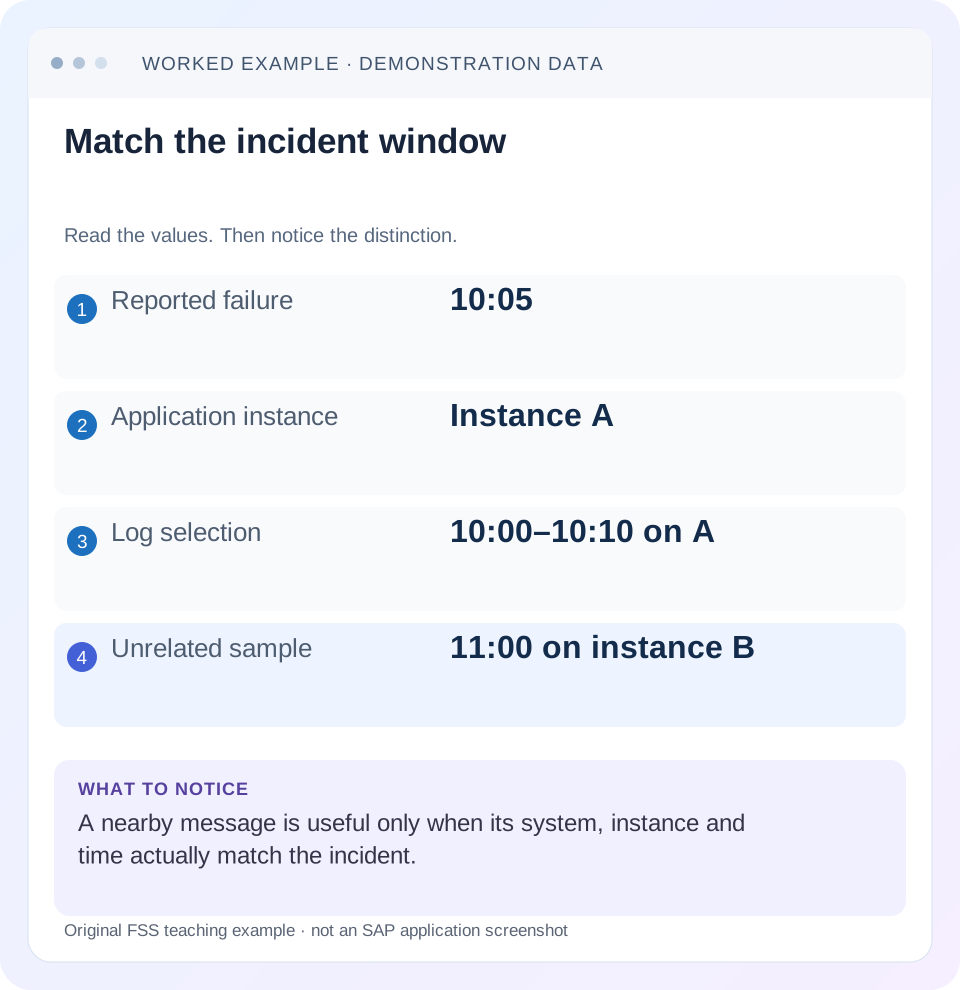
Read the example values
- Reported failure
- 10:05
- Application instance
- Instance A
- Log selection
- 10:00–10:10 on A
- Unrelated sample
- 11:00 on instance B
Words you’ll meet in this guide
- Instance
- A running SAP application-server environment.
- Client
- A logically separate data and configuration context in an ABAP system.
- Log
- A recorded sequence of events and messages.
- ABAP
- SAP’s programming language for business applications.
Preview the practical steps
SEE THE CONNECTION
See it in a simple example.
A small example to make the idea concrete.
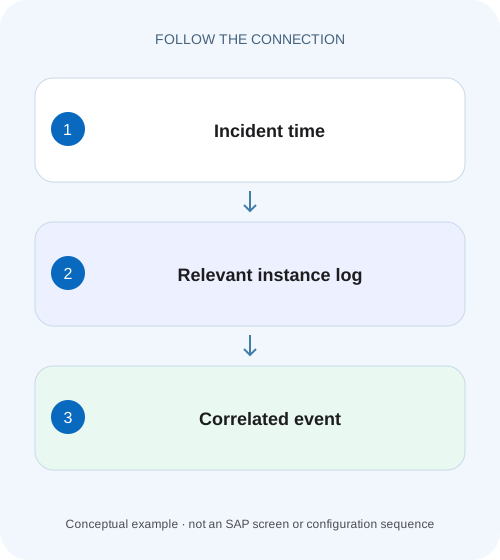
Locate the system event behind a factory failure
A manufacturing application fails on one server while an analyst reviews a quiet log from another instance.
Find the event in the correct instance and time window
SM21 displays SAP system-log messages.
What you need before interpreting the list
This tutorial is for Basis operators and application-support analysts with permitted log-display access.
Worked case: a failure on instance B, a quiet log on A
In our fictional system QAS, instances A and B serve dialog work.
Locate the system event behind a factory failure
A manufacturing application fails on one server while an analyst reviews a quiet log from another instance.
Match instance, time and incident scope before ruling out a relevant system event.
| Reader | Business question | Evidence to carry forward |
|---|---|---|
| SAP developers and application teams supporting manufacturers | Locate the system event behind a factory failure | Match instance, time and incident scope before ruling out a relevant system event. |
01 Find the event in the correct instance and time window
SM21 displays SAP system-log messages. Its value is the connection between a reported interruption and system events from the same place and time. Begin with the incident's system, application-server instance and timestamp; a warning from another instance or another hour may be unrelated.
SAP documents a local log on each instance and remote reading of instance logs. Therefore, “SM21 is empty” is incomplete without the selected time range, instance scope and any failed remote reads. The absence of a matching message is a limited observation, not proof that the user's business operation succeeded. [1]
02 What you need before interpreting the list
This tutorial is for Basis operators and application-support analysts with permitted log-display access. Obtain the affected environment, action, user-reported time with time zone, and any request or job identifier. Establish whether the user session was on a known application server or passed through load balancing.
The examples concern AS ABAP system logging. They do not replace security audit logs, application logs, job logs or database-specific monitoring. Historical SAP documentation discusses a central log file; newer documentation describes reading local instance logs through remote mechanisms. Confirm the installed design before searching for a file architecture copied from an older release. [2]
03 Worked case: a failure on instance B, a quiet log on A
In our fictional system QAS, instances A and B serve dialog work. A user reports that a save failed at 10:05 UTC on B. An analyst logged into A initially reads A's log from 10:00 to 10:10 and sees no relevant messages. That result says nothing yet about B's local records.
When B is included, the illustration contains a communication-related system message at 10:04:58 and a reconnect message at 10:06:12. These are invented teaching observations, not SAP message identifiers or a diagnosed customer incident. They narrow the investigation to a short interval; only correlation with the failed action can show whether the interruption explains the save outcome.
| Record | Time / scope | Interpretation |
|---|---|---|
| User report | 10:05 UTC, B | Target action and instance |
| Initial search | 10:00–10:10, A only | Insufficient scope |
| System event | 10:04:58, B | Candidate correlation |
| Reconnect | 10:06:12, B | Possible interruption boundary |
| Business document | Not yet checked | Persistence conclusion remains open |
04 Establish an incident clock and selection window
Translate the reported time into the time convention used by the selected display. Keep the original user time and translated system time together. Include date boundaries and daylight-saving differences where relevant. A failure reported as “yesterday at midnight” is too ambiguous for an evidence-grade search.
Start with a window that includes activity before and after the failure, such as 10:00–10:10 for the 10:05 example. Widen deliberately if timestamps are approximate or preceding events suggest an earlier cause. Do not widen so far that unrelated repeated warnings dominate the analysis. Record the final selection so another analyst can reproduce it.
05 Confirm which instance logs were actually read
Select the relevant local or system-wide scope using the supported SM21 functions in the installed release. Inspect whether the expected instances were available and whether their logs were successfully retrieved. A combined view may be incomplete when an instance or its communication path is unavailable. [1] [2]
For the worked case, mark A as read successfully and B as either read successfully or unavailable. If B cannot be read, that is itself an investigation branch: preserve the retrieval failure and obtain the missing evidence through the responsible operations procedure. Never label the whole system clear based only on the reachable server.
06 Read message identity and surrounding events together
Capture the message's exact time, originating instance, identifier, text and relevant technical details. Keep neighboring events that establish a sequence. A failure followed by a reconnect can support an interruption hypothesis; a single isolated warning could be old background noise.
Compare with the user's actual action and known work context. Was the affected session on B? Does the message describe a dependency used by that action? Were other requests impacted at the same time? These questions turn proximity into a testable causal hypothesis. They also expose when the most visible warning has no plausible relationship to the symptom.
07 Follow the next evidence source instead of stretching SM21
If a system message points to an ABAP runtime error, inspect the corresponding dump with the permitted runtime-error display and correlate program, user and time. If it concerns a background run, inspect SM37 job/step details. For a business object or interface reference, SLG1 or the application's own log may contain the decisive result.
In the fictional save failure, the business document's existence and persistence are separate questions. A communication interruption can leave the user uncertain about the result. Inspect the supported document display and any update evidence before resubmitting the write. SM21 can explain an interruption without proving that the intended business transaction was wholly absent or wholly committed.
08 Distinguish retention limits from quiet operation
A log is a retained technical record with finite availability. If the incident is outside retained history or an instance has been replaced, a current search cannot recreate missing events. State the evidence gap and look for already retained job, application, database or incident records that cover the interval.
Do not change file sizes or logging architecture as a reflex to one missing record. Such changes require understanding the release, operational requirements and resource effects. The immediate tutorial outcome is to identify exactly what can and cannot be established from the available logs, then improve future evidence collection through a separately reviewed operational change if needed.
09 Troubleshoot selections and misleading correlations
A blank result can arise from the wrong date, instance, severity filter or inaccessible source. An overfull result can arise from an unnecessarily broad interval or recurring unrelated events. Neither display state answers the incident until the search scope matches its identity.
A sequence seen on all instances may suggest a shared dependency; a sequence seen only on B may suggest local context. Those are hypotheses, not automatic diagnoses. Compare independent workload or infrastructure observations for the same period. Avoid restarting services just because an alarming message appears: intervention can remove the evidence needed to understand its cause.
| Observation | Next check |
|---|---|
| No rows | Date/time, instance, filters and retention |
| Remote log read failed | Missing instance access and retrieval path |
| Many repeated warnings | Frequency before incident and affected context |
| Message mentions runtime error | Matching dump identity and time |
| Save result uncertain | Business document and update evidence |
10 Verify the original action after a reviewed correction
A positive verification repeats the original harmless or controlled business scenario and records its actual result, then inspects the relevant system evidence. If the original action was a posting, use a documented test and reconcile any preexisting uncertain result before another write. The monitor is only one side of verification.
A negative check repeats the log selection for A while intentionally excluding B in a training exercise. The expected lesson is that relevant B messages disappear without disproving the incident. A boundary check moves the interval beyond available retention or makes B unavailable in a paper fixture; the analyst should report incomplete evidence rather than manufacture a clean bill of health.
11 Write a handover another analyst can reproduce
For the illustration, a defensible handover says: “QAS B, 10:00–10:10 UTC; communication event 10:04:58 and reconnect 10:06:12; user reports failed save at 10:05. A was also read and has no correlated event. Document persistence remains under application review.” Each part has a stated source and limit.
Protect user and business identifiers appropriately when sharing logs. Include sanitized message details rather than a full uncontrolled export of unrelated activity. Preserve the distinction between observation and conclusion: “message found” is an observation, while “message caused failed save” requires supporting correlation and persistence evidence.
12 Reconstruct the save outcome alongside the log timeline
Create a four-column incident worksheet containing clock, instance, evidence source and observation. Add the user report, B system message, reconnect and supported business-document display result as separate rows. If the document exists, capture its identity and relevant status rather than declaring the save failed solely because the user saw a connection error. If the document does not exist, inspect the applicable update or application evidence before deciding how the original business action should be repeated.
Now deliberately shift the selected time zone by one hour in a paper copy. The candidate correlation should disappear or become visibly implausible. Restore the correct convention and check the same interval on both instances. This makes the selection boundary testable: another analyst can reproduce which source contains the event, which sources were read successfully and what remains unproven about persistence.
For a broader incident, compare the same short interval across A and B without merging their origins. If B alone reports a communication interruption while A continues serving comparable requests, that supports an instance-specific question. If both report a matching dependency failure, inspect the shared service. Neither pattern proves causation by itself: the affected request still needs identity and persistence correlation. Retain instance as a column when exporting, so a sorted timestamp list cannot make two different servers look like one continuous process history. This is especially useful when an unavailable instance later rejoins and its local records become accessible.
13 Questions that keep the investigation focused
Does every application error appear in SM21? No. An application can reject a request as part of normal business validation and record it elsewhere. Is the first red message the cause? No. Read its origin, timing and technical relationship to the action before assigning causation.
Can an inaccessible instance be ignored in a system-wide statement? No. Report the missing scope and continue the relevant retrieval investigation. Should a clear SM21 result close an uncertain posting incident? Only when the business outcome and other relevant evidence support closure. Continue with SM13 for update-state questions, SM37 for job execution and SLG1 for application-owned logs.
Related services and next steps
Primary sources
Found this useful?
Share this guide with your network, or leave a like.
Your like is saved in this browser.