SAP background job canceled? Read the job log before restarting
A manufacturer's scheduled job is canceled after one business step succeeds and a later export fails.

Source review:
START HERE · NO PRIOR TOPIC KNOWLEDGE NEEDED
What it is. Why it matters.
A background job runs work without an interactive screen. SM37 shows job status and logs, helping distinguish a canceled run from the business effects it may already have produced.
Completely new to SAP?
Manufacturers use SAP to connect work such as buying components, recording inventory, planning production, shipping equipment and accounting for costs. SAP S/4HANA is an enterprise resource planning system: it connects these activities through shared business data.
SAP Basis work keeps relevant SAP systems running. Logs, background jobs and connection tools help explain what happened to a task at a particular time.
A transaction code, or t-code, is a shortcut to a task in classic SAP GUI. Fiori apps provide another way to work. Names and screens depend on the product and release; you do not need a live system to learn the concepts in this guide.

Scope and source-review notes
Scope and evidence
Source review by FAST SAP SOLUTIONS® editorial. This badge describes our editorial review; it does not represent SAP certification or independent endorsement.
Classic AS ABAP background processing through SM37 for Basis, application support and batch owners. External schedulers, application job frameworks and managed cloud services may have additional dependency/restart controls.
Documentation review on 14 November 2026 used the available official SAP indexed excerpts; several SAP Help pages returned no readable full text. The worked case and proposed checks are original illustrative teaching material, not execution evidence from a customer SAP system. Exact fields, permitted actions and behavior must be confirmed against the installed product, release and configuration.
A MANUFACTURING EXAMPLE
Recover a factory integration job by completed step
Invoices exist before export fails
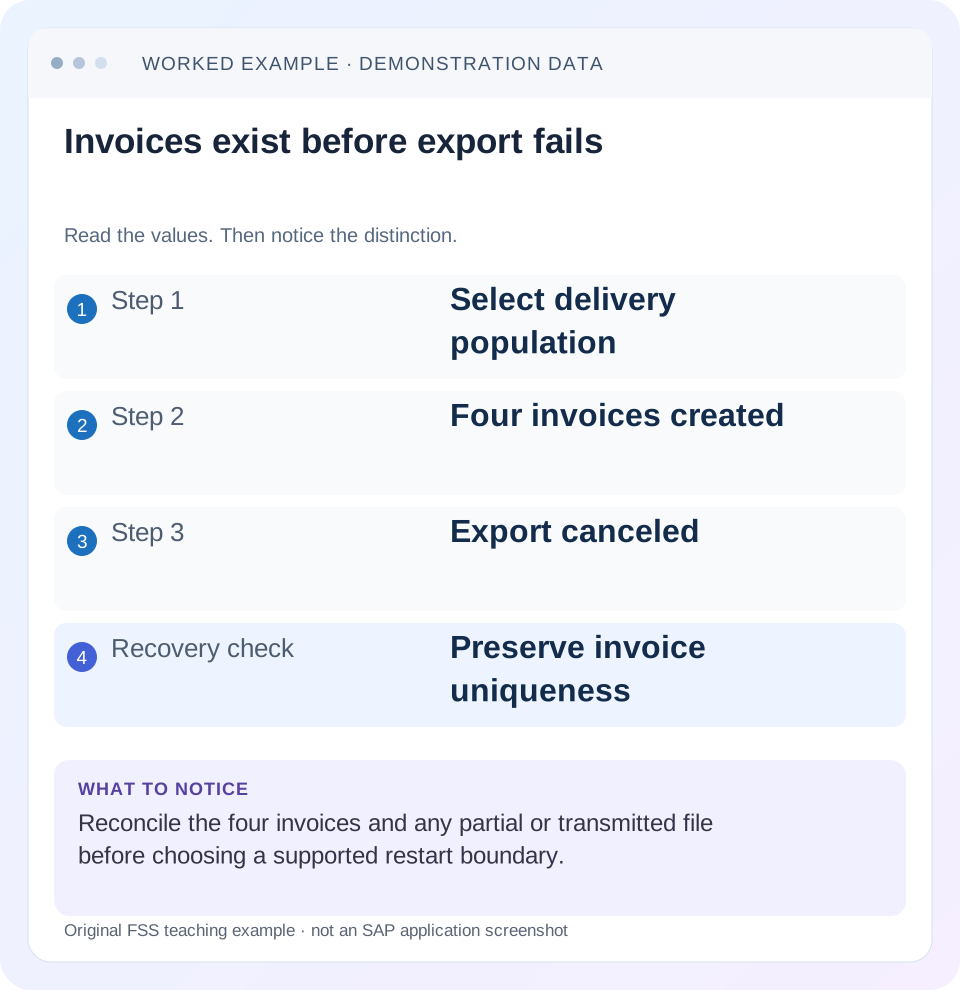
Read the example values
- Step 1
- Select delivery population
- Step 2
- Four invoices created
- Step 3
- Export canceled
- Recovery check
- Preserve invoice uniqueness
Words you’ll meet in this guide
- Instance
- A running SAP application-server environment.
- Client
- A logically separate data and configuration context in an ABAP system.
- Log
- A recorded sequence of events and messages.
- ABAP
- SAP’s programming language for business applications.
Preview the practical steps
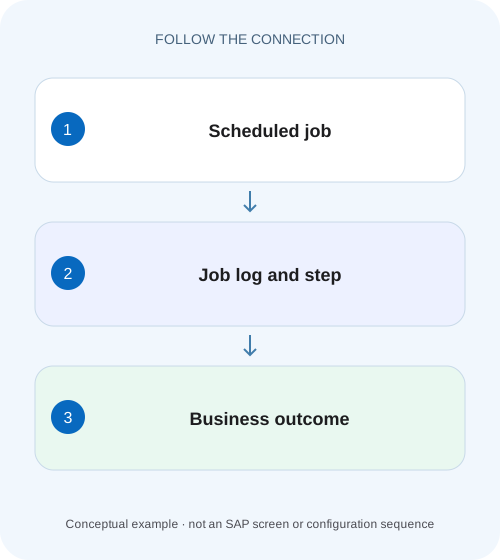
SEE THE CONNECTION
See it in a simple example.
A small example to make the idea concrete.
Recover a factory integration job by completed step
A manufacturer's scheduled job is canceled after one business step succeeds and a later export fails.
Canceled identifies abnormal termination, not its cause
A canceled background job needs investigation of the exact run and failed step.
Prerequisites and scope
This guide is for Basis operators, application-support analysts and batch-process owners with permitted SM37 display access.
Worked case: invoice creation succeeded, export failed
Our fictional QAS job BILL_EXPORT_A runs at 02:00.
Recover a factory integration job by completed step
A manufacturer's scheduled job is canceled after one business step succeeds and a later export fails.
Read job-step logs and existing business effects before restarting the whole job as though nothing completed.
| Reader | Business question | Evidence to carry forward |
|---|---|---|
| SAP developers and application teams supporting manufacturers | Recover a factory integration job by completed step | Read job-step logs and existing business effects before restarting the whole job as though nothing completed. |
01 Canceled identifies abnormal termination, not its cause
A canceled background job needs investigation of the exact run and failed step. SAP documents cancellation from deliberate administrative action and from program or external-step errors. Therefore, the status alone cannot tell you whether the cause is code, authorization, infrastructure or an operator decision. [2]
Read the job log and step context before restarting. A canceled run can have completed earlier work, including documents, files or messages. The recovery question is which business effects already occurred and which supported restart scope will finish the intended work without duplicating them.
02 Prerequisites and scope
This guide is for Basis operators, application-support analysts and batch-process owners with permitted SM37 display access. Obtain job name, intended schedule, user, reported failure time, system/client and expected output. If an external scheduler controls the process, include its run and dependency references. [3]
The worked case uses classic ABAP jobs with several steps. Other application job services may expose different states and recovery actions. Even in SM37, copying or releasing a job is a mutation with business effects; begin by inspecting the existing run. Do not use a similarly named job as a substitute for the execution that actually failed.
03 Worked case: invoice creation succeeded, export failed
Our fictional QAS job BILL_EXPORT_A runs at 02:00. Step 1 selects eligible deliveries, step 2 creates supported billing output through an approved training process and step 3 exports a reconciliation file. At 02:12 the job is canceled in step 3. Four billing documents were already created in step 2.
The desired outcome is those four invoices once, plus one complete reconciliation file. A full repeat that creates another set of invoices would not repair the original run. Conversely, a job status changed to Finished without the expected file would not meet the process requirement. The scenario is illustrative and does not identify a delivered SAP billing program.
| Step | Observed result | Recovery implication |
|---|---|---|
| 1: Select deliveries | Completed | Retain selected population |
| 2: Create billing documents | Four invoices created | Reconcile and preserve uniqueness |
| 3: Export reconciliation | Canceled | Inspect partial/transmitted file state |
04 Identify the exact job instance
In SM37, select the relevant name, user, status and time range using supported criteria. Confirm scheduled and actual start, execution identity and the unique run context available in your release. Recurring jobs can share a name while representing different business dates and parameters.
Compare with the operational schedule. A 02:00 run canceled on Tuesday can be confused with a Monday rerun started at 02:00 on Tuesday. Keep the business selection date and execution timestamp separate. If multiple systems share job names, include the environment and client so an apparently successful run in another system does not obscure the incident.
05 Read the job log in sequence
Open the log for the identified run and preserve relevant timestamps and messages. Find the first actionable failure and the step where it occurs. Later messages such as “job canceled” summarize the outcome and may not identify the cause. [1]
In the fictional run, the log confirms step 2 completed and step 3 reported an output-file error. The next questions concern the exact file path contract, external step or program result and file state. Do not reset a billing configuration merely because a job with billing in its name failed after invoicing had already finished.
06 Inspect the step's program, variant and identity
Compare the failed step's actual program or external command, variant and execution user with the approved definition and a relevant successful run. A changed date range, destination or file parameter can explain a new failure without a source-code regression.
For variants containing dynamic dates, distinguish their definition from the values resolved during this run. A rerun on another day may select a different population even if the variant name is unchanged. Record the intended recovery population explicitly. The execution user's authorizations and technical environment can also differ from the analyst's successful foreground test.
07 Correlate runtime and external-step failures correctly
If the log points to an ABAP runtime error, inspect the matching dump by time, user and program through the authorized process. If it identifies an external command or program return code, retain that result and involve the owner of the external execution environment. A network or host error may require system-log or infrastructure correlation. [2]
Do not assume that an authorization error is the cause simply because a job runs in background. Compare the actual failure evidence. Similarly, an administrator cancellation needs its operational reason and timestamp; debugging the program without knowing it was deliberately stopped can waste the investigation and lead to an inappropriate rerun.
08 Reconcile completed documents, files and messages
List the business effects already created by each completed or partially completed step. For BILL_EXPORT_A, identify the four invoices and verify their accounting/processing state as required by the workflow. Inspect whether step 3 created a partial file, transmitted data or merely failed before opening output.
A zero-byte file, partial file and fully transmitted file followed by a notification failure are different recovery states. Use the application's file/reference contract to establish which one exists. A canceled status cannot prove that the remote recipient received nothing, just as a missing local success message cannot prove that no invoice was posted.
09 Select a supported restart boundary
Ask the application owner whether the failed step can be restarted independently, whether the program supports a recovery mode or whether a full rerun safely recognizes prior results. The answer depends on the application's idempotency and checkpoint design. Do not invent a restart-from-step procedure based only on the visible step number.
For the illustration, a documented export-only recovery using the four existing invoice references could be appropriate if supported. If the process requires a full rerun, establish how existing invoices and prior output are detected. Preserve original and recovery run references and ensure the scheduled next run cannot overlap unintentionally.
| Observed state | Question before action |
|---|---|
| Earlier documents exist | How does rerun detect them? |
| Partial output file exists | Replace, resume or resend under what contract? |
| Remote acceptance uncertain | Did recipient already process it? |
| Dynamic date changed | Which business-date population is intended? |
| Administrator canceled run | What operational condition must change? |
10 Check dependencies and business timing
A corrected run can still violate the process if downstream jobs already consumed incomplete output or if the recovery competes with the next scheduled cycle. Inspect predecessor/successor conditions in the controlling scheduler and inform the authorized process owner through the established incident workflow.
Do not release a chain solely to turn its statuses green. Verify the intended business-date population and external delivery requirements. For a daily reconciliation file, two independently delivered partial files might not equal one accepted complete file. The recipient's supported processing contract determines how a replacement should be identified and reconciled.
11 Verify the recovery run at both levels
After approved recovery, inspect the new job log and failed-step result, then verify the business outcome. For BILL_EXPORT_A, the four original invoice identities should remain the intended set, and the reconciliation file should contain the correct references and totals under the training contract.
If the invoices have illustrative net values of EUR 100, 200, 300 and 400, their net total is EUR 1,000 before taxes and other amounts. A file count of four is insufficient if it repeats one invoice and omits another. Compare identities and values as well as record count. Recheck downstream acceptance when it belongs to the job's definition of completion.
12 Practice positive, negative and boundary restart decisions
A positive fixture has completed invoices and no exported file; the learner should propose only a supported recovery that preserves invoice uniqueness. A negative fixture already has a file accepted by the recipient; repeating transmission needs reconciliation rather than automatic restart. A boundary fixture contains an uncertain partial file and requires inspection of the receiving contract.
Another exercise changes the dynamic-date resolution between original and rerun. The learner should identify the changed population even though the variant name stays the same. These tests teach restart reasoning without scheduling write-producing jobs in production. Record any real execution separately with its actual log and business evidence.
Prepare a step-effect ledger for BILL_EXPORT_A before the restart decision. For each step, record its selected business population, identified persistent output and any uncertain external effect. For step 2, list all four invoice identities. For step 3, record the local file state and recipient acknowledgment separately. This prevents a local file error from being interpreted as proof that nothing reached the recipient.
During recovery verification, compare the file’s invoice set with the ledger as a set of identities, then reconcile its values. If the file contains four rows but repeats the EUR 100 invoice and omits the EUR 400 invoice, its total would be EUR 700, not EUR 1,000. Count and total together expose more defects than either alone, while the identity comparison explains exactly which one occurred.
Identity comparison remains necessary even when count and total match. Imagine the recovery file still has four rows totaling EUR 1,000, but it substitutes an unrelated EUR 300 invoice for the intended EUR 300 invoice. Both summary checks pass while the reconciliation is wrong. Compare the exact approved invoice set with the file references, then inspect values. For BILL_EXPORT_A, this confirms that the export describes the four invoices created by the original step rather than another customer’s or another day’s documents. A technically finished export step cannot establish that business population on its own.
13 Questions and a useful job incident record
Does Finished prove every intended business record was created? It indicates successful completion of the job's steps, but the application can record business exclusions or errors separately. Inspect the application's acceptance evidence. Does Canceled prove a program defect? No; administrative cancellation and external-step failures are documented alternatives.
A useful incident record names the exact run, failed step, first actionable message, resolved parameter context, already-created effects, cause correction and supported recovery scope. Link the new run and verification result. Continue with accounting-transfer, spool and application-log lessons when those are the actual unresolved stages instead of treating SM37 as a complete business-process monitor.
Related services and next steps
Primary sources
Found this useful?
Share this guide with your network, or leave a like.
Your like is saved in this browser.