SAP SP01: Spool request versus output request, explained practically
A manufacturer generates a document for factory operations but needs to distinguish the spool content from attempts to deliver it to an output device.

Source review:
START HERE · NO PRIOR TOPIC KNOWLEDGE NEEDED
What it is. Why it matters.
A spool request stores prepared output; an output request represents an attempt to send it to an output device. SP01 helps inspect these distinct stages.
Completely new to SAP?
Manufacturers use SAP to connect work such as buying components, recording inventory, planning production, shipping equipment and accounting for costs. SAP S/4HANA is an enterprise resource planning system: it connects these activities through shared business data.
SAP Basis work keeps relevant SAP systems running. Logs, background jobs and connection tools help explain what happened to a task at a particular time.
A transaction code, or t-code, is a shortcut to a task in classic SAP GUI. Fiori apps provide another way to work. Names and screens depend on the product and release; you do not need a live system to learn the concepts in this guide.

Scope and source-review notes
Scope and evidence
Source review by FAST SAP SOLUTIONS® editorial. This badge describes our editorial review; it does not represent SAP certification or independent endorsement.
Classic SAP spool administration through SP01, based on NetWeaver printing concepts. Device types, access methods, status detail and physical feedback vary by release and print architecture. Modern application output management adds separate stages.
Documentation review on 14 November 2026 used the available official SAP indexed excerpts; several SAP Help pages returned no readable full text. The worked case and proposed checks are original illustrative teaching material, not execution evidence from a customer SAP system. Exact fields, permitted actions and behavior must be confirmed against the installed product, release and configuration.
A MANUFACTURING EXAMPLE
Separate a factory print request from device output
One spool, two device attempts
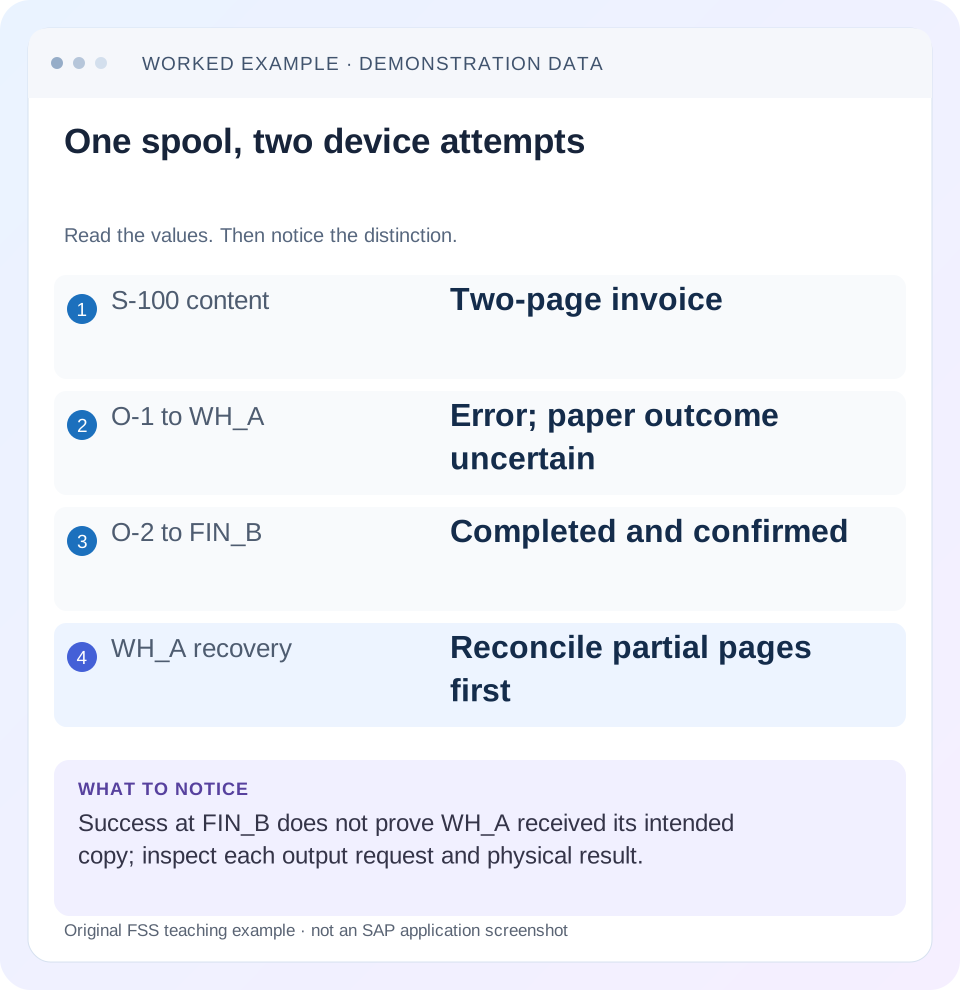
Read the example values
- S-100 content
- Two-page invoice
- O-1 to WH_A
- Error; paper outcome uncertain
- O-2 to FIN_B
- Completed and confirmed
- WH_A recovery
- Reconcile partial pages first
Words you’ll meet in this guide
- Instance
- A running SAP application-server environment.
- Client
- A logically separate data and configuration context in an ABAP system.
- Log
- A recorded sequence of events and messages.
Preview the practical steps
SEE THE CONNECTION
See it in a simple example.
A small example to make the idea concrete.
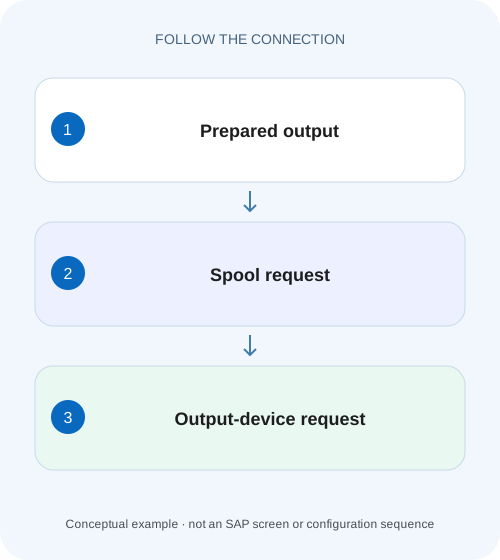
Separate a factory print request from device output
A manufacturer generates a document for factory operations but needs to distinguish the spool content from attempts to deliver it to an output device.
A spool request and a print attempt are different objects
A spool request stores print data; an output request represents output of that data to a particular device.
Prerequisites and scope
This tutorial is for permitted application-support and Basis print operators.
Mechanism: stored content and device-specific processing
SAP stores spool data temporarily in TemSe in a partly formatted form.
Separate a factory print request from device output
A manufacturer generates a document for factory operations but needs to distinguish the spool content from attempts to deliver it to an output device.
Read spool and output-request states separately before telling the plant team that a generated document was printed successfully.
| Reader | Business question | Evidence to carry forward |
|---|---|---|
| SAP developers and application teams supporting manufacturers | Separate a factory print request from device output | Read spool and output-request states separately before telling the plant team that a generated document was printed successfully. |
01 A spool request and a print attempt are different objects
A spool request stores print data; an output request represents output of that data to a particular device. One spool request can have several output requests with different printers or copy attributes. Record both levels before deciding whether the problem concerns content generation or delivery to a device.
SAP documents the distinction and SP01's administration role. Finding a spool number proves that some print data was created, not that the intended physical page reached the intended tray. A successful older output attempt also cannot establish that a newer attempt used the right printer or completed. [1]
02 Prerequisites and scope
This tutorial is for permitted application-support and Basis print operators. Obtain the source business document or job, spool reference if known, creator, time, intended output device and what the user physically observed. Use display before any repeat output, and coordinate sensitive or operational documents with their process owner.
Classic spool processing is one stage in a wider output chain. An SD output framework can determine a recipient and create a form before spool processing begins. A missing application output and an existing spool with a failed printer attempt require different investigations. The available device feedback also depends on the configured access method and print architecture.
03 Mechanism: stored content and device-specific processing
SAP stores spool data temporarily in TemSe in a partly formatted form. An output request takes that data toward a specific output device. The output path can involve SAP spool processing, an operating-system spooler and the physical printer. [1]
These stages explain why preview, device formatting, transmission and physical output are separate questions. The same stored data can be output more than once, but a device type or printer mismatch can affect rendering. Do not infer that a readable preview validates every device-specific format or that a host-level acknowledgment proves the business user received a usable page.
04 Worked case: one invoice, two output attempts
In our fictional training system, spool S-100 contains a two-page invoice form. Output O-1 targets printer WH_A with one copy and encounters a delivery error. Output O-2 later targets FIN_B with one copy and reports completion. The identifiers are teaching labels rather than actual system-number formats.
The warehouse user reports “invoice did not print.” O-2's success at FIN_B does not resolve the WH_A complaint. Equally, repeating S-100 at WH_A without checking whether O-1 eventually printed could create a duplicate. The correct diagnosis follows each attempt's device, time, status and observed result.
| Object | Device | Copies | Result |
|---|---|---|---|
| S-100 | Stored content | Two pages | Expected invoice data |
| O-1 | WH_A | 1 | Delivery error; paper uncertain |
| O-2 | FIN_B | 1 | Completed; confirmed at finance |
05 Locate the correct spool request
In SP01, use supported selections such as creator, date/time and output context to locate the spool. Confirm the source document or job relationship and page/content identity. A similar title or the most recent row may belong to another invoice or another scheduled execution.
SAP's spool list documents creation information, creator, pages and status, with functions to inspect content and output requests. Record the actual selection and spool identifier. If no spool is found, investigate the application generation/output stage, selection assumptions and retention; do not begin by changing a physical printer that never received a request. [3]
06 Inspect content before blaming the device
Display the permitted spool content and compare the document identity and expected page data. If the wrong customer, amount or form is already in stored content, the cause lies upstream of device transmission. A printer retry will reproduce the same wrong data.
If the content is correct in preview but wrong on paper, inspect the relevant output-device and formatting context with the print owner. Check whether the output was sent to a device compatible with its expected device type. Avoid changing printer definitions globally to repair one form until the affected output population and formatting evidence are understood. [4]
07 Expand the output attempts for that spool
Use the supported output-request display for S-100. Compare O-1 and O-2 separately: device, creation time, copies and processing evidence. SAP documents navigating from spool-list status to its output requests in the classic interface; installed screen behavior may differ.
Do not overwrite the history with a single statement such as “spool completed.” One attempt may fail while another succeeds. Also verify whether a later attempt was automatically retried or manually requested, where the evidence identifies that. The incident needs the attempt associated with the missing page, not whichever status looks most conclusive.
08 Interpret status at its actual processing boundary
SAP's status documentation distinguishes requests still in SAP spool processing from those moving into host-spool or printer stages. Read the exact status and detail rather than relying only on color. A persistent waiting state points to a different boundary from an application that never created spool data. [2]
For O-1, determine whether it was never dispatched, failed while reaching the host/device or completed through the configured feedback path. Then compare with the physical print owner. The information available at the printer boundary varies, so state whether actual paper delivery was confirmed or whether the evidence stops at a technical handoff.
09 Reconcile copies and pages before reprinting
S-100 has two pages. One successful one-copy output represents two intended pages; two successful one-copy outputs represent four printed pages if both fully emerge. If a third attempt requests two copies, it can add four more pages. These simple counts help identify potential duplicate physical documents.
Partial output complicates the arithmetic: one page may emerge before an error. Ask which pages/copies actually exist and follow the process's handling for unwanted duplicates. A sensitive invoice, shipping document or label can have business consequences beyond paper waste, so a controlled reprint needs an exact scope and destination.
10 Separate print recovery from business-document recreation
If the invoice exists and its spool content is correct, creating another invoice is usually the wrong way to solve a printer-delivery problem. Use the supported output/reprint process and preserve the business-document relationship. Similarly, a printout failure does not prove accounting transfer failed.
If the spool has expired or cannot be reused, the application may provide a supported regeneration path. Confirm whether that path creates a new output record, new form or new business effect. The recovery decision should explain what is reproduced and what remains the original document, rather than treating every visible “print” action as equivalent.
11 Troubleshoot the earliest missing stage
No spool suggests generation, application output, selection or retention questions. Correct spool with no output request suggests release/output-setting questions. Output request waiting in SAP suggests spool-processing evidence. A host/device error suggests the relevant print route. Correct output at the wrong device suggests destination selection.
An older completed attempt at another printer answers none of those current-route questions. Compare the incident's exact time and device first. Avoid deleting spool/output history during investigation, restarting shared print services speculatively or issuing repeated output requests to see whether one works. Each new attempt changes the duplicate-risk picture.
| Observation | Investigate |
|---|---|
| No spool found | Application generation, selection and retention |
| Wrong data in preview | Business source and form generation |
| Correct spool, no output | Output/release settings |
| Device attempt failed | Exact host/device route and status detail |
| Completed at another printer | Current intended device remains separate |
| Partial pages emerged | Copy/page reconciliation before repeat |
12 Verify with controlled positive and negative checks
After an approved correction, output a permitted training document through the intended device and confirm content, page count, copy count and physical or intended electronic result. Retain spool and output references. Verify the original route that failed rather than only a convenient alternative printer.
A negative paper exercise marks FIN_B completed while WH_A remains failed; the learner should keep the warehouse incident open. A boundary exercise introduces one partially printed page and asks how many complete approved copies remain needed. Another fixture contains wrong data in preview; the learner should send the investigation upstream instead of requesting a printer restart.
Build a copy ledger for S-100 with one row per output attempt and separate columns for intended copies, confirmed complete copies and uncertain partial pages. If O-1 produced page one only and O-2 produced both pages at FIN_B, the warehouse still lacks a complete intended copy, but three physical pages already exist across the locations. A repeat needs the print owner’s controlled handling for the partial page and the correct destination.
For the proposed positive test, choose content that can be visually identified without exposing customer data, such as an approved training invoice reference and a clear page number. Confirm both pages at WH_A and match the output request’s one-copy setting. A successful one-page test alone may not validate a two-page form’s page breaks, continuation information or routing of all pages.
For a retention boundary, suppose the original spool is no longer available while the user reports a missing warehouse copy. The absence of stored data now does not prove that no earlier output occurred. Use retained application output, job and print-route evidence plus the receiving observation to establish the earlier state. If regeneration is required, the process owner should identify whether it reproduces the original document version or current data. A newly rendered form after master-data changes can differ from the original, so retain the business-document version and purpose of the controlled replacement output.
13 Questions and a useful print incident statement
Can one spool have multiple outputs? Yes, and each needs its own device/status interpretation. Does preview prove paper delivery? No. Can a successful output prove the business document's accounting state? No; printing and accounting are different processes.
A useful statement says: “S-100 contains the expected two-page invoice. O-1 to WH_A failed; physical partial output unconfirmed. O-2 to FIN_B completed and was confirmed there. Controlled WH_A recovery pending duplicate reconciliation.” That records exactly what is known and gives the print owner a concrete next step without recreating the underlying invoice.
Related services and next steps
Primary sources
Found this useful?
Share this guide with your network, or leave a like.
Your like is saved in this browser.